Turn Web Pages and Videos into Mind Maps in One Click
Summarize articles, research pages, and YouTube videos into structured visual maps so you can understand faster, study smarter, and keep exploring in AIFlow.
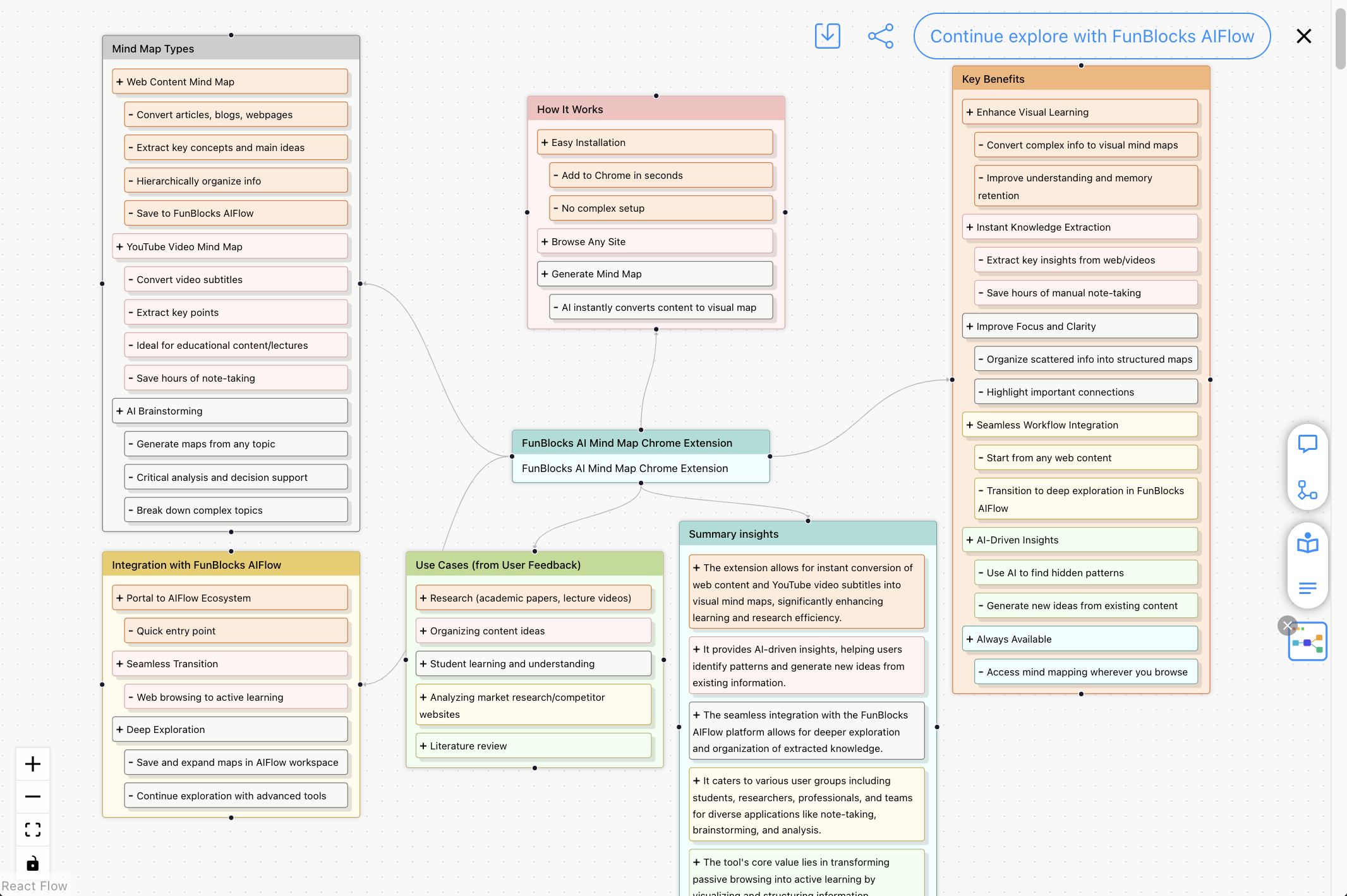
Why AI Mindmap is useful
AI Mindmap helps you turn long, messy source material into something visual, structured, and easier to act on.
Faster understanding
See the big picture of an article or video at a glance instead of rereading long paragraphs.
Less manual note-taking
Capture key points from content in seconds and spend more time learning, reviewing, or writing.
Clearer structure
Keep main ideas, subtopics, and relationships visible so complex material feels easier to follow.
From capture to deeper thinking
Start from the page you are reading, then continue organizing and exploring ideas in AIFlow when you need more depth.
Better idea exploration
Use AI-generated structure as a launch point for brainstorming, comparing angles, and spotting missing branches.
Right inside the browser
Generate mind maps where you already read and watch content instead of switching between disconnected tools.
Works on the content you already consume
Use AI Mindmap on the articles, videos, and learning materials you already open every day—without copying everything into another tool first.
Web pages
Turn long-form articles, tutorials, and reference pages into a structured overview you can scan quickly.
Study materials
Organize dense reading material into key ideas, subtopics, and relationships that are easier to remember.
YouTube videos
Convert video transcripts into visual notes so lectures, explainers, and interviews are easier to review.
Your own ideas
Start from a topic or prompt when you want to brainstorm, outline, or clarify a problem visually.
How AI Mindmap Works
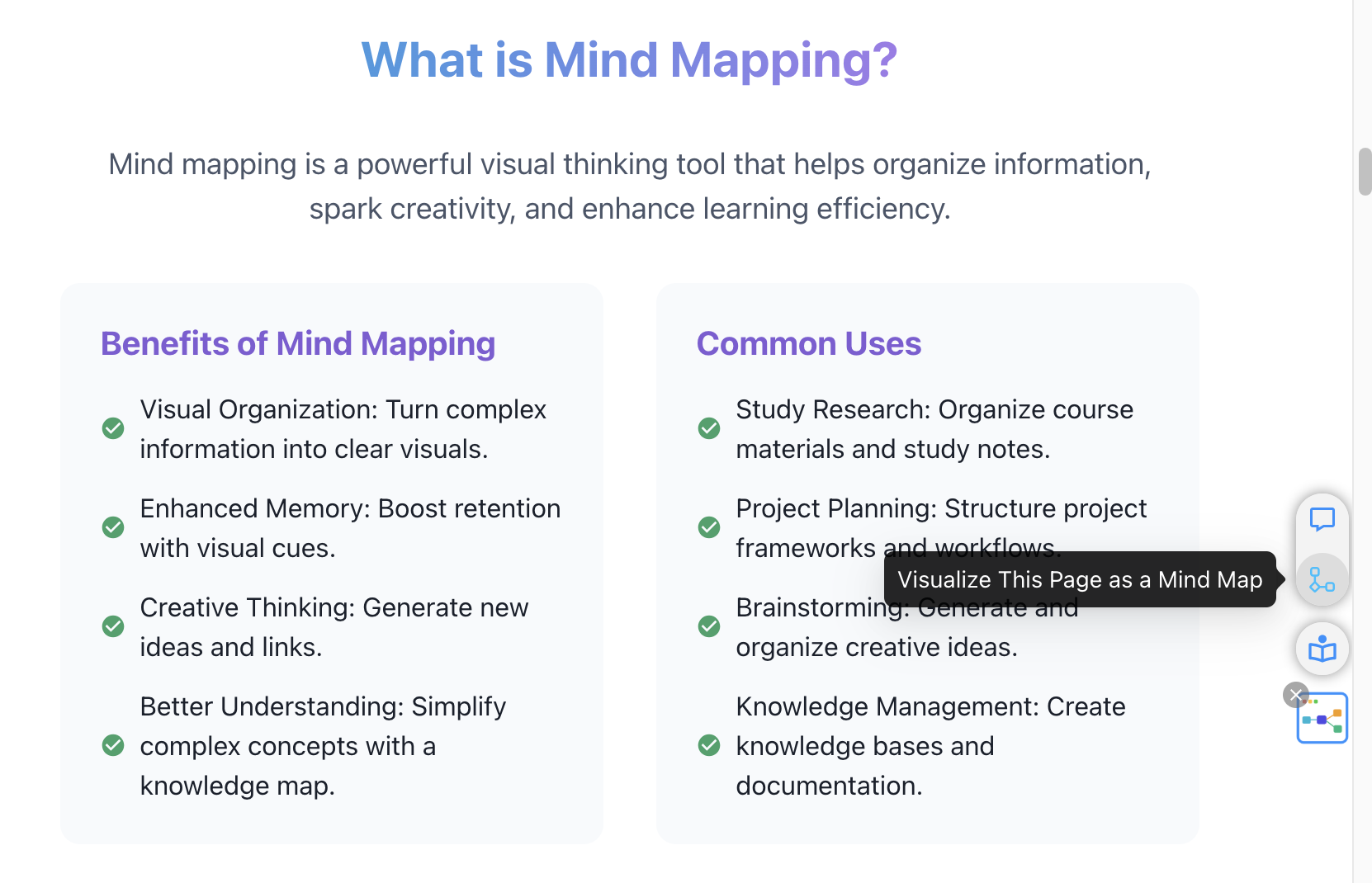
Install the extension, open a page or video, and generate a structured visual summary in seconds.
Install the Extension
Add AI Mindmap to Chrome in seconds. No complex setup required.
Browse Any Website
Open any article, research page, or YouTube video and click the AI Mindmap icon.
Generate Mind Maps
Watch AI turn source material into a clear mind map you can review, refine, and save.
One-Click Web Page Mind Mapping
Transform any article, blog post, or web page into a structured mind map for research, learning, and analysis.
- 📄Automatically extract key concepts and main ideas from web pages
- 🎯Organize information hierarchically for better understanding
- 💾Save to FunBlocks AIFlow for further exploration and development
YouTube Video Mind Maps
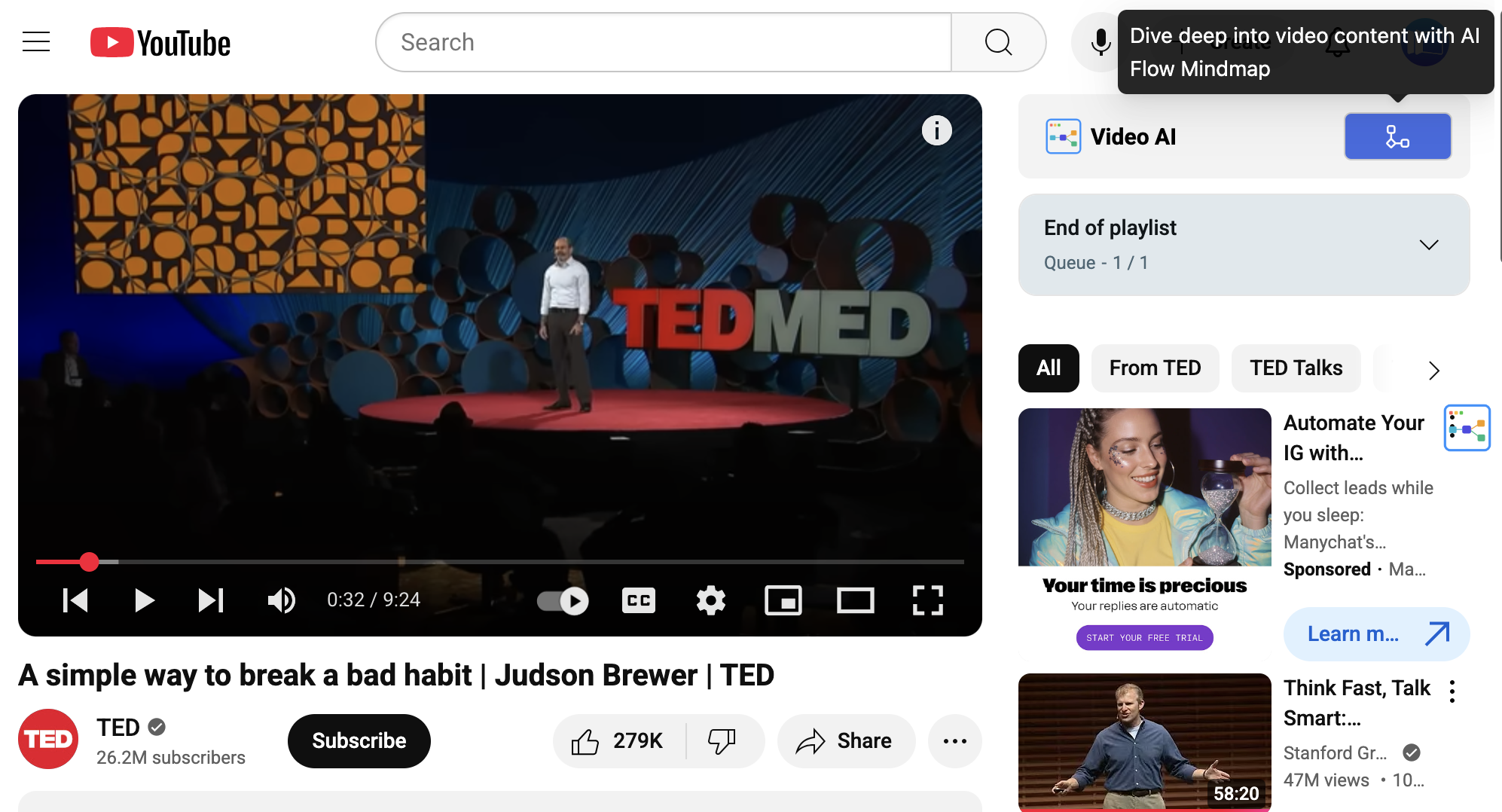
Convert YouTube video transcripts into visual mind maps. Perfect for educational videos, lectures, and tutorials.
- 🎥Extract key points from video transcripts automatically
- 📚Perfect for educational content and online learning
- ⏰Save hours of note-taking with instant visual summaries
AI-Powered Brainstorming & Analysis
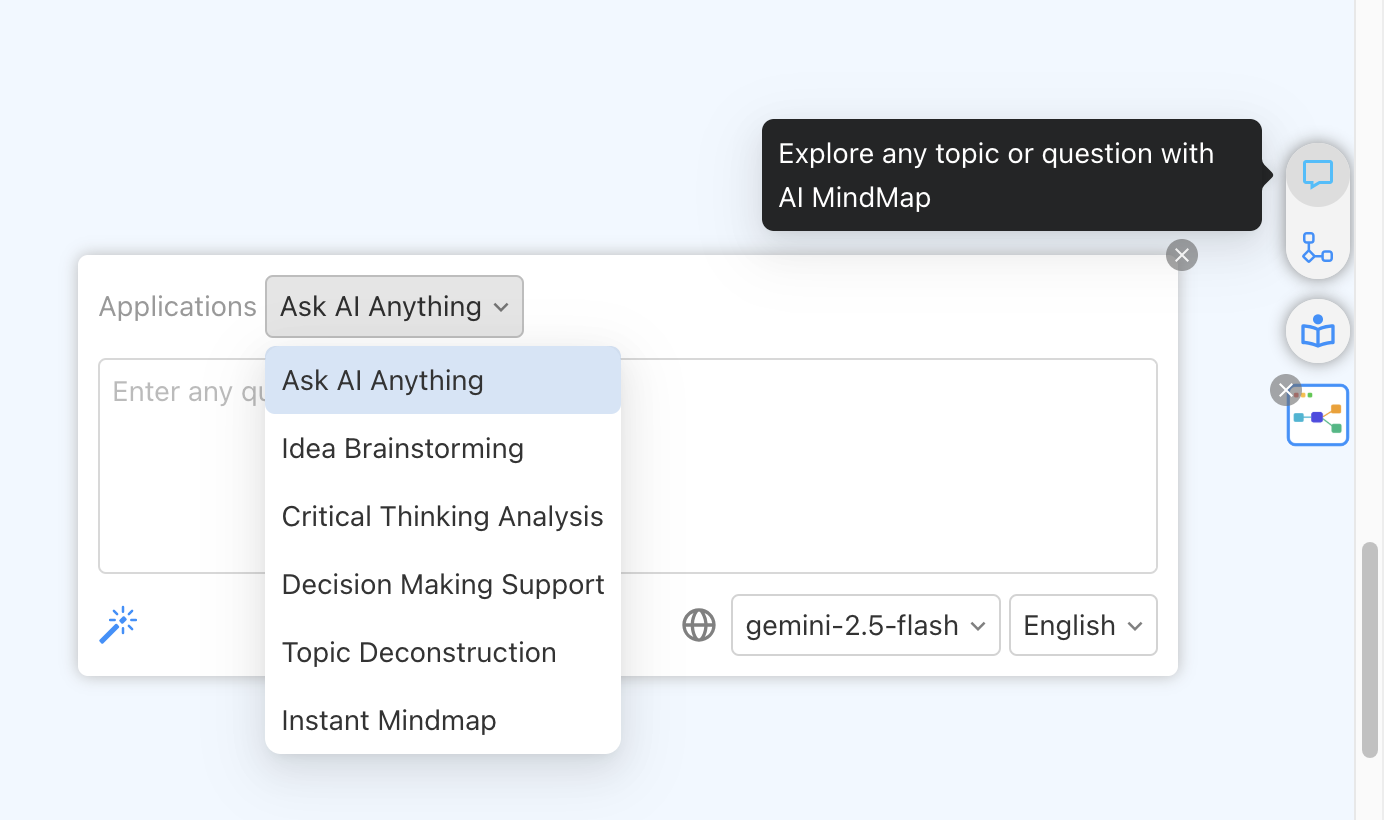
Generate mind maps from any topic, perform critical analysis, and explore complex subjects with AI assistance.
- 💡AI brainstorming with classic thinking models
- 🔍Critical analysis and decision-making support
- 🧩Break down complex topics for better understanding
Built for real learning and thinking workflows
Whether you are studying, researching, creating content, or exploring ideas, AI Mindmap helps you get to structure faster.
Study and exam prep
Turn readings and lecture videos into clean visual summaries that help you review faster.
Research and synthesis
Break down complex topics, capture key arguments, and keep important relationships visible.
Content planning
Map source material into outlines before you write posts, scripts, reports, or presentations.
Idea exploration
Use mind maps to brainstorm branches, compare options, and think through new problems more clearly.
Why not just use ChatGPT or manual notes?
AI Mindmap is designed for turning source material into a visual structure directly in the browser, so it is faster to review than copy-pasting into chat or building notes from scratch.
| What matters | FunBlocks AI Mindmap | Other AI Mindmaps | ChatGPT | Manual notes |
|---|---|---|---|---|
| 1-Click generation directly from webpages and YouTube | ✅ | Requires manual copy/paste | Requires manual copy/paste | ❌ |
| Turns source material into a visual map | ✅ | ✅ | Text only | ❌ |
| Explore & brainstorm with AI + Mental Models | ✅ | Basic expand/collapse | Partial | Manual effort |
| Works natively inside the browser context | ✅ | ❌ | ❌ | ❌ |
| Seamless handoff to AIFlow for infinite canvas workflows | ✅ | ❌ | ❌ | ❌ |
Use AI Mindmap when you want quick visual understanding from real source material, then continue editing and expanding the result in AIFlow if you need a deeper workflow.
See AI Mindmap on a real page
Watch how AI Mindmap turns source material into a visual summary you can understand and reuse quickly
One-click summarization
Watch how a long page becomes a visual structure you can understand in seconds
Visual note-taking
See how source material is turned into clean branches instead of messy manual notes
AIFlow follow-up
Discover how to keep refining the map and ideas inside AIFlow after capture
Keep going in FunBlocks AIFlow
AI Mindmap helps you capture structure quickly. AIFlow helps you keep organizing, expanding, and developing that structure when your work goes deeper.
From quick capture to deeper exploration
Save promising mind maps to AIFlow when you want to keep refining structure, add new branches, or connect one idea to a larger project.
- 🚀One-click save to FunBlocks AIFlow workspace
- 🔗Seamless transition from quick browser capture to a fuller workspace
- 📈Continue exploration with advanced thinking tools
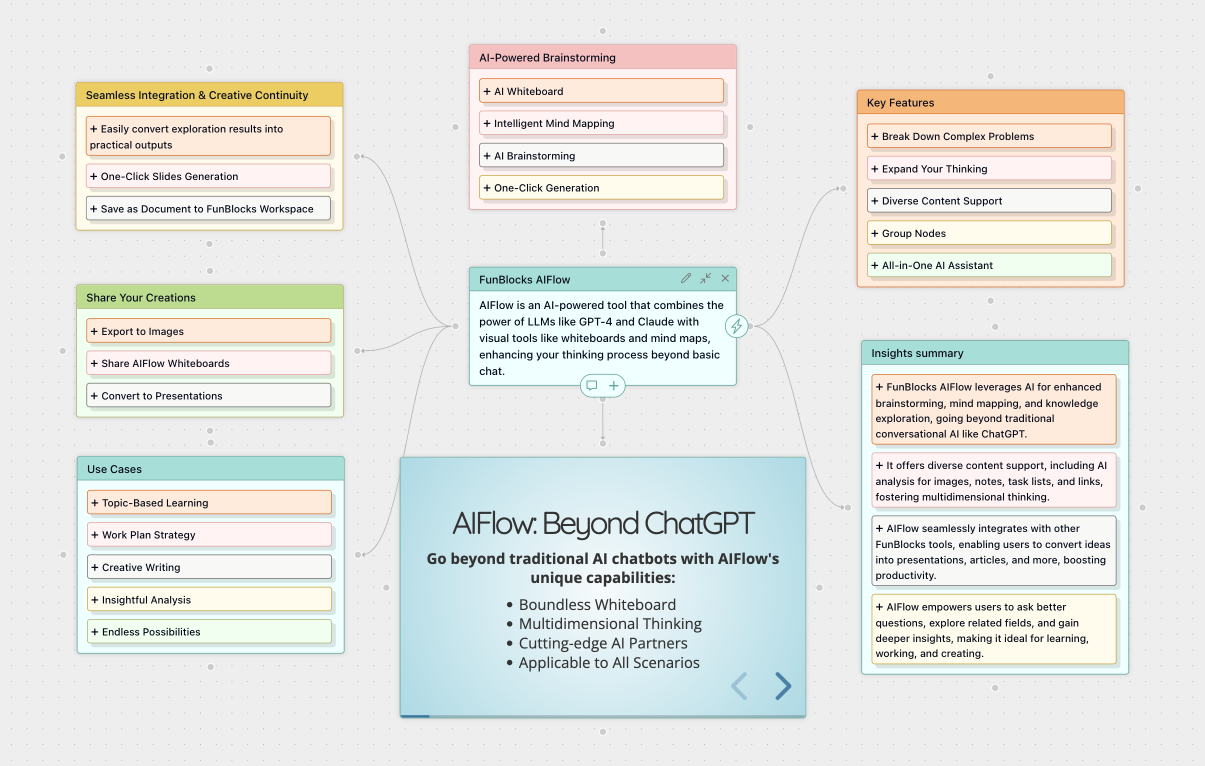

FunBlocks is All You Need: Bridge the Web with AI
Summarize pages, polish your writing, and transform complex content into deep visual mind map with your all-in-one AI assistant.
What Our Users Say
Discover how FunBlocks AI is transforming the way professionals, students, and teams work, learn, and create.
David Chen
Graduate Student
This extension is a game-changer for research! I use it to create mind maps from academic papers and lecture videos. The AI's ability to extract key concepts is impressive.
Sarah Johnson
Content Creator
FunBlocks AI Mindmap has transformed how I organize content ideas. The instant mind maps from web research save me hours of work every week!
Prof. Michael Brown
University Lecturer
I recommend this tool to all my students. It helps them visualize complex topics and improves their understanding of course materials.
Emma Zhang
High School Student
Love how it turns YouTube educational videos into mind maps! Makes studying so much easier and more fun.
James Wilson
Business Analyst
Perfect for analyzing market research and competitor websites. The integration with AIFlow makes it a powerful tool for business intelligence.
Dr. Lisa Wang
Research Scientist
The AI's ability to identify connections between concepts is remarkable. It's become an essential tool for my literature reviews.
Install AI Mindmap and start from your next page
✨ Free to start • No credit card required • Install in seconds
Trusted by Students and Professionals Worldwide
Used by innovative teams at
Featured on Multiple Platforms