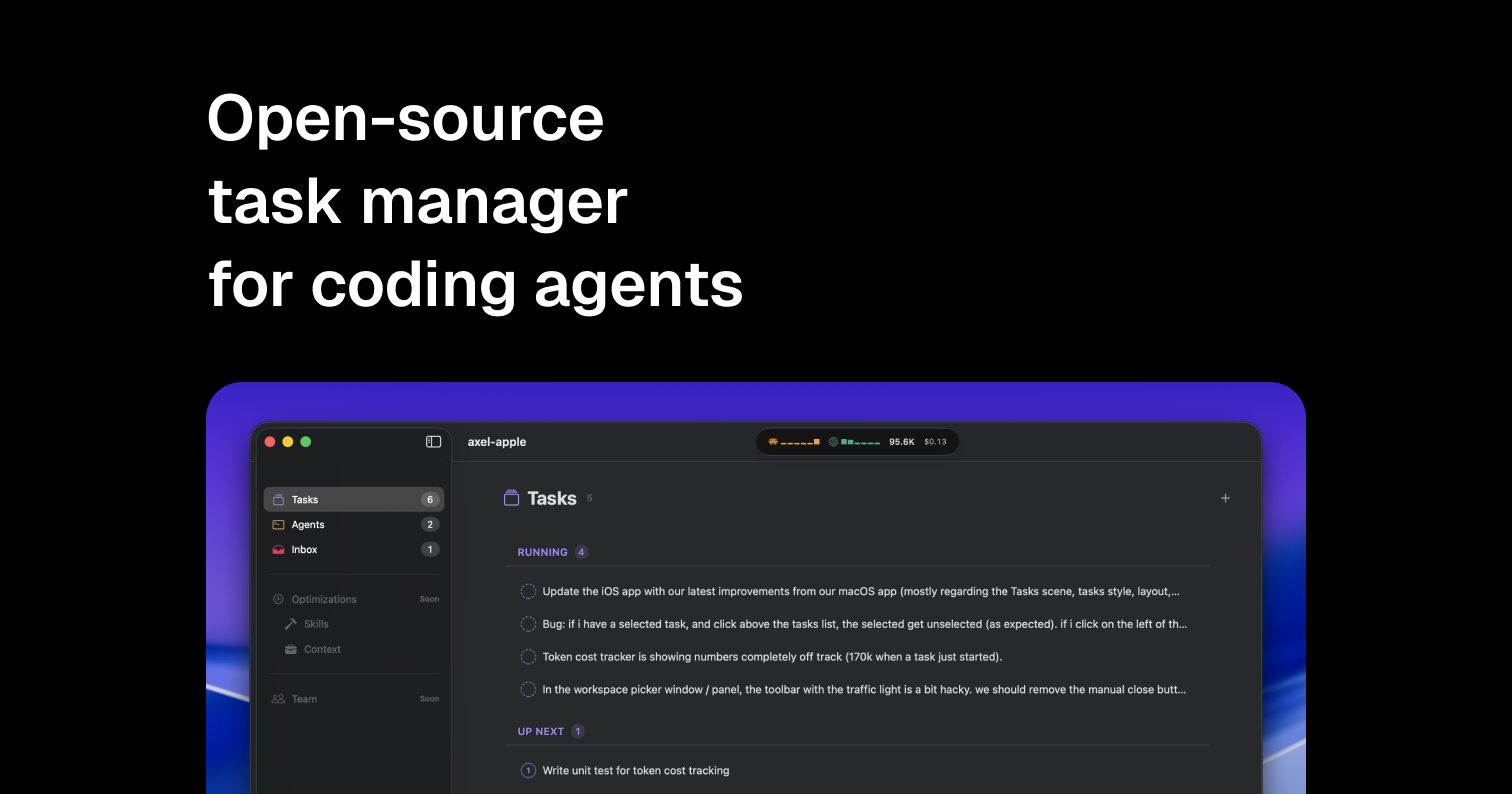
Axel Review: The Definitive Operating System for Your AI Coding Agents
Todoist for AI coding agents
Published: 2/8/2026
Axel steps onto the Product Hunt stage with a bold claim: it aims to be the "Todoist for AI coding agents." In an ecosystem increasingly populated by sophisticated, autonomous coding tools, managing these agents—ensuring they have the right tasks, the necessary context, and an efficient approval pipeline—has become a major bottleneck. Axel directly targets this operational friction, positioning itself as the essential command center for developers looking to truly leverage the power of generative AI in their workflows.
Product Overview: Centralizing Autonomous Development
Axel is designed to bridge the gap between intent and execution when utilizing multiple AI coding agents. Instead of juggling separate browser tabs or command-line interfaces for different models (like Claude, Codex, or proprietary solutions like Antigravity), Axel centralizes the entire lifecycle. It allows users to queue up development tasks, intelligently dispatch those tasks to the most appropriate AI agent for the job, and maintain crucial human oversight through an intuitive, centralized inbox. This focus on structured orchestration is what makes Axel a compelling proposition for the modern developer.
The target audience is clearly professional software developers, data scientists, and engineering teams who are moving beyond simple prompt-and-response interactions and integrating AI into complex, multi-step development processes. The core value proposition hinges on speed and control: ship faster by automating the routing and monitoring of your autonomous coding helpers.
The Problem: Agent Fragmentation and Oversight Gaps
The current challenge with advanced AI coding agents is fragmentation and lack of accountability. Developers often use several specialized models, leading to context switching and fragmented task management. Furthermore, allowing an AI agent complete autonomy can be risky; developers need a quick, low-friction way to review, approve, or deny proposed code changes, environment modifications, or dependency installations. The existing solutions often involve cumbersome email notifications, confusing terminal outputs, or entirely manual handoffs.
Axel addresses this by creating a single pane of glass for agent governance. It fills the market gap for a purpose-built operating layer for agentic workflows. It’s not about being another LLM wrapper; it’s about being the Workflow Manager that ensures your AI workforce operates effectively and safely, turning chaotic experimentation into predictable execution.
Key Features & User Experience Highlights
What truly sets Axel apart is its commitment to a native, developer-centric experience. The description highlights two critical aspects that elevate its usability: being native macOS and keyboard-driven. For power users, this speed and integration into their existing environment is a massive advantage over web-based dashboards.
Key features that drive productivity include:
- Action Approval Inbox: The centralized system where agents submit proposed actions (code snippets, file modifications, tests). Users can swiftly approve or deny, ensuring quality control without significant interruption.
- Intelligent Dispatching: The ability to queue up work and ensure the right tool—whether Claude for complex reasoning or Codex for boilerplate—gets the task.
- Out-of-the-Box Compatibility: Seamless integration with leading models like Claude, Codex, OpenCode, and Antigravity means minimal setup time for immediate use.
The UI, suggested by the image, appears clean and focused, prioritizing workflow status and inbox management, which is exactly what you want from a productivity tool built for developers.
Potential Drawbacks and Areas for Improvement
While the foundation of Axel seems robust, there are areas where enhancement could cement its role as the leading agent orchestrator. Currently, the focus seems heavily weighted towards review and dispatching.
For long-term scalability, Axel could benefit from:
- Advanced Monitoring & Analytics: Developers need dashboards showing agent efficiency, task completion rates by model, and cost tracking associated with API usage.
- Team Collaboration Features: As teams adopt AI agents, the ability to share agent queues, delegate approval rights, and maintain a team-wide audit log of agent actions will become crucial.
- Wider Platform Support: While native macOS is excellent for a significant portion of developers, expanding to a lightweight, cross-platform desktop application (Windows/Linux) would capture a larger market share.
These additions would transform Axel from an individual productivity booster into an essential team infrastructure tool for AI-augmented development.
Bottom Line & Recommendation
Axel is launching at the perfect time, addressing the critical need for structure in the burgeoning field of AI agents. If you are an active user of generative AI for coding tasks—especially if you find yourself bouncing between multiple agent interfaces or struggling to keep track of automated proposals—Axel is an essential download. It promises to streamline your command line, tighten your quality control loop, and ultimately help you "ship faster." Highly recommended for individual developers and early-adopting engineering teams ready to move from AI experimentation to disciplined AI execution.
Featured AI Applications
Discover powerful tools to enhance your productivity
MindMax
New Way to Interact with AI
Beyond AI chat, transforming conversations into an infinite canvas. Combining brainstorming, mind mapping, critical and creative thinking tools to help you visualize ideas, solve problems efficiently, and accelerate learning.
AI Slides
AI Slides with Markdown
Revolutionary slide creation fusing AI intelligence with Markdown flexibility - edit anywhere, optimize anytime, iterate easily. Turn every idea into a professional presentation instantly.
AI Markdown Editor
Write Immediately
Extremely efficient writing experience: AI assistant, slash commands, minimalist interface. Open and write, easy writing. ✍️ Markdown simplicity + 🤖 AI power + ⚡ Slash commands = Perfect writing experience.
Chrome AI Extension
AI Assistant Anywhere
Transform your browsing experience with FunBlocks AI Assistant. Your intelligent companion supporting AI-driven reading, writing, brainstorming, and critical thinking across the web.