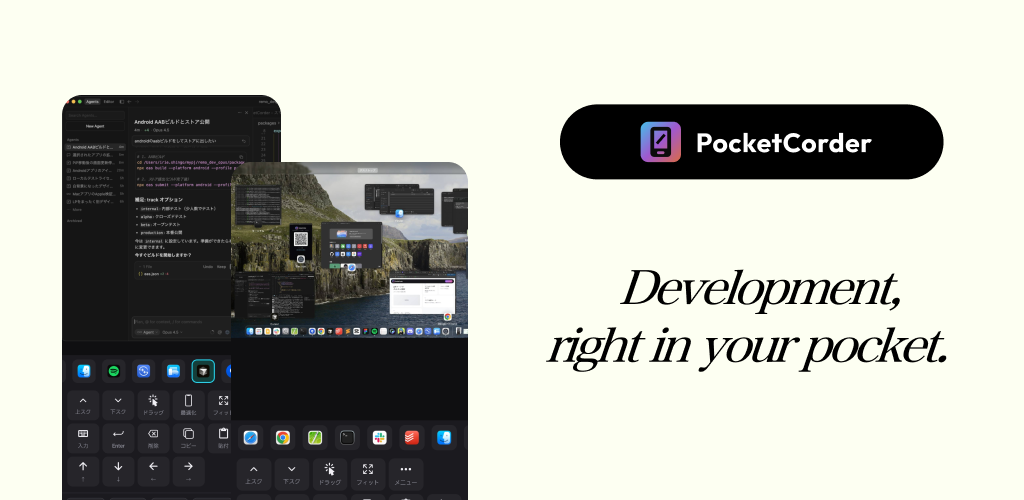
PocketCorder: Your Mac Dev Environment, Anywhere
Remote control your mac from smartphone
Published: 12/13/2025
PocketCorder aims to liberate developers from their desks, offering a seamless way to remotely control a Mac from an iPhone or iPad. This innovative tool isn't just another remote desktop application; it's specifically tailored for developer workflows, prioritizing low-latency access and efficient command execution. Whether you're in bed, at a cafe, or on the go, PocketCorder promises to keep your development environment literally in your pocket.
The product targets developers, system administrators, and anyone who needs quick and secure access to their macOS machine for tasks like checking processes, running scripts, or monitoring applications. Its core value proposition lies in providing a highly responsive and secure remote experience without the typical complexities associated with setting up VPNs or exposing public IP addresses.
Problem & Solution
The traditional methods of remote access to a Mac often involve compromises. Standard remote desktop solutions can suffer from latency issues, especially over varying network conditions. Setting up secure access, such as a Virtual Private Network (VPN), can be complex and time-consuming, often requiring technical expertise and potentially exposing network vulnerabilities.
PocketCorder directly addresses these pain points by leveraging Cloudflare Tunnel technology. This eliminates the need for complex VPN configurations or opening inbound ports on your router, creating a secure, encrypted connection to your Mac without exposing its public IP address. This approach significantly simplifies the setup process and enhances security, making remote access far more accessible and robust for developers. The focus on low latency and efficiency aims to provide a near-native experience, even when controlling a powerful development environment from a mobile device.
Key Features & Highlights
PocketCorder distinguishes itself with several features designed to optimize the remote development experience:
- Secure Cloudflare Tunnel Access: This is a major highlight, offering a secure and performant way to connect to your Mac without the hassles of traditional networking setups. Cloudflare Tunnels create outbound-only connections, enhancing security by not exposing your Mac's IP to the internet.
- Low Latency and High Efficiency: The application is built to provide a smooth and responsive control experience, crucial for tasks that require precision and quick feedback, such as coding or debugging.
- One-Tap Command Shortcuts: Developers frequently use a set of common commands. PocketCorder allows users to register these commands as shortcuts, enabling execution with a single tap from their iPhone or iPad. This can be a significant time-saver and streamline repetitive tasks.
- Focused App Mode: Instead of mirroring the entire desktop, App Mode allows users to view and interact with only a specific application window, such as Terminal or VS Code. This focused approach reduces clutter and optimizes the mobile screen real estate for development-specific tasks.
- Instant QR Code Setup: Getting started with PocketCorder is designed to be quick and easy. Users simply download a free companion app for their Mac and then scan a QR code with their iPhone or iPad to establish a connection. This eliminates complex manual configuration steps.
- One-time Purchase: Unlike many SaaS tools, PocketCorder offers a one-time purchase model, which can be appealing to users looking to avoid recurring subscription fees.
Potential Drawbacks & Areas for Improvement
While PocketCorder offers a compelling solution, a few areas could be considered for future enhancement.
- Offline Functionality: While the core premise is remote control, limited offline capabilities (e.g., viewing cached output of a running process or pre-downloaded logs) could add value in situations with intermittent connectivity.
- Multi-monitor Support: For developers who utilize multiple monitors with their Mac, the current "App Mode" is excellent for focusing, but a more comprehensive multi-monitor management feature could enhance the experience for those needing to switch between different visual contexts frequently.
- File Transfer Integration: While not explicitly mentioned, robust and intuitive file transfer capabilities between the iOS device and the Mac would be a valuable addition for many developer workflows.
- Android Support: Currently, PocketCorder is focused on the Apple ecosystem (iPhone/iPad to Mac). Expanding to Android devices would significantly broaden its appeal and user base.
Bottom Line & Recommendation
PocketCorder is a highly promising tool for macOS developers seeking a secure, efficient, and convenient way to access and control their development environment remotely. Its intelligent use of Cloudflare Tunnels for secure and simple connectivity, combined with developer-centric features like command shortcuts and App Mode, makes it stand out from generic remote desktop applications.
Anyone who frequently finds themselves needing to interact with their Mac for development tasks while away from their desk should seriously consider PocketCorder. The one-time purchase model makes it an attractive investment for long-term use. While there's always room for growth, PocketCorder already delivers substantial value and streamlines a common pain point for modern developers.
Featured AI Applications
Discover powerful tools to enhance your productivity
MindMax
New Way to Interact with AI
Beyond AI chat, transforming conversations into an infinite canvas. Combining brainstorming, mind mapping, critical and creative thinking tools to help you visualize ideas, solve problems efficiently, and accelerate learning.
AI Slides
AI Slides with Markdown
Revolutionary slide creation fusing AI intelligence with Markdown flexibility - edit anywhere, optimize anytime, iterate easily. Turn every idea into a professional presentation instantly.
AI Markdown Editor
Write Immediately
Extremely efficient writing experience: AI assistant, slash commands, minimalist interface. Open and write, easy writing. ✍️ Markdown simplicity + 🤖 AI power + ⚡ Slash commands = Perfect writing experience.
Chrome AI Extension
AI Assistant Anywhere
Transform your browsing experience with FunBlocks AI Assistant. Your intelligent companion supporting AI-driven reading, writing, brainstorming, and critical thinking across the web.