Bookmark Assistant Review: Revolutionizing Chrome Bookmarking with Notion Integration
Sync Chrome bookmarks to Notion with rich metadata.
Published: 1/5/2026
Product Overview
Bookmark Assistant boldly steps into the productivity space with a singular, powerful focus: seamlessly bridging the gap between your web browsing activity in Chrome and your centralized knowledge base in Notion. This highly anticipated extension transforms the often-neglected Chrome bookmark folder into a functional, metadata-rich Notion database with impressive ease. It isn't just another sync tool; it’s a system designed to capture context, not just links.
The core function of Bookmark Assistant is automation. Instead of the tedious process of copying URLs, manually writing descriptions, and pasting them into a Notion table, this tool handles the heavy lifting. It targets anyone drowning in browser tabs and scattered links—from students and researchers managing extensive source material to content creators compiling inspiration and developers tracking useful documentation. Its value proposition lies in immediate organization and rich data capture, ensuring your saved web resources are instantly actionable within your preferred workspace.
Problem & Solution: Conquering Link Overload
The ubiquitous problem in modern digital research is "link entropy." We bookmark valuable articles, tutorials, and resources in Chrome, only for them to become an unsearchable graveyard of URLs over time. Existing solutions often require manual intervention (like using dedicated read-it-later apps that might not integrate deeply with Notion) or rely on browser-native bookmark managers that lack rich database capabilities.
Bookmark Assistant directly solves this by automating the transfer of crucial metadata—like the page title and description—into a structured Notion database. This fills a significant market gap for power users who rely on Notion for PKM (Personal Knowledge Management). By offering a "one-click" solution, Bookmark Assistant ensures that saved links are immediately indexed, categorized, and ready for retrieval within the relational database structure of Notion, far surpassing the simple folder structure of a standard browser bookmark bar.
Key Features & Highlights
The strength of Bookmark Assistant lies in its production-ready focus on data quality and synchronization. It’s clear the developers have focused on the pain points of manual data entry.
The most compelling features highlighted by its functionality include:
- Automatic Metadata Extraction: Going beyond just the URL, the extension pulls in essential context like the page description, enriching your Notion entry instantly.
- Seamless Notion Database Sync: It maps directly to a designated Notion database, ensuring consistency and structure for all saved links. This makes your bookmarks instantly searchable and filterable within Notion's powerful query system.
- Change Synchronization: A crucial aspect for ongoing projects—if you update a bookmark structure or need to re-sync information, Bookmark Assistant handles ongoing updates, maintaining data integrity between Chrome and Notion.
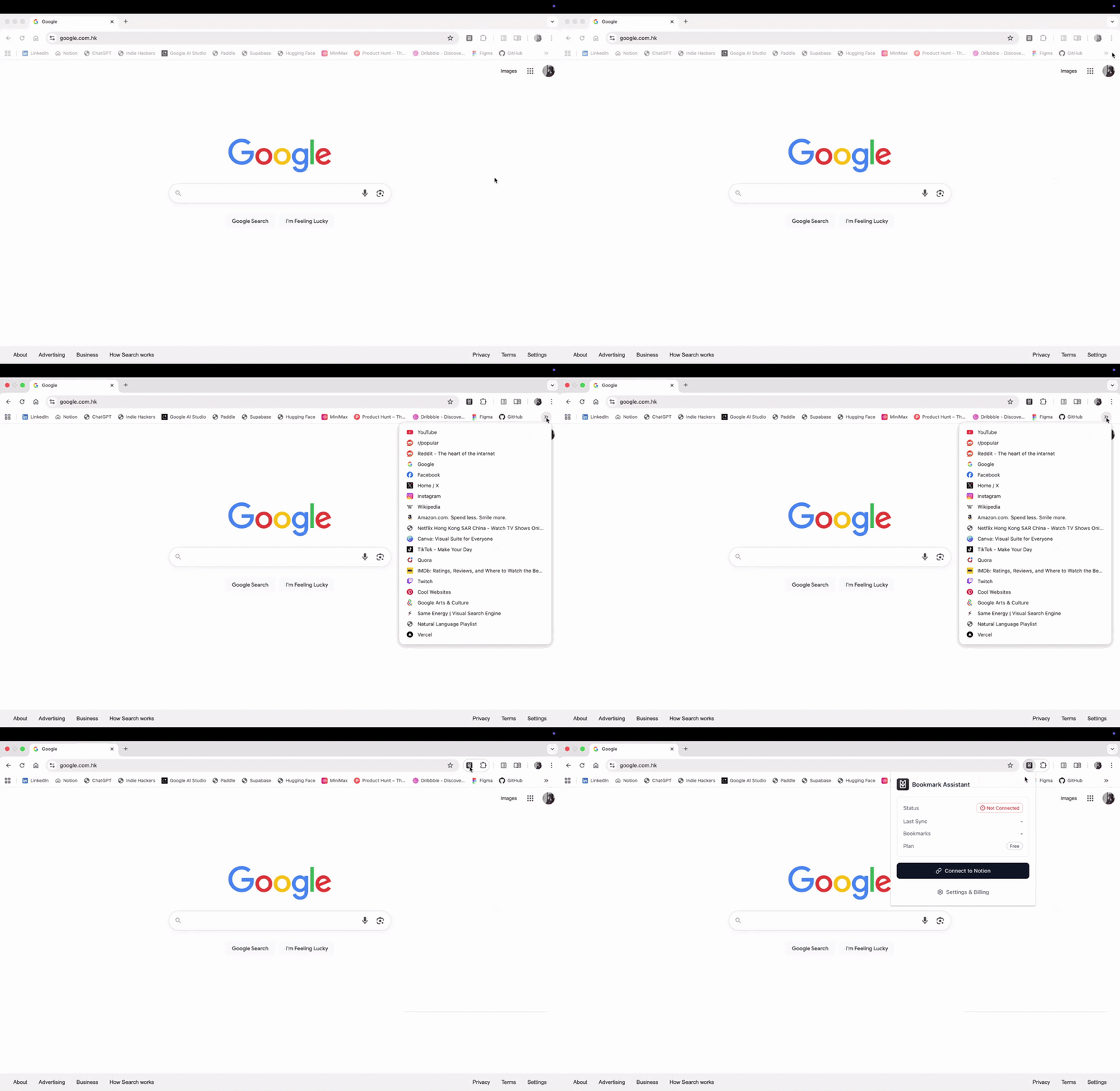
The user experience appears remarkably smooth, driven by the GIF showing a simple extension click leading directly to a populated, organized Notion page. For anyone using Notion as their second brain, this level of integration translates directly into saved time and reduced friction in their research workflow.
Potential Drawbacks & Areas for Improvement
While the initial offering of Bookmark Assistant appears robust for its core function, there are always areas for iteration, especially in the competitive productivity tool landscape.
One potential drawback for advanced users might be the current depth of metadata customization. While automatic extraction is excellent, users may eventually require the ability to define custom tags or select specific Notion properties before saving the bookmark (e.g., assigning a "Priority" or "Project" tag directly from the extension pop-up). Furthermore, while sync is mentioned, clear visibility into how conflict resolution is handled (if a page description changes drastically) would be reassuring for long-term data management.
Future enhancements could include support for different output formats beyond standard Notion databases, perhaps Markdown files for specific capture workflows, or integration with other note-taking apps to increase the flexibility of the captured data.
Bottom Line & Recommendation
Bookmark Assistant is a must-try for any serious Notion user whose workflow involves significant web research or content curation. If you find yourself constantly migrating links from your Chrome bookmarks into Notion tables, this tool offers immediate relief and significant efficiency gains by automating the tedious data transfer process while preserving rich context.
Overall, Bookmark Assistant delivers on its promise: transforming ephemeral browser bookmarks into enduring, structured knowledge assets within Notion. It’s a highly valuable productivity enhancer that deserves attention from the Product Hunt community looking to tighten up their digital organization. Download it today if you value speed, structure, and automation in your knowledge capture process.
Featured AI Applications
Discover powerful tools to enhance your productivity
MindMax
New Way to Interact with AI
Beyond AI chat, transforming conversations into an infinite canvas. Combining brainstorming, mind mapping, critical and creative thinking tools to help you visualize ideas, solve problems efficiently, and accelerate learning.
AI Slides
AI Slides with Markdown
Revolutionary slide creation fusing AI intelligence with Markdown flexibility - edit anywhere, optimize anytime, iterate easily. Turn every idea into a professional presentation instantly.
AI Markdown Editor
Write Immediately
Extremely efficient writing experience: AI assistant, slash commands, minimalist interface. Open and write, easy writing. ✍️ Markdown simplicity + 🤖 AI power + ⚡ Slash commands = Perfect writing experience.
Chrome AI Extension
AI Assistant Anywhere
Transform your browsing experience with FunBlocks AI Assistant. Your intelligent companion supporting AI-driven reading, writing, brainstorming, and critical thinking across the web.