Ahsk Review: The Universal AI Copilot That Promises to 10x Your macOS Productivity
10x your productivity, stay in the flow.
Published: 12/20/2025
Product Overview
Ahsk is emerging as a compelling new player in the saturated productivity tool market, positioning itself as a must-have, free AI assistant engineered specifically for macOS users. Its core promise is ambitious: to 10x your productivity by embedding powerful generative AI capabilities directly into your workflow, allowing you to stay in the flow without constant context switching. Unlike many web-based AI tools, Ahsk operates natively across every application on your system, making it an always-available companion for high-speed task execution.
This intelligent assistant targets power users, content creators, developers, and professionals who rely heavily on rapid text manipulation and media retrieval across diverse software environments—from email clients and Slack to document editors and browsers. The value proposition centers on eliminating the friction points common in daily digital work, offering instant, on-demand AI assistance exactly where you need it.
Problem & Solution
The primary problem Ahsk aims to solve is the fragmentation of productivity tools and the efficiency hit caused by app-switching for common tasks. If you need to translate a snippet, rewrite an email draft, or quickly pull down media from the web, traditional methods often involve opening a browser, navigating to a specific AI site or download utility, performing the task, and then returning to your original application. This constant breaking of concentration is a significant drain on focus and flow state.
Ahsk tackles this by creating a truly universal shortcut layer for the Mac desktop. By integrating core functionalities like translation, rewriting, and media downloading directly into the operating system via a lightweight interface, it drastically reduces latency between intent and action. The claim of being "Better than Apple Intelligence" hints at filling a gap where native OS features might be too broad or still under-developed, providing specialized, actionable tools that operate instantly across the entire software ecosystem.
Key Features & Highlights
Ahsk is packed with utility functions designed for immediate impact. Its strength lies in making complex or multi-step tasks immediate.
The most notable features include:
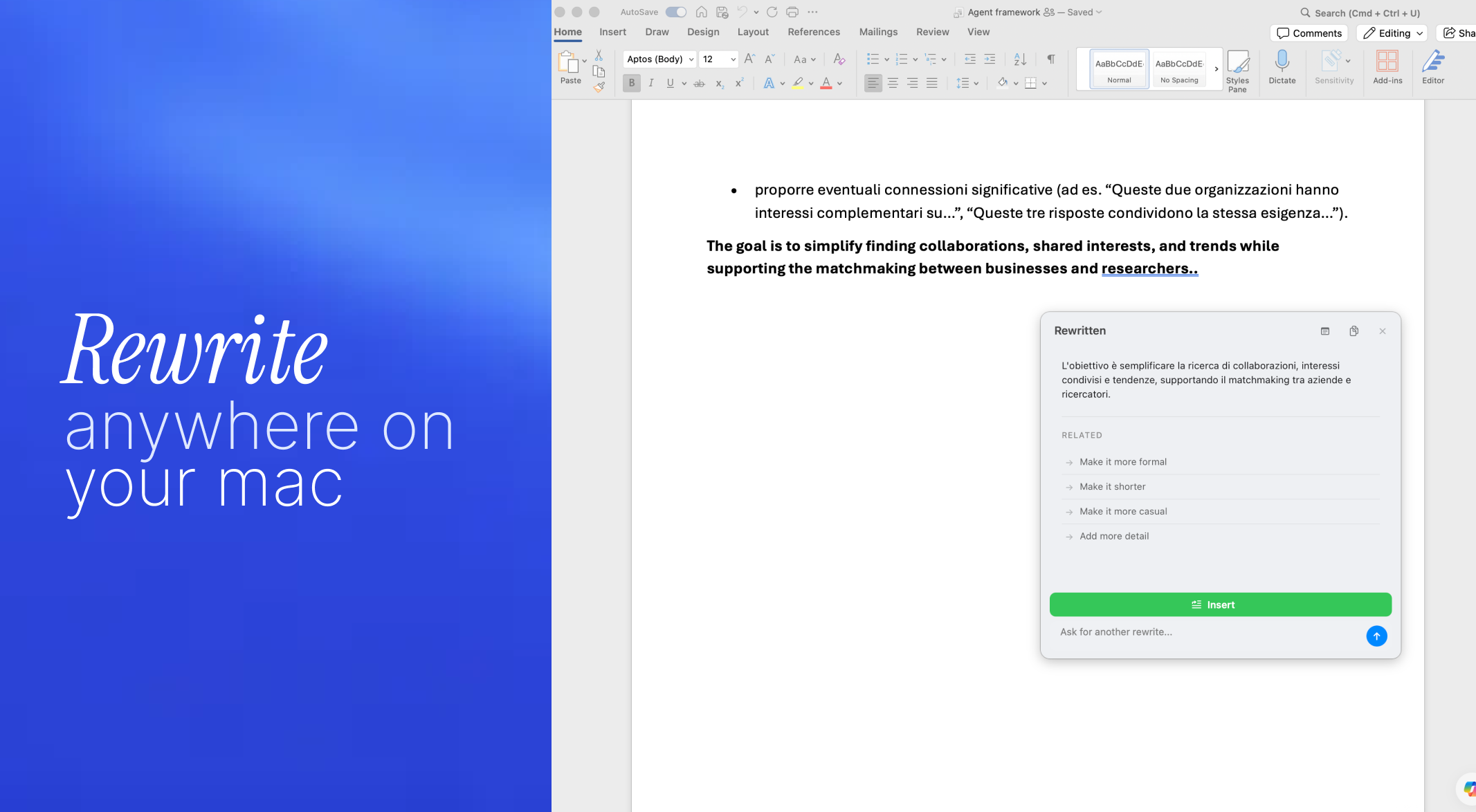
- Instant Text Translation and Rewriting: Users can select text anywhere—a PDF, a complex Slack thread, or a code comment—and trigger immediate, high-quality translation or tone/style rewriting without leaving the source application. This is crucial for multilingual teams and fast drafting.
- Seamless Media Downloading: A standout feature is the ability to download videos from YouTube/TikTok directly through the system integration. For creators and researchers who need media assets quickly, this removes the dependency on separate, often clunky, download utilities.
- Intelligent Screenshot Analysis: Ahsk can analyze screenshots on the fly. This could mean extracting text (OCR), describing complex charts, or even suggesting next steps based on what is visually captured on the screen, making image-based workflows significantly smarter.
The user experience, based on its promise, centers around keyboard accessibility and invisibility when not in use, which is key to maintaining that coveted "flow state."
Potential Drawbacks & Areas for Improvement
While Ahsk’s ambitious feature set is exciting, a free, cross-application AI utility inevitably faces challenges regarding resource management and feature depth.
One potential concern is system performance and resource usage. Operating globally across all apps requires careful optimization to ensure Ahsk doesn't become a drain on CPU or memory, especially when handling intensive tasks like video processing or complex AI analysis. Users will need assurance that this tool truly helps them stay in the flow rather than introducing new lag.
Furthermore, while the feature list is broad, the depth of customization might be limited, especially given that it is currently offered for free. For power users, deeper control over AI models, custom prompts that persist across sessions, or integration hooks with third-party services (like Notion or specific cloud storage) would significantly enhance its long-term value beyond basic utility tasks. Developers might want explicit support for analyzing code snippets beyond simple rewriting.
Bottom Line & Recommendation
Ahsk is positioned to become an essential utility for any dedicated Mac user looking to maximize efficiency in 2024. For those frustrated by the context switching required for simple content manipulation or media sourcing, Ahsk offers an elegant, free, and powerful workaround.
Who should try this product? Anyone who spends significant time writing, communicating across languages, researching via video content, or relying on visual data extraction on macOS. If you believe that utility should be ambient and instantly accessible, you absolutely need to download Ahsk. It sets a high bar for what a local AI productivity tool should deliver right out of the gate, making it a highly recommended addition to your productivity stack.
Featured AI Applications
Discover powerful tools to enhance your productivity
MindMax
New Way to Interact with AI
Beyond AI chat, transforming conversations into an infinite canvas. Combining brainstorming, mind mapping, critical and creative thinking tools to help you visualize ideas, solve problems efficiently, and accelerate learning.
AI Slides
AI Slides with Markdown
Revolutionary slide creation fusing AI intelligence with Markdown flexibility - edit anywhere, optimize anytime, iterate easily. Turn every idea into a professional presentation instantly.
AI Markdown Editor
Write Immediately
Extremely efficient writing experience: AI assistant, slash commands, minimalist interface. Open and write, easy writing. ✍️ Markdown simplicity + 🤖 AI power + ⚡ Slash commands = Perfect writing experience.
Chrome AI Extension
AI Assistant Anywhere
Transform your browsing experience with FunBlocks AI Assistant. Your intelligent companion supporting AI-driven reading, writing, brainstorming, and critical thinking across the web.