Ask Ellie Review: The Essential AI Agent Bridging Slack and Your Development Ecosystem
Turn Slack messages into GitHub, Jira, or Linear tickets
Published: 2/2/2026
Product Overview: Contextual Intelligence Where You Work
Ask Ellie is entering the increasingly crowded space of developer productivity tools, but with a powerful, specific focus: eliminating context switching by embedding deep operational intelligence directly into Slack. Billed as an "AI chat agent," Ask Ellie acts as a universal translator for your core engineering platforms—GitHub, Jira, Linear, Sentry, and PostHog—allowing developers, project managers, and engineering leads to surface critical information without ever leaving their primary communication hub.
The primary goal of Ask Ellie is simple yet profound: reducing the cognitive load associated with constant dashboard hopping. Instead of toggling between GitHub for PR status, Jira for ticket details, and Sentry for error reports, users can pose natural language questions in Slack, and Ask Ellie synthesizes the relevant data instantly. This positions the product perfectly for agile teams struggling with productivity bottlenecks caused by fragmented toolchains.
The Problem Solved: Context Switching Kills Flow
The modern software development workflow is inherently complex, relying on numerous specialized tools for tracking work, managing code, and monitoring production. The friction created when a developer needs to check a PR status in GitHub, then cross-reference that with a design ticket in Jira, and finally verify deployment via a Slack notification from a CI/CD tool, results in significant time loss and context bleed. This inefficiency is the core problem Ask Ellie targets.
Ask Ellie solves this by unifying disparate data sources through an AI layer. While other bots might offer simple integrations (e.g., "create a Jira ticket"), Ask Ellie promises contextual answers. It doesn't just report that a PR exists; it can potentially answer, "What is the current velocity impacting ticket $XYZ, and did the related production incident from last night get resolved?" This depth of integration fills a crucial market gap for teams prioritizing deep, conversational access to metrics and status updates across their entire DevOps pipeline.
Key Features and User Experience Highlights
The strength of Ask Ellie lies in its breadth of integration and its capability to handle complex, multifaceted queries right within Slack. The ability to seamlessly move from inquiry to action is a major highlight.
The most notable capabilities include:
- Universal Querying: Asking about sprint velocity, recent code changes, or current production issues and receiving synthesized answers sourced from integrated tools.
- Actionable Commands: Beyond just asking questions, users can create tickets in Jira, Linear, or GitHub directly from the chat interface, streamlining workflow initiation.
- Incident Debugging Support: Leveraging connections to monitoring tools like Sentry, Ask Ellie promises to aid in debugging by pulling relevant error context immediately upon query.
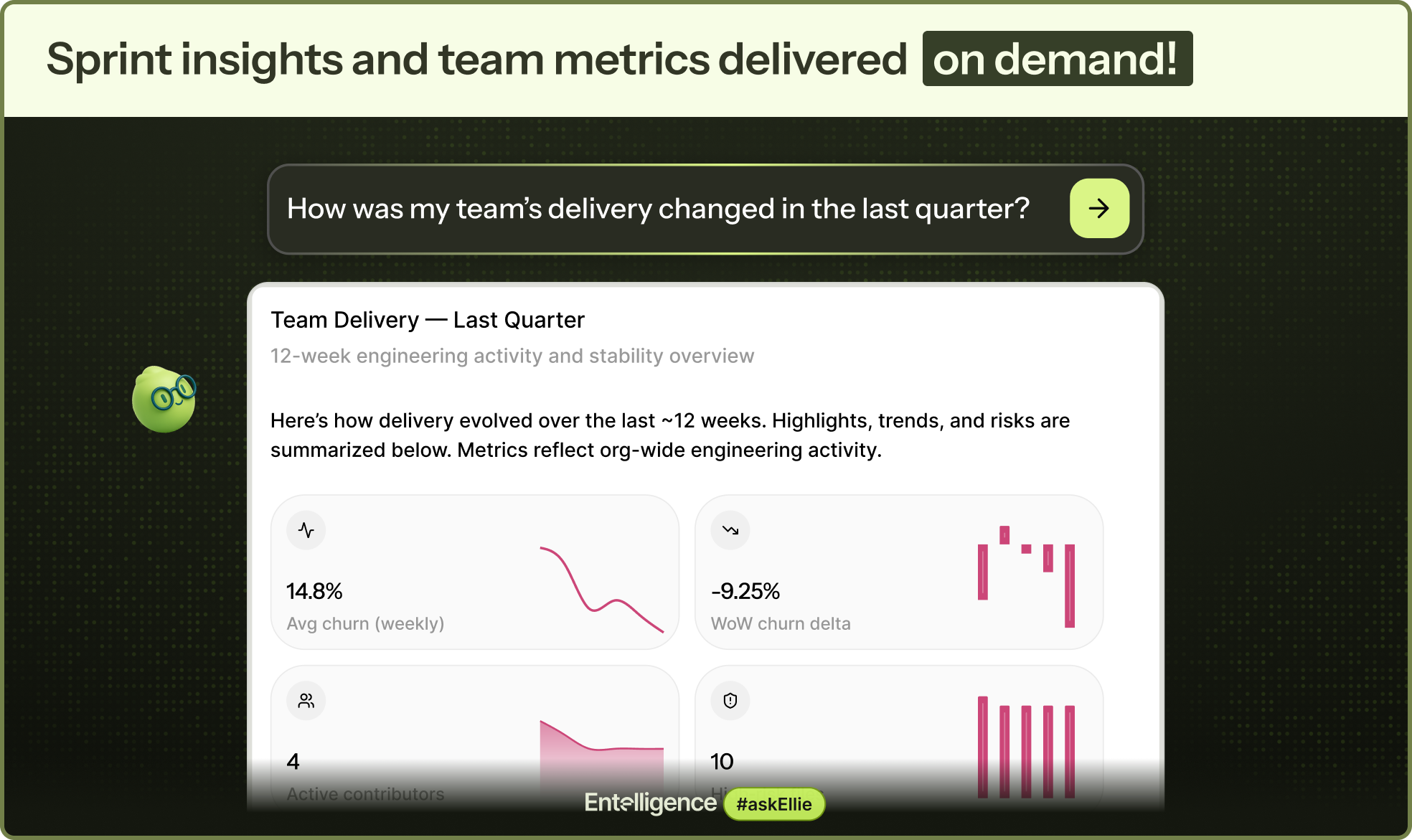
From a user experience standpoint, the promise is a significant boost to developer flow state. If the AI performs reliably, Ask Ellie transforms Slack from a distraction center into a powerful, low-friction operational dashboard. The design aesthetic, as implied by the screenshots, centers on clean, easily digestible responses that mimic natural conversation, keeping the user anchored in their chat window.
Potential Drawbacks and Areas for Improvement
While the vision for Ask Ellie is compelling, the success of such an agent heavily depends on the maturity and reliability of its AI interpretation layer, especially concerning complex, cross-tool queries.
One potential area for constructive criticism relates to configuration and data normalization. Integrating GitHub, Jira, Linear, Sentry, and PostHog means managing complex permissions and ensuring that data schemas align correctly. If configuration is complex, the initial setup friction might negate the promised time savings.
Furthermore, as an AI agent dealing with sensitive development data, the platform needs robust security and granular permission controls. Users will want assurance that they can restrict who can ask what types of questions (e.g., perhaps only leads can query sensitive financial metrics from PostHog). Expanding functionality to include custom webhook triggers or integrating with CI/CD pipelines beyond simple status checks could further enhance its utility as a true engineering co-pilot.
Bottom Line and Recommendation
Ask Ellie presents a significant step forward in contextualizing engineering workflow data. For product managers, engineering managers, and core developers who spend substantial portions of their day juggling status updates across GitHub, Jira, and monitoring dashboards, Ask Ellie is an essential tool to trial immediately.
If your team is struggling with context switching fatigue and you are already heavily invested in the listed integrated platforms, this AI agent promises to deliver substantial productivity gains by keeping critical operational context within arm's reach inside Slack. It’s a highly recommended productivity upgrade for any modern, tool-fragmented engineering organization looking to centralize intelligence without sacrificing flow.
Featured AI Applications
Discover powerful tools to enhance your productivity
MindMax
New Way to Interact with AI
Beyond AI chat, transforming conversations into an infinite canvas. Combining brainstorming, mind mapping, critical and creative thinking tools to help you visualize ideas, solve problems efficiently, and accelerate learning.
AI Slides
AI Slides with Markdown
Revolutionary slide creation fusing AI intelligence with Markdown flexibility - edit anywhere, optimize anytime, iterate easily. Turn every idea into a professional presentation instantly.
AI Markdown Editor
Write Immediately
Extremely efficient writing experience: AI assistant, slash commands, minimalist interface. Open and write, easy writing. ✍️ Markdown simplicity + 🤖 AI power + ⚡ Slash commands = Perfect writing experience.
Chrome AI Extension
AI Assistant Anywhere
Transform your browsing experience with FunBlocks AI Assistant. Your intelligent companion supporting AI-driven reading, writing, brainstorming, and critical thinking across the web.