BetterWrite: A Minimalist Oasis for Focused Writing with Vim Power
Minimalist writing editor with vim mode
Published: 12/15/2025
BetterWrite positions itself as a sleek, distraction-free writing editor, meticulously crafted for individuals who prioritize simplicity and an efficient workflow. Its core appeal lies in blending a clean user interface with the powerful, keyboard-centric editing experience of Vim. Targeting writers, developers, and anyone who spends significant time crafting text, BetterWrite aims to strip away the superfluous, allowing users to concentrate solely on their words.
The product's value proposition is clear: provide a focused environment that enhances productivity. By offering Vim keybindings, BetterWrite caters to a specific segment of users who are accustomed to or wish to adopt Vim's highly efficient navigation and editing commands. This, combined with customization options like multiple fonts and a dark mode, suggests a tool designed to adapt to individual preferences while maintaining a minimalist aesthetic.
Problem & Solution
In an increasingly cluttered digital landscape, many writers struggle with distractions from complex UIs, notifications, and an overwhelming array of features in traditional word processors. This often leads to fragmented focus and reduced output. BetterWrite directly addresses this problem by offering a "beautiful, distraction-free writing environment."
While many editors offer a "distraction-free mode," BetterWrite differentiates itself by integrating Vim keybindings at its core, rather than as an afterthought. For Vim enthusiasts, this means a significantly faster and more fluid editing experience without needing to switch between different applications or compromise on their preferred control scheme. The offline-first capability, utilizing IndexedDB, is another crucial solution, ensuring peace of mind and uninterrupted writing regardless of internet connectivity.
Key Features & Highlights
BetterWrite's strength lies in its carefully curated set of features that directly support its minimalist philosophy:
- Vim Keybindings: This is arguably the standout feature, providing a familiar and highly efficient editing experience for those proficient in Vim. It allows for swift navigation, editing, and manipulation of text purely through the keyboard, minimizing reliance on the mouse.
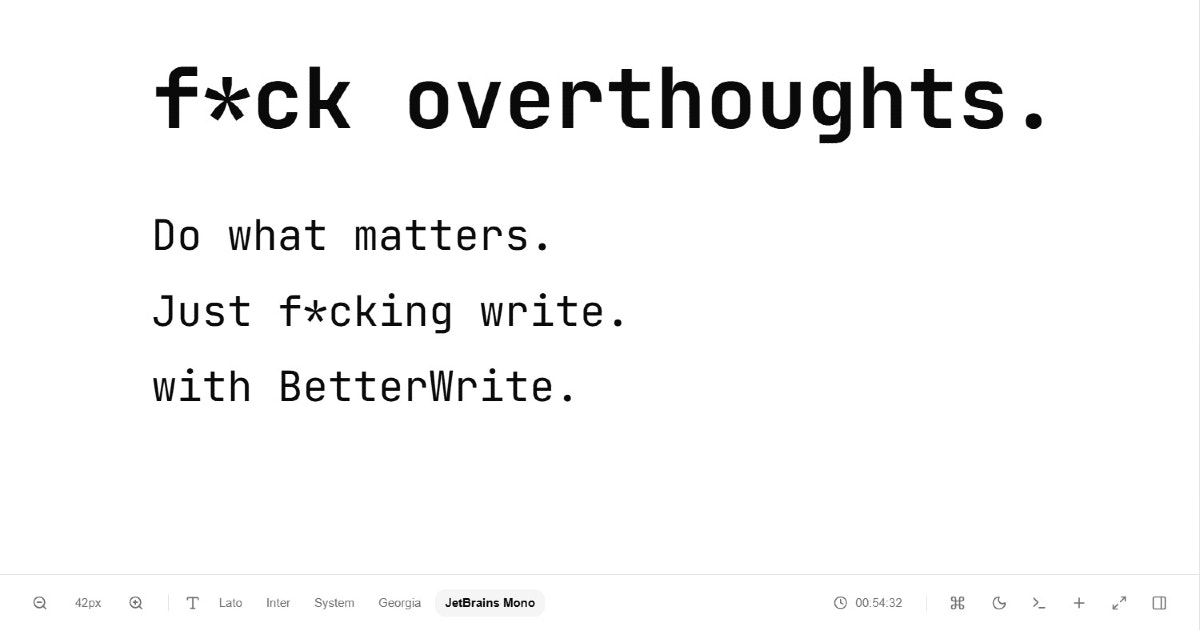
- Distraction-Free Interface: The editor boasts a clean, uncluttered design, removing extraneous elements that can pull focus away from the writing process. The screenshot provided reinforces this commitment to minimalism, showcasing ample white space and a clear canvas for text.
- Multiple Font Options: While minimalist, BetterWrite understands the importance of personalization. Users can choose from various fonts to create a comfortable and visually appealing writing environment.
- Dark Mode: Essential for many writers who work in low-light conditions or prefer a softer visual experience, the inclusion of a dark mode enhances usability and reduces eye strain.
- Offline-First Functionality: By saving work offline via IndexedDB, BetterWrite ensures that users can write anywhere, anytime, without worrying about internet connectivity issues. This is a significant advantage for uninterrupted productivity.
The combination of these features creates a powerful yet understated tool. The focus on keyboard efficiency through Vim mode, coupled with thoughtful design choices like dark mode and font selection, demonstrates a deep understanding of what a focused writing experience truly entails.
Potential Drawbacks & Areas for Improvement
While BetterWrite excels in its niche, there are a few areas that could be explored for future enhancements. As a minimalist editor, its feature set is intentionally lean. However, for some users, the absence of more advanced functionalities might be a drawback.
- Export Options: Currently, the description doesn't explicitly mention various export formats beyond basic text. The ability to export to Markdown, PDF, or other common document formats would significantly enhance its utility for many writers.
- File-Based Workflows and Sync: While offline-first is excellent, a robust file-based workflow or a secure, privacy-focused syncing mechanism that respects the offline philosophy could be beneficial for managing multiple documents across devices.
- Integration with spell-checking/grammar tools: While Vim itself can be configured for spell-checking, a more integrated and user-friendly spell-check and grammar correction feature could be valuable, especially for prose writing where maintaining flow is crucial.
- Beginner-Friendly Vim Onboarding: For users new to Vim, the initial learning curve can be steep. While the product targets those who "value simplicity and focus," an optional, guided onboarding or cheat sheet for Vim commands could broaden its appeal without compromising its minimalist core.
Bottom Line & Recommendation
BetterWrite is an excellent choice for writers, coders, and anyone who appreciates a truly distraction-free writing environment and the efficiency of Vim keybindings. If you're tired of feature-bloated editors and are looking for a tool that gets out of your way and lets you focus on your craft, BetterWrite is definitely worth trying. Its offline capabilities and thoughtful design make it a reliable companion for focused work. While some power users might desire more advanced export or sync options, its current offering provides a solid foundation for productive, uninterrupted writing.
Featured AI Applications
Discover powerful tools to enhance your productivity
MindMax
New Way to Interact with AI
Beyond AI chat, transforming conversations into an infinite canvas. Combining brainstorming, mind mapping, critical and creative thinking tools to help you visualize ideas, solve problems efficiently, and accelerate learning.
AI Slides
AI Slides with Markdown
Revolutionary slide creation fusing AI intelligence with Markdown flexibility - edit anywhere, optimize anytime, iterate easily. Turn every idea into a professional presentation instantly.
AI Markdown Editor
Write Immediately
Extremely efficient writing experience: AI assistant, slash commands, minimalist interface. Open and write, easy writing. ✍️ Markdown simplicity + 🤖 AI power + ⚡ Slash commands = Perfect writing experience.
Chrome AI Extension
AI Assistant Anywhere
Transform your browsing experience with FunBlocks AI Assistant. Your intelligent companion supporting AI-driven reading, writing, brainstorming, and critical thinking across the web.