Boom for Mac Review: The Future of Presentation and Video Creation for Mac Users
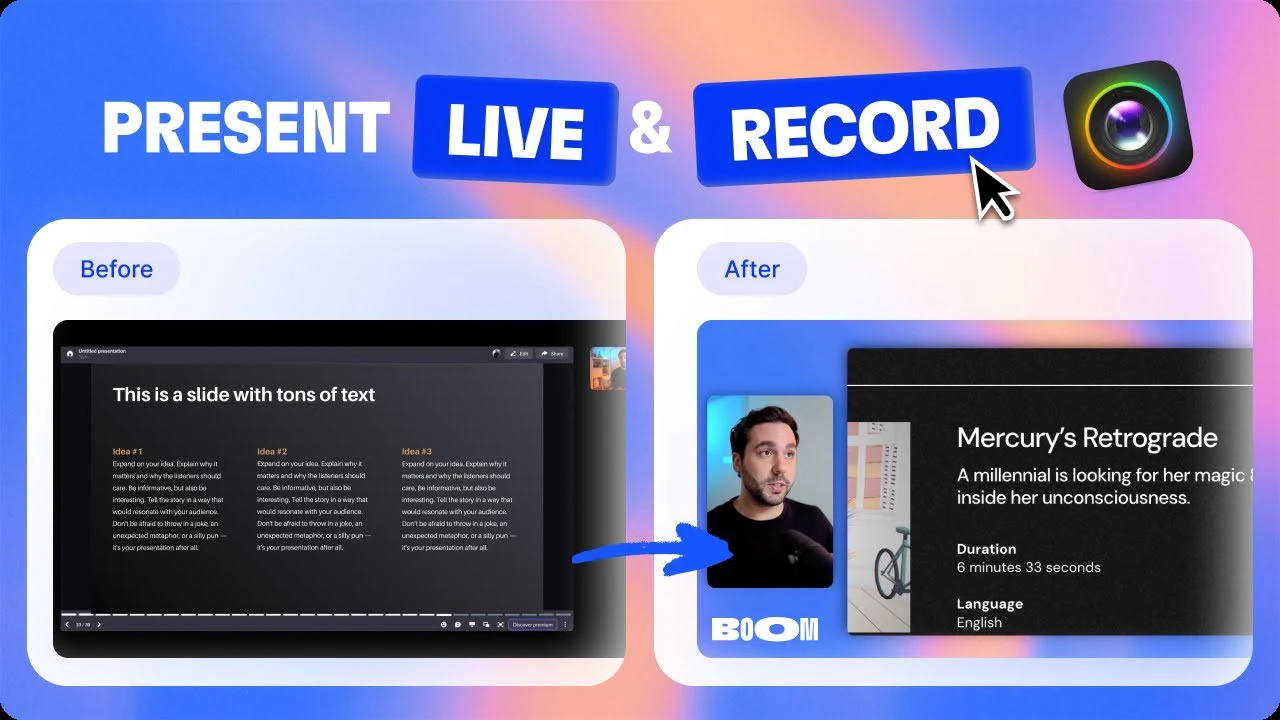
Present & record with branded live layout changes
Published: 1/10/2026
Product Overview: Elevating Live and Recorded Video Content
Boom for Mac is stepping into the crowded space of virtual presentation and recording software with a distinct value proposition: delivering professional, broadcast-quality layouts and transitions without requiring post-production editing. Pitched as a sophisticated yet simple alternative to OBS and Loom, Boom targets professionals who spend significant time presenting live or recording instructional content on their Mac devices.
This application is engineered specifically for coaches, content creators, founders, and educators who need their on-camera presence to look polished, engaging, and brand-aligned every single time they hit "record" or "go live." Unlike standard video conferencing apps that offer minimal customization, Boom integrates pro-level layout management directly into the live stream or recording workflow, effectively turning your webcam feed into a dynamic presentation engine.
The core value of Boom for Mac lies in its promise of finishing your video content the moment you stop speaking. This radically streamlines the content pipeline, eliminating the time sink associated with timeline editing, trimming mistakes, and adding overlays in external software.
Problem & Solution: Eliminating Post-Production Friction
The fundamental problem Boom for Mac solves is the friction between preparation and final delivery in video communication. Traditional solutions force users into one of two undesirable camps: either using basic, rigid layouts within Zoom/Meet that look amateurish, or investing significant time learning complex tools like OBS to achieve professional dynamic switching. Loom solves the recording speed issue but lacks the live presentation polish.
Boom bridges this gap by offering a "no editing, no timeline" experience. It functions as a virtual camera enhancement layer that integrates seamlessly with existing meeting platforms (Zoom, Meet, Teams). Instead of manually timing transitions in an editor, users pre-configure branded layouts and cinematically transition between them live, either during a meeting or while recording a demo or course module. This specialized focus on live layout control is the key differentiator in a market saturated with simple screen recorders.
Key Features & Highlights: Cinematic Control Without the Complexity
Boom for Mac centers its utility around powerful, user-friendly presentation controls built into its virtual camera pipeline.
Key features that stand out include:
- Pro Layouts and Transitions: Users can easily switch between customizable layouts that incorporate the presenter, screen shares, documents, or branded graphics, utilizing cinematic transitions that mimic broadcast-style switching.
- Virtual Camera Integration: It plugs directly into major video conferencing and recording tools as a virtual camera source, making it instantly compatible with existing workflows on your Mac.
- "Finished When You Stop Talking" Recording: This is the killer feature for creators. By handling all presentation elements live, the resulting recording is ready for distribution instantly, saving hours in post-production.
- Webcam Enhancements: Beyond layouts, the application seems to include built-in enhancements to the webcam feed itself, ensuring high-quality source material for the presentation.
The user experience seems focused on speed and professionalism. For a founder recording a quick update or a coach delivering a session, the ability to instantly swap from a "talking head" view to a "screen share with picture-in-picture presenter" view, all brand consistent, provides a significant upgrade in perceived production value.
Potential Drawbacks & Areas for Improvement
While the premise of Boom for Mac is extremely compelling, the current description points to a key limitation: Mac Only. This instantly excludes a significant portion of the professional user base reliant on Windows for their primary work setup. For a tool focused on streamlining professional workflows, platform exclusivity is a major consideration.
Furthermore, while the promise is "no editing," creators often need some level of granular control post-recording, even if it’s just trimming the first five seconds. While the intent is to eliminate timeline editing, ensuring that the recording feature is truly robust—perhaps offering simple start/stop trimming after the fact—might appeal to a broader audience who still occasionally need minor cleanup.
For further enhancement, exploring direct integration or export presets for popular LMS (Learning Management Systems) platforms, beyond just raw recording, could cement its position as the definitive video tool for online course creators.
Bottom Line & Recommendation
Boom for Mac is a highly targeted and potentially game-changing application for Mac-based professionals focused on high-quality video output without the traditional overhead of video editing software. If you are a coach, founder, or creator who frequently records tutorials, demos, or conducts important internal/external presentations via Zoom or Meet, and you value polished visuals above all else, this product is an absolute must-try.
It successfully tackles the pain point of amateur-looking live streams and time-consuming recording workflows. While the Mac-only restriction limits its immediate accessibility, for those within that ecosystem, Boom for Mac offers a powerful, elegant solution to instantly elevate your on-camera presence.
Featured AI Applications
Discover powerful tools to enhance your productivity
MindMax
New Way to Interact with AI
Beyond AI chat, transforming conversations into an infinite canvas. Combining brainstorming, mind mapping, critical and creative thinking tools to help you visualize ideas, solve problems efficiently, and accelerate learning.
AI Slides
AI Slides with Markdown
Revolutionary slide creation fusing AI intelligence with Markdown flexibility - edit anywhere, optimize anytime, iterate easily. Turn every idea into a professional presentation instantly.
AI Markdown Editor
Write Immediately
Extremely efficient writing experience: AI assistant, slash commands, minimalist interface. Open and write, easy writing. ✍️ Markdown simplicity + 🤖 AI power + ⚡ Slash commands = Perfect writing experience.
Chrome AI Extension
AI Assistant Anywhere
Transform your browsing experience with FunBlocks AI Assistant. Your intelligent companion supporting AI-driven reading, writing, brainstorming, and critical thinking across the web.