Claude Usage Tracker: Finally, Total Transparency for Your AI Spending
See exactly how much you spend on Claude, across every tool
Published: 3/23/2026
Product Overview
In the current AI-first development landscape, power users rarely rely on a single interface. From the code-centric capabilities of Cursor and Windsurf to specialized CLI tools like Claude Code and IDE extensions like Cline, our token consumption is fragmented across a dozen different entry points. This fragmentation creates a major blind spot: it is nearly impossible to track your total monthly expenditure on Claude.
Claude Usage Tracker enters the market as a vital utility for developers and AI enthusiasts who are tired of playing the guessing game with their Anthropic API bills. This native macOS application aggregates usage data across nine popular AI tools, providing a unified dashboard that tracks spending in real-time. Whether you are a freelance developer monitoring costs or a professional trying to optimize your AI-assisted workflow, Claude Usage Tracker serves as the missing command center for your token consumption.
The Problem: The Hidden Cost of AI Fragmentation
The primary problem addressed by Claude Usage Tracker is the lack of visibility into "scattered" AI spending. When you use various tools that each hold their own API keys or session tokens, Anthropic’s official billing dashboard often fails to provide the granular detail needed to understand where your money is going. You might know your total spend, but you rarely know which tool or project is burning through your budget.
Claude Usage Tracker solves this by scanning local session data to provide context-aware insights. By moving the tracking process from the cloud to your local machine, it bridges the gap between disparate software silos. It provides a level of financial clarity that native integration panels simply cannot match, filling a significant market gap for developers who demand both high-performance AI coding assistance and strict fiscal control.
Key Features & Highlights
The value of Claude Usage Tracker lies in its technical implementation and its commitment to privacy. As a native macOS app—not an Electron wrapper—it is lightweight, snappy, and battery-efficient. Because it performs all processing locally, it adheres to a "no cloud, no accounts, no telemetry" philosophy, which is a breath of fresh air in an era of invasive SaaS analytics.
Notable features include:
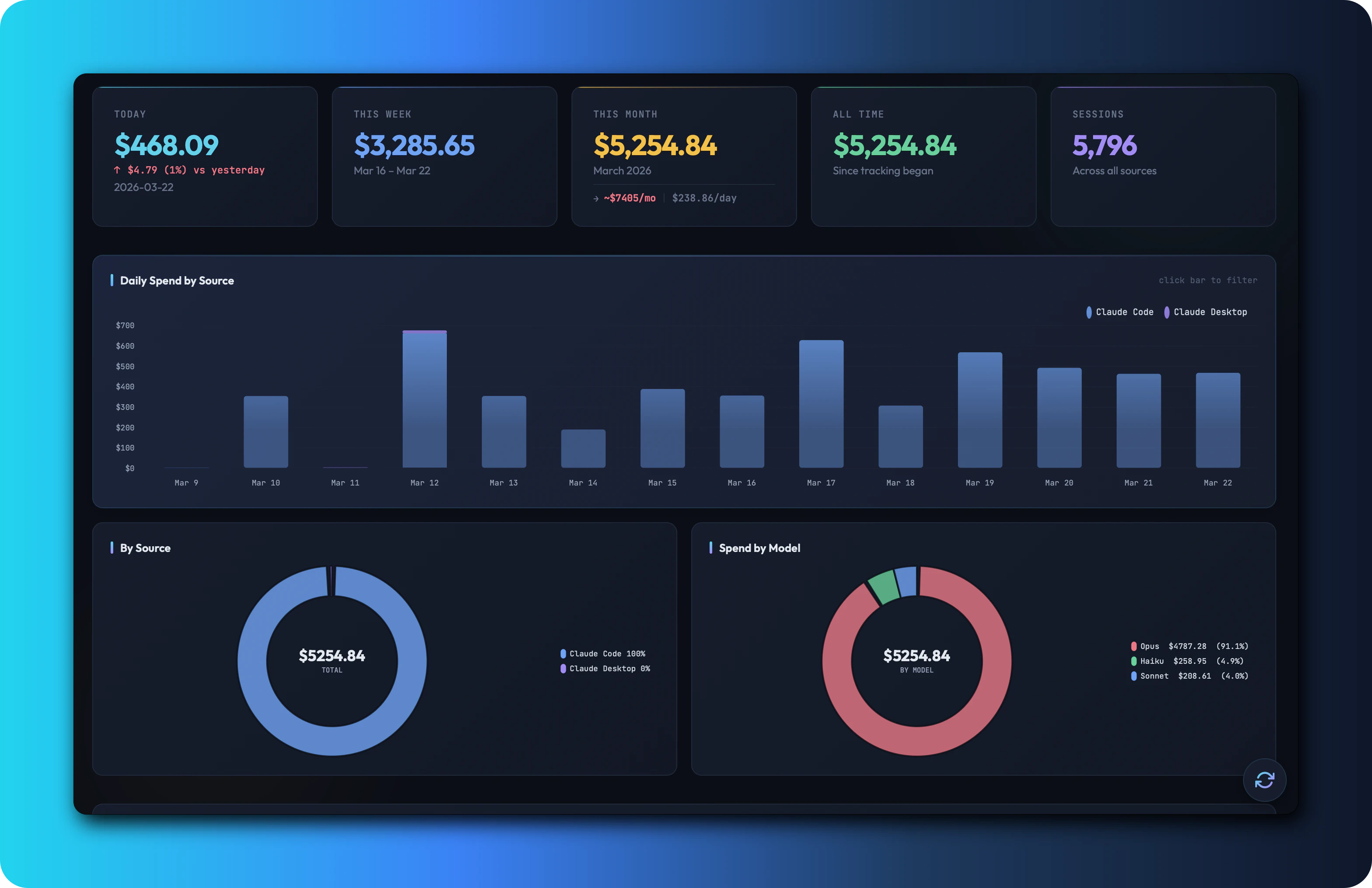
- Unified Dashboard: A clean, centralized view of your daily, weekly, and monthly spending across all supported tools.
- Granular Breakdowns: Easily identify which tools—such as Cursor, Cline, or Claude Code—are driving your highest costs.
- Predictive Analytics: Features a monthly projection tool that helps you estimate your end-of-month bill before the credit card charge hits.
- Rich Visualizations: Includes heatmaps and session logs that allow you to correlate spikes in spending with specific periods of high coding activity.
- Broad Compatibility: Currently supports over 9 tools out-of-the-box, covering the most popular AI-powered IDEs and CLI interfaces.
Potential Drawbacks & Areas for Improvement
While Claude Usage Tracker is a stellar utility, its current limitation is its platform exclusivity. As a macOS-only tool, Windows and Linux users are currently left without a native solution to monitor their cross-tool AI consumption. Expanding the support to cross-platform compatibility would significantly broaden its appeal.
Additionally, while the local scanning method is excellent for privacy, it relies on the internal structure of the target tools' session files. If a tool changes its local data format, users might experience temporary tracking gaps. A "Manual Entry" override or a more robust plugin system for community-maintained scrapers could help ensure long-term stability as the AI tooling ecosystem continues to evolve at breakneck speed.
Bottom Line & Recommendation
Claude Usage Tracker is an essential download for anyone who uses AI coding tools as part of their daily professional workflow. It transforms the opaque, nerve-wracking experience of unexpected API bills into a transparent, data-driven process. Because it is 100% free, open-source (MIT license), and prioritizes local privacy, there is zero risk in trying it out. If you are serious about managing your AI development budget and want to stop flying blind, Claude Usage Tracker is the best tool for the job. Highly recommended for any power user of Cursor, Cline, or similar AI-assisted environments.
Featured AI Applications
Discover powerful tools to enhance your productivity
MindMax
New Way to Interact with AI
Beyond AI chat, transforming conversations into an infinite canvas. Combining brainstorming, mind mapping, critical and creative thinking tools to help you visualize ideas, solve problems efficiently, and accelerate learning.
AI Slides
AI Slides with Markdown
Revolutionary slide creation fusing AI intelligence with Markdown flexibility - edit anywhere, optimize anytime, iterate easily. Turn every idea into a professional presentation instantly.
AI Markdown Editor
Write Immediately
Extremely efficient writing experience: AI assistant, slash commands, minimalist interface. Open and write, easy writing. ✍️ Markdown simplicity + 🤖 AI power + ⚡ Slash commands = Perfect writing experience.
Chrome AI Extension
AI Assistant Anywhere
Transform your browsing experience with FunBlocks AI Assistant. Your intelligent companion supporting AI-driven reading, writing, brainstorming, and critical thinking across the web.