Computer Use in Claude Code: A New Era for Terminal-Based Automation
Let Claude use your computer from the CLI
Published: 3/31/2026
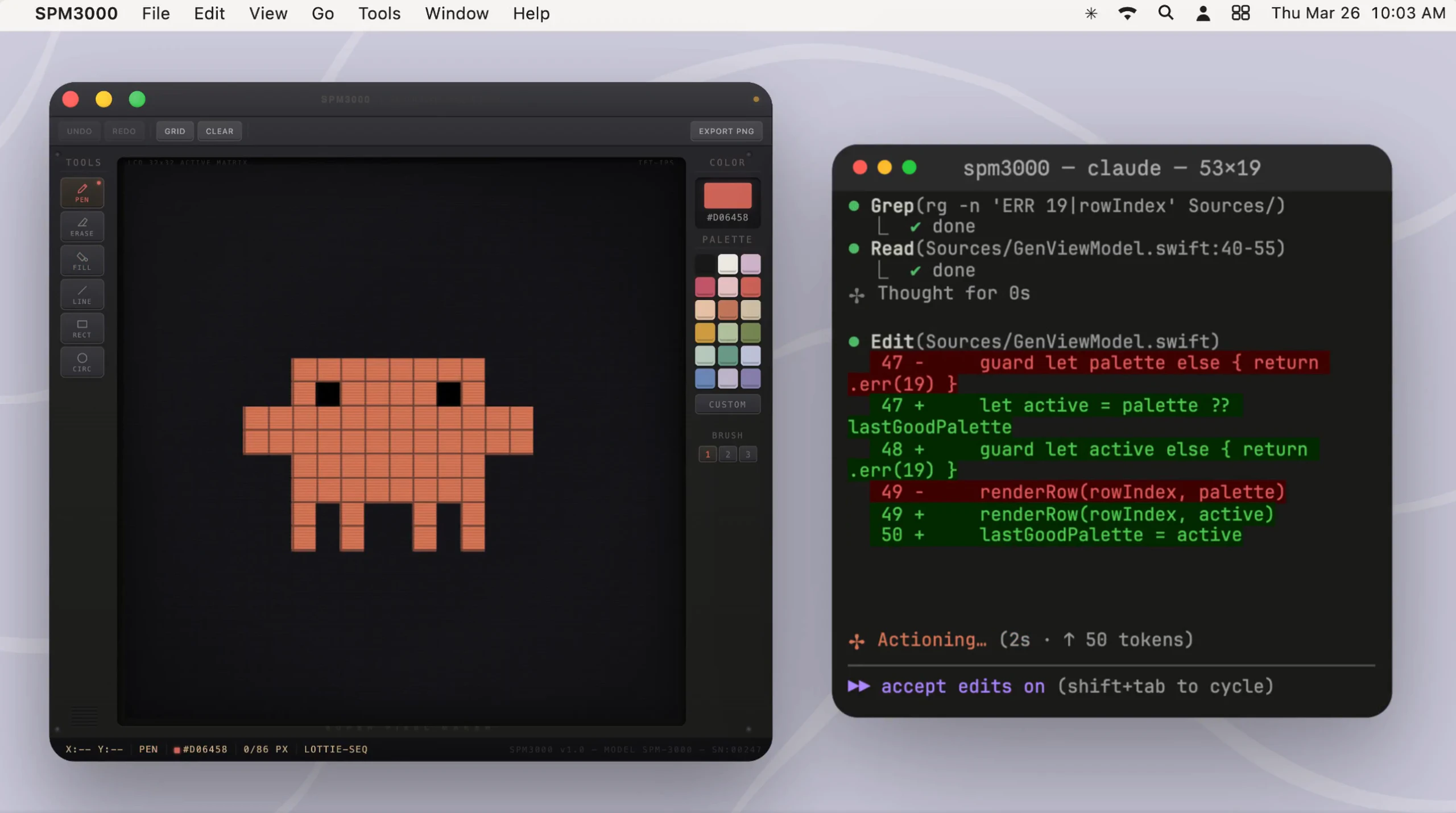
The landscape of AI-assisted development is shifting rapidly, and with the launch of Computer Use in Claude Code, we are witnessing a significant leap forward in how developers interact with their machines. This tool essentially grants Claude the ability to transcend the text-based confines of a standard CLI, allowing it to interface directly with the macOS desktop. By enabling Claude to "see" your screen, move the cursor, click buttons, and type in native applications, this feature bridges the gap between terminal-based coding and GUI-based workflows.
Designed primarily for developers, QA engineers, and power users, Computer Use in Claude Code is a game-changer for those who find themselves toggling between code editors, web browsers, and desktop apps. Whether you are debugging visual regressions in a proprietary application, automating complex workflows that lack APIs, or simply trying to streamline your local environment management, this tool acts as an autonomous agent that navigates the desktop just like a human would.
Solving the "Terminal vs. Desktop" Divide
For years, the CLI has been the home of developers, but many modern tools and edge cases remain trapped in visual, GUI-only software. Previously, if you wanted to test an application’s interaction with a specific desktop utility, you had to perform those tasks manually, breaking your flow state.
Computer Use in Claude Code addresses this by bringing the intelligence of Claude directly to your operating system’s interface. Instead of relying on brittle scripts or manual input, you can now delegate these tasks to an LLM. It fills a critical market gap by enabling cross-application automation that doesn't require deep knowledge of complex automation frameworks like Selenium or AppleScript; you simply describe the goal in natural language, and Claude figures out the necessary clicks and keystrokes.
Key Features and Highlights
The core strength of this feature lies in its multimodal capability. By processing screenshots of your desktop, Claude can interpret UI elements, making it surprisingly adept at navigating unfamiliar software.
- Autonomous Navigation: Claude can identify buttons, text fields, and icons, allowing it to interact with apps that do not have command-line interfaces.
- Visual Debugging: Because Claude can "see" your screen, you can ask it to troubleshoot visual issues, such as misaligned CSS or UI glitches, without having to manually inspect every pixel.
- Cross-App Workflow Automation: Seamlessly move data between different native macOS applications, such as copying information from a legacy desktop app into your terminal or browser-based project tools.
- CLI-Native Control: Despite its ability to control the GUI, the entire process is initiated from the terminal, keeping your development environment centralized and streamlined.
The user experience is surprisingly fluid. You remain in the CLI, but as you watch your cursor move and interact with your applications, you realize you are witnessing a new paradigm of human-computer interaction where the AI acts as an extension of your own hands.
Potential Drawbacks and Areas for Improvement
As impressive as this tool is, it is important to remember that it is still in the early stages of agentic computing. The most notable limitation is the "reaction speed"; while accurate, the latency involved in Claude taking a screenshot, processing it, and executing an action can make it slower than a highly optimized script for simple, repetitive tasks.
Furthermore, security is a major consideration. Giving an AI agent full control over your keyboard and mouse requires a high level of trust. Users should be cautious when letting an LLM interact with sensitive applications or perform financial transactions. Future iterations would benefit from a more granular "permission system," where users could define "safe zones" or restrict the agent from accessing certain applications unless explicitly granted access during a session.
Bottom Line and Recommendation
Computer Use in Claude Code is a must-try for any developer who enjoys pushing the boundaries of their workflow. It is particularly valuable for those dealing with legacy software, visual UI testing, or complex multi-app environments where APIs are non-existent. While it may not replace standard scripting for high-speed automation, its ability to "think" its way through an unfamiliar interface makes it an incredibly powerful companion. If you are looking to reclaim hours spent on repetitive manual desktop tasks, it is time to let Claude take the wheel.
Featured AI Applications
Discover powerful tools to enhance your productivity
MindMax
New Way to Interact with AI
Beyond AI chat, transforming conversations into an infinite canvas. Combining brainstorming, mind mapping, critical and creative thinking tools to help you visualize ideas, solve problems efficiently, and accelerate learning.
AI Slides
AI Slides with Markdown
Revolutionary slide creation fusing AI intelligence with Markdown flexibility - edit anywhere, optimize anytime, iterate easily. Turn every idea into a professional presentation instantly.
AI Markdown Editor
Write Immediately
Extremely efficient writing experience: AI assistant, slash commands, minimalist interface. Open and write, easy writing. ✍️ Markdown simplicity + 🤖 AI power + ⚡ Slash commands = Perfect writing experience.
Chrome AI Extension
AI Assistant Anywhere
Transform your browsing experience with FunBlocks AI Assistant. Your intelligent companion supporting AI-driven reading, writing, brainstorming, and critical thinking across the web.