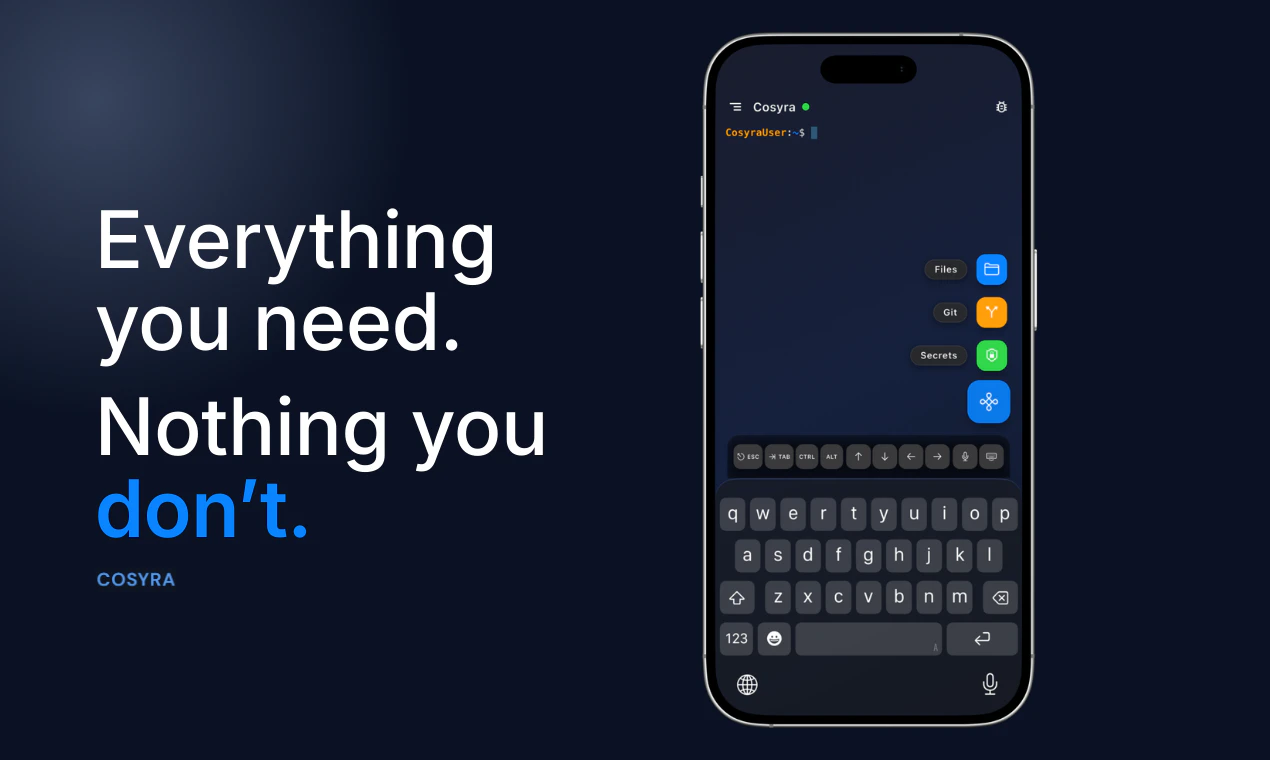
Cosyra: The Future of Mobile-First AI Development is Here
Run AI coding agents from your phone
Published: 4/2/2026
Product Overview
Cosyra is a revolutionary mobile cloud terminal designed specifically for the era of AI-driven software engineering. By acting as a bridge between your mobile device and powerful cloud-based environments, it allows developers to execute sophisticated AI coding agents—such as Claude Code, Codex CLI, and Gemini CLI—directly from their smartphones. It effectively turns your phone into a high-powered workstation, removing the tether of a traditional laptop.
The target audience for Cosyra includes busy software engineers, CTOs, and technical founders who need to iterate, debug, or deploy code while on the move. Whether you are commuting, traveling, or simply away from your desk, the platform provides a seamless bridge to your development workflow. Its core value proposition is simple yet profound: you no longer need a bulky laptop or a complex remote desktop setup to maintain momentum on your projects.
Problem & Solution
Modern software development has become increasingly reliant on AI agents, yet these tools have historically been restricted to local machines or complex, clunky remote desktop environments that perform poorly on mobile touchscreens. For developers, a spontaneous idea or an urgent bug fix often meant waiting until they reached a computer, leading to friction and lost productivity.
Cosyra solves this by offering a purpose-built mobile terminal interface optimized for CLI-based AI interaction. Rather than trying to cram a full desktop IDE into a small screen, it focuses on the command-line interface—the native language of AI agents. By abstracting the cloud infrastructure and providing a clean, responsive mobile terminal, Cosyra bridges the gap between the power of AI coding tools and the convenience of mobile hardware.
Key Features & Highlights
The strength of Cosyra lies in its specialized focus on the developer experience. By prioritizing CLI interactions over bloated GUI interfaces, it ensures that your mobile experience is fast, reliable, and efficient.
- Native AI Agent Integration: Run industry-leading agents like Claude Code, Gemini, and Codex natively within your terminal session.
- Mobile-Optimized Terminal: Experience a lag-free, responsive command line that feels natural on a touchscreen device.
- Cloud-First Architecture: By leveraging cloud computing, Cosyra ensures that heavy processing happens off-device, preserving your phone's battery and performance.
- Anywhere Access: Whether you're in a coffee shop or on a train, you have full administrative control over your repositories and AI agents.
The user experience is surprisingly intuitive. By stripping away the "noise" of traditional IDEs, Cosyra allows you to focus purely on prompting your AI agents and reviewing their outputs. For developers comfortable with terminal commands, the transition to this mobile-first workflow is incredibly smooth.
Potential Drawbacks & Areas for Improvement
While Cosyra is a massive leap forward for mobile development, it is not without its limitations. The primary challenge remains the nature of mobile input; while CLI commands are concise, complex code refactoring can still be tedious on a virtual keyboard. Integrating a "snippet library" or a robust auto-completion feature for common code blocks could significantly alleviate this friction.
Additionally, as the product matures, users would likely benefit from native support for common git-based version control workflows and perhaps an integrated "preview" mode to see how AI-generated changes affect web or app interfaces. Expanding the platform to allow for easier file browsing and management within the cloud environment would also make Cosyra a more complete, "all-in-one" solution for mobile coding.
Bottom Line & Recommendation
Cosyra is an essential tool for the modern, agile developer who refuses to be tied down to a desk. It is an ideal companion for those who use AI coding agents as part of their daily workflow and want to maintain that productivity level regardless of their physical location. While it may not replace a full workstation for heavy architecture or UI-intensive tasks, it is unparalleled for debugging, quick commits, and AI-assisted brainstorming on the go. If you are looking to unlock true mobile-first development, Cosyra is a must-try.
Featured AI Applications
Discover powerful tools to enhance your productivity
MindMax
New Way to Interact with AI
Beyond AI chat, transforming conversations into an infinite canvas. Combining brainstorming, mind mapping, critical and creative thinking tools to help you visualize ideas, solve problems efficiently, and accelerate learning.
AI Slides
AI Slides with Markdown
Revolutionary slide creation fusing AI intelligence with Markdown flexibility - edit anywhere, optimize anytime, iterate easily. Turn every idea into a professional presentation instantly.
AI Markdown Editor
Write Immediately
Extremely efficient writing experience: AI assistant, slash commands, minimalist interface. Open and write, easy writing. ✍️ Markdown simplicity + 🤖 AI power + ⚡ Slash commands = Perfect writing experience.
Chrome AI Extension
AI Assistant Anywhere
Transform your browsing experience with FunBlocks AI Assistant. Your intelligent companion supporting AI-driven reading, writing, brainstorming, and critical thinking across the web.