Friendware Review: The Proactive AI That Eliminates Context Switching on macOS
Tab-to-complete everywhere on MacOS
Published: 1/1/2026
Product Overview
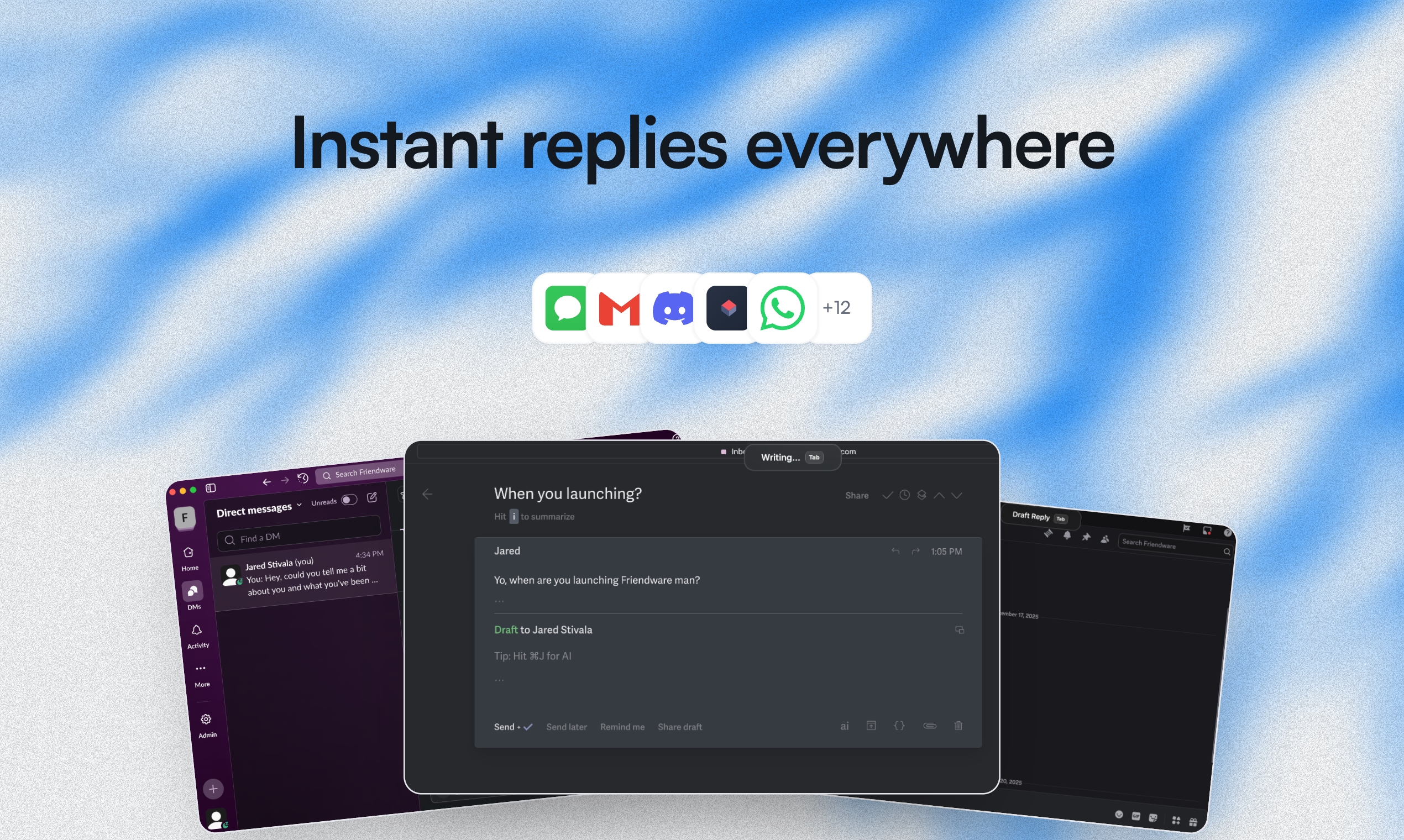
Friendware boldly stakes its claim as more than just another productivity tool; it positions itself as a "new paradigm of the proactive AI" designed specifically for macOS users. The core functionality revolves around an omnipresent "tab-to-complete" feature that aims to seamlessly integrate AI assistance directly into your workflow, regardless of the application you are currently using. Imagine typing a fragment of a sentence, a command, or a request, and having a context-aware AI instantly suggest the completion, saving you the friction of opening a separate AI window or application.
This utility targets power users, knowledge workers, developers, and anyone drowning in context switching across multiple tabs and applications throughout the workday. The promise is revolutionary: the "death of context switching, explaining yourself to an AI, and copy and pasting." Friendware seeks to absorb the tedious intermediary steps required when leveraging generative AI today, making it an always-on, context-sensitive assistant baked directly into the operating system experience.
Problem & Solution: Killing the Context Switch
The current reality of using large language models (LLMs) involves significant friction. When you need an idea summarized, an email drafted, or code snippets generated, you typically pause your primary task, open a browser or dedicated app, paste your source material, formulate a detailed prompt (the "explaining yourself" part), wait for the output, and then manually copy and paste it back into your original workflow. This cycle breaks concentration and drains productivity.
Friendware solves this by making the AI proactive and immediately accessible via a simple tab gesture. It is designed to understand what you are working on right now—whether it's an email client, a design tool, or a terminal window—and offer relevant completions or actions without requiring explicit context dumping. This capability fills a significant market gap by prioritizing speed and system-level integration over standalone application experiences, effectively turning the operating system itself into a contextual intelligence layer.
Key Features & Highlights
While the feature set appears singular—the "tab-to-complete everywhere"—its effectiveness lies in its ubiquitous application and AI sophistication. The promise of true context awareness is the standout selling point for Friendware.
Key highlights include:
- System-Wide Contextual Awareness: The ability to leverage AI suggestions across virtually any text input field on macOS, maintaining session context between applications.
- Reduced Cognitive Load: By minimizing the need to formulate lengthy, explicit prompts, users can maintain their flow state, relying on the AI to infer intent based on surrounding text or application focus.
- Frictionless Workflow Integration: The core mechanism bypasses the traditional input/output loop of copy-pasting, making the AI feel less like an external tool and more like an extension of the operating system’s native text editing capabilities.
The user experience hinges on the responsiveness and accuracy of the completion suggestions. If Friendware consistently delivers high-quality, relevant completions without intrusive behavior, it will fundamentally alter how Mac users interact with AI assistance.
Potential Drawbacks & Areas for Improvement
The concept of an "everywhere" AI assistant on macOS is powerful but inherently risky in terms of performance and privacy. A major potential drawback for Friendware will be its resource utilization. A system-level AI layer running constantly needs to be extremely lightweight; any noticeable lag or significant battery drain will lead to immediate user churn.
Furthermore, the description hints at deep system integration, raising necessary questions about data handling and privacy. For a tool that observes everything you type, clear, transparent policies on data storage, local processing capabilities, and security auditing will be crucial for building trust among professional users.
Suggestions for enhancement could include:
- Customizable Triggers: Allowing users to switch the trigger key or gestures depending on the application context.
- Local Processing Options: Offering tiers where sensitive data can be processed entirely locally to assuage privacy concerns.
- Actionable Commands: Expanding beyond text completion to executing simple system commands based on inferred intent (e.g., suggesting a meeting setup based on an email thread).
Bottom Line & Recommendation
Friendware represents an exciting leap toward truly embedded, proactive AI designed for the modern digital workflow. If the development team can successfully deliver on the promise of instantaneous, accurate, context-aware suggestions without crippling system performance or raising privacy red flags, Friendware could quickly become an indispensable utility for serious macOS users seeking maximum efficiency.
Recommendation: Power users currently frustrated by context switching between their work environment and AI tools should absolutely try Friendware. This product isn't just an incremental improvement; it’s a potential foundational shift in how we leverage generative intelligence daily.
Featured AI Applications
Discover powerful tools to enhance your productivity
MindMax
New Way to Interact with AI
Beyond AI chat, transforming conversations into an infinite canvas. Combining brainstorming, mind mapping, critical and creative thinking tools to help you visualize ideas, solve problems efficiently, and accelerate learning.
AI Slides
AI Slides with Markdown
Revolutionary slide creation fusing AI intelligence with Markdown flexibility - edit anywhere, optimize anytime, iterate easily. Turn every idea into a professional presentation instantly.
AI Markdown Editor
Write Immediately
Extremely efficient writing experience: AI assistant, slash commands, minimalist interface. Open and write, easy writing. ✍️ Markdown simplicity + 🤖 AI power + ⚡ Slash commands = Perfect writing experience.
Chrome AI Extension
AI Assistant Anywhere
Transform your browsing experience with FunBlocks AI Assistant. Your intelligent companion supporting AI-driven reading, writing, brainstorming, and critical thinking across the web.