Gemlet Review: The Definitive Keyboard-First Gemini Client for macOS Power Users
Native, keyboard-first Gemini client for macOS
Published: 3/6/2026
Product Overview: Instant AI Access Meets Native macOS Design
Gemlet enters the crowded AI utility space with a laser focus: delivering the fastest, most ergonomic interaction possible with Google's Gemini models directly on macOS. Marketed as a native, keyboard-first Gemini client, Gemlet aims to eliminate the friction associated with accessing generative AI—namely, the constant switching between browser tabs and the overhead of managing API keys. This isn't just another web wrapper; it’s a dedicated application built from the ground up in SwiftUI, promising speed and deep integration with the operating system.
The primary audience for Gemlet is clearly the macOS power user, developer, or knowledge worker who integrates AI workflows heavily into their daily routine. Use cases range from rapid-fire drafting and coding assistance to complex research summaries, all accessible without lifting hands from the keyboard. Gemlet’s core value proposition is centered on efficiency and immediacy: turn any moment of thought into an AI prompt instantly, leveraging your existing Google infrastructure.
Problem & Solution: Bridging the Speed Gap in AI Interaction
The existing method for utilizing large language models like Gemini often involves navigating to a web interface, logging in (if necessary), and losing precious seconds waiting for the page to load or context to refresh. For professionals relying on AI dozens of times an hour, this friction adds up to significant lost productivity. Furthermore, managing multiple contexts (e.g., work persona vs. personal persona) within a single browser tab can be clunky.
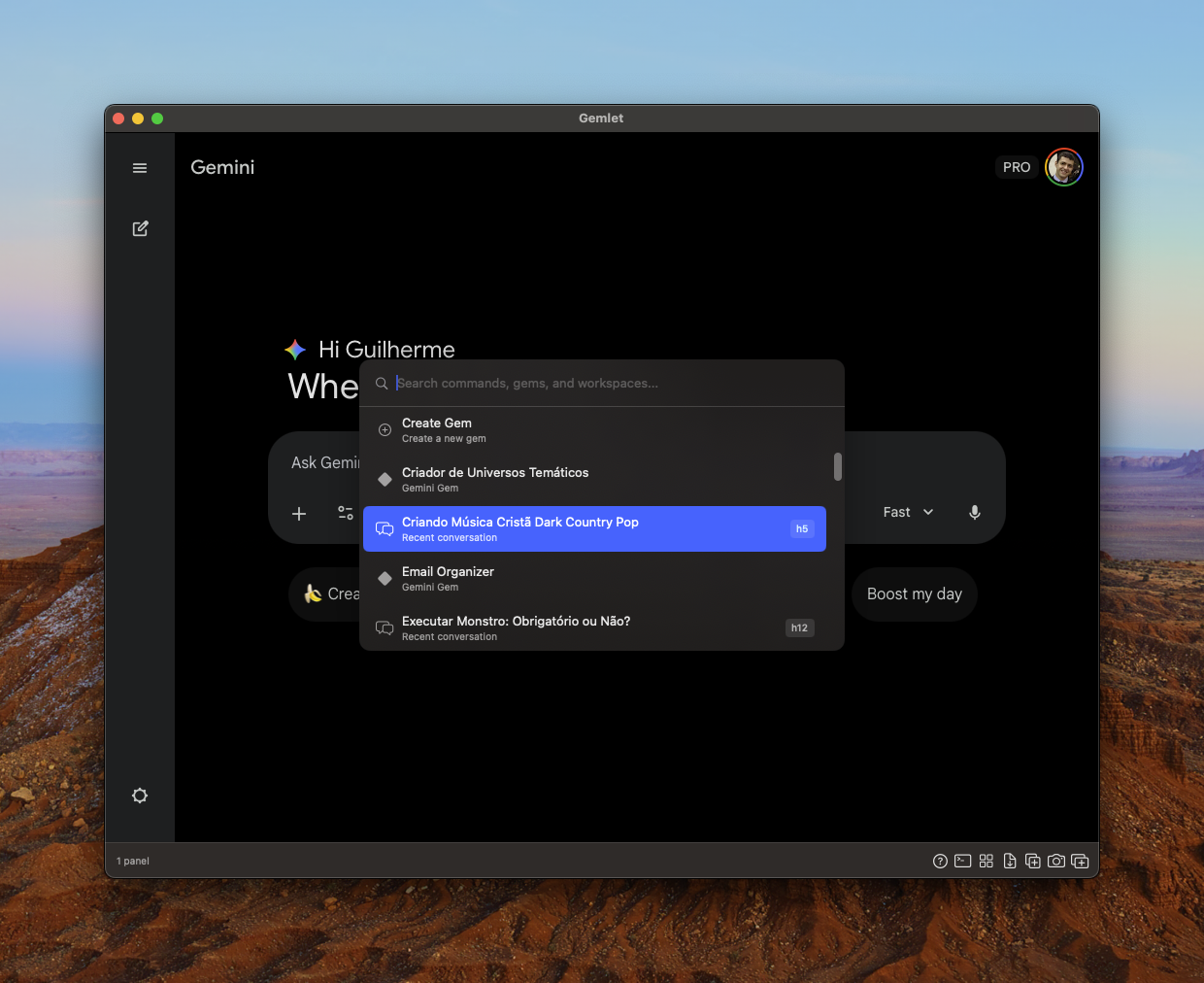
Gemlet solves this by transforming access into an instantaneous system-level utility. By implementing global hotkeys and a command palette, it effectively functions like an operating system utility rather than a web application. Crucially, it bypasses the common hurdle of API management by securely utilizing the user's existing Google account, offering a zero-setup, zero-cost-per-token entry point for Gemini usage on the desktop, positioning it as a superior, streamlined alternative to browser-based access.
Key Features & Highlights: Designed for Workflow Dominance
Gemlet distinguishes itself through a commitment to workflow optimization that resonates deeply with power users. The headline feature is undoubtedly the Global Hotkeys and Command Palette. This allows users to summon the AI interface from any application, making Gemlet feel like a true system overlay.
Beyond instant access, the application offers robust organizational tools that enhance sustained productivity:
- Split-View Workspaces: Essential for comparing outputs or keeping different research threads active simultaneously without losing context.
- Multiple Profiles: The ability to delineate between 'Work' and 'Personal' Gemini instances keeps context clean and interactions tailored.
- Deep Bookmarks: Saving specific, complex prompts or successful "Gems" for easy retrieval is a major time-saver for recurring tasks.
The native foundation in SwiftUI ensures a smooth, fast user experience that feels responsive and polished—a stark contrast to many web-wrapped AI tools. Furthermore, the promise of Native PDF/JSON Export speaks directly to users who need to securely archive or integrate their AI sessions into formal documentation or development pipelines.
Potential Drawbacks & Areas for Improvement
While Gemlet excels at speed and keyboard control, a few areas could enhance its appeal further. Given its reliance on the user’s existing Google account, clarity around data privacy and usage monitoring within the app is paramount. While using an existing account removes API friction, some highly security-conscious users might require more explicit assurances about how Gemlet handles their session data locally versus cloud-side.
For feature expansion, while the core experience is strong, integrating external context injection could be the next major leap. For instance, being able to seamlessly drag a file (beyond PDFs/JSON) or copy a block of code from a neighboring window and instantly feed it into the active Gemini session via a simple keyboard shortcut would dramatically increase its utility for developers and researchers. Additionally, customization options for the hotkey behavior might be necessary for users with heavily customized macOS setups.
Bottom Line & Recommendation
Gemlet is an outstanding utility that successfully bridges the gap between the power of Google’s Gemini models and the efficiency demanded by macOS power users. If you find yourself repeatedly switching to a browser tab to talk to an AI model, you are actively losing time that Gemlet is designed to save you.
Recommendation: Highly recommended for developers, writers, marketers, and knowledge workers on macOS who prioritize keyboard-driven workflows and require instant, context-aware access to generative AI. Gemlet delivers on its promise of a faster, native, and beautifully integrated Gemini experience, solidifying its place as an essential productivity tool in the modern AI stack.
Featured AI Applications
Discover powerful tools to enhance your productivity
MindMax
New Way to Interact with AI
Beyond AI chat, transforming conversations into an infinite canvas. Combining brainstorming, mind mapping, critical and creative thinking tools to help you visualize ideas, solve problems efficiently, and accelerate learning.
AI Slides
AI Slides with Markdown
Revolutionary slide creation fusing AI intelligence with Markdown flexibility - edit anywhere, optimize anytime, iterate easily. Turn every idea into a professional presentation instantly.
AI Markdown Editor
Write Immediately
Extremely efficient writing experience: AI assistant, slash commands, minimalist interface. Open and write, easy writing. ✍️ Markdown simplicity + 🤖 AI power + ⚡ Slash commands = Perfect writing experience.
Chrome AI Extension
AI Assistant Anywhere
Transform your browsing experience with FunBlocks AI Assistant. Your intelligent companion supporting AI-driven reading, writing, brainstorming, and critical thinking across the web.