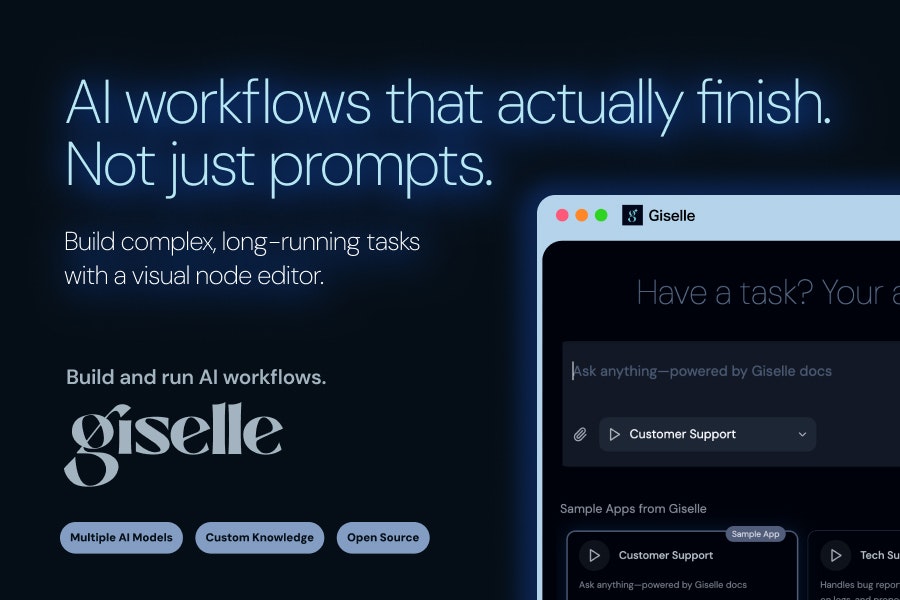
Giselle Review: The Open-Source Platform for Reliable, Complex AI Workflows
Build and run AI workflows. Open source.
Published: 12/29/2025
Product Overview
Giselle enters the competitive space of workflow orchestration, but with a distinct focus on making complex AI workflows reliable and accessible. Billed as the platform to "Build and run AI workflows that actually complete," Giselle addresses a fundamental frustration in modern AI development: brittle, multi-step processes that often fail mid-execution due to infrastructure hurdles or chaining issues. This tool is designed for developers and data scientists who need to sequence multiple AI services—whether that’s calling an LLM from OpenAI, integrating a specialized image model from Hugging Face, and then feeding the output into a custom data processor—into a single, coherent, and long-running task.
The core appeal of Giselle lies in its promise of zero infrastructure setup. This abstraction is critical; it allows users to concentrate entirely on the logic and flow of their AI pipeline rather than wrestling with Kubernetes clusters, scaling concerns, or API management boilerplate. By providing a visual node editor, Giselle lowers the barrier to entry for designing sophisticated automation sequences, turning abstract code logic into a tangible, manageable visual map.
Giselle’s target audience is clearly the technical practitioner—the ML engineer, the backend developer building AI-powered features, or the researcher needing to automate complex experimental pipelines. Its open-source nature further solidifies its appeal to those prioritizing transparency, customizability, and control over their execution environment.
Problem & Solution
The primary problem Giselle solves is the inherent complexity and fragility of chaining multiple, often disparate, AI services. Traditional methods force engineers to build custom orchestration layers using tools like Airflow or basic scripting, which demand significant configuration for deployment, dependency management, and state tracking, especially when dealing with tasks that might take minutes or hours to complete. Furthermore, combining models from different providers (e.g., mixing proprietary APIs with self-hosted open-source models) creates significant integration overhead.
Giselle tackles this by offering a unified canvas where these integrations become native nodes. It abstracts away the infrastructure layer entirely, meaning the deployment and execution environment are managed for you, fulfilling the "just build and run" mandate. Unlike black-box workflow tools, Giselle’s commitment to being open source suggests that users retain visibility and control over the execution engine, offering a middle ground between fully managed SaaS platforms and purely self-hosted, high-effort solutions. This combination of ease-of-use (visual editor) and robust execution (handling long-running tasks) fills a distinct market gap for reliable, production-ready AI orchestration.
Key Features & Highlights
The architecture of Giselle centers around flexibility and robust execution. The visual node editor is undoubtedly the star feature, enabling users to map out complex decision trees, parallel processing steps, and sequential data transformations without writing exhaustive boilerplate code for coordination.
Key strengths highlighted by the platform include:
- Multi-Provider Model Combination: The ability to seamlessly integrate and sequence calls to models hosted by various providers within a single canvas is a massive time-saver for diverse AI projects.
- Real-Time Tracking: For any long-running task, knowing precisely where a process failed or is currently executing is crucial. Real-time tracking offers the necessary observability to debug and monitor these complex pipelines efficiently.
- Zero Infra Setup: This is the core user experience win. It dramatically reduces the time-to-first-workflow by eliminating deployment configuration headaches common in orchestration tools.
- Open Source Foundation: Being open source allows for community contribution, auditing, and the potential for deep customization, which is vital for enterprises handling sensitive AI data flows.
The UX seems geared towards flow clarity, where the visual representation inherently documents the workflow logic, making maintenance and handover significantly easier than navigating monolithic Python scripts.
Potential Drawbacks & Areas for Improvement
While Giselle presents a compelling vision, a few areas warrant consideration for potential users. Since the platform emphasizes "zero infra setup," reliance on Giselle's hosted environment for execution might be a concern for organizations with extremely strict data sovereignty requirements or those needing deeply customized runtime environments (e.g., specific GPU drivers or proprietary hardware acceleration). While the platform is open source, the degree to which one can easily shift the execution backend remains unclear from the initial pitch.
Furthermore, for workflows involving massive data volumes, the capabilities of the built-in state management and data passing mechanisms need rigorous testing. While it handles long-running tasks well, performance under high-throughput conditions might necessitate features like native integration with object storage systems (like S3 or GCS) for intermediate artifact handling. Finally, as a newer platform, the breadth of pre-built nodes for niche AI libraries or specific data transformation steps will likely grow, but early adopters should anticipate needing to build custom nodes initially.
Bottom Line & Recommendation
Giselle is a highly promising tool for AI workflow automation developers seeking a visual, reliable, and infrastructure-light way to sequence complex, multi-step AI tasks. If your current process involves stitching together various LLMs, vision models, and processing steps that frequently fail or require tedious environment configuration, Giselle should be at the top of your evaluation list.
Recommendation: Highly recommended for ML Engineers and AI Developers looking to transition from fragile scripts to robust, observable, and easily designed AI pipelines, especially those who value the transparency and flexibility of an open-source solution. Try it if you need reliable execution without the overhead of managing complex orchestration infrastructure.
Featured AI Applications
Discover powerful tools to enhance your productivity
MindMax
New Way to Interact with AI
Beyond AI chat, transforming conversations into an infinite canvas. Combining brainstorming, mind mapping, critical and creative thinking tools to help you visualize ideas, solve problems efficiently, and accelerate learning.
AI Slides
AI Slides with Markdown
Revolutionary slide creation fusing AI intelligence with Markdown flexibility - edit anywhere, optimize anytime, iterate easily. Turn every idea into a professional presentation instantly.
AI Markdown Editor
Write Immediately
Extremely efficient writing experience: AI assistant, slash commands, minimalist interface. Open and write, easy writing. ✍️ Markdown simplicity + 🤖 AI power + ⚡ Slash commands = Perfect writing experience.
Chrome AI Extension
AI Assistant Anywhere
Transform your browsing experience with FunBlocks AI Assistant. Your intelligent companion supporting AI-driven reading, writing, brainstorming, and critical thinking across the web.