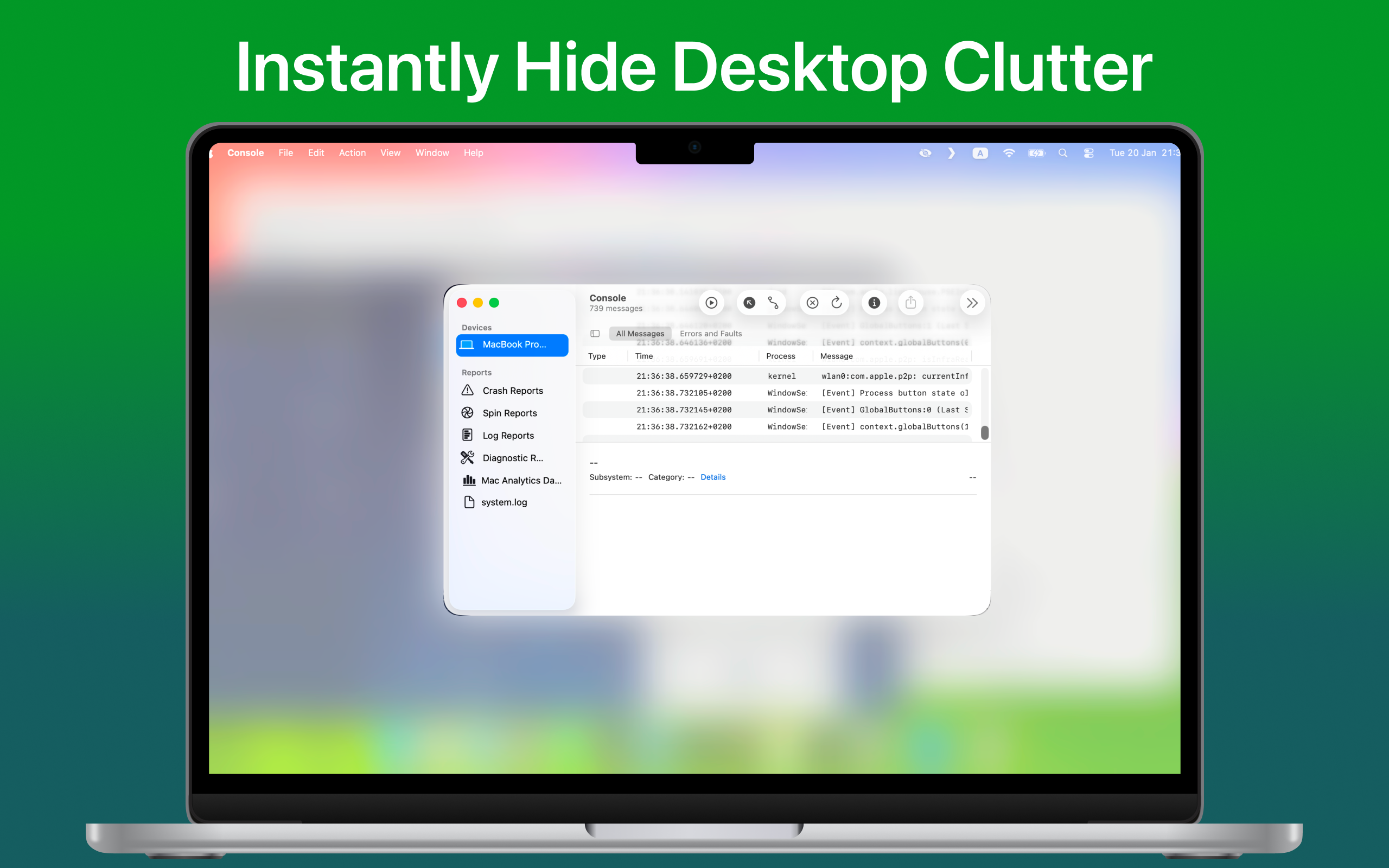
Hush Review: The Ultimate Mac Tool for Instant Screen Share Privacy
Blur your messy desktop to hide it during screen sharing
Published: 2/26/2026
Product Overview: Bringing Serenity to Screen Sharing
In the modern remote work landscape, screen sharing is a daily necessity, yet it often brings an underlying anxiety: the fear of exposing personal files, distracting notifications, or a messy desktop. Enter Hush, a sleek and minimal Mac menu bar application designed to eliminate this stress instantly. Hush is not just another utility; it’s a dedicated privacy shield for your Mac screen. With a single, lightning-fast hotkey activation, Hush throws a visually pleasing blur overlay across your entire desktop environment. This simple yet powerful action effectively conceals desktop icons, widgets, and even your potentially embarrassing wallpaper, all while keeping your active application windows perfectly visible and interactive.
The primary audience for Hush is any Mac user who frequently participates in video calls, delivers presentations, records tutorials, or shares their screen in any professional or public setting. From developers sharing code to marketers demoing a new feature, anyone tired of frantically dragging files into a folder moments before hitting "Share Screen" will find immediate value. Hush’s core value proposition is frictionless, on-demand privacy that maintains workflow continuity—you don't have to close applications; you just instantly clean up the view.
Problem & Solution: The Clutter Crisis Solved
The problem Hush tackles is universal: the conflict between needing a functional, personalized desktop environment for deep work and the requirement for a sterile, professional canvas when presenting. Standard solutions often involve manually hiding icons (which is slow), physically moving all relevant windows, or scrambling to close unrelated applications—all of which disrupt focus and waste precious seconds before a meeting starts. This creates a digital "stage fright" around sharing.
Hush solves this with elegant immediacy. Unlike simple "hide desktop icons" utilities, Hush offers a dedicated, aesthetic blur layer that is immediate and comprehensive across multiple desktop elements. Crucially, it differentiates itself by keeping your active application windows clearly visible and in focus on top of the blur. This means you can be sharing a specific window without worrying about what’s lurking in the background or on the dock, filling a significant niche for users who need presentation focus without losing their application context.
Key Features & Highlights: Blurring the Lines of Privacy
Hush’s genius lies in its simplicity and its two distinct, powerful modes:
- Desktop Mode: This is the go-to for a quick, full-screen privacy blanket. Hit the hotkey, and your desktop icons, dock, wallpaper, and widgets instantly vanish under a customizable blur. It’s the ultimate "panic button" for an untidy workspace.
- Focus Mode: This feature elevates Hush from a simple hide tool to a productivity enhancer. In Focus Mode, you designate which specific applications should remain completely visible. Everything else—other apps, desktop clutter, notifications—is blurred out. This is perfect for demoing one specific app while ensuring private messages or secondary work remain visually obscured to your audience.
The user experience, being managed entirely via a menu bar app and a single hotkey, is perhaps its greatest highlight. It’s designed for speed and minimal interruption. You spend zero time managing the privacy layer and all your time focusing on the content you are sharing. This commitment to non-intrusive operation makes Hush a standout utility in the macOS productivity space.
Potential Drawbacks & Areas for Improvement
While Hush delivers exceptionally well on its core promise, there are a few areas where future iterations could expand its utility. Currently, the description focuses heavily on the visual aspect of blurring. It would be valuable to confirm if Hush also has an optional feature to temporarily suppress notifications (like Do Not Disturb) when a mode is activated, as visual clutter often comes hand-in-hand with auditory interruptions during a presentation.
Furthermore, while the blur is aesthetically pleasing, offering a few different styles of obstruction—perhaps a solid color wash or a pixelation effect—in addition to the standard blur, could appeal to users with different visual preferences or security requirements. Finally, since it is a menu bar app, integrating with native macOS features like the Share Menu or specific meeting app hotkeys (Zoom, Meet) could streamline activation even further, though the current hotkey is already highly effective.
Bottom Line & Recommendation
If you frequently find yourself needing to present or share your screen on a Mac but dislike the constant need to tidy up your digital workspace, Hush is an essential, low-friction addition to your toolkit. It is an excellent solution for remote professionals, educators, and anyone who values immediate, aesthetically pleasing privacy control. The blend of instant Desktop Mode and the context-aware Focus Mode makes it uniquely powerful. We highly recommend trying Hush for anyone looking to eliminate screen-sharing anxiety and maintain a professional digital presence with minimal effort.
Featured AI Applications
Discover powerful tools to enhance your productivity
MindMax
New Way to Interact with AI
Beyond AI chat, transforming conversations into an infinite canvas. Combining brainstorming, mind mapping, critical and creative thinking tools to help you visualize ideas, solve problems efficiently, and accelerate learning.
AI Slides
AI Slides with Markdown
Revolutionary slide creation fusing AI intelligence with Markdown flexibility - edit anywhere, optimize anytime, iterate easily. Turn every idea into a professional presentation instantly.
AI Markdown Editor
Write Immediately
Extremely efficient writing experience: AI assistant, slash commands, minimalist interface. Open and write, easy writing. ✍️ Markdown simplicity + 🤖 AI power + ⚡ Slash commands = Perfect writing experience.
Chrome AI Extension
AI Assistant Anywhere
Transform your browsing experience with FunBlocks AI Assistant. Your intelligent companion supporting AI-driven reading, writing, brainstorming, and critical thinking across the web.