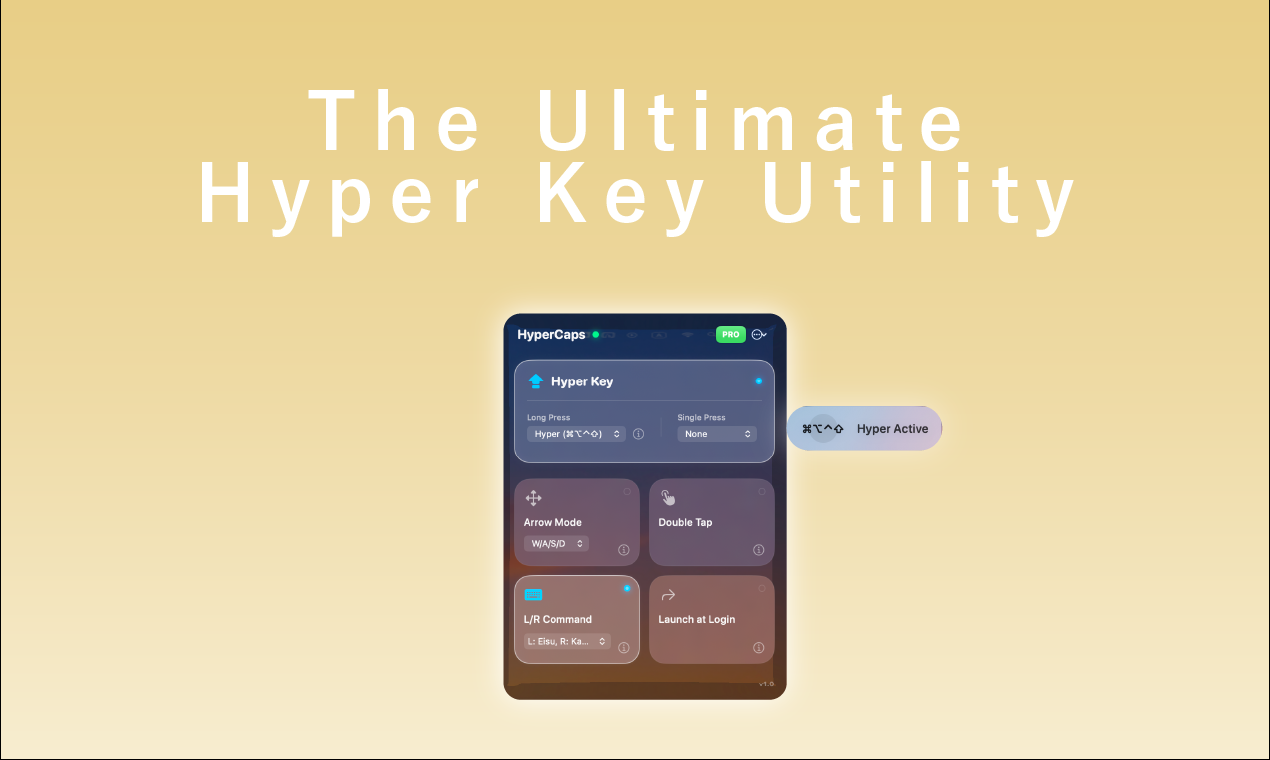
HyperCaps for macOS: The Definitive Review of Turning Your CapsLock Key into a Productivity Powerhouse
Turn CapsLock into a Super Key & Boost Productivity
Published: 2/19/2026
Product Overview: Reimagining the Humble CapsLock Key
HyperCaps for macOS boldly tackles one of the most underutilized keys on the modern keyboard: CapsLock. Positioned as a productivity supercharger, HyperCaps transforms this typically redundant key into a versatile, context-aware control hub. For macOS power users, developers, and anyone frustrated by constant "finger gymnastics" to reach complex modifier combinations, this app promises a significant workflow enhancement right where your hands naturally rest.
This utility targets the segment of the tech community that demands high efficiency and customization, particularly those already leaning into keyboard-centric workflows like Vim users or heavy shortcut adopters. The core value proposition of HyperCaps is simple yet profound: unlock immediate access to powerful commands without sacrificing hand position, leading to reduced strain and faster execution across your entire operating system and application stack.
Problem & Solution: Solving the Modifier Modifier Overload
The fundamental problem HyperCaps addresses is the inherent awkwardness of accessing the "Super Modifier" combo: $\text{Cmd} + \text{Opt} + \text{Ctrl} + \text{Shift}$ (or similar combinations often needed by tiling window managers, advanced text editors, and developer tools). Reaching all four modifiers simultaneously is a genuine physical barrier that slows down intricate command execution.
HyperCaps solves this by dedicating the instantly accessible CapsLock key as a modifier layer. Instead of contorting fingers, users simply hold CapsLock down to instantly invoke this deep-level command set. While tools like Karabiner Elements offer similar remapping capabilities, HyperCaps distinguishes itself by being native, lightweight, and built with a clear focus on simplicity and privacy—crucial factors for many macOS users wary of third-party system extensions running deep in the background.
Key Features & Highlights: More Than Just a Hyper Key
The feature set offered by HyperCaps is focused, powerful, and directly addresses common pain points for power users.
The flagship feature is undoubtedly the Hyper Key mode. Holding CapsLock generates the $\text{Cmd}+\text{Opt}+\text{Ctrl}+\text{Shift}$ combination, instantly making complex global shortcuts available via simple keystrokes layered over this modifier. This alone can shave seconds off repetitive tasks throughout the day.
Equally compelling, especially for the development community, is the integrated Vim Mode. This allows users familiar with Vim navigation to move the cursor using $\text{H/J/K/L}$ while remaining on the home row, a massive win for efficiency within text editing environments.
Finally, the Smart Tap functionality elegantly solves the utility of the key when not held down. Tapping the key can be mapped to act as the Escape key (a common ergonomic request, especially for Vim users who frequently need Esc) or revert to its standard CapsLock function, providing flexibility without cluttering the interface. Built entirely in SwiftUI and prioritizing privacy by logging nothing, HyperCaps ensures a clean, fast, and trustworthy user experience.
Potential Drawbacks & Areas for Improvement
While HyperCaps excels in its core mission, there are a few areas where expansion could significantly enhance its appeal. Currently, the focus seems heavily weighted toward the "Hyper Key" and Vim integration.
A potential drawback for new users might be the initial setup inertia; adopting a new primary modifier key requires relearning muscle memory, which takes conscious effort. Furthermore, while the current feature set is lean and focused, more advanced customization options for the tapped state could be beneficial. For instance, users might want to map the tap to specific application switches or system controls beyond just Escape/CapsLock. Integrating simple graphical representations for layered keymaps within the settings interface, perhaps inspired by competitors, could help users visualize their new key bindings more easily. Finally, expanding device compatibility beyond macOS, perhaps including iPadOS with external keyboards, would broaden the utility significantly.
Bottom Line & Recommendation
HyperCaps for macOS is a brilliant, highly polished utility that delivers exactly what it promises: turning a neglected key into a genuine productivity superpower. If you frequently find yourself wishing for easier access to complex modifier combinations, or if you are a developer who lives in a text editor and wants home-row navigation parity, this tool is an immediate contender for a permanent spot in your toolkit.
The native feel, lightweight performance, and strong emphasis on privacy make it superior to many heavier alternatives. For those looking to optimize their macOS workflow immediately, grabbing HyperCaps—especially utilizing the PHLAUNCH20 discount—is highly recommended. It’s a small investment for a large, tangible boost in daily efficiency.
Featured AI Applications
Discover powerful tools to enhance your productivity
MindMax
New Way to Interact with AI
Beyond AI chat, transforming conversations into an infinite canvas. Combining brainstorming, mind mapping, critical and creative thinking tools to help you visualize ideas, solve problems efficiently, and accelerate learning.
AI Slides
AI Slides with Markdown
Revolutionary slide creation fusing AI intelligence with Markdown flexibility - edit anywhere, optimize anytime, iterate easily. Turn every idea into a professional presentation instantly.
AI Markdown Editor
Write Immediately
Extremely efficient writing experience: AI assistant, slash commands, minimalist interface. Open and write, easy writing. ✍️ Markdown simplicity + 🤖 AI power + ⚡ Slash commands = Perfect writing experience.
Chrome AI Extension
AI Assistant Anywhere
Transform your browsing experience with FunBlocks AI Assistant. Your intelligent companion supporting AI-driven reading, writing, brainstorming, and critical thinking across the web.