Kids Cash Register: Making Math Fun with a Pretend Play POS System
A POS system for kids to play pretend restaurant/shopping.
Published: 1/23/2026
Product Overview
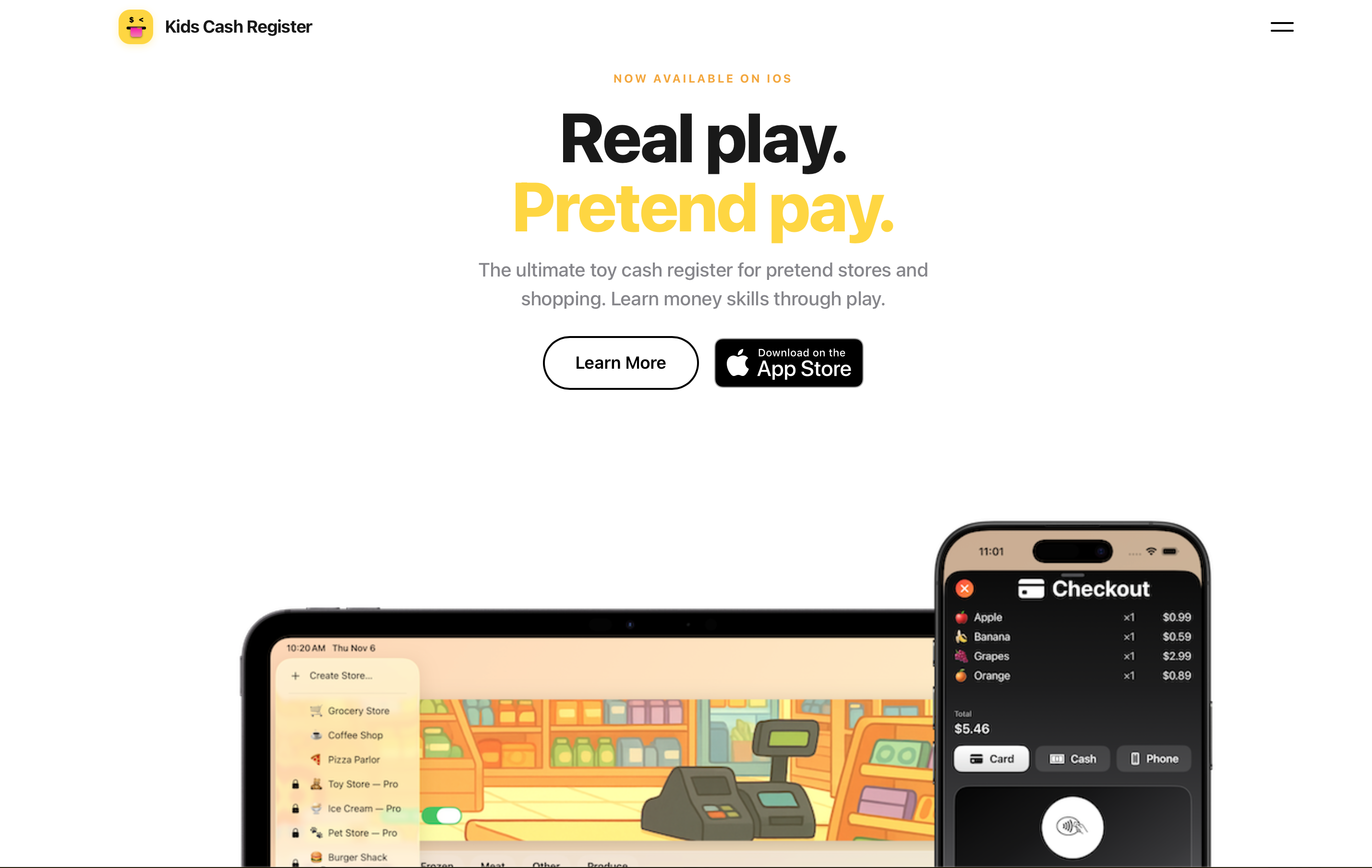
The Kids Cash Register app emerges as a delightful and educational tool designed to bridge the gap between screen time and foundational learning. Pitched as a "POS system for kids to play pretend restaurant/shopping," this application transforms the familiar concept of playing store into an engaging, structured learning environment. At its core, Kids Cash Register is an interactive simulation platform that harnesses the power of pretend play—a cornerstone of early childhood development—to subtly introduce and reinforce essential math skills, particularly arithmetic related to counting, addition, and making change.
This product is specifically tailored for parents, educators, and guardians looking for interactive educational apps that go beyond simple flashcards. The primary use case is seamless, fun learning reinforcement at home or in a classroom setting. The core value proposition of Kids Cash Register lies in its ability to deliver practical financial literacy concepts and strong math skill development within a context children naturally gravitate toward: imaginative role-playing.
Problem & Solution
The challenge many parents face is keeping children engaged with abstract math concepts outside of formal schooling. Traditional worksheets often fail to capture a child's imagination, leading to resistance in learning basic numerical operations crucial for future success. While there are numerous generic learning games, few successfully integrate the concrete, real-world context of transactions and commerce.
Kids Cash Register solves this by creating a dedicated role-playing math game. It moves beyond just recognizing numbers; it forces the child to actively process transactions—calculating costs, tendering money, and determining correct change. By simulating ten different store environments, it keeps the experience fresh and exposes children to various pricing scenarios, offering a much more dynamic solution than standard educational software and filling a notable gap in the early childhood education technology space.
Key Features & Highlights
The Kids Cash Register app distinguishes itself through its depth of content and commitment to interactive simulation. The inclusion of ten distinct store settings is a significant draw, ensuring replayability and exposing kids to different merchandise and pricing structures, from grocery shopping to café transactions.
Key features that stand out include:
- Multi-Store Simulations: Access to 10 unique store themes keeps the learning environment diverse and engaging.
- Interactive Math Practice: Direct application of addition and subtraction skills required to complete sales successfully.
- Custom Game Creation: The ability for adults to set up custom scenarios likely allows for tailored difficulty settings, making it adaptable for children at various developmental stages.
- Engaging User Experience: The visual appeal, suggested by the screenshots, implies a bright, tactile interface mimicking a real cash register, which enhances immersion.
The focus here is on experiential learning. Instead of simply being told "5 + 3 = 8," the child is tasked with handling a $10 purchase for a $5 item, requiring them to calculate the $5 change needed—a practical, immediate application of math skills.
Potential Drawbacks & Areas for Improvement
While the Kids Cash Register appears robust for its intended purpose, there are areas where future iterations could significantly boost its value for both kids and parents. As a pretend POS system, the current description doesn't detail the flexibility regarding currency or language settings, which might limit its appeal in diverse international markets.
Constructive suggestions for enhancement include:
- Advanced Financial Concepts: Introducing very basic concepts like budgeting, saving goals, or even tracking inventory for the 'store owner' could expand the educational scope beyond immediate transaction math.
- Progress Tracking & Reporting: For educators or parents, a dashboard showing which concepts (e.g., change calculation vs. addition) the child masters or struggles with would be invaluable for targeted instruction.
- Multiplayer/Shared Play: Allowing two children to play together—one as the cashier and one as the customer—would leverage social learning aspects inherent in pretend play.
Currently, without robust reporting, parents are left to gauge learning progress subjectively, which is a common limitation in many single-player kids’ learning apps.
Bottom Line & Recommendation
The Kids Cash Register is a highly recommended purchase for parents seeking an entertaining yet structured platform to build foundational math skills through play. It successfully capitalizes on the engaging nature of role-playing by centering it around practical monetary exchanges.
If your child enjoys playing store or restaurant, or if you are looking for an interactive digital tool to reinforce basic arithmetic beyond flashcards, Kids Cash Register offers a compelling, game-ified solution. It’s a standout choice in the educational technology category that genuinely makes learning about money management feel like a fun game, not homework. Give this pretend play POS system a try; your young learners will appreciate the interactive checkout lane!
Featured AI Applications
Discover powerful tools to enhance your productivity
MindMax
New Way to Interact with AI
Beyond AI chat, transforming conversations into an infinite canvas. Combining brainstorming, mind mapping, critical and creative thinking tools to help you visualize ideas, solve problems efficiently, and accelerate learning.
AI Slides
AI Slides with Markdown
Revolutionary slide creation fusing AI intelligence with Markdown flexibility - edit anywhere, optimize anytime, iterate easily. Turn every idea into a professional presentation instantly.
AI Markdown Editor
Write Immediately
Extremely efficient writing experience: AI assistant, slash commands, minimalist interface. Open and write, easy writing. ✍️ Markdown simplicity + 🤖 AI power + ⚡ Slash commands = Perfect writing experience.
Chrome AI Extension
AI Assistant Anywhere
Transform your browsing experience with FunBlocks AI Assistant. Your intelligent companion supporting AI-driven reading, writing, brainstorming, and critical thinking across the web.