KnockKnock!: The Refreshingly Minimalist Approach to Instant Video Communication
Minimal circular video calls that start with a "door" knock
Published: 12/19/2025
Product Overview: Reimagining Spontaneous Connection
KnockKnock! boldly steps away from the bloated, scheduled nature of traditional video conferencing tools with its tagline: "Minimal circular video calls that start with a 'door' knock." This application isn't trying to replace Zoom or Google Meet for large webinars; instead, KnockKnock! is laser-focused on fostering immediate, low-friction interactions within small, trusted circles—think close teammates, best friends, or family members. It’s designed for the moments when a long text or email chain just won't cut it, and you need a quick, real-time check-in without the preamble.
The core value proposition of KnockKnock! is simplicity married to immediacy. By eliminating traditional barriers like meeting links, scheduling, and cumbersome waiting rooms, the app centralizes the experience around a single, intuitive action: the "knock." This positions KnockKnock! perfectly for users craving spontaneous connection—those five-minute chats that feel meaningful precisely because they weren't planned for next Tuesday at 2 PM.
Problem & Solution: Cutting Through Meeting Fatigue
The modern digital landscape is saturated with communication tools that often impose significant cognitive load. We suffer from "meeting fatigue," where setting up even a quick call requires several steps: creating a link, sharing it, waiting for participants to join, and navigating complex UIs. The problem KnockKnock! addresses is the high overhead associated with initiating a brief, interpersonal video chat.
KnockKnock! solves this through radical simplification, primarily tailored for the Mac ecosystem. By offering a native, one-click calling experience, it dramatically lowers the barrier to entry for real-time conversation. Where alternatives force structure, KnockKnock! champions spontaneity. The enforced 5-minute call limit is a genius constraint; it ensures that every interaction initiated via KnockKnock! remains focused, high-value, and doesn't accidentally derail the rest of your workday.
Key Features & Highlights: Focused, Floating, and Fast
The feature set of KnockKnock! is intentionally curated to support its core mission of minimalist connection. Built on robust technology like LiveKit for low-latency streaming, users can expect high-quality, uninterrupted audio and video, even during brief exchanges.
The standout usability features include:
- Mac-Native Integration: For Mac users, this means seamless integration into the desktop workflow, accessible immediately without booting up a browser tab or a heavy application.
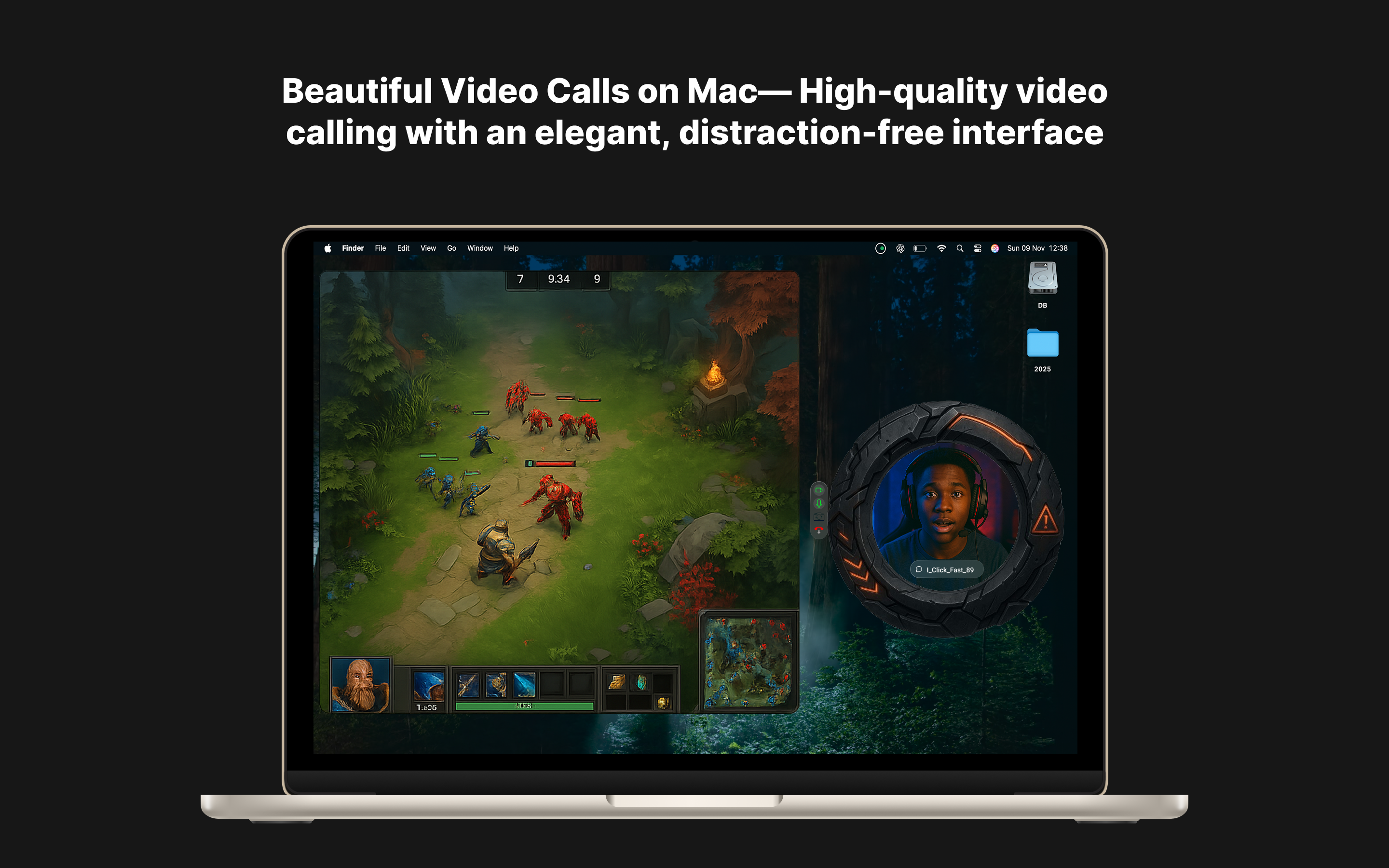
- Floating Call Windows: This is crucial for maintaining productivity. Calls don't hijack the screen; instead, they remain accessible in a small, movable window, allowing users to continue working while chatting.
- The 5-Minute Limit: This constraint enforces brevity and focus. It forces users to get straight to the point, making these calls feel purposeful rather than time-sinks.
- Customization: The ability to customize colors and themes adds a layer of personalization often missing in utilitarian communication tools, making the experience feel more intimate and tailored to trusted groups.
Security is handled via Firebase sign-in, providing a familiar and reliable authentication layer for managing these trusted circles.
Potential Drawbacks & Areas for Improvement
While KnockKnock! excels in its niche, its very minimalism introduces some inherent limitations that potential users should note. The strong focus on Mac-native operation suggests that users on Windows or mobile platforms might be left out, limiting its utility for cross-platform teams or friend groups. Expanding platform support would significantly increase its total addressable market.
Furthermore, the strict 5-minute limit, while beneficial for focus, could occasionally truncate necessary brief discussions. A potential enhancement could be an optional "Extend Call" prompt that appears at the 4:30 mark, allowing participants to unanimously agree to add another segment, preserving the spontaneity while offering flexibility when needed. Lastly, while Firebase handles basic security, advanced users might eventually seek integration options with other enterprise security protocols if they adopt KnockKnock! for highly sensitive internal team communications.
Bottom Line & Recommendation
KnockKnock! is a refreshing and highly effective tool for anyone weary of scheduled video meetings and looking for an instant, focused connection pathway. If your primary need is quick, non-intrusive check-ins with small, trusted groups—whether for rapid debugging among developers or spontaneous chats with friends—KnockKnock! delivers on its promise of simple, spontaneous communication flawlessly on the Mac.
I highly recommend this product for individuals and small teams operating within the Apple ecosystem who value immediacy and hate unnecessary friction in their digital interactions. KnockKnock! proves that sometimes, less truly is more when it comes to staying connected.
Featured AI Applications
Discover powerful tools to enhance your productivity
MindMax
New Way to Interact with AI
Beyond AI chat, transforming conversations into an infinite canvas. Combining brainstorming, mind mapping, critical and creative thinking tools to help you visualize ideas, solve problems efficiently, and accelerate learning.
AI Slides
AI Slides with Markdown
Revolutionary slide creation fusing AI intelligence with Markdown flexibility - edit anywhere, optimize anytime, iterate easily. Turn every idea into a professional presentation instantly.
AI Markdown Editor
Write Immediately
Extremely efficient writing experience: AI assistant, slash commands, minimalist interface. Open and write, easy writing. ✍️ Markdown simplicity + 🤖 AI power + ⚡ Slash commands = Perfect writing experience.
Chrome AI Extension
AI Assistant Anywhere
Transform your browsing experience with FunBlocks AI Assistant. Your intelligent companion supporting AI-driven reading, writing, brainstorming, and critical thinking across the web.