Knowlify Review: Transforming Documentation into Premium Explainer Videos with AI
Convert text & PDFs into premium explainer videos
Published: 3/11/2026
Product Overview: The Future of Content Explanation
Knowlify is launching into the crowded field of AI content creation, but it carves out a specific, high-value niche: converting static text documents and PDFs directly into high-quality, engaging explainer videos. Pitched as an "AI video studio," Knowlify aims to bridge the gap between dense technical or internal documentation and consumable visual content. Unlike generic text-to-video tools that often produce stiff or robotic results, Knowlify promises "premium" output, suggesting a focus on polish, pacing, and professional aesthetics suitable for external marketing or critical internal training.
This tool is squarely aimed at knowledge workers, corporate training departments, marketing teams, and startups that rely heavily on detailed specifications, onboarding guides, or complex product narratives. The core value proposition of Knowlify is efficiency married with quality; it promises to drastically reduce the time and cost associated with traditional video production while delivering visually compelling explainers that drive comprehension and retention. If your team spends countless hours rewriting documentation into presentation scripts or hiring agencies for simple explainer videos, Knowlify positions itself as the immediate solution.
Problem & Solution: Cutting the Production Bottleneck
The fundamental problem Knowlify addresses is the time-sink and complexity involved in transforming written knowledge into visual communication. Creating high-quality explainer videos typically involves multiple costly steps: scriptwriting refinement, storyboarding, voiceover recording, animation design, and editing coordination. For internal knowledge sharing or rapidly evolving product updates, this traditional pipeline is often too slow. Existing basic AI video generators often fall short on quality, resulting in videos that look cheap or fail to convey complex nuance effectively.
Knowlify solves this by automating the entire pipeline, directly from the source material (text or PDF). It intelligently parses the document structure, likely extracting key points, generating voiceovers, and matching appropriate visuals or animations to create a cohesive narrative flow. By focusing on "premium" output rather than just functional output, Knowlify steps into a market gap where speed meets sophisticated delivery—something essential for teams needing consistent, on-brand visual communication without the heavy overhead.
Key Features & Highlights: AI-Driven Visual Storytelling
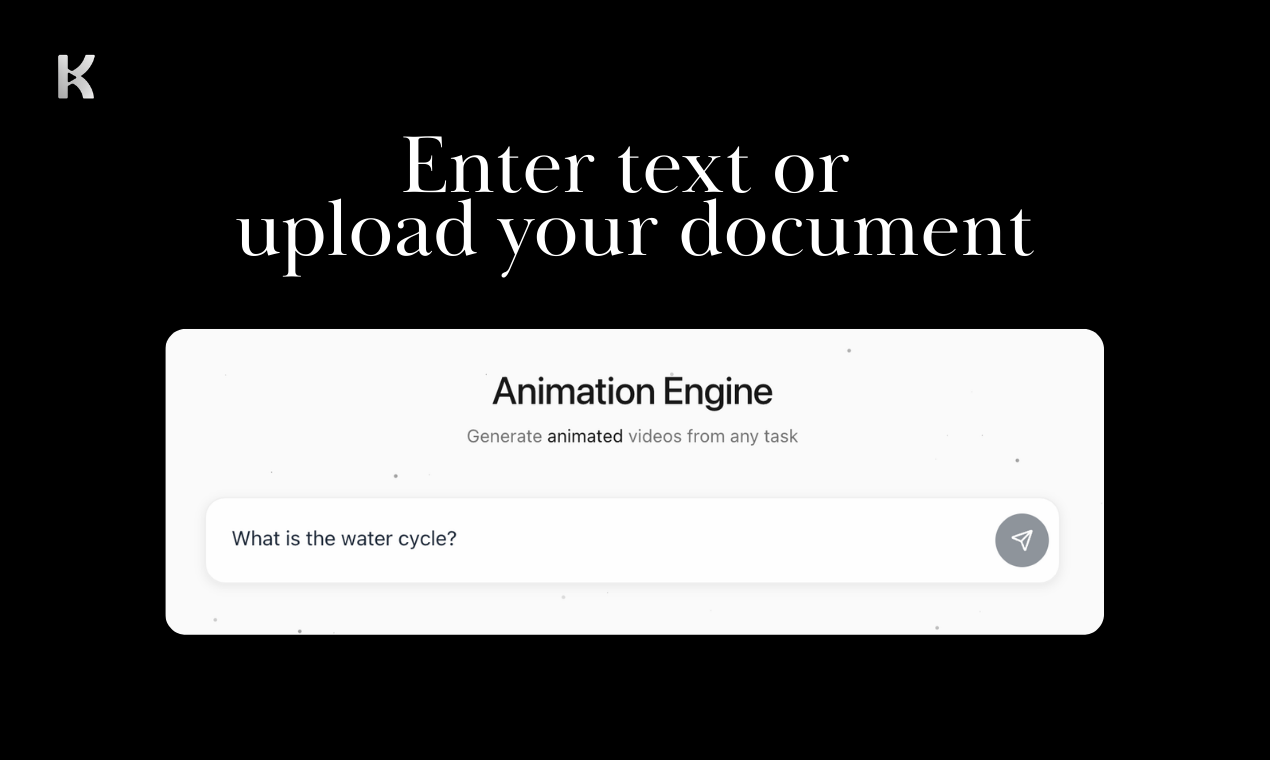
The standout feature of Knowlify is its direct document ingestion capability. The ability to upload a PDF or raw text and receive a structured explainer video is the engine driving its value. We anticipate this relies on sophisticated AI parsing to identify headings, bullet points, and crucial data points that need visual emphasis.
The promise of "premium" output suggests several underlying capabilities that differentiate Knowlify from competitors:
- Consistent Branding: Likely includes templates or customization options to ensure all videos adhere to specific brand guidelines (colors, fonts, etc.).
- Intelligent Narration & Pacing: The AI must be adept at generating natural-sounding voiceovers and pacing the visual cuts to match the spoken word effectively, crucial for complex topics.
- Visual Mapping: The system needs a robust library or mechanism to intelligently select relevant imagery or kinetic text elements that accurately illustrate the points being made in the source document.
For users facing repetitive documentation updates, Knowlify offers a path to rapid iteration—update the source document, regenerate the video, and deploy, far outpacing traditional methods.
Potential Drawbacks & Areas for Improvement
While the concept of Knowlify is powerful, the devil is always in the detail, particularly with AI-generated visual content. The primary area for constructive criticism centers on the definition of "premium." If the AI struggles with highly specialized jargon or abstract concepts present in complex PDFs, the output may require significant manual correction.
Suggestions for enhancement would focus on user control:
- Granular Control Editor: While the initial generation should be fast, users need a powerful, intuitive editor to swap out specific AI-chosen visuals, tweak narration emphasis, or adjust scene timing without rebuilding the entire video.
- Advanced PDF Interpretation: Improved handling of complex tables, charts, and mathematical notation within PDFs will be critical for technical user bases.
- Voice Library Expansion: Offering a wider array of high-quality, customizable synthetic voices would further enhance the perceived quality and global reach of the generated content.
The success of Knowlify will depend on minimizing the "AI awkwardness" that often plagues automated video creation tools.
Bottom Line & Recommendation
Knowlify is a compelling new tool for any team struggling with documentation sprawl and the high cost of video communication. If your content pipeline is choked by the need to visually explain complex guides, technical specs, or internal processes frequently, Knowlify offers a powerful shortcut.
Who should try it? Product Marketing Managers, L&D specialists, and Technical Writers looking to scale their visual content production without scaling their budget or timeline.
Overall, Knowlify presents a significant leap forward in turning passive text into active, engaging explainer content. It warrants immediate attention for businesses prioritizing efficient, high-impact knowledge transfer in 2024.
Featured AI Applications
Discover powerful tools to enhance your productivity
MindMax
New Way to Interact with AI
Beyond AI chat, transforming conversations into an infinite canvas. Combining brainstorming, mind mapping, critical and creative thinking tools to help you visualize ideas, solve problems efficiently, and accelerate learning.
AI Slides
AI Slides with Markdown
Revolutionary slide creation fusing AI intelligence with Markdown flexibility - edit anywhere, optimize anytime, iterate easily. Turn every idea into a professional presentation instantly.
AI Markdown Editor
Write Immediately
Extremely efficient writing experience: AI assistant, slash commands, minimalist interface. Open and write, easy writing. ✍️ Markdown simplicity + 🤖 AI power + ⚡ Slash commands = Perfect writing experience.
Chrome AI Extension
AI Assistant Anywhere
Transform your browsing experience with FunBlocks AI Assistant. Your intelligent companion supporting AI-driven reading, writing, brainstorming, and critical thinking across the web.