MiroMiro Review: The One-Click Design Duplicator Revolutionizing Web Asset Extraction
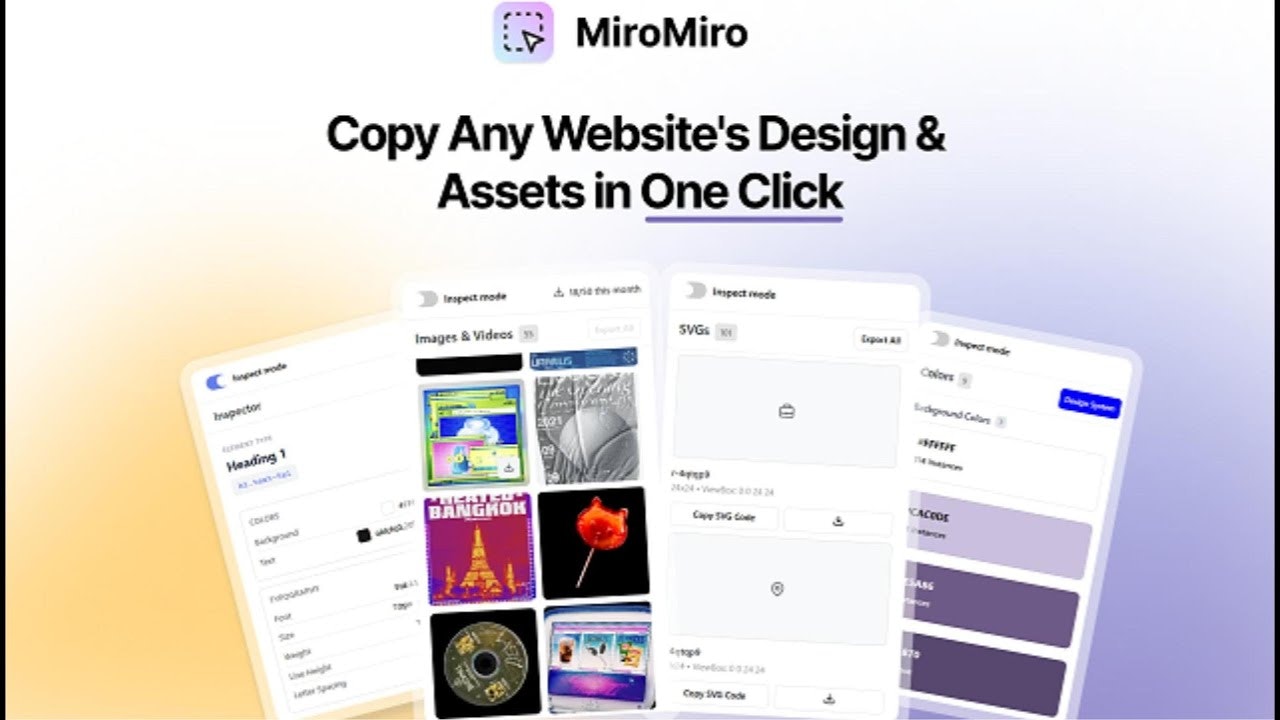
Copy any website's design & assets in one click
Published: 1/5/2026
Product Overview
MiroMiro bursts onto the scene as a powerful Chrome extension designed to drastically speed up the process of web design auditing and asset harvesting. Titled "Copy any website's design & assets in one click," MiroMiro promises to eliminate the tedious back-and-forth involved in manually inspecting live websites for design specifications. In essence, it functions as a non-intrusive, high-speed reconnaissance tool for front-end aesthetics.
This tool is laser-focused on efficiency, targeting professional designers, front-end developers, and UI/UX specialists who frequently need to analyze, benchmark, or replicate existing design patterns found across the web. Use cases range from quickly grabbing the exact CSS variables of a competitor’s button style to extracting high-resolution images or unique SVG icons for inspiration or implementation.
The core value proposition of MiroMiro is simple: unprecedented speed in design duplication. By abstracting away the complexity of browser Developer Tools (DevTools) and packaging essential extraction capabilities into a single, user-friendly interface, MiroMiro positions itself as the essential efficiency layer for anyone building responsive web interfaces.
Problem & Solution
The perennial headache for web professionals is accurately translating a visual design—whether from a mock-up or a live site—into workable code and assets. Traditionally, this meant toggling between the browser, DevTools, inspecting elements, digging through the computed styles tab, manually noting down hex codes, measuring spacing, and then carefully right-clicking to save media assets. This process is fragmented, time-consuming, and prone to error, especially when dealing with complex component libraries or intricate spacing rules.
MiroMiro solves this by integrating these disparate functions into a seamless, hover-and-click experience. Instead of navigating deep into browser menus, users simply hover over an element, and MiroMiro instantly surfaces the relevant information: CSS properties, font stacks, color palettes, and dimensional spacing. Furthermore, by offering direct export of design tokens (like Tailwind config or CSS variables), it bridges the gap between visual inspection and modern development workflows far more effectively than static inspection tools.
Key Features & Highlights
MiroMiro distinguishes itself with a suite of features engineered for maximum developer velocity. The focus is clearly on turning visual cues into actionable code snippets and downloadable files instantly.
The most notable capabilities include:
- Instant CSS Copying: Hovering over any element allows immediate extraction of its complete styling rules, ready to be pasted into a stylesheet or component.
- Asset Extraction: Users can download various media types, including high-quality images, Scalable Vector Graphics (SVGs), and even dynamic Lottie animations, all with a single click—a significant time saver over manual source path tracing.
- Design Token Export: This is perhaps the most forward-thinking feature. The ability to recognize and export design attributes (colors, typography scales) directly into structured formats like Tailwind CSS configuration or standard CSS variables streamlines the process of building design systems or adopting utility-first frameworks.
- Intuitive User Experience (UX): By eliminating the need to constantly open and close the heavy DevTools pane, MiroMiro provides a lightweight, in-context experience that keeps designers and developers focused on the visual layout rather than the debugging interface.
Potential Drawbacks & Areas for Improvement
While MiroMiro delivers exceptional speed, there are always areas where emerging tools can enhance their utility. Currently, the reliance on hovering might occasionally clash with complex, nested layouts, potentially requiring users to fine-tune their selection method if the initial hover captures too broad an element.
For professional design system maintenance, while exporting tokens is excellent, an area for potential enhancement would be advanced color palette analysis. For example, if MiroMiro could automatically detect semantic color usage (e.g., "this is clearly the primary button color" vs. a background) and offer bulk export options based on that inferred hierarchy, it would further streamline audits of large-scale applications. Additionally, ensuring robust support for modern CSS features like container queries or complex Flexbox/Grid layouts in the copied output would be crucial for handling cutting-edge web designs accurately.
Bottom Line & Recommendation
MiroMiro is an exceptional piece of utility software that directly attacks the friction points in modern web development workflows. For designers needing quick inspiration reference or developers tasked with rapid prototyping or bug replication, this Chrome extension moves from a "nice-to-have" to an essential utility.
If your workflow involves spending significant time reverse-engineering styles from live websites—especially if you leverage utility frameworks like Tailwind—MiroMiro deserves to be installed immediately. It lives up to its promise of extracting design and assets faster than ever before, making it a highly recommended tool for shipping faster in the competitive digital landscape.
Featured AI Applications
Discover powerful tools to enhance your productivity
MindMax
New Way to Interact with AI
Beyond AI chat, transforming conversations into an infinite canvas. Combining brainstorming, mind mapping, critical and creative thinking tools to help you visualize ideas, solve problems efficiently, and accelerate learning.
AI Slides
AI Slides with Markdown
Revolutionary slide creation fusing AI intelligence with Markdown flexibility - edit anywhere, optimize anytime, iterate easily. Turn every idea into a professional presentation instantly.
AI Markdown Editor
Write Immediately
Extremely efficient writing experience: AI assistant, slash commands, minimalist interface. Open and write, easy writing. ✍️ Markdown simplicity + 🤖 AI power + ⚡ Slash commands = Perfect writing experience.
Chrome AI Extension
AI Assistant Anywhere
Transform your browsing experience with FunBlocks AI Assistant. Your intelligent companion supporting AI-driven reading, writing, brainstorming, and critical thinking across the web.