Monocle 3.0 for macOS: Bringing Laser Focus Back to Your Screen with a Simple Shake
Noise-cancelling for your screen now with cursor shake
Published: 12/18/2025
Product Overview
Monocle 3.0 for macOS is a unique productivity utility designed to combat the insidious distractions that plague modern digital work environments. In a world saturated with notifications, background processes, and the general visual clutter of multiple open applications, Monocle 3.0 positions itself as a digital noise-cancellation tool, but focused specifically on your screen real estate. It’s not about muting sound; it’s about visually isolating the task at hand. This application is built for anyone who juggles multiple windows, manages complex dashboards, or simply needs deep concentration windows throughout their workday.
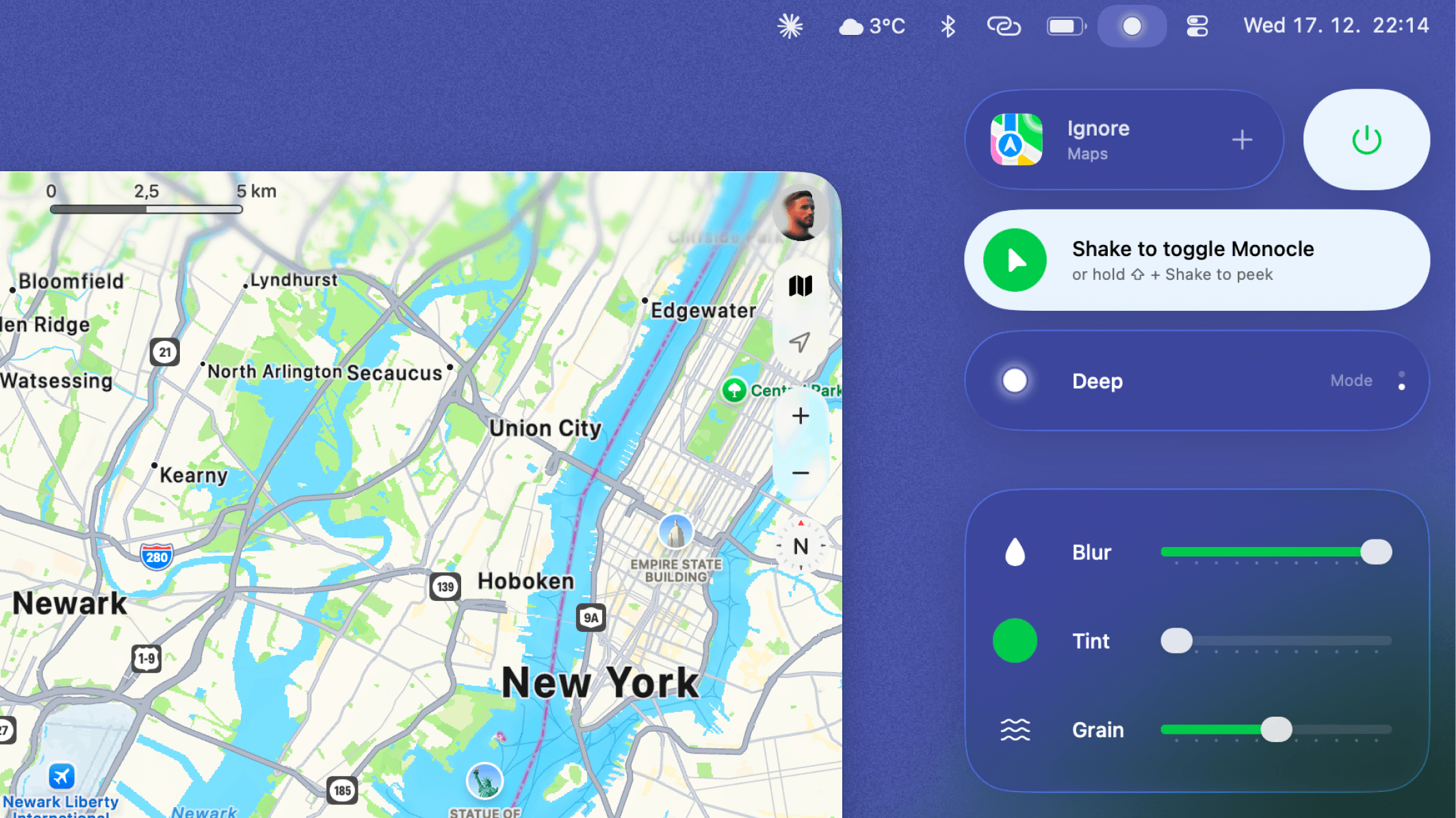
The core functionality is elegantly simple yet profoundly effective: when focus wanes, a quick, deliberate action—a cursor shake—activates a visual filter that dims or blacks out everything on your screen except for the active application window you are currently interacting with. This tool serves as an immediate on-demand focus aid, cutting through visual distractions without forcing the user to minimize applications or navigate complex window management systems. For macOS users struggling with context switching fatigue, Monocle 3.0 offers a seamless, integrated solution.
Problem & Solution: Taming Visual Overload
The specific problem Monocle 3.0 addresses is visual context switching overload. We often have email, Slack, reference documents, and our primary work application all vying for visual attention simultaneously. Even if an app is not actively being used, its presence on the screen acts as a cognitive anchor, draining mental resources. Traditional solutions involve manually minimizing windows or using built-in macOS features that can sometimes feel clunky or slow down the flow of work.
Monocle 3.0 solves this by providing an instant, user-controlled "dimmer switch" for visual chaos. Its competitive advantage lies in the activation method: the "cursor shake." This motion is intuitive, fast, and requires minimal interruption to the user's physical workflow. It fills a clear market gap for users who want dynamic, gesture-based control over their screen’s visual hierarchy, offering a level of immediate isolation superior to simple window snapping or full-screen modes that often isolate too much.
Key Features & Highlights
The latest iteration, Monocle 3.0, introduces significant enhancements to this focused workflow tool. The headline feature is the integration of cursor shake detection, which has been finely tuned for responsiveness and reliability across various mouse and trackpad settings.
Key highlights include:
- Instant Visual Dimming: The ability to instantly darken all non-active windows, pushing the primary task into sharp relief.
- Cursor Shake Activation: A highly efficient, zero-friction method to toggle focus mode on and off. This is the primary unique selling point of Monocle 3.0.
- Application Isolation: Focus is maintained strictly on the currently active application window, ensuring that even complex multi-monitor setups can be decluttered instantly.
- Streamlined User Experience (UX): The tool operates quietly in the background, only becoming active when the user initiates the shake, ensuring minimal system overhead and maximum control.
The UX emphasizes speed and subtlety. Unlike screen recorders or other utilities that might involve intrusive menus, Monocle 3.0 understands that distraction management requires tools that are felt rather than seen.
Potential Drawbacks & Areas for Improvement
While the core concept of Monocle 3.0 is strong, there are a few areas where future iterations could enhance its utility for power users. Currently, the reliance solely on the cursor shake, while unique, might be restrictive for users who prefer keyboard shortcuts for critical actions.
Constructive suggestions for improvement include:
- Keyboard Shortcut Integration: Adding a customizable global hotkey (e.g., Command+Shift+M) to toggle the focus mode would provide redundancy and cater to users who prefer keyboard-centric workflows over mouse movements.
- Customizable Dimming Intensity: Power users might benefit from settings allowing them to define how dark the background applications become, perhaps offering options for subtle dimming versus complete black-out.
- Per-Application Profiles: The ability to whitelist specific applications (like essential notification hubs) that should never be dimmed, even if they are not currently active, could further refine the focus environment.
Addressing these points would transform Monocle 3.0 from a great toggle utility into an indispensable, highly configurable focus management platform for the macOS ecosystem.
Bottom Line & Recommendation
Monocle 3.0 for macOS is an excellent, niche productivity tool that successfully addresses the modern struggle with digital distraction. If your work involves constant context switching across numerous application windows on your Mac and you are seeking an immediate, gesture-based solution to reclaim visual attention, this product is highly recommended. It offers immediate value through its novel cursor shake feature, making deep work sessions more accessible. For developers, writers, designers, and knowledge workers tired of visual noise, Monocle 3.0 is a worthwhile investment in your concentration health.
Featured AI Applications
Discover powerful tools to enhance your productivity
MindMax
New Way to Interact with AI
Beyond AI chat, transforming conversations into an infinite canvas. Combining brainstorming, mind mapping, critical and creative thinking tools to help you visualize ideas, solve problems efficiently, and accelerate learning.
AI Slides
AI Slides with Markdown
Revolutionary slide creation fusing AI intelligence with Markdown flexibility - edit anywhere, optimize anytime, iterate easily. Turn every idea into a professional presentation instantly.
AI Markdown Editor
Write Immediately
Extremely efficient writing experience: AI assistant, slash commands, minimalist interface. Open and write, easy writing. ✍️ Markdown simplicity + 🤖 AI power + ⚡ Slash commands = Perfect writing experience.
Chrome AI Extension
AI Assistant Anywhere
Transform your browsing experience with FunBlocks AI Assistant. Your intelligent companion supporting AI-driven reading, writing, brainstorming, and critical thinking across the web.