Murmur Review: Master Difficult Conversations with AI-Powered Simulation
practice tough phone calls with AI before you make them
Published: 3/21/2026
Product Overview
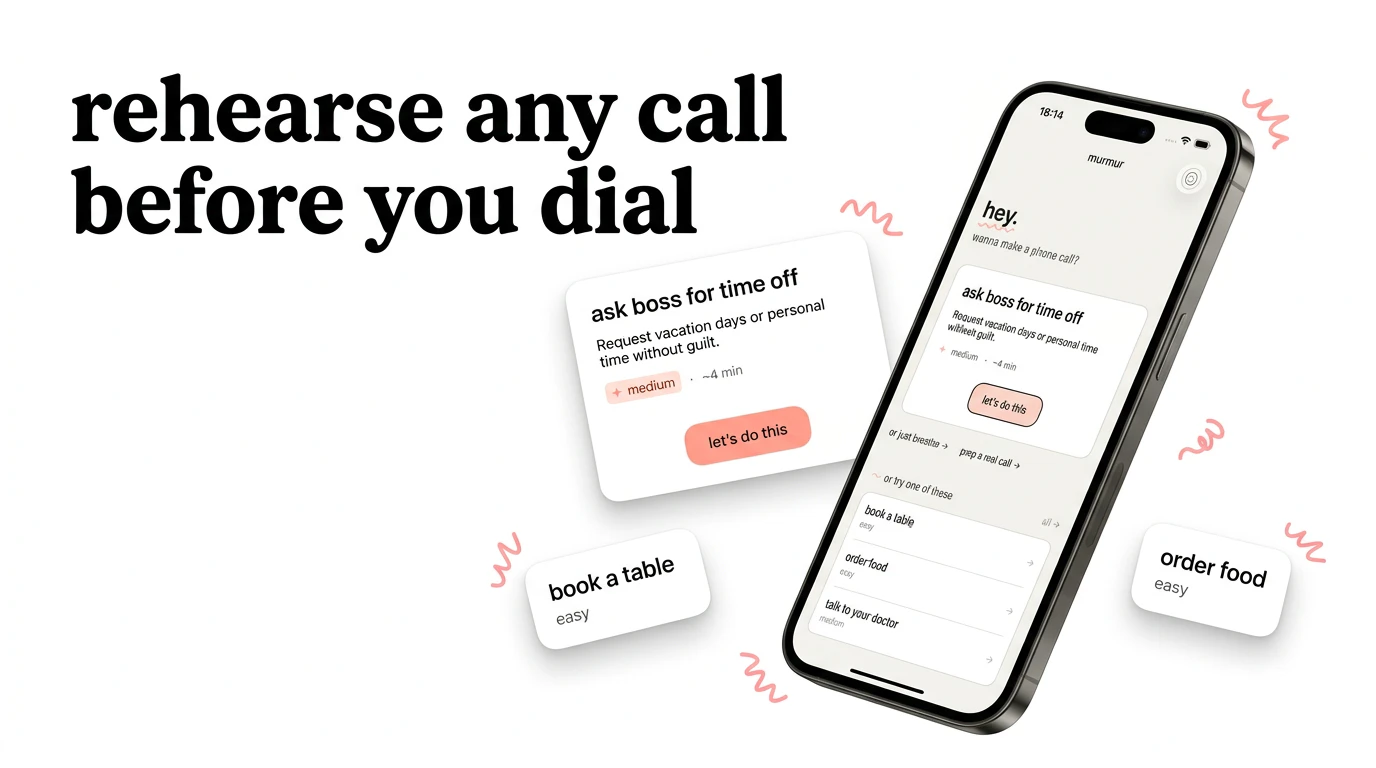
Murmur is a groundbreaking iOS application designed to bridge the gap between anxiety and articulation. At its core, it acts as a high-fidelity voice simulator that allows users to rehearse challenging phone calls in a low-stakes, judgment-free environment. Whether you are prepping for a high-pressure job interview, negotiating a tricky rent increase, or discussing sensitive medical test results with a provider, Murmur provides the platform to refine your delivery before the actual conversation takes place.
The target audience is broad but particularly useful for those who suffer from phone anxiety or who need to approach high-stakes professional and personal interactions with confidence. By providing over 40 pre-built scenarios and the flexibility to create custom ones, Murmur positions itself as a personalized "social coach" that sits in your pocket, ready to help you navigate the nuances of difficult verbal communication.
Problem & Solution
We live in a digital age where texting and emails have become the default, leading to widespread "phone phobia" when real-time, vocalized communication is required. The problem is that phone calls are unpredictable; you cannot edit your words once they are spoken, and tone, pacing, and clarity are critical. Existing solutions like static text-based AI chatbots or simple practice with friends often fail to replicate the pressure and spontaneity of a real-time phone call.
Murmur solves this by shifting the focus from text to voice. It fills a significant market gap by providing a synchronous, vocal interaction that mimics the rhythm of a real phone call. By treating the phone call as a performance skill that can be honed through repetition, Murmur removes the fear of the unknown, allowing users to build muscle memory for difficult conversations.
Key Features & Highlights
The strength of Murmur lies in its emphasis on realistic, active engagement rather than passive reading. Users don't just script their responses; they speak them aloud in a natural dialogue loop with the AI.
- Real Voice Simulation: Unlike chatbots, Murmur uses voice-to-voice technology, making it feel like you are actually on the line with someone.
- 40+ Built-in Scenarios: The app covers a vast range of real-world needs, from service returns and rental negotiations to healthcare discussions.
- Custom Scenario Builder: If your specific situation isn't listed, you can input the context, and the AI will adapt to become the persona you need to practice against.
- Instant AI Coaching: After the conversation, the app provides analytical feedback, highlighting where you were effective and where your phrasing might have been ambiguous or unpersuasive.
This feedback loop is the true "killer feature." Receiving constructive criticism on your tone and clarity allows you to iterate and improve in real-time, turning nervous stammering into professional poise.
Potential Drawbacks & Areas for Improvement
While Murmur is a powerful tool, it is currently limited to the iOS ecosystem, which may exclude a segment of Android-focused users who could benefit from this training. Additionally, while the AI is impressive, it could benefit from more granular emotional controls—for example, the ability to toggle the AI’s personality between "aggressive," "helpful," or "distracted" could significantly increase the complexity and utility of the practice sessions.
Future updates could also incorporate a "save and replay" feature for your own audio files. Listening back to one's own voice is often the most painful but effective way to identify filler words and nervous inflections. Integrating a sentiment analysis report that graphs your tone throughout the call would also add a layer of professional-grade utility to the existing feedback system.
Bottom Line & Recommendation
Murmur is a must-have for anyone who wants to approach life’s tougher conversations with clarity and confidence. It is a highly practical, well-executed tool that transforms an abstract fear—the anxiety of the unknown—into a manageable, repeatable task. Whether you are a student prepping for your first professional call or a seasoned negotiator looking to sharpen your edge, Murmur offers a safe space to fail, learn, and grow. I highly recommend it as a staple app for anyone looking to master the art of verbal communication in the 21st century.
Featured AI Applications
Discover powerful tools to enhance your productivity
MindMax
New Way to Interact with AI
Beyond AI chat, transforming conversations into an infinite canvas. Combining brainstorming, mind mapping, critical and creative thinking tools to help you visualize ideas, solve problems efficiently, and accelerate learning.
AI Slides
AI Slides with Markdown
Revolutionary slide creation fusing AI intelligence with Markdown flexibility - edit anywhere, optimize anytime, iterate easily. Turn every idea into a professional presentation instantly.
AI Markdown Editor
Write Immediately
Extremely efficient writing experience: AI assistant, slash commands, minimalist interface. Open and write, easy writing. ✍️ Markdown simplicity + 🤖 AI power + ⚡ Slash commands = Perfect writing experience.
Chrome AI Extension
AI Assistant Anywhere
Transform your browsing experience with FunBlocks AI Assistant. Your intelligent companion supporting AI-driven reading, writing, brainstorming, and critical thinking across the web.