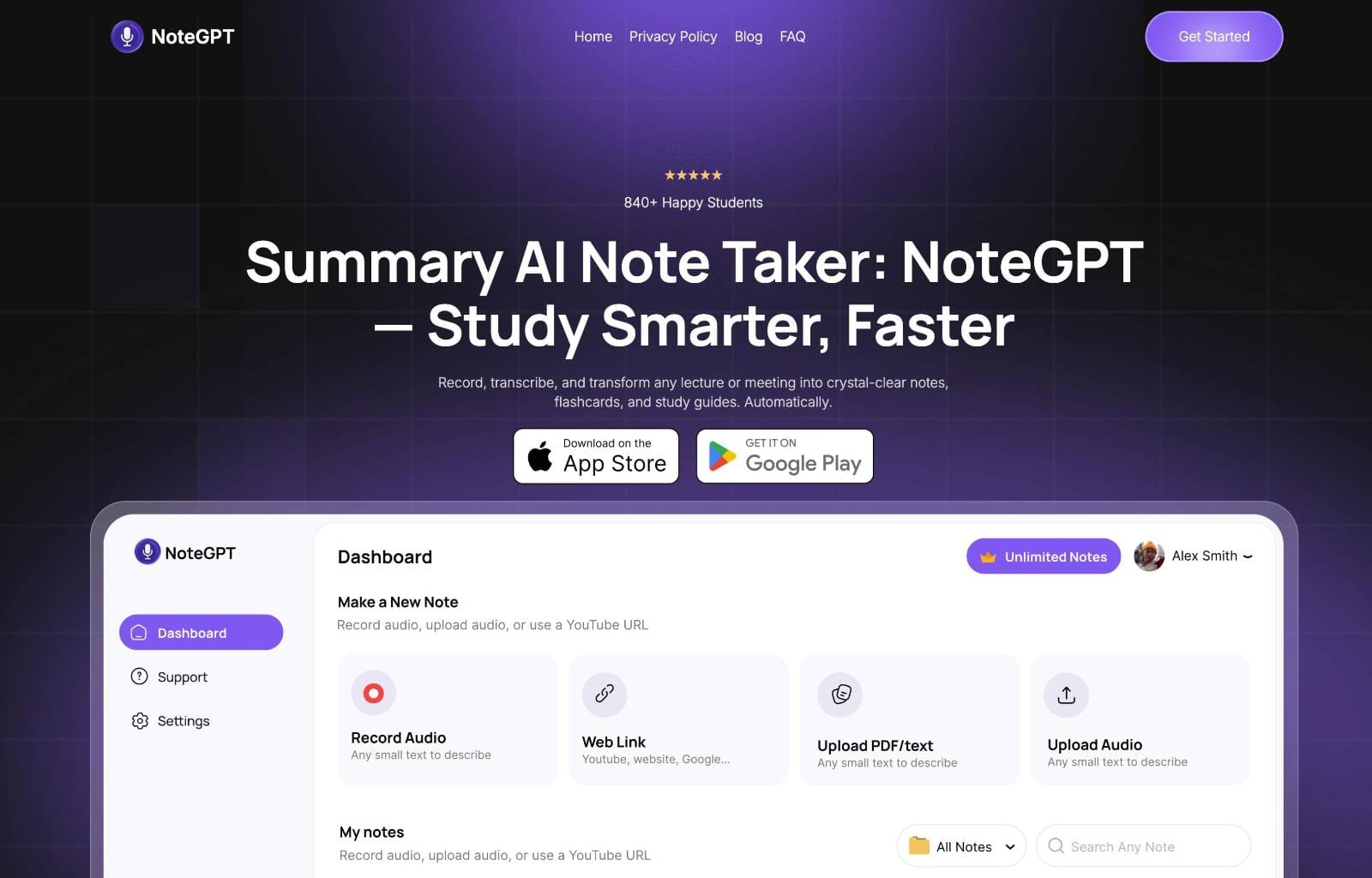
NoteGPT Review: The Ultimate AI Second Brain for Content Consumption
Your summary AI note taker for meetings, videos & everything
Published: 12/20/2025
Product Overview
NoteGPT strides into the crowded productivity space with a bold promise: to be your dedicated AI note-taker across virtually all media formats. Tagged as "Your summary AI note taker for meetings, videos & everything," NoteGPT aims to eliminate the tedious process of manual note-taking by automating transcription, summarization, and knowledge distillation. This tool isn't just another transcription service; it positions itself as a comprehensive knowledge management utility capable of transforming raw input—from live Zoom meetings and recorded lectures to lengthy YouTube videos and dense articles—into actionable, personalized study materials.
The target audience for NoteGPT is broad but centers heavily on students, lifelong learners, professionals juggling multiple meetings, and content creators needing to rapidly process large volumes of digital information. Its core value proposition lies in its multi-source compatibility and the subsequent creation of derived learning assets. Instead of merely storing raw data, NoteGPT actively processes it, allowing users to effectively "build their 2nd brain while you chill."
Problem & Solution
The modern digital landscape is characterized by information overload. Whether you are tuning into a fast-paced industry webinar, catching up on a week's worth of internal syncs, or trying to extract key takeaways from a 90-minute documentary, the friction point remains the same: how do you efficiently absorb, retain, and recall that information? Traditional methods—typing frantically or hoping a recording will suffice—are notoriously inefficient for long-term memory encoding.
NoteGPT solves this information ingestion problem by acting as an intelligent intermediary. It addresses the need for instant, context-aware summaries and structured outputs. While simple transcription services exist, and basic summarization tools are common, NoteGPT fills the market gap by integrating the entire workflow: capture, transcribe, summarize, and repurpose the content into study aids like flashcards and study guides, all within one platform. This integrated approach turns passive consumption into active learning preparation.
Key Features & Highlights
The power of NoteGPT resides in its versatility and the depth of its AI processing. The platform’s ability to handle diverse inputs—meetings, podcasts, newsletters, and YouTube content—is a significant differentiator. Users are not confined to one medium; the AI adapts its summary style based on the source material.
The standout features are the automated creation of value-added resources directly from the input:
- Custom Notes & Summaries: Generating concise takeaways tailored to the source length and complexity.
- Flashcard Generation: A huge boon for students or anyone needing to memorize key concepts quickly.
- Study Guides: Structuring complex topics derived from long-form content into organized learning paths.
The user experience, as implied by the tagline, focuses on minimal user effort. The promise is to offload the cognitive burden of synthesis, allowing the user to focus on attending the meeting or watching the video, knowing NoteGPT is handling the heavy lifting in the background to deliver structured knowledge assets shortly after.
Potential Drawbacks & Areas for Improvement
While the feature set of NoteGPT is ambitious and highly appealing, any comprehensive AI tool will have areas ripe for refinement. Since the product relies heavily on accurate transcription across varied audio qualities (e.g., noisy meetings vs. high-quality podcasts), the performance regarding specialized vocabulary or heavy accents will be a critical benchmark for long-term reliability.
Constructive criticism leans toward integration depth and export flexibility:
- Third-Party Integrations: To truly become a centralized "second brain," NoteGPT needs seamless integration with popular knowledge bases like Notion, Obsidian, or Roam Research for direct note pushing.
- Customization Controls: Users may need more granular control over summary length, tone (e.g., formal vs. casual), and the specific entities to prioritize in flashcard creation.
- Real-Time Collaboration: For meeting transcription, features supporting multiple speaker identification and real-time annotation would elevate its appeal in corporate environments.
Addressing these areas would strengthen its position against established note-taking competitors.
Bottom Line & Recommendation
NoteGPT is a remarkably ambitious tool aiming to simplify the process of knowledge acquisition in an age of digital overload. If you consistently find yourself struggling to keep up with the volume of meetings, lectures, or educational videos you consume, NoteGPT offers a powerful solution to automate synthesis and structure your learning materials instantly.
I highly recommend NoteGPT for students preparing for exams, researchers processing literature reviews, and busy professionals looking to maximize retention from online training sessions. For anyone seeking to upgrade their personal knowledge management system from passive storage to active learning automation, NoteGPT is definitely worth exploring right now.
Featured AI Applications
Discover powerful tools to enhance your productivity
MindMax
New Way to Interact with AI
Beyond AI chat, transforming conversations into an infinite canvas. Combining brainstorming, mind mapping, critical and creative thinking tools to help you visualize ideas, solve problems efficiently, and accelerate learning.
AI Slides
AI Slides with Markdown
Revolutionary slide creation fusing AI intelligence with Markdown flexibility - edit anywhere, optimize anytime, iterate easily. Turn every idea into a professional presentation instantly.
AI Markdown Editor
Write Immediately
Extremely efficient writing experience: AI assistant, slash commands, minimalist interface. Open and write, easy writing. ✍️ Markdown simplicity + 🤖 AI power + ⚡ Slash commands = Perfect writing experience.
Chrome AI Extension
AI Assistant Anywhere
Transform your browsing experience with FunBlocks AI Assistant. Your intelligent companion supporting AI-driven reading, writing, brainstorming, and critical thinking across the web.