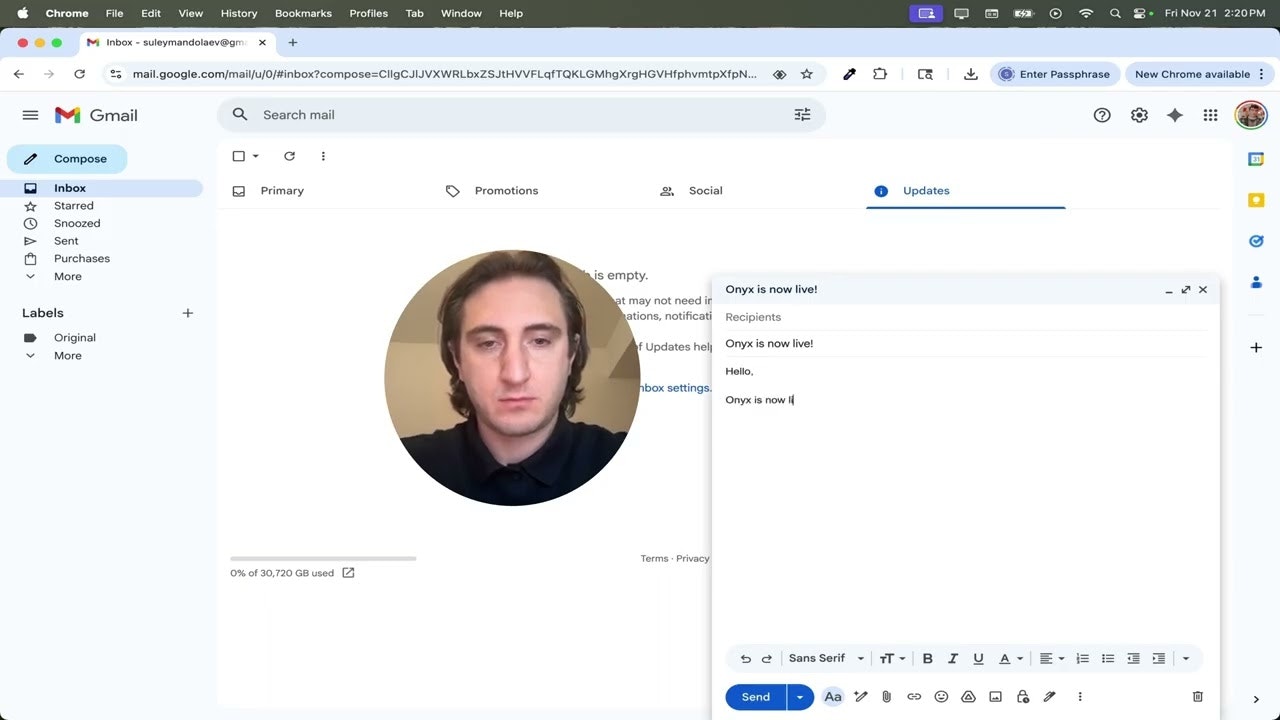
Onyx: The Free, Local-First 4K Screen Recorder for Privacy-Minded Creators
Free, local-first 4K screen recorder
Published: 11/22/2025
Onyx is a compelling new screen recording tool that aims to disrupt the market by offering a completely free, privacy-focused, and high-quality solution for capturing screen content. Designed for creators, educators, and anyone needing to record their screen without the usual limitations, Onyx operates entirely within your browser. Its core value proposition lies in its commitment to local-first processing, eliminating the need for cloud subscriptions, server uploads, or restrictive time limits, all while delivering crisp 4K video.
This product targets users who are tired of the prevalent industry trend of subscription models and compromised quality in screen recording software. From quick tutorials to lengthy walkthroughs, Onyx provides a straightforward way to capture content with a strong emphasis on user privacy and unhindered creative freedom. It’s particularly appealing to individuals who only require screen recording a few times a month and want to avoid recurring costs.
Addressing the Problem of Subscriptions and Privacy
Many existing screen recording tools often force users into monthly subscriptions, impose annoying time limits on recordings, or downgrade video quality unless they opt for a premium plan. Furthermore, a significant concern for many users is the privacy implications of uploading sensitive screen recordings to cloud servers. Onyx directly tackles these pain points by offering a completely free service that runs locally in your browser. This local-first approach means your recordings are processed and stored directly on your computer, ensuring no data is ever uploaded to external servers, thereby enhancing privacy and security.
By circumventing cloud dependencies, Onyx not only protects user data but also eliminates potential bottlenecks associated with internet speeds and upload times. It fills a market gap for a reliable, high-quality screen recorder that respects user autonomy and privacy without any financial barriers.
Key Features and Highlights
Onyx boasts several notable features that make it stand out in the crowded screen recorder market:
- Free Forever & No Account Needed: One of the most significant advantages is that Onyx is entirely free to use and requires no account creation or login, allowing for instant recording.
- Local-First Processing: All recordings are processed and stored directly on your computer, guaranteeing privacy and eliminating concerns about data breaches or cloud storage limits.
- 4K Studio-Quality Recording: Onyx delivers raw, high-bitrate 4K video, ensuring studio-quality output for professional-looking content.
- No Time Limits or Watermarks: Unlike many free or trial versions of screen recorders, Onyx imposes no restrictions on recording duration and adds no watermarks to your videos, providing clean, unrestricted content.
- Browser-Based Convenience: Running entirely in the browser, Onyx offers cross-platform accessibility without the need for software installations.
- Quick Edits: The tool includes basic trimming functionality, allowing users to easily cut out pauses or unwanted sections at the beginning or end of their recordings.
- Movable and Resizable Camera Bubble: Users can freely move and resize the camera overlay during recording, offering flexibility in screen capture.
Potential Drawbacks and Areas for Improvement
While Onyx presents a compelling package, there are a few potential drawbacks and areas for enhancement. As it runs 100% locally in the browser and defaults to high-bitrate 4K, it can be memory-intensive on less powerful computers, potentially causing momentary freezes.
The maker has acknowledged this and plans to introduce a "Performance Mode" (1080p) in future updates to make it lighter on RAM, which would be a valuable addition for users with varying system specifications. Furthermore, while basic trimming is available, more advanced in-browser editing features such as annotations, multiple clip stitching, or more precise cuts could further enhance its utility for creators. Clearer indication of controls for the camera bubble's size and position could also improve the initial user experience.
Bottom Line and Recommendation
Onyx is an exceptional tool for anyone seeking a free, private, and high-quality screen recorder. Its local-first, browser-based approach, coupled with 4K recording and no restrictive limits, makes it an excellent choice for content creators, educators, developers, and casual users alike. If you prioritize privacy and quality over cloud-based features and are looking for a straightforward solution without recurring costs, Onyx is definitely worth trying. While a "Performance Mode" will be a welcome improvement for some, its current offering already provides significant value, making it a strong contender in the screen recording landscape.
Featured AI Applications
Discover powerful tools to enhance your productivity
MindMax
New Way to Interact with AI
Beyond AI chat, transforming conversations into an infinite canvas. Combining brainstorming, mind mapping, critical and creative thinking tools to help you visualize ideas, solve problems efficiently, and accelerate learning.
AI Slides
AI Slides with Markdown
Revolutionary slide creation fusing AI intelligence with Markdown flexibility - edit anywhere, optimize anytime, iterate easily. Turn every idea into a professional presentation instantly.
AI Markdown Editor
Write Immediately
Extremely efficient writing experience: AI assistant, slash commands, minimalist interface. Open and write, easy writing. ✍️ Markdown simplicity + 🤖 AI power + ⚡ Slash commands = Perfect writing experience.
Chrome AI Extension
AI Assistant Anywhere
Transform your browsing experience with FunBlocks AI Assistant. Your intelligent companion supporting AI-driven reading, writing, brainstorming, and critical thinking across the web.