Planelo Review: The Idea-First Hub That Puts Developers Back in Control of Their Workflow
The idea-first hub for developers
Published: 1/7/2026
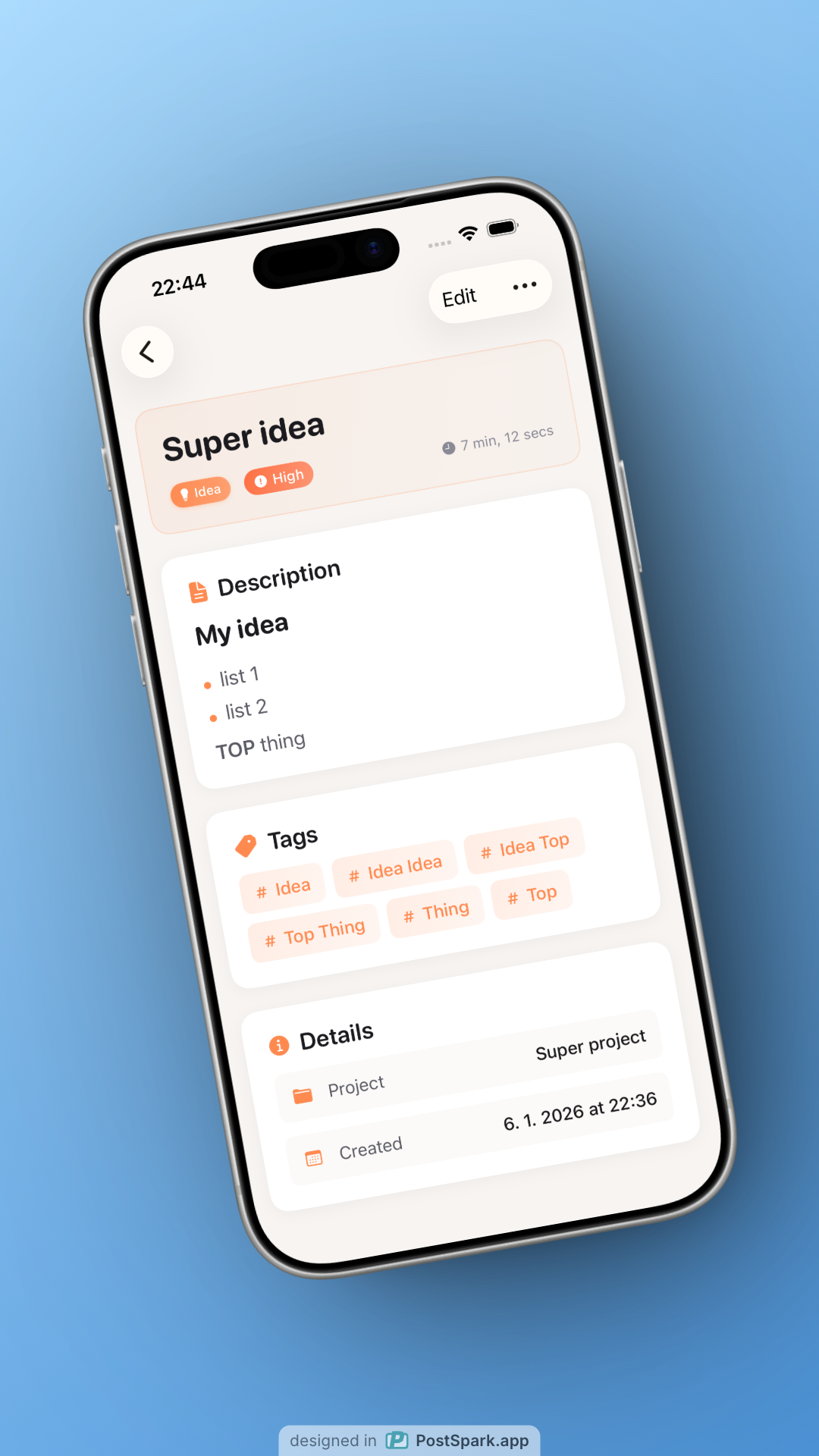
Planelo enters the crowded productivity space with a refreshingly focused mission: to serve as the idea-first hub for developers. In a world saturated with complex project management suites, Planelo carves out a niche by prioritizing raw ideation and frictionless capture across the Apple ecosystem, ultimately transforming those sparks of inspiration into actionable automation hooks.
Product Overview: Rethinking Ideation for Developers
Planelo is not another Jira clone or sprawling task manager; it is designed as a lightweight, highly focused workspace tailored specifically for the cognitive flow of software engineers. Its core promise is to allow developers to swiftly capture nascent ideas, structure them logically, and immediately connect them to external systems without the typical administrative overhead associated with project tools. This platform functions seamlessly across iPhone, iPad, and macOS, ensuring that whether you're whiteboarding on an iPad or deep-diving on your MacBook, your workspace remains consistent and accessible.
The target audience is clear: developers, engineers, technical founders, and technical writers who constantly juggle complex conceptual models and need a clean, distraction-free environment to organize them. Planelo’s value proposition rests on blending rapid note-taking with deep technical integration—turning every project or idea entry into a mini-API endpoint ready for automation.
Problem & Solution: Escaping Project Tool Clutter
The specific problem Planelo addresses is the "clutter creep" inherent in modern development tools. Traditional project management software often forces developers to fit nuanced technical ideas into rigid task structures (epics, stories, subtasks), slowing down the initial creative and planning phases. Developers frequently resort to disparate tools—a notes app for sketches, a separate repository for API documentation, and a task board for execution—leading to significant context switching.
Planelo solves this by offering a unified, yet minimalist, environment. By treating every entry as an idea-first object, it removes the immediate pressure of formal project setup. The revolutionary aspect is how it solves the connectivity problem: exposing an API endpoint for every idea or project. This fundamentally bridges the gap between conceptual organization and technical execution, a gap most productivity apps leave wide open.
Key Features & Highlights: Automation at the Core
Planelo shines in its commitment to an unencumbered user experience, underpinned by powerful underlying technical capabilities. The recent launch highlights focus heavily on usability and developer-centric features:
- Clean Interface and Keyboard-Friendly Navigation: Crucial for developers accustomed to terminal-based efficiency, Planelo prioritizes speed. The interface avoids unnecessary visual noise, allowing users to stay focused on content creation and structuring.
- Encrypted Sync: Security is paramount when dealing with technical plans and proprietary ideas. The encrypted synchronization across Apple devices offers peace of mind that sensitive intellectual property remains secure.
- API Endpoints for Every Idea: This is the standout feature. By giving each concept an accessible API endpoint, Planelo immediately enables developers to hook into custom workflows, monitoring, or integrations right from the conceptual stage. This transforms Planelo from a static storage tool into a dynamic, programmable hub.
- Seamless Cross-Device Experience: The integration across iPhone, iPad, and macOS ensures true mobility, supporting the modern developer workflow that rarely stays tethered to one screen.
Potential Drawbacks & Areas for Improvement
While Planelo is exceptionally strong in its niche, there are areas where expansion could broaden its appeal without sacrificing its core philosophy. Currently, the focus seems heavily skewed towards the Apple ecosystem, which, while understandable for platform integration, might exclude developers who primarily work on Windows or Android.
For broader adoption, the team might consider:
- Web Access or Companion Apps: A web interface or basic Android companion app would drastically increase accessibility for non-Apple power users who still need API-driven planning.
- Deeper Integration Templates: While the API is powerful, providing pre-built integration templates (e.g., "Send this idea to GitHub Issues," or "Alert me on Slack when this status changes") could lower the barrier to entry for utilizing the API feature immediately.
- Visual Structuring Tools: While the interface is clean, some developers rely on visual mapping (like Mind Maps or Mermaid diagrams) for complex system architecture. Integrating lightweight diagramming capabilities within the structure could enhance its utility as a pure technical planning tool.
Bottom Line & Recommendation
Planelo is a significant and highly recommended tool for any developer who finds traditional task managers too restrictive for the messy, complex nature of early-stage technical ideation. If you value speed, security, and the ability to instantly programmatically link your thoughts to your operational workflows, Planelo is an essential addition to your toolkit. It successfully delivers on its promise to be an idea-first hub that respects developer workflows, rather than complicating them. Give Planelo a try if you’re ready to turn your notes into functional endpoints.
Featured AI Applications
Discover powerful tools to enhance your productivity
MindMax
New Way to Interact with AI
Beyond AI chat, transforming conversations into an infinite canvas. Combining brainstorming, mind mapping, critical and creative thinking tools to help you visualize ideas, solve problems efficiently, and accelerate learning.
AI Slides
AI Slides with Markdown
Revolutionary slide creation fusing AI intelligence with Markdown flexibility - edit anywhere, optimize anytime, iterate easily. Turn every idea into a professional presentation instantly.
AI Markdown Editor
Write Immediately
Extremely efficient writing experience: AI assistant, slash commands, minimalist interface. Open and write, easy writing. ✍️ Markdown simplicity + 🤖 AI power + ⚡ Slash commands = Perfect writing experience.
Chrome AI Extension
AI Assistant Anywhere
Transform your browsing experience with FunBlocks AI Assistant. Your intelligent companion supporting AI-driven reading, writing, brainstorming, and critical thinking across the web.