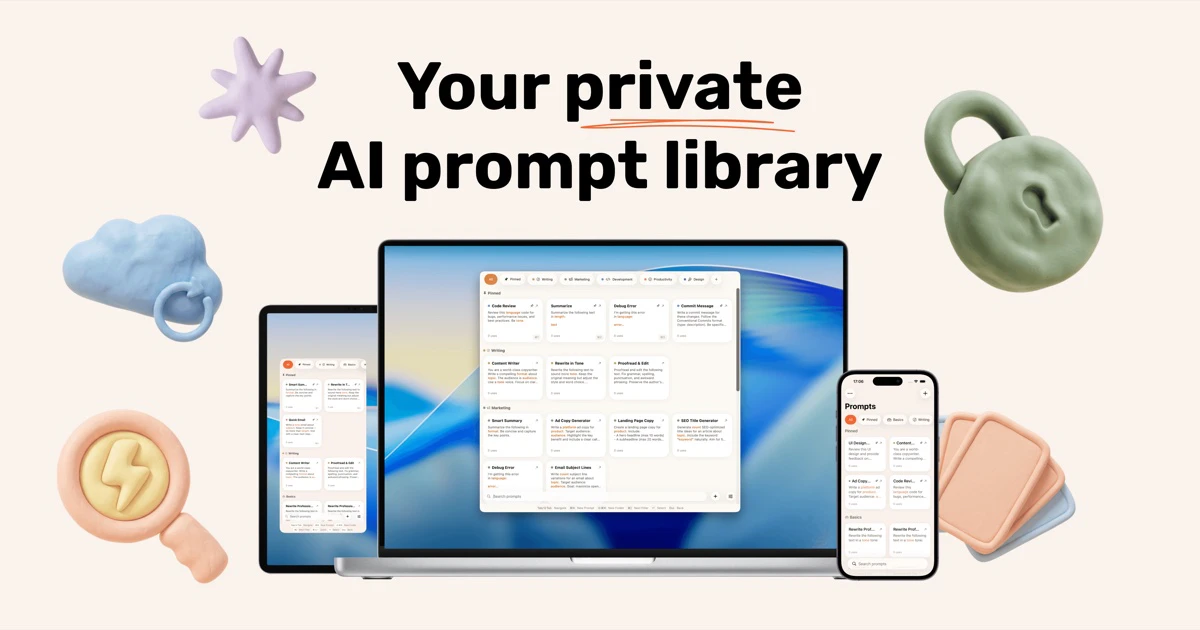
PromptPaste: The Ultimate Private Prompt Library for Apple Ecosystem Users
Your private AI prompt library on Mac, iPhone, and iPad
Published: 4/25/2026
Product Overview
PromptPaste is a streamlined, native application designed to centralize and manage your AI prompts across the entire Apple ecosystem. Available on Mac, iPhone, and iPad, it acts as a personal knowledge base for the commands you use most frequently with LLMs like ChatGPT, Claude, or Midjourney. By integrating directly into your workflow—most notably via a quick-access Mac menu bar trigger—it eliminates the tedious task of searching through scattered notes or browser bookmarks to find that perfect, high-performing prompt.
The application is tailored for power users, prompt engineers, and anyone who relies on generative AI for daily productivity. Whether you are drafting recurring emails, generating code snippets, or managing complex marketing copy, PromptPaste provides the infrastructure to keep your workflows organized and accessible. Its core value proposition lies in its combination of frictionless access and uncompromising privacy, ensuring your intellectual property—your refined prompts—remains strictly under your control.
Problem & Solution
The modern AI user faces a "prompt sprawl" problem: we have valuable, high-quality prompt templates stored in Notion pages, Apple Notes, or even hidden in chat histories. Retrieving these prompts often breaks the flow of work, turning a task that should take seconds into a multi-minute treasure hunt. Existing solutions often require cloud subscriptions or web-based logins, which raises concerns about data security and proprietary prompt ownership.
PromptPaste solves this by bringing your library local. By leveraging native Apple development, it provides a persistent, offline-first environment for your prompts. It fills a critical market gap for users who want a "snippet manager" specifically designed for the nuances of AI interactions—namely, the need for dynamic variables and rapid deployment—without the bloat or security risks of cloud-syncing third-party platforms.
Key Features & Highlights
What sets PromptPaste apart from simple text-clipping apps is its deep integration and template-focused design. Here are the standout features:
- Dynamic Variables: With support for
{{variables}}, you can create robust templates where specific sections of a prompt can be filled in on the fly, allowing for repeatable, high-precision results. - Instant Access: On Mac, the ⌘⇧P hotkey allows you to summon your library from the menu bar instantly, copy a prompt, and jump back into your AI interface without ever touching your mouse.
- Zero-Account Policy: Perhaps the most impressive highlight is the lack of account requirements. By keeping your data local, PromptPaste removes the friction of sign-ups and ensures your prompts are never uploaded to a third-party server.
- Cross-Device Sync (Privacy-Focused): While it stays local, the app maintains your library across your Apple devices, ensuring your workflow remains consistent whether you are at your desk or on the go.
- Shareable Collections: If you manage a team or wish to share your "prompt engineering" research, the ability to share collections via a simple link is a professional-grade touch.
Potential Drawbacks & Areas for Improvement
While PromptPaste excels at simplicity, there are a few areas where it could evolve to better serve power users. The current reliance on local-only storage is a massive win for privacy, but for users who work in heavily collaborative enterprise environments, a "private cloud" option for organization-wide sharing (with permission controls) might eventually become a requested feature.
Additionally, while the variable syntax is helpful, it is currently quite basic. Future updates could benefit from "Smart Variables"—such as auto-detecting the current date, pulling from the clipboard history, or integrating with other macOS automation tools like Shortcuts. Expanding the UI to allow for "Run in Background" capabilities—where the prompt is sent directly to an API rather than just copied—would also be a game-changer for high-volume users.
Bottom Line & Recommendation
PromptPaste is an essential utility for anyone who treats AI prompting as a serious craft. If you are tired of copy-pasting from disorganized notes and want a lightweight, lightning-fast, and secure way to manage your prompts, this app is a no-brainer. Its commitment to the Apple ecosystem and user privacy makes it a standout tool in an increasingly cluttered software market. For anyone looking to systematize their AI output and reclaim their productivity, PromptPaste is highly recommended as a polished, "it-just-works" solution.
Featured AI Applications
Discover powerful tools to enhance your productivity
MindMax
New Way to Interact with AI
Beyond AI chat, transforming conversations into an infinite canvas. Combining brainstorming, mind mapping, critical and creative thinking tools to help you visualize ideas, solve problems efficiently, and accelerate learning.
AI Slides
AI Slides with Markdown
Revolutionary slide creation fusing AI intelligence with Markdown flexibility - edit anywhere, optimize anytime, iterate easily. Turn every idea into a professional presentation instantly.
AI Markdown Editor
Write Immediately
Extremely efficient writing experience: AI assistant, slash commands, minimalist interface. Open and write, easy writing. ✍️ Markdown simplicity + 🤖 AI power + ⚡ Slash commands = Perfect writing experience.
Chrome AI Extension
AI Assistant Anywhere
Transform your browsing experience with FunBlocks AI Assistant. Your intelligent companion supporting AI-driven reading, writing, brainstorming, and critical thinking across the web.