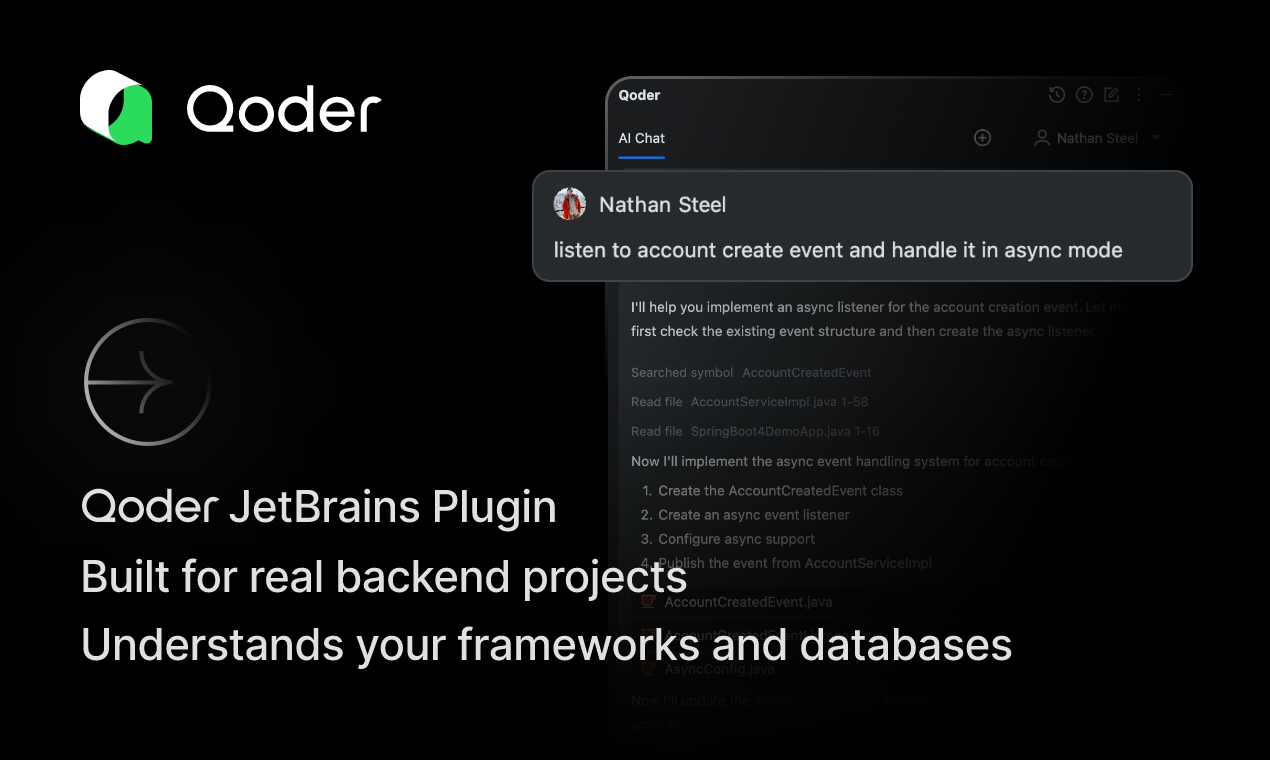
Qoder JetBrains Plugin: AI That Truly Understands Your Backend
Understands your backend's real complexity, not just syntax
Published: 11/28/2025
The Qoder JetBrains Plugin stands out as an AI assistant specifically designed for backend developers, aiming to transcend superficial code analysis and delve into the architectural intricacies of complex projects. It promises to understand the "real complexity" of your backend, not just the syntax, offering context-aware suggestions for systems with hundreds of thousands of files. This plugin integrates directly with JetBrains IDEs like IntelliJ IDEA, PyCharm, and others, targeting a core pain point for backend developers: the need for AI that comprehends framework semantics, database schemas, and dependency graphs.
Qoder is an "agentic coding platform" that combines enhanced context engineering with intelligent agents to gain a comprehensive understanding of your codebase. This makes it particularly valuable for Java/Spring Boot developers and teams working with large, intricate backend systems within the JetBrains ecosystem. The core value proposition lies in its ability to automate intricate workflows, maintain project context, and provide seamless AI-assisted development that goes beyond basic code completion.
Problem & Solution
Traditional AI coding tools, such as GitHub Copilot or ChatGPT, often excel at generating boilerplate code, routes, or model templates. However, many backend developers find they "start fumbling or hallucinating" when asked for help with complex backend logic like optimizing database operations, handling async architecture, or suggesting better query strategies. This leads to developers spending extra time debugging "almost-right" code.
Qoder addresses this by focusing on "context engineering," a systematic approach that ensures the AI has all the relevant information about your project's structure, dependencies, and historical decisions. It directly accesses Spring Bean graphs, database schemas, and framework semantics, allowing it to provide suggestions that are not just syntactically correct but also architecturally consistent. This deep understanding aims to reduce context loss, a common issue with other AI tools, and provide more accurate and useful results for complex backend tasks.
Key Features & Highlights
The Qoder JetBrains Plugin boasts a powerful set of features designed to enhance productivity and code quality for backend developers:
- Deep Contextual Understanding: Unlike many AI assistants, Qoder doesn't just analyze individual files. It understands the entire project's context, including dependencies, architectural patterns, Spring framework semantics, and database schemas. This enables it to provide suggestions and perform tasks with a holistic view of the codebase.
- Agent Mode and Quest Mode: Qoder's "Agent Mode" allows users to delegate complex, multi-step tasks to the AI. With "Quest Mode," developers can describe a task with specifications, and the agents will handle the planning, coding, and testing, delivering polished results asynchronously. This can significantly accelerate development by offloading routine and complex tasks.
- Codebase-Aware Code Completion and Next-Edit Suggestions: The plugin offers intelligent code completion that considers the entire project's context, ensuring suggestions are relevant and consistent with the existing architecture. It also anticipates the next coding step, offering multi-line edits to speed up refactoring and coding.
- Ask Mode for Conversational Problem Solving: Developers can use "Ask Mode" to get context-aware answers, debug code, troubleshoot errors, and explore implementation strategies directly within the IDE. This acts as an integrated AI expert, synthesizing information from a vast knowledge base with a live understanding of the project's code.
- Persistent Memory: Qoder learns from user conversations and project history, providing increasingly personalized and effective assistance over time.
- Multi-File Edits and Autonomous Tool Use: The AI agent can execute complex, multi-file edits across the entire codebase and independently select, generate, and execute necessary terminal commands, web searches, and other integrated tools to complete its objectives.
- Repo Wiki: This feature deeply analyzes the project structure and code, making hidden knowledge explicit and available in documentation, which can streamline onboarding and collaboration.
- Spec-Driven Development: Qoder supports spec-driven development, allowing developers to write specifications to clarify requirements and then delegate implementation to the AI, reducing iterations and accelerating delivery.
Potential Drawbacks & Areas for Improvement
While Qoder offers significant advancements, some potential drawbacks and areas for improvement exist:
- Pricing Clarity and Model Disclosure: While a free trial is available, some users have expressed concerns about unclear pricing and opaque model disclosure. More transparency regarding pricing tiers, credit consumption, and the AI models being utilized could benefit users.
- Performance with Very Large Projects: Some users have noted concerns about the tool's speed, especially with larger projects. Optimizing performance for massive codebases (100K+ files) will be crucial for maintaining a smooth developer experience.
- Configurability and Customization: A desire for more configurable features has been mentioned. Allowing developers to fine-tune AI behavior and integrate more seamlessly with their specific workflows could further enhance its utility.
- Privacy and Terms Transparency: Concerns have also been raised regarding privacy and terms transparency. Clearer communication on data handling and security protocols would build greater trust among users.
- Next-Edit Suggestion Accuracy: One user noted that "the next edits suggestions are not accurate," which could be an area for ongoing refinement.
Bottom Line & Recommendation
The Qoder JetBrains Plugin presents a compelling solution for backend developers grappling with the complexities of large-scale projects. Its deep architectural understanding, agentic capabilities, and focus on context engineering set it apart from more generic AI coding assistants. It promises to significantly accelerate development, reduce boilerplate, and improve code quality by serving as an "autonomous teammate."
This plugin is highly recommended for Java/Spring Boot backend developers, especially those working in JetBrains IDEs on complex systems with extensive codebases. Teams looking to streamline onboarding, improve code consistency, and free developers to focus on higher-level architectural design will find Qoder particularly valuable. With a free trial available, it's an excellent opportunity for developers to experience firsthand how an AI can truly understand and build their backend projects.
Featured AI Applications
Discover powerful tools to enhance your productivity
MindMax
New Way to Interact with AI
Beyond AI chat, transforming conversations into an infinite canvas. Combining brainstorming, mind mapping, critical and creative thinking tools to help you visualize ideas, solve problems efficiently, and accelerate learning.
AI Slides
AI Slides with Markdown
Revolutionary slide creation fusing AI intelligence with Markdown flexibility - edit anywhere, optimize anytime, iterate easily. Turn every idea into a professional presentation instantly.
AI Markdown Editor
Write Immediately
Extremely efficient writing experience: AI assistant, slash commands, minimalist interface. Open and write, easy writing. ✍️ Markdown simplicity + 🤖 AI power + ⚡ Slash commands = Perfect writing experience.
Chrome AI Extension
AI Assistant Anywhere
Transform your browsing experience with FunBlocks AI Assistant. Your intelligent companion supporting AI-driven reading, writing, brainstorming, and critical thinking across the web.