Radiant: Your Mac AI Assistant for Meeting Momentum
AI assistant for meetings that gets the work done
Published: 11/15/2025
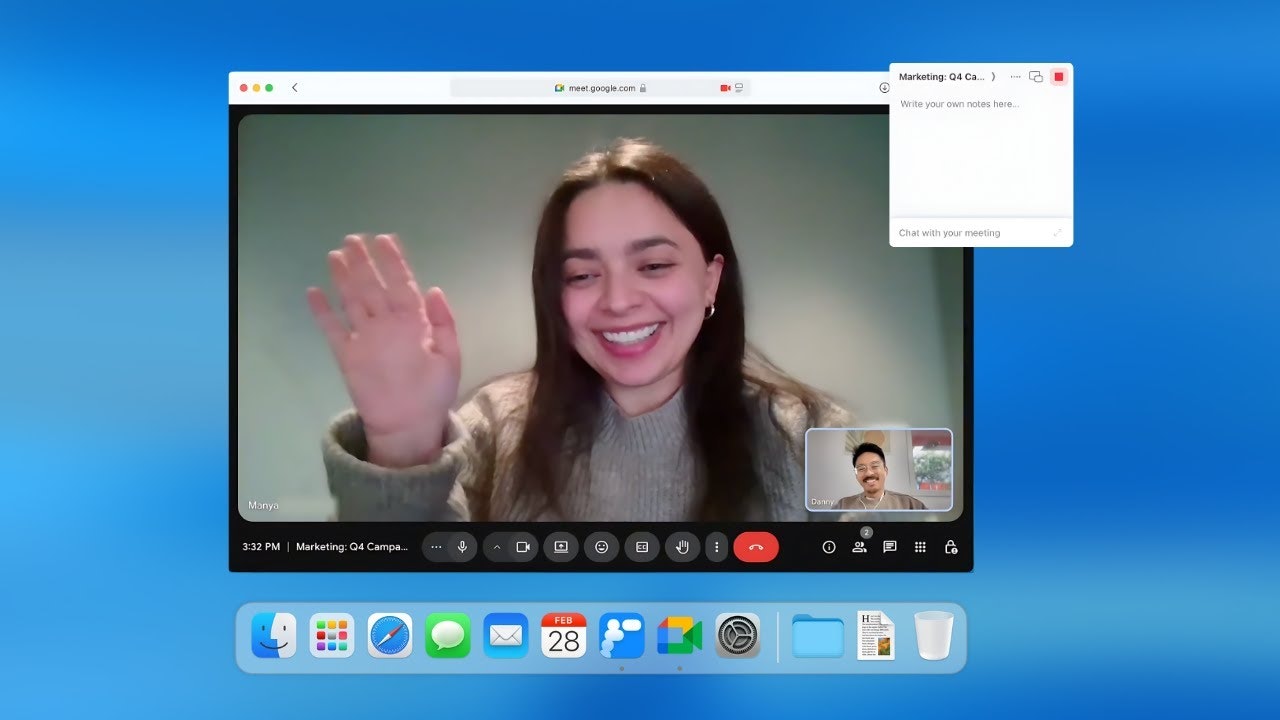
Radiant is an innovative AI-powered personal assistant exclusively designed for Mac users, aiming to revolutionize how professionals manage their meetings. Instead of merely transcribing discussions, Radiant captures conversations directly on your device and instantly generates actionable summaries, follow-ups, and updates. Its core value proposition lies in turning meetings into tangible momentum, enabling users to move from discussion to execution in seconds without manual effort or complex setups.
This productivity tool is ideal for ambitious professionals across various roles, including founders, product managers, developers, sales teams, and HR professionals, who are looking to streamline their post-meeting workflows. By automating the administrative tasks that typically follow a meeting, Radiant allows users to focus more on engaging in discussions and less on the arduous task of documentation and follow-up.
The Problem with Post-Meeting Drudgery, Solved
Many AI meeting tools currently on the market stop at providing summaries, leaving users to manually synthesize information and draft follow-up actions. This often leads to a significant time sink and a potential loss of momentum between meetings and actual work. Radiant directly addresses this pain point by going beyond simple note-taking.
It fills a critical gap by not just telling you "what happened," but by proactively suggesting "what to do next." Radiant's on-device capture and intelligent drafting capabilities differentiate it from competitors, offering a seamless transition from spoken words to ready-to-refine work in platforms like Gmail, Slack, or Linear. This focus on execution rather than just documentation creates a sub-niche within the AI note-taking space, specifically catering to task-focused users.
Key Features & Highlights that Drive Action
Radiant boasts several compelling features that set it apart:
- Bot-less, On-Device Capture: Unlike many AI note-takers, Radiant operates silently in the background on your Mac without requiring a bot to join your meetings. This ensures a less intrusive experience and enhances privacy by processing audio locally, with no cloud uploads or storage of sensitive audio data.
- Instant Summaries & Action Items: Immediately after a meeting, Radiant generates concise summaries, key discussion points, and, most importantly, identifies actionable next steps. This goes beyond basic transcription to provide meaningful, context-aware insights.
- Automated Follow-ups & Drafts: This is where Radiant truly shines. It automatically drafts emails, Slack updates, and even tickets for project management tools like Linear, Jira, Asana, and Notion, complete with context from the conversation. This drastically reduces post-meeting administrative time and ensures that tasks are created and assigned quickly.
- Seamless Tool Integrations: Radiant connects smoothly with popular work tools such as Gmail, Slack, Linear, Notion, Google Docs, Asana, and GitHub, allowing for direct drafting and updates within the platforms you already use.
- User-Friendly and No Setup: The app is designed for simplicity, offering a user-friendly interface and requiring no complex prompts or setup to get started. It's free in open beta, making it easily accessible for Mac users to try.
- AI Scheduling Capability: Radiant includes an impressive AI scheduling feature, allowing users to schedule events and meetings through natural language chat with the AI.
Potential Drawbacks & Areas for Improvement
While Radiant offers a promising solution, there are a few areas for consideration and potential improvement. Currently, Radiant is exclusively available for Macs with Apple Silicon (M1 or later), leaving Intel Mac and Windows users out for now. While a waitlist exists for other platforms, this limits its immediate accessibility.
Additionally, Radiant primarily supports the English language during its beta phase. Expanding language support would significantly broaden its appeal. Some users might also find the lack of meeting recording a drawback, as it focuses more on post-meeting actions rather than providing a full recording of the session. While transcription accuracy is generally good, the option to directly edit the transcript within the app could be beneficial for minor corrections. Finally, while integrations are a strong point, expanding integrations with a wider range of third-party apps, particularly with services like Zapier, could further enhance its workflow automation capabilities.
Bottom Line & Recommendation
Radiant is a game-changer for Mac users who are tired of the administrative overhead that often follows meetings. It stands out in the crowded AI meeting assistant space by prioritizing execution over mere documentation. Its ability to automatically draft summaries, follow-ups, and tasks directly into your existing workflow tools is a significant time-saver and a powerful productivity booster.
I highly recommend Radiant to product managers, founders, engineers, sales professionals, and anyone on a Mac who regularly participates in meetings and seeks to transform discussions into immediate, actionable progress. If you're looking to reclaim hours of post-meeting administrative time and ensure that every conversation translates into measurable momentum, Radiant is definitely worth trying, especially while it's in its free open beta.
Featured AI Applications
Discover powerful tools to enhance your productivity
MindMax
New Way to Interact with AI
Beyond AI chat, transforming conversations into an infinite canvas. Combining brainstorming, mind mapping, critical and creative thinking tools to help you visualize ideas, solve problems efficiently, and accelerate learning.
AI Slides
AI Slides with Markdown
Revolutionary slide creation fusing AI intelligence with Markdown flexibility - edit anywhere, optimize anytime, iterate easily. Turn every idea into a professional presentation instantly.
AI Markdown Editor
Write Immediately
Extremely efficient writing experience: AI assistant, slash commands, minimalist interface. Open and write, easy writing. ✍️ Markdown simplicity + 🤖 AI power + ⚡ Slash commands = Perfect writing experience.
Chrome AI Extension
AI Assistant Anywhere
Transform your browsing experience with FunBlocks AI Assistant. Your intelligent companion supporting AI-driven reading, writing, brainstorming, and critical thinking across the web.