RenameClick Review: The Offline AI Powerhouse for Effortless File Organization
Rename and auto-sort files with offline AI
Published: 1/22/2026
RenameClick, tagged as an "Offline AI file renamer and organizer," steps into the crowded productivity space promising to solve one of the most enduring digital headaches: managing and naming files. For anyone dealing with mountains of unsorted documents, photos, or project assets, this tool aims to bring sanity back to the desktop. But does its commitment to offline AI processing truly deliver a superior organizing experience?
Product Overview: Local Intelligence for File Management
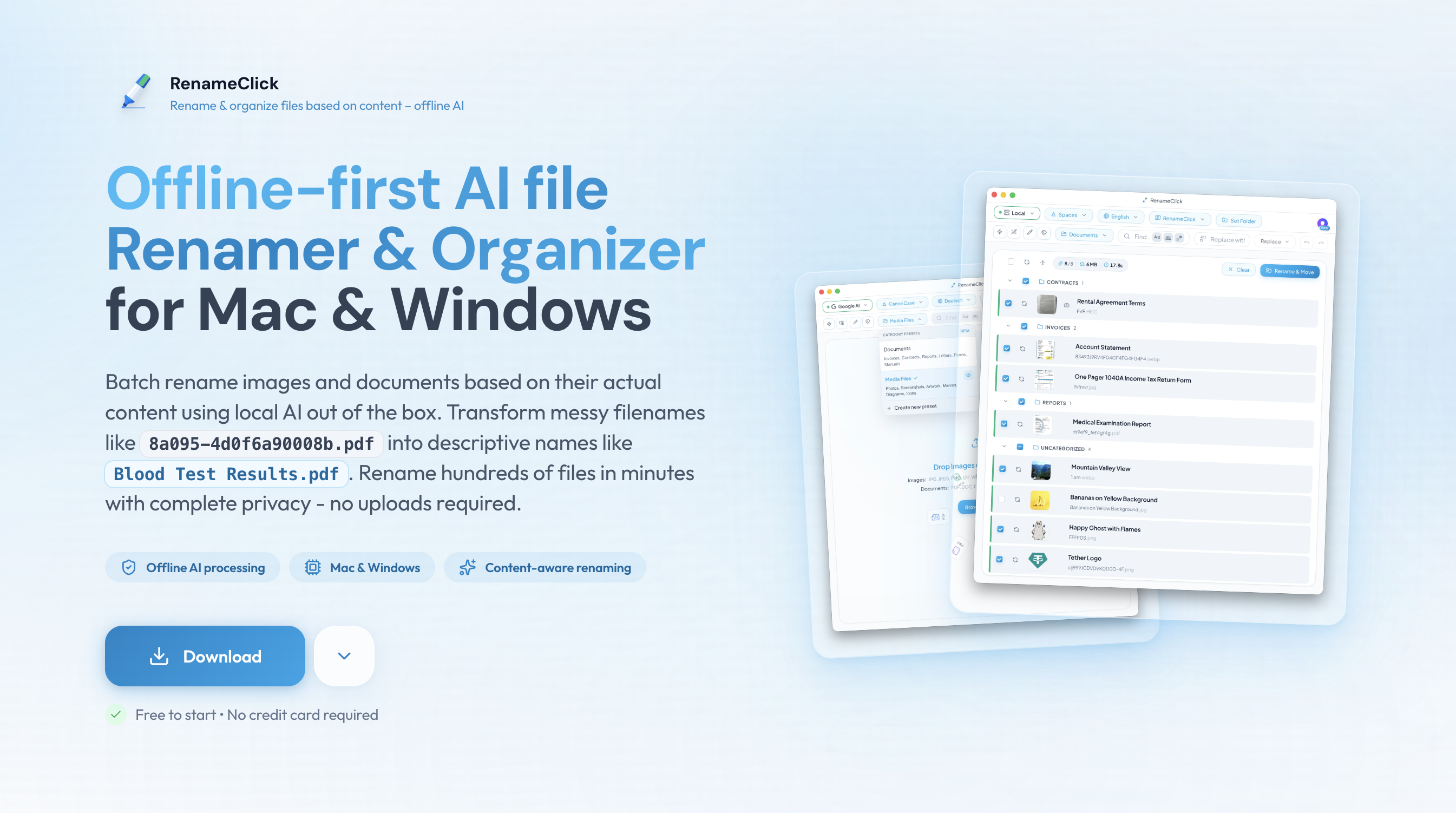
RenameClick is fundamentally a powerful desktop utility designed to automate the tedious process of file renaming and sorting on both macOS and Windows. Unlike many cloud-based AI tools that require uploading sensitive data, RenameClick champions offline-first processing. It utilizes local computational power to analyze file content—be it text documents, PDFs, or image metadata—and generates descriptive, standardized names automatically.
The core value proposition here is twofold: speed and privacy. By keeping all analysis local, users can process large batches of files securely without dependency on an internet connection. It’s tailored for professionals, creatives, researchers, and students who handle large volumes of digital assets and require strict data governance or simply prefer high-speed, local performance. The software moves beyond simple regex renaming; it understands context, making it a significant step up from legacy batch-renaming utilities.
Solving the Organization Nightmare: Privacy Meets Precision
The chronic problem RenameClick tackles is the manual, error-prone nature of digital filing. Most people either leave files named generically (e.g., IMG_4582.jpg or Draft_v3_final_final.docx) or spend frustrating hours renaming and moving them into correct folder structures. Current solutions often rely on simple metadata tags or require constant internet access for cloud AI processing, which raises privacy concerns for sensitive projects or proprietary data.
RenameClick fills this market gap by integrating local Large Language Models (LLMs), supported via integrations like Ollama or LM Studio, directly into the workflow. This architecture allows it to create highly intelligent, contextually accurate file names based on content analysis, rather than just file type or date. The auto-sorting functionality, driven by user-defined presets, transforms a chaotic collection into a perfectly structured repository instantly, without ever sending data off-device.
Key Features & Highlights: Power in Customization
The engine of RenameClick appears to be its robust customization options layered over its core AI capability. While it ships with two useful starter presets, the real power is unlocked when users create custom categorization presets. This allows an architect to define categories like Project_ClientName_DrawingType_Rev, while a researcher might define theirs around Study_SubjectID_Date_AssayType.
Key features that make RenameClick stand out include:
- Offline AI Analysis: Content inspection and naming happen entirely locally, ensuring data security and speed.
- Batch Processing: Handles hundreds or thousands of files simultaneously.
- Custom Prompts: Users can inject specific instructions into the AI request, further refining naming conventions (e.g., "Ensure all output names are in German").
- LLM Flexibility: Support for integrating with popular local LLM frameworks (Ollama, LM Studio) offers immense flexibility in the intelligence level applied to the naming task.
- Auto-Sorting Logic: Files are not just renamed; they are moved into pre-defined category folders based on the newly generated name.
The user experience seems streamlined, focused on selecting a folder, choosing the appropriate preset, and clicking "Go." For a tool this powerful, simplicity in execution is a major win.
Potential Drawbacks and Areas for Improvement
While the offline-first approach is a huge benefit, it introduces inherent trade-offs. The effectiveness of RenameClick is highly dependent on the capabilities of the local LLM setup and the user’s hardware. Users with older machines might experience slower batch processing times compared to cloud-native AI tools. Furthermore, setting up Ollama or LM Studio—while flexible—adds a necessary technical hurdle for the less tech-savvy user who might be looking for an immediate plug-and-play solution.
For future iterations, I would suggest exploring clearer feedback mechanisms during the AI analysis phase, perhaps a lightweight, built-in, pre-configured "starter" model for those hesitant to configure external LLMs immediately. Expanding the integration possibilities beyond current local LLM frameworks to include broader metadata extraction tools could also enhance its utility for photographers or designers working with complex embedded data.
Bottom Line & Recommendation
RenameClick is a must-try utility for any professional who values data privacy as much as organizational efficiency. If your daily work involves wrangling digital assets—legal documents, design mockups, research data—and you are comfortable installing or utilizing local AI infrastructure, this tool will dramatically cut down on administrative overhead. It’s a sophisticated, secure answer to digital clutter, delivering precise, context-aware file management right on your desktop. Highly recommended for the privacy-conscious productivity hacker.
Featured AI Applications
Discover powerful tools to enhance your productivity
MindMax
New Way to Interact with AI
Beyond AI chat, transforming conversations into an infinite canvas. Combining brainstorming, mind mapping, critical and creative thinking tools to help you visualize ideas, solve problems efficiently, and accelerate learning.
AI Slides
AI Slides with Markdown
Revolutionary slide creation fusing AI intelligence with Markdown flexibility - edit anywhere, optimize anytime, iterate easily. Turn every idea into a professional presentation instantly.
AI Markdown Editor
Write Immediately
Extremely efficient writing experience: AI assistant, slash commands, minimalist interface. Open and write, easy writing. ✍️ Markdown simplicity + 🤖 AI power + ⚡ Slash commands = Perfect writing experience.
Chrome AI Extension
AI Assistant Anywhere
Transform your browsing experience with FunBlocks AI Assistant. Your intelligent companion supporting AI-driven reading, writing, brainstorming, and critical thinking across the web.