Scraib.app: Your AI Writing Partner for Mac Productivity
AI writing partner in every app on your Mac
Published: 11/15/2025
Product Overview
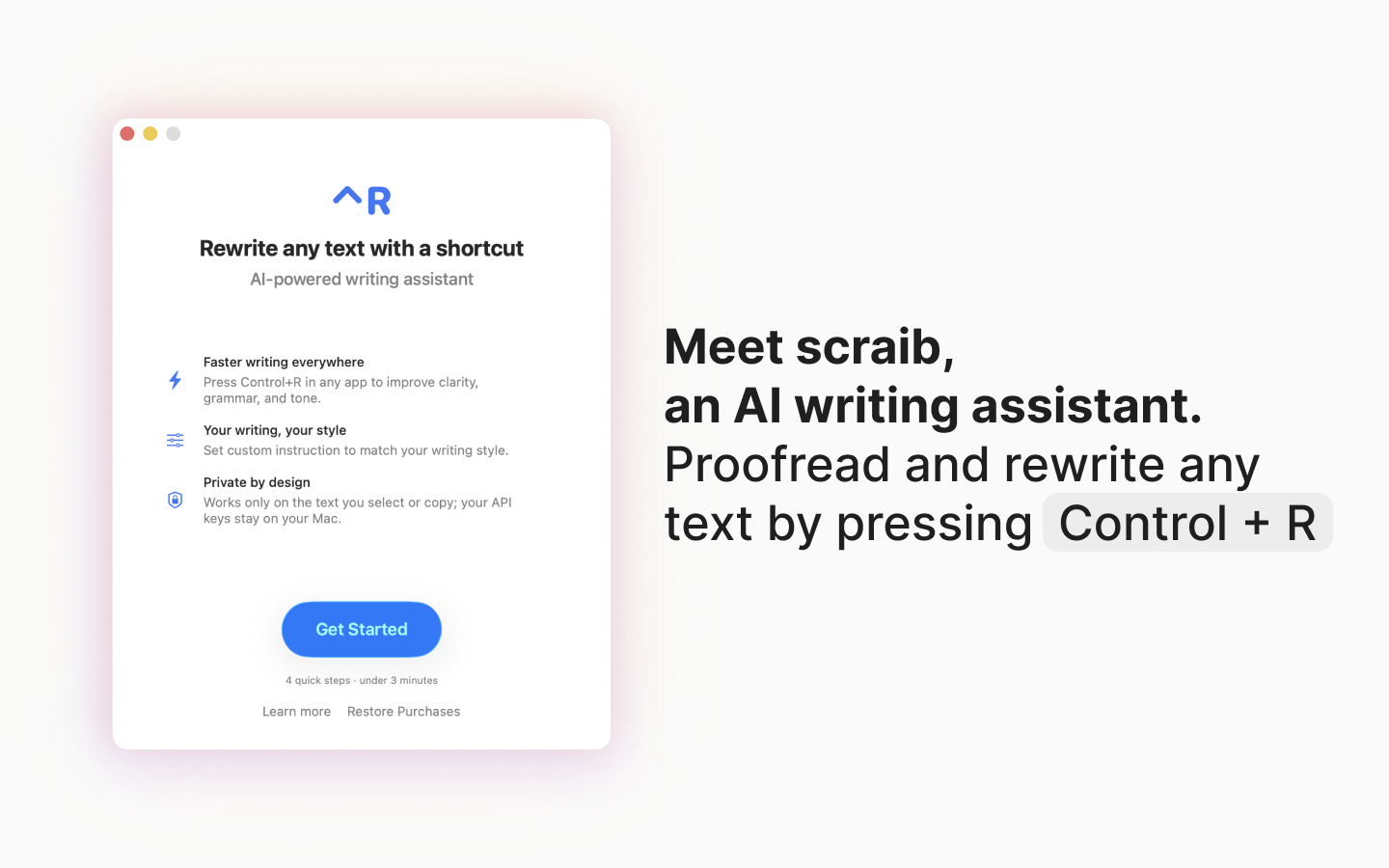
Scraib.app is an AI-powered writing assistant designed exclusively for Mac users, aiming to streamline and enhance text creation across virtually any application. Living discreetly in your menu bar, Scraib.app offers instant text rewriting and improvement with a simple keyboard shortcut: ⌃R. This tool is ideal for anyone who writes frequently on their Mac – from crafting emails and messages to drafting documents or even coding – and seeks to refine their prose quickly and efficiently without disrupting their workflow. Its core value proposition lies in its seamless integration and on-demand assistance, promising to save users time and boost productivity by perfecting their writing instantly.
Problem & Solution
The maker of Scraib.app, not a native English speaker, identified a common pain point: the cumbersome process of manually copying text, pasting it into a separate AI chat, requesting a rewrite, and then copying and pasting it back into the original application. This multi-step process is not only time-consuming but also disruptive to the creative flow. Scraib.app directly addresses this by integrating AI rewriting capabilities directly into the macOS environment. With its universal ⌃R shortcut, users can instantly improve selected text in any application, effectively eliminating the need to switch between apps or websites. This solution differentiates itself by prioritizing speed and integration, filling a gap for users who need quick, unobtrusive writing assistance across their entire Mac ecosystem.
Key Features & Highlights
Scraib.app boasts several notable features that contribute to its utility and user experience:
- Instant Rewriting with ⌃R: The standout feature is the ability to instantly rewrite and improve any selected text by simply pressing Control + R. This makes on-the-fly edits incredibly convenient.
- Menu Bar Integration: The app resides in the macOS menu bar, ensuring it's always accessible without cluttering your dock or desktop.
- Custom Style Rules: Users can set custom style rules to match their desired writing tone and style, allowing for personalized AI output. This is particularly useful for maintaining brand voice or personal consistency.
- Broad Application Compatibility: Scraib.app is designed to work across a wide range of Mac applications, including code editors, Figma, Slack, Outlook, Chrome, Word, Gmail, and more, preventing workflow disruptions.
- Multiple AI Provider Support & Privacy: For users concerned about data privacy or wanting more control, Scraib.app offers the option to use personal API keys with various AI providers like ChatGPT, Claude, Gemini, Grok, Ollama, LiteLLM, and OpenRouter. This also allows for the possibility of running AI locally with Ollama, ensuring data stays private.
- Cost-Effective Option: Beyond its subscription, Scraib.app offers a one-time purchase option for a low fee to unlock the ability to use your own API keys, potentially offering a more affordable long-term solution compared to some subscription-based writing assistants.
Potential Drawbacks & Areas for Improvement
While Scraib.app offers significant advantages, there are a few areas for consideration. Currently, the app is only available on macOS, limiting its reach for users on other operating systems. As a relatively new application, it might have fewer advanced features compared to more established, comprehensive writing suites. While the customizable style rules are a strong point, further enhancements in fine-tuning AI output beyond basic tone and style — such as specific grammar rules or vocabulary preferences — could add even more value. Expanding its capabilities to include features like summarization, translation, or content generation from scratch (beyond rewriting) could also broaden its appeal.
Bottom Line & Recommendation
Scraib.app is a highly practical and efficient tool for any Mac user looking to enhance their writing productivity with AI. Its seamless integration, instant rewriting capabilities, and flexibility with AI providers make it a compelling choice for individuals who frequently write and need quick, on-demand assistance to refine their text. If you're a Mac user tired of interrupting your workflow to use external AI writing tools, Scraib.app is definitely worth trying. It offers a 7-day free trial, making it easy to experience its benefits firsthand before committing to a subscription or the one-time API key unlock. It stands out as a focused solution for instant text improvement, rather than an all-in-one writing application, and excels in its niche.
Featured AI Applications
Discover powerful tools to enhance your productivity
MindMax
New Way to Interact with AI
Beyond AI chat, transforming conversations into an infinite canvas. Combining brainstorming, mind mapping, critical and creative thinking tools to help you visualize ideas, solve problems efficiently, and accelerate learning.
AI Slides
AI Slides with Markdown
Revolutionary slide creation fusing AI intelligence with Markdown flexibility - edit anywhere, optimize anytime, iterate easily. Turn every idea into a professional presentation instantly.
AI Markdown Editor
Write Immediately
Extremely efficient writing experience: AI assistant, slash commands, minimalist interface. Open and write, easy writing. ✍️ Markdown simplicity + 🤖 AI power + ⚡ Slash commands = Perfect writing experience.
Chrome AI Extension
AI Assistant Anywhere
Transform your browsing experience with FunBlocks AI Assistant. Your intelligent companion supporting AI-driven reading, writing, brainstorming, and critical thinking across the web.