Seagull Review: The Universal Real-Time Translation Overlay Your Multi-lingual Workflow Needs
Real-time translation overlay for all your computer audio.
Published: 2/23/2026
Product Overview: Bridging the Language Divide on Your Desktop
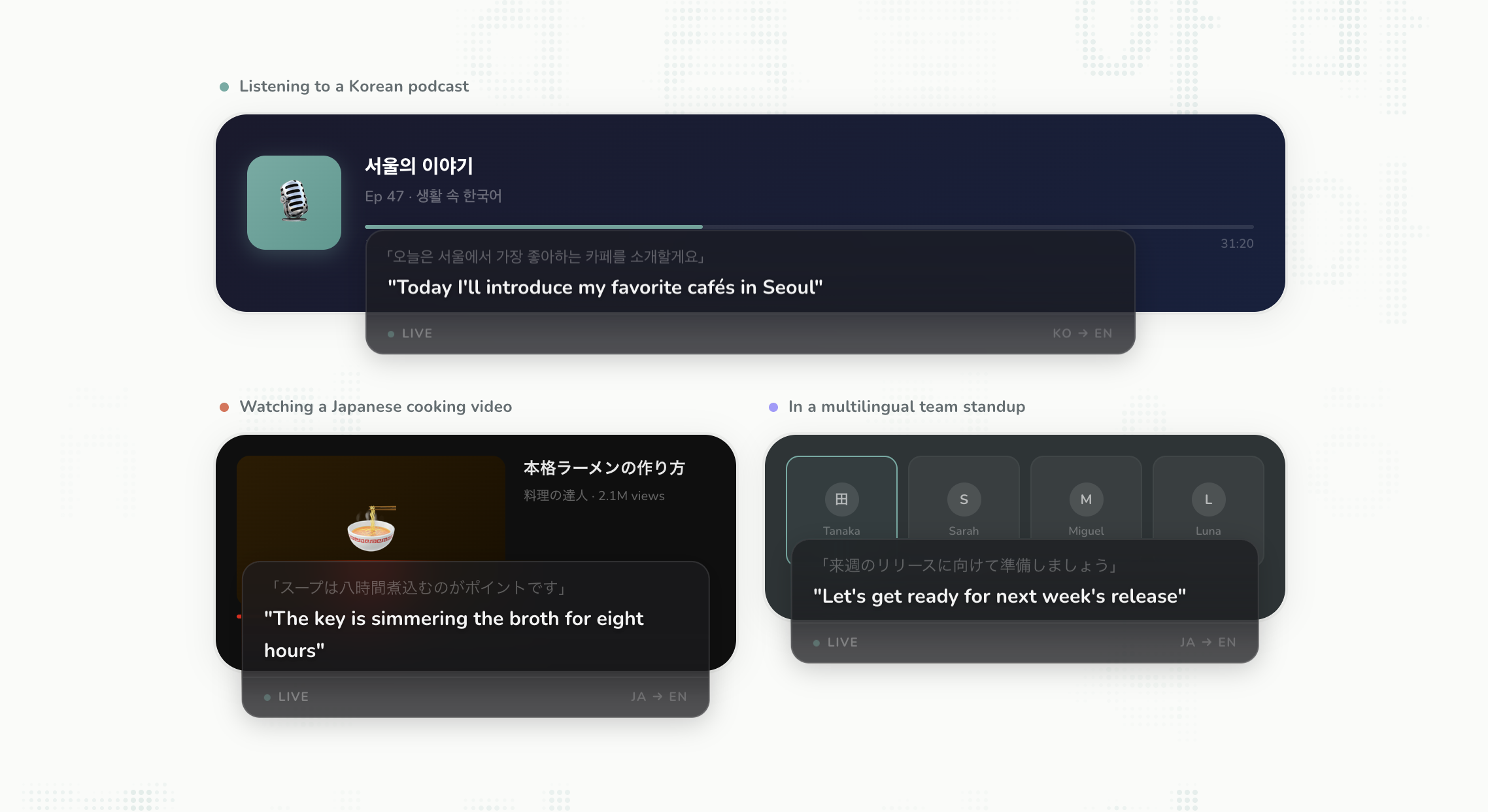
Seagull is a genuinely innovative piece of software designed to dissolve language barriers directly within your desktop environment. As its tagline suggests, it offers real-time translation overlay for all your computer audio. This application captures sound output from any running application—be it a video conference, a streamed webinar, a foreign language tutorial, or even music—and presents a live, translated transcript overlay on your screen. For professionals, students, and avid media consumers operating in a multi-lingual digital space, Seagull promises to make content instantly accessible.
The core value proposition of Seagull is immediacy and universality. Unlike browser-based translation tools that are often limited to web content or specific conferencing platforms, Seagull operates at the operating system level, capturing audio system-wide. It targets anyone who regularly consumes audio content that isn't in their native language but requires immediate comprehension—a broad audience including international business users, global students, and developers dealing with international documentation.
Problem & Solution: Taming the Wild West of Desktop Audio
The central problem Seagull addresses is the friction caused by consuming audio in a foreign language across diverse digital platforms. Historically, translating desktop audio has been a cumbersome process, often requiring manual transcription, relying on often inaccurate built-in captioning features that might not support the source language, or using dedicated, platform-locked apps. This manual effort breaks concentration and severely hinders real-time comprehension.
Seagull solves this by offering a unified, cross-platform solution for Mac, Windows, and Linux. It acts as an intelligent audio capture layer that instantly processes the sound stream and presents the translation as a non-intrusive overlay. This "any app, instant translation" approach is what sets it apart. It fills a significant market gap for a truly agnostic, system-wide translation tool, moving beyond simple captioning to offer genuine comprehension assistance across the entire digital workspace.
Key Features & Highlights: Seamless, System-Wide Translation
The most notable feature of Seagull is its impressive cross-platform compatibility, supporting the three major desktop operating systems. This versatility ensures a wider user base can benefit immediately, a crucial factor in today's diverse tech ecosystems. The real-time translation overlay is the star of the show; it’s designed to appear unobtrusively, allowing users to maintain focus on the source content while absorbing the translated text simultaneously.
Key highlights center around this fluid user experience:
- Universal Audio Capture: The ability to listen in on any application generating sound, ensuring no relevant audio source is missed.
- Instantaneous Overlay: Translations appear rapidly, minimizing lag between hearing the source audio and reading the translated meaning.
- Cross-Platform Support: Availability on Mac, Windows, and Linux significantly broadens its utility compared to single-OS competitors.
For users dealing with intricate, fast-paced audio—like technical talks or complex business meetings—the sheer convenience of having an always-on, system-level translation service active is a massive productivity booster.
Potential Drawbacks & Areas for Improvement
While the concept behind Seagull is stellar, there are a few areas where future iterations could see significant improvement. Since the product relies heavily on high-quality, low-latency processing across diverse hardware, performance consistency across older machines or under heavy system load is an unknown factor that users will need to test. A highly detailed settings panel for managing the overlay's position, font size, and opacity would enhance the user experience dramatically, ensuring it truly is non-intrusive for every user’s setup.
Furthermore, while the core functionality is translation, the value proposition could be amplified by adding advanced features down the line. For instance, the ability to save session transcripts, toggle between original text and translation in the overlay, or even integrate speaker identification (if audio streams allow) would elevate Seagull from a helpful utility to an essential productivity suite component. Addressing potential latency issues with the most complex audio streams should also be a priority for ongoing development.
Bottom Line & Recommendation
Seagull is a groundbreaking tool for anyone whose professional or educational life involves consuming information across multiple languages on their desktop computer. If you frequently join international Zoom calls, watch foreign-language YouTube tutorials, or need to understand multi-lingual software demos, Seagull offers a streamlined, powerful solution that significantly reduces cognitive load. I highly recommend this product for early adopters and productivity enthusiasts looking to immediately upgrade their cross-lingual desktop experience. Seagull successfully delivers on its promise of turning any computer audio into accessible information.
Featured AI Applications
Discover powerful tools to enhance your productivity
MindMax
New Way to Interact with AI
Beyond AI chat, transforming conversations into an infinite canvas. Combining brainstorming, mind mapping, critical and creative thinking tools to help you visualize ideas, solve problems efficiently, and accelerate learning.
AI Slides
AI Slides with Markdown
Revolutionary slide creation fusing AI intelligence with Markdown flexibility - edit anywhere, optimize anytime, iterate easily. Turn every idea into a professional presentation instantly.
AI Markdown Editor
Write Immediately
Extremely efficient writing experience: AI assistant, slash commands, minimalist interface. Open and write, easy writing. ✍️ Markdown simplicity + 🤖 AI power + ⚡ Slash commands = Perfect writing experience.
Chrome AI Extension
AI Assistant Anywhere
Transform your browsing experience with FunBlocks AI Assistant. Your intelligent companion supporting AI-driven reading, writing, brainstorming, and critical thinking across the web.