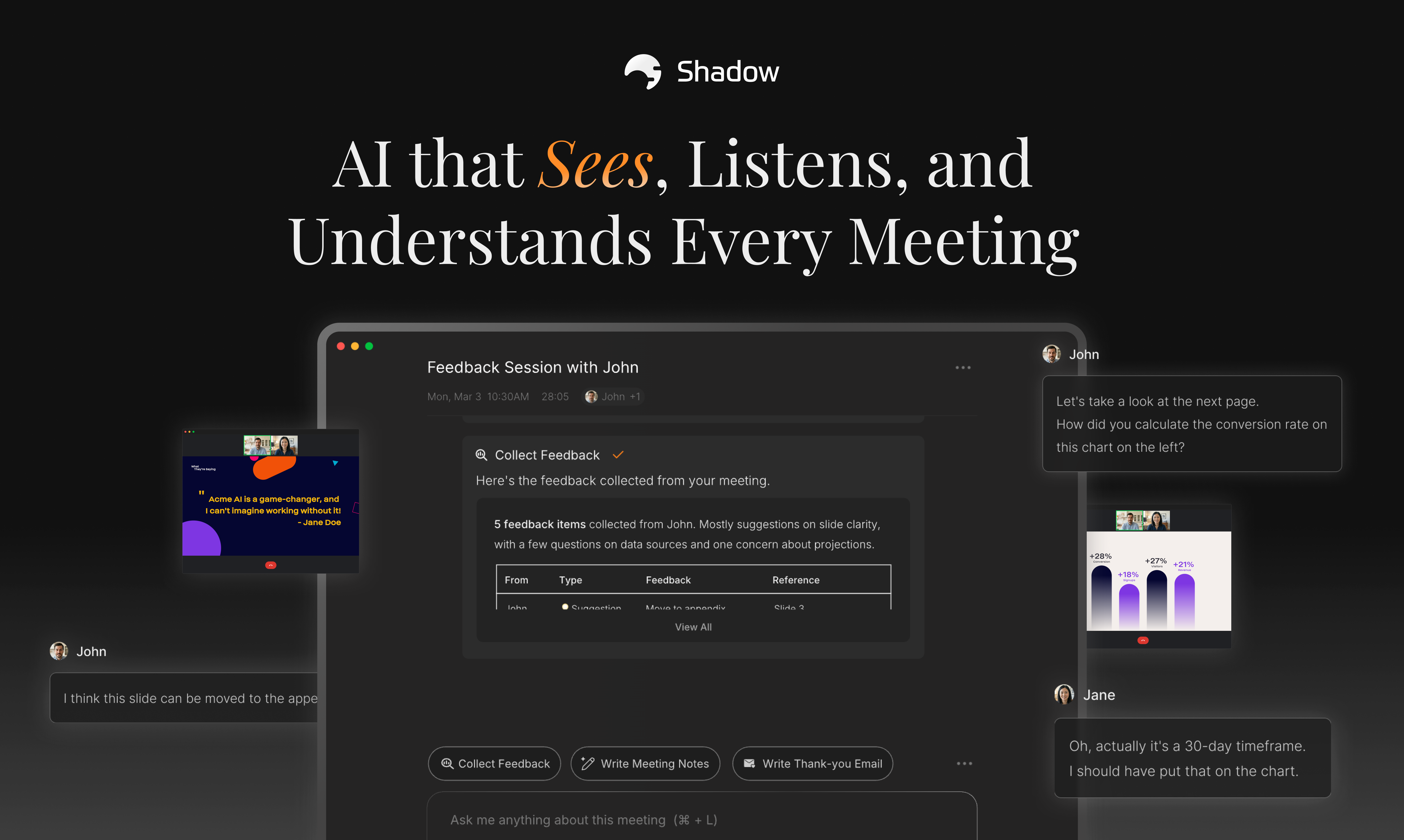
Shadow Review: The Next Evolution in Meeting Intelligence – Seeing Beyond the Audio
AI that sees, listens, and understands every meeting
Published: 12/18/2025
Product Overview: Bridging the Context Gap in Virtual Meetings
Shadow is introducing a significant evolution in the saturated market of meeting AI assistants. While existing tools excel at transcribing dialogue, Shadow tackles a critical limitation: the information shared visually on screen. Taglined as "AI that sees, listens, and understands every meeting," Shadow aims to capture the complete context of virtual discussions, including screen shares, presentations, and visual data points, alongside the spoken word.
This tool targets professionals who rely heavily on collaborative visual aids—project managers, sales teams reviewing demos, product managers discussing wireframes, and consultants analyzing data. Shadow transforms passive attendance into active, context-aware recall, allowing users to stop wasting time on manual recaps and start focusing on execution based on all the information presented.
The core value proposition of Shadow is holistic context capture. It promises to deliver actionable intelligence derived from the synchronized audio and visual data streams of your online meetings, creating a fidelity of meeting notes previously unattainable without dedicated, manual documentation.
Problem & Solution: Solving the "Screen Blindness" of Current AI
The primary problem Shadow solves is the "screen blindness" plaguing current meeting summarization tools. Standard AI assistants typically function as sophisticated voice-to-text converters. If a critical decision is made based on a specific slide, chart, or code snippet shown on screen, generic meeting summaries miss this crucial visual context, often leading to ambiguity or requiring users to re-watch hours of recordings.
Shadow solves this by integrating visual perception. It doesn't rely on integrating as a traditional "bot" participant that might be intrusive or disallowed; instead, it appears to capture and process the entire meeting interface contextually. This allows the resulting AI tasks and summaries to reference specific visuals directly, filling the market gap left by audio-only solutions and providing a truly comprehensive record for compliance, project tracking, and accountability.
Key Features & Highlights: Multimodal Meeting Mastery
Shadow’s strength lies in its multimodal approach to data capture. By processing both auditory and visual inputs simultaneously, it delivers summaries that are far richer than audio transcripts alone.
Key features that stand out include:
- Visual Context Integration: The ability to tie spoken dialogue directly to what was displayed on screen (e.g., "As discussed on Slide 5, the Q3 projection is...").
- Actionable AI Tasks: Moving beyond simple transcription into true productivity enablement. Users receive tasks derived from the full context, reducing post-meeting administrative overhead.
- Non-Intrusive Capture: The description notes "no bot needed," suggesting a potentially seamless integration or capture method that minimizes disruption to the meeting flow, a significant advantage over standard participant bots.
The user experience is clearly geared towards efficiency. By synthesizing what was said and shown, Shadow promises a concise, high-fidelity output that accelerates follow-up actions, positioning it as a powerful productivity tool for remote and hybrid teams.
Potential Drawbacks & Areas for Improvement
While the concept of "seeing and listening" is revolutionary, the implementation requires scrutiny. The most immediate area for improvement concerns the technical challenges of reliably processing diverse visual content.
- Visual Recognition Accuracy: How accurately can Shadow parse complex data visualizations, dense technical diagrams, or rapidly changing UI elements compared to standard slide decks? The performance here will define its utility for technical teams.
- Integration & Setup: The "no bot needed" aspect is intriguing, but clarity is needed on the setup process. Does it require specific browser extensions, permissions, or meeting platform compatibility (Zoom, Teams, Meet)? A friction-free onboarding process is vital for adoption.
- Data Privacy & Security: Capturing the visual feed of potentially sensitive screen shares necessitates best-in-class security protocols. Users will need reassurance that this powerful visual analysis tool maintains rigorous data governance.
For future enhancements, integrating AI-driven indexing based on visual themes (e.g., "Show me all sections where we discussed the pricing structure visible on screen") would further cement Shadow's utility.
Bottom Line & Recommendation
Shadow is positioned to be a market disruptor for professionals drowning in context-less meeting notes. If your team frequently relies on shared screens for critical communication—be it design critiques, sales demos, or data review—the ability of Shadow to unify audio and visual data into actionable takeaways offers immense time-saving potential.
I highly recommend that project leads, account managers, and product teams currently dissatisfied with the superficial summaries provided by existing meeting AI tools give Shadow a thorough trial. It represents a necessary leap forward, transforming meeting intelligence from mere transcription to genuine, visually informed understanding.
Featured AI Applications
Discover powerful tools to enhance your productivity
MindMax
New Way to Interact with AI
Beyond AI chat, transforming conversations into an infinite canvas. Combining brainstorming, mind mapping, critical and creative thinking tools to help you visualize ideas, solve problems efficiently, and accelerate learning.
AI Slides
AI Slides with Markdown
Revolutionary slide creation fusing AI intelligence with Markdown flexibility - edit anywhere, optimize anytime, iterate easily. Turn every idea into a professional presentation instantly.
AI Markdown Editor
Write Immediately
Extremely efficient writing experience: AI assistant, slash commands, minimalist interface. Open and write, easy writing. ✍️ Markdown simplicity + 🤖 AI power + ⚡ Slash commands = Perfect writing experience.
Chrome AI Extension
AI Assistant Anywhere
Transform your browsing experience with FunBlocks AI Assistant. Your intelligent companion supporting AI-driven reading, writing, brainstorming, and critical thinking across the web.