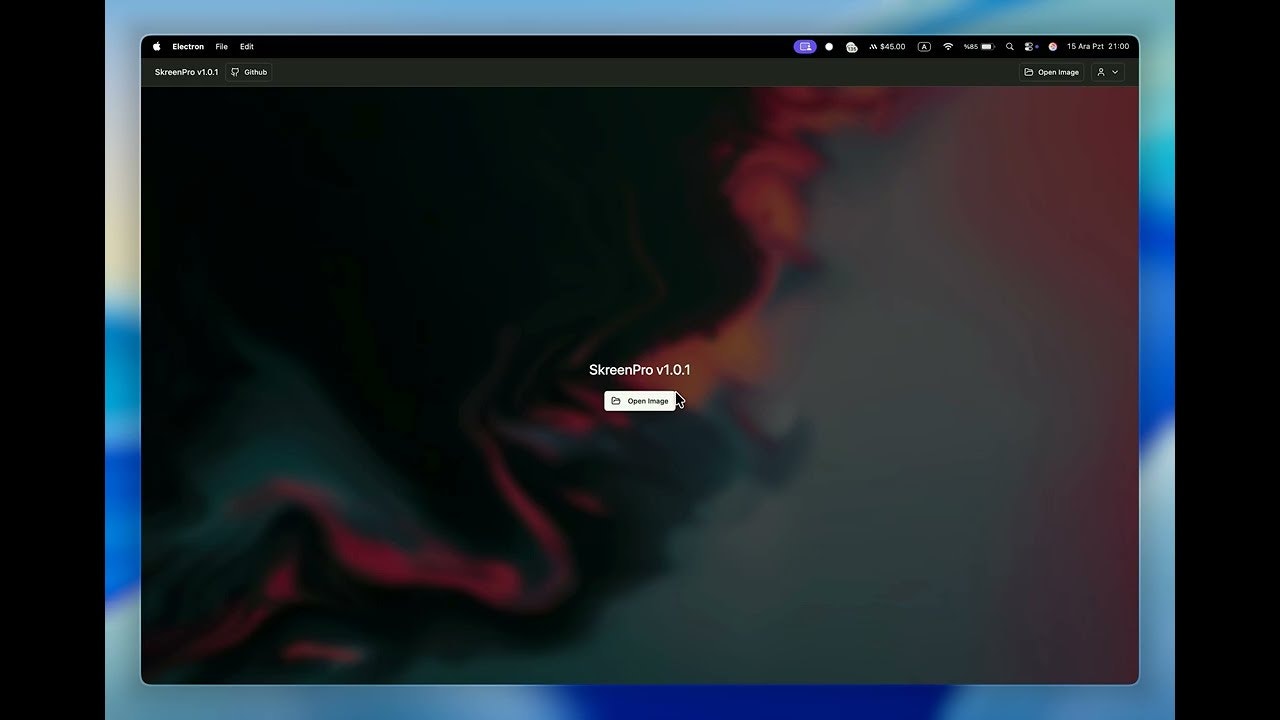
SkreenPro Review: The Open Source Powerhouse Redefining Screenshot Editing
Screenshot Editing. Open Source. Free. Powerful.
Published: 1/10/2026
Product Overview
SkreenPro is positioning itself as the definitive, modern solution for capturing, annotating, and sharing visual documentation quickly and effectively. Marketed under the compelling tagline, "Screenshot Editing. Open Source. Free. Powerful," SkreenPro aims to disrupt the often-cluttered and expensive landscape of screen capture utilities. It merges robust functionality with a commitment to being entirely free and open-source, a combination that instantly grabs the attention of budget-conscious professionals.
This tool is meticulously crafted for the modern digital worker, specifically targeting creators, developers, technical writers, and designers. Whether you need to document a complex bug report, create engaging social media graphics, or simply share quick instructions with a teammate, SkreenPro offers a streamlined workflow. Its core value proposition rests on delivering enterprise-level editing power without any proprietary lock-in or recurring subscription fees.
Problem & Solution: Filling the Open Source Gap
The current market for screenshot utilities is polarized. On one side, you have simple, built-in OS tools that lack advanced annotation capabilities. On the other, you have feature-rich proprietary software that often comes with a steep monthly cost or intrusive watermarks for the free tiers. This leaves a significant gap for users demanding high performance, comprehensive editing tools, and complete transparency.
SkreenPro directly addresses this deficiency. It solves the problem of needing sophisticated visual communication tools by bundling powerful annotation and editing features—typically reserved for paid software—into a completely free and open-source application. By leveraging community development and open standards, SkreenPro ensures users get a high-quality, frequently updated tool that respects user privacy and control over their software stack.
Key Features & Highlights
The strength of SkreenPro lies in its commitment to delivering "powerful" editing capabilities right out of the box. Based on its description, the key highlights center around speed, functionality, and accessibility:
- Powerful Annotation Suite: Expect professional-grade tools such as varied line thickness controls, advanced text formatting, shape overlays (arrows, boxes, circles), and potentially blurring/pixelation tools essential for privacy protection during sharing.
- Instant Sharing Workflow: The emphasis on "share instantly" suggests seamless integration with cloud storage, direct link copying, or built-in integration with common communication platforms, minimizing the friction between capture and distribution.
- Developer-Friendly Design: The tool's explicit targeting of developers indicates thoughtful features that might include specific capture modes (like capturing specific windows cleanly) or excellent support for exporting to development-friendly formats.
- Beautiful User Interface: The promise of a "beautiful" interface suggests a modern, intuitive UX that makes complex editing tasks feel straightforward, avoiding the clunky feel often associated with older open-source utilities.
For creators, this translates into faster turnaround times for mockups and tutorials; for developers, it means more accurate and faster bug reporting, making SkreenPro a serious contender in the screen capture software category.
Potential Drawbacks & Areas for Improvement
While the commitment to being free and open source is a massive advantage, it can sometimes present inherent challenges that users should be aware of. The reliance on community contribution, while powerful, can sometimes lead to slower implementation of bleeding-edge OS features compared to commercially funded rivals.
For future development, I would suggest the makers of SkreenPro focus on:
- Cross-Platform Parity: Ensuring the experience is truly identical and performant across Windows, macOS, and Linux environments is crucial for broad adoption, especially among developers.
- Template/Preset Management: Adding robust preset saving for common annotation styles (e.g., "Code Review Red Line," "Client Feedback Arrow") would significantly enhance workflow efficiency for power users.
- Advanced Export Options: Expanding beyond standard image formats to include things like SVG export or perhaps even GIF recording (if video capture is not yet included) would broaden its appeal further into the content creation space.
Bottom Line & Recommendation
SkreenPro is an essential download for anyone tired of paying for basic screenshot functionality or settling for substandard built-in tools. If you are a developer, technical writer, or content creator prioritizing privacy, cost-effectiveness, and powerful editing features in your visual workflow, you absolutely must try SkreenPro. It successfully proves that truly powerful, feature-rich desktop software can thrive outside the subscription economy. This product is highly recommended as a robust, transparent, and free alternative to market leaders in the screenshot utility space.
Featured AI Applications
Discover powerful tools to enhance your productivity
MindMax
New Way to Interact with AI
Beyond AI chat, transforming conversations into an infinite canvas. Combining brainstorming, mind mapping, critical and creative thinking tools to help you visualize ideas, solve problems efficiently, and accelerate learning.
AI Slides
AI Slides with Markdown
Revolutionary slide creation fusing AI intelligence with Markdown flexibility - edit anywhere, optimize anytime, iterate easily. Turn every idea into a professional presentation instantly.
AI Markdown Editor
Write Immediately
Extremely efficient writing experience: AI assistant, slash commands, minimalist interface. Open and write, easy writing. ✍️ Markdown simplicity + 🤖 AI power + ⚡ Slash commands = Perfect writing experience.
Chrome AI Extension
AI Assistant Anywhere
Transform your browsing experience with FunBlocks AI Assistant. Your intelligent companion supporting AI-driven reading, writing, brainstorming, and critical thinking across the web.