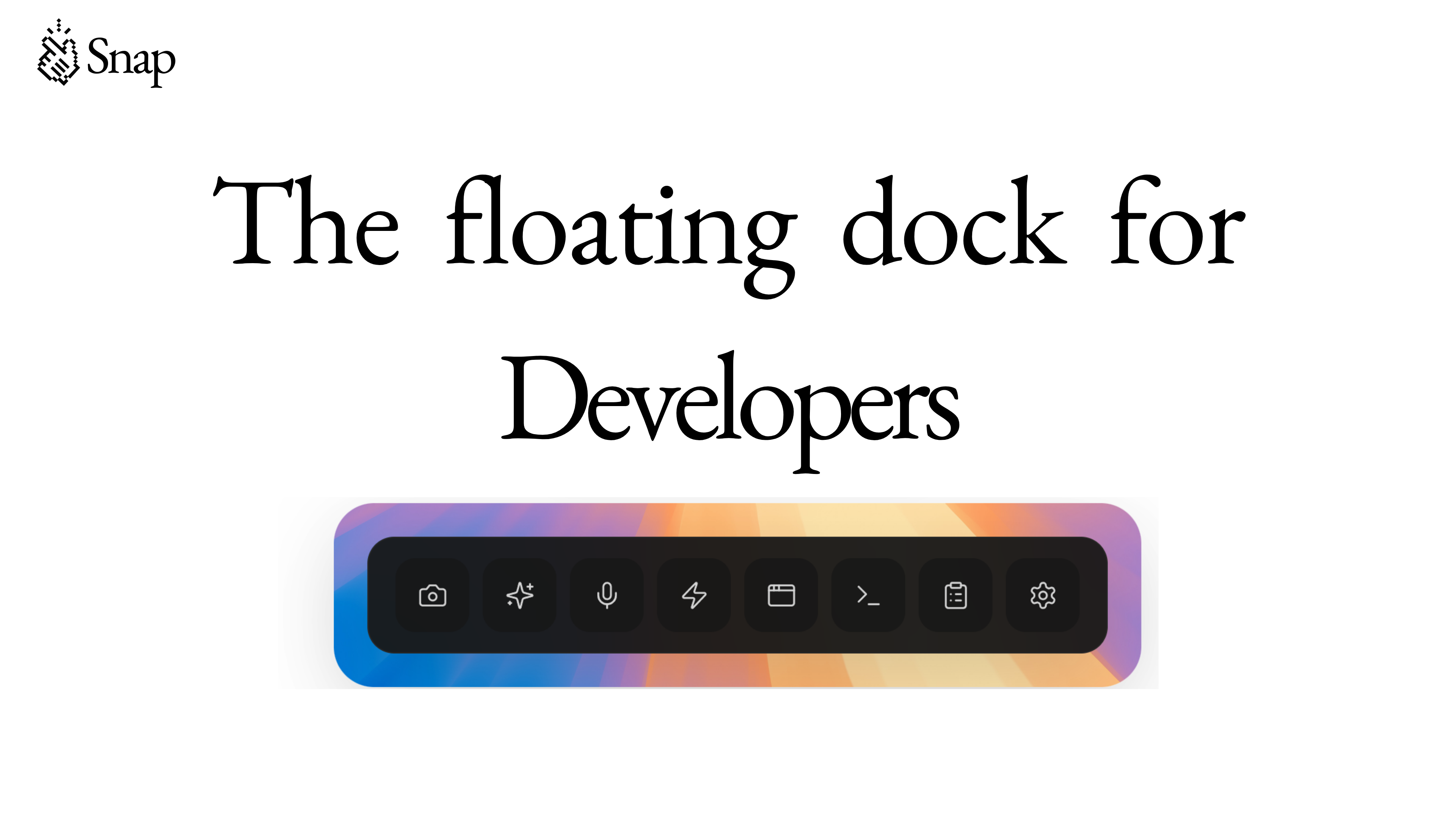
Snap Review: The Floating Dock Revolutionizing Developer Workflow
The floating dock for developers
Published: 2/8/2026
Product Overview
Snap is boldly positioning itself as "The floating dock for developers," and after a close look at its feature set, it’s clear this tool aims to significantly reduce context switching for modern coders. At its core, Snap is a modular, on-screen overlay designed to bring essential utility tools directly into the development environment without requiring users to constantly tab between different applications. Whether you are debugging complex application logic or crafting intricate AI prompts, Snap seeks to keep you "in the flow."
This floating utility is tailored specifically for the needs of software engineers, AI practitioners using models like Cursor and Claude, and anyone who juggles multiple small, repetitive tasks while coding. Its value proposition centers on maximizing focused development time by consolidating disparate functions—from quick documentation lookup to immediate feedback capture—into one accessible hub. For developers tethered to specific workflows, Snap promises a tangible boost in efficiency.
Problem & Solution: Eliminating Context Switching
The central pain point Snap addresses is the endemic issue of context switching in software development. Every time a developer has to leave their IDE to search documentation, capture a visual bug, transcribe an error message, or craft a better prompt for an AI coding assistant, focus is broken. These micro-interruptions accumulate, leading to significant productivity drains over the course of a day.
Snap solves this by acting as an always-available, unobtrusive command center. Instead of opening multiple browser tabs or standalone apps, users access features like screen capture, speech-to-text, and specialized prompt management directly through the floating dock. This centralization cuts down on the cognitive load associated with task switching, offering a unique software solution tailored to the specific ecosystem of modern development tools, including specialized integration for Cursor and Claude Code interaction.
Key Features & Highlights
The feature list for Snap is ambitious, covering everything from immediate capture tools to deep AI workflow support. The most immediately valuable capabilities are those focused on rapid iteration and debugging capture.
- Rapid Capture Utilities: The ability to quickly take screenshots, utilize speech-to-text input, and instantly copy console errors are massive workflow accelerators. These functions turn multi-step operations into single clicks within the dock.
- AI Prompt Optimization: For developers leveraging generative AI tools, Snap’s functionality to generate and optimize prompts directly within the dock is a standout feature. This keeps the creative input loop tight and iterative.
- Visual and Live Preview: Features like visual editing and web preview integration suggest a commitment to front-end and UI/UX development workflows, allowing instant feedback on visual changes without leaving the primary coding interface.
- Custom Action Buttons: The inclusion of custom action buttons ensures that Snap remains adaptable, allowing power users to hook in bespoke scripts or frequently used internal tools, truly personalizing the floating experience.
The user experience appears designed for seamless integration, making these powerful tools accessible without being overwhelming, a critical balance for any persistent UI element.
Potential Drawbacks & Areas for Improvement
While the feature set of Snap is impressive, as with any new utility targeting such a critical workflow, there are areas where polish or expansion would significantly enhance its appeal. The description mentions support for Cursor and Claude, but clearer integration depth—perhaps specific API hooks or pre-built command structures for these environments—would solidify its value proposition for AI-centric developers.
Furthermore, transparency around performance and customization is key. Since Snap is a floating dock overlay, resource usage must be minimal. Users will need assurance that it doesn't introduce noticeable latency or conflicts with graphics-intensive IDEs. For future development, I would suggest adding:
- Deeper IDE Integration: Native plugins or deep hooks for popular IDEs (VS Code, JetBrains suite) beyond just AI assistants.
- Session Management: The ability to save and recall different "Snap configurations" based on the project context (e.g., a "Frontend Session" vs. a "Backend Debugging Session").
- Keyboard Shortcut Overhaul: Ensuring every core function can be triggered instantly via a global hotkey, further minimizing the need to physically click the dock.
Bottom Line & Recommendation
Snap is a highly promising productivity tool that successfully targets the friction points of context switching for modern developers, especially those integrating AI coding partners like Cursor and Claude into their daily routine. If you find yourself constantly alt-tabbing to capture errors, refine AI inputs, or preview simple web elements, Snap offers a compelling, centralized solution designed to keep you in the zone.
I strongly recommend developers focused on efficiency and workflow optimization give Snap a serious look. It has the potential to become an indispensable component of the high-velocity coding toolkit. Keep an eye on this platform; with further refinement on IDE compatibility, Snap could easily define the next generation of floating developer utilities.
Featured AI Applications
Discover powerful tools to enhance your productivity
MindMax
New Way to Interact with AI
Beyond AI chat, transforming conversations into an infinite canvas. Combining brainstorming, mind mapping, critical and creative thinking tools to help you visualize ideas, solve problems efficiently, and accelerate learning.
AI Slides
AI Slides with Markdown
Revolutionary slide creation fusing AI intelligence with Markdown flexibility - edit anywhere, optimize anytime, iterate easily. Turn every idea into a professional presentation instantly.
AI Markdown Editor
Write Immediately
Extremely efficient writing experience: AI assistant, slash commands, minimalist interface. Open and write, easy writing. ✍️ Markdown simplicity + 🤖 AI power + ⚡ Slash commands = Perfect writing experience.
Chrome AI Extension
AI Assistant Anywhere
Transform your browsing experience with FunBlocks AI Assistant. Your intelligent companion supporting AI-driven reading, writing, brainstorming, and critical thinking across the web.