SnapPoint Review: Making Your Development Environment Snap Back Into Alignment
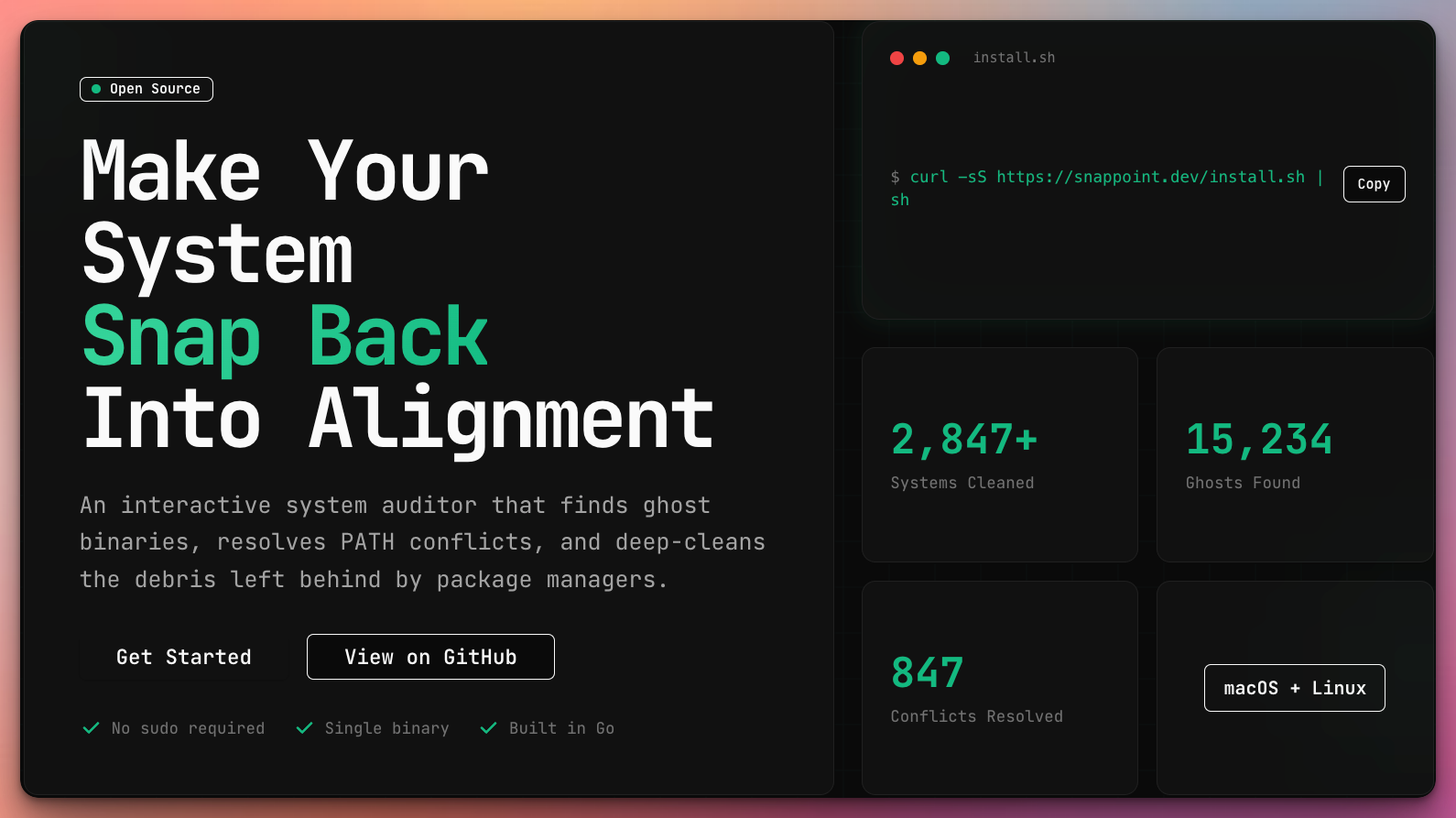
Make Your System Snap Back Into Alignment
Published: 2/14/2026
Product Overview: The Deep Cleaner for Developers
SnapPoint enters the crowded landscape of developer tools with a focused, critical mission: to bring order to the often-chaotic ecosystem of a modern development machine. Tagged as an "open-source system auditor and package manager manager," SnapPoint aims to serve as the ultimate digital janitor for engineers wrestling with accumulated cruft, conflicting software installations, and mysterious execution errors. In short, this tool promises to restore the pristine, predictable state that every developer craves for peak productivity.
The core function of SnapPoint revolves around auditing and resolving system-level conflicts that plague the development workflow. This isn't just another uninstaller; it digs deep into the operating system’s binaries, library paths, and environment variables. Its target audience is clear: developers, DevOps engineers, and power users who frequently install, update, and switch between various SDKs, language runtimes (like Node, Python, Go, etc.), and command-line utilities. If you've ever wondered why a command runs one version of a tool locally but a different one in your CI pipeline, SnapPoint is designed to catch that divergence.
The primary value proposition of SnapPoint lies in its deep-cleaning capabilities, focusing specifically on elements that lead to runtime inconsistencies. By identifying "ghost binaries" and resolving tricky PATH conflicts, the tool offers a pathway to a more stable, reproducible development environment—a cornerstone requirement for modern software engineering practices.
Problem & Solution: Tackling System Sprawl
The specific problem SnapPoint addresses is systemic complexity and the slow accumulation of technical debt within the development machine itself. Over time, installing packages via homebrew, direct downloads, custom scripts, or different package managers (npm, pip, cargo) leads to a messy environment where executable paths overlap, old versions linger, and the system state becomes opaque. This instability results in frustrating debugging sessions spent tracking down why git or kubectl behaves differently across sessions or machines.
SnapPoint tackles this by providing transparency and centralized control. Unlike generic cleaning utilities that only target temporary files, SnapPoint specializes in system-level path management and binary resolution. It likely scans recognized installation directories and environment variables, mapping out the dependencies and potential conflicts explicitly. This targeted approach fills a significant market gap, as existing solutions often force users to manually sift through configuration files or rely on manager-specific clean-up commands, which rarely solve cross-manager conflicts.
Key Features & Highlights: Auditing and Resolution Power
While the product information is concise, the description points toward a powerful feature set essential for system auditing. The most notable capabilities likely revolve around detailed diagnostic reporting and automated remediation.
Key features highlighted by the SnapPoint tagline and description include:
- Ghost Binary Identification: Pinpointing executables that are referenced in the system PATH but no longer exist or point to incorrect locations.
- PATH Conflict Resolution: Automatically detecting and offering solutions for when multiple tools are mapped to the same command name, ensuring the intended version is prioritized.
- Deep-Cleaning Functionality: Going beyond surface-level cleanup to manage library links and configuration remnants left by various package managers.
As an open-source system auditor, this transparency is a huge selling point for security-conscious developers. The user experience, suggested by the tool's purpose, should prioritize clarity: presenting complex system data in an easily digestible format, perhaps with a visual representation of the current PATH hierarchy, before offering one-click remediation options. The promise is to transform a messy environment into a predictable workspace without requiring deep sysadmin knowledge.
Potential Drawbacks & Areas for Improvement
As a new or recently featured tool, SnapPoint likely faces challenges common to deep system utilities. A primary potential drawback is the inherent risk associated with automated system modification. If the conflict resolution algorithm misinterprets a critical system link or an essential, deliberately placed custom binary, the user’s environment could become temporarily unusable. For SnapPoint to gain widespread trust, it must feature robust, fail-safe mechanisms, such as mandatory backup creation or detailed pre-execution logging of all proposed changes.
Furthermore, for a tool managing package managers, comprehensive support is crucial. If SnapPoint excels at managing Homebrew but struggles to properly audit configurations left by manual SDK installations or specialized tools like RVM or Pyenv, its utility is limited. Suggestions for enhancement would include:
- Visual Conflict Mapping: A GUI or TUI element that visually maps which package manager installed which binary in case of a conflict.
- Integration Hooks: Ability for users to define custom directories or rules that SnapPoint should explicitly ignore or prioritize.
- Cross-Platform Support: Expanding beyond the implied Unix-like environment to support Windows systems, where PATH management is notoriously difficult.
Bottom Line & Recommendation
SnapPoint is an essential utility for any developer whose productivity is routinely hampered by inconsistent command-line environments. If you spend significant time troubleshooting why your local setup doesn't match staging or production—specifically relating to binary location and environment variables—this open-source system auditor deserves immediate attention.
The value proposition of eliminating environment entropy makes SnapPoint highly recommended for intermediate to advanced users working across multiple languages and platforms. Install it, run the audit, and see how many hidden conflicts you uncover. If you value a clean, predictable system, SnapPoint is poised to make your development machine finally snap back into perfect alignment.
Featured AI Applications
Discover powerful tools to enhance your productivity
MindMax
New Way to Interact with AI
Beyond AI chat, transforming conversations into an infinite canvas. Combining brainstorming, mind mapping, critical and creative thinking tools to help you visualize ideas, solve problems efficiently, and accelerate learning.
AI Slides
AI Slides with Markdown
Revolutionary slide creation fusing AI intelligence with Markdown flexibility - edit anywhere, optimize anytime, iterate easily. Turn every idea into a professional presentation instantly.
AI Markdown Editor
Write Immediately
Extremely efficient writing experience: AI assistant, slash commands, minimalist interface. Open and write, easy writing. ✍️ Markdown simplicity + 🤖 AI power + ⚡ Slash commands = Perfect writing experience.
Chrome AI Extension
AI Assistant Anywhere
Transform your browsing experience with FunBlocks AI Assistant. Your intelligent companion supporting AI-driven reading, writing, brainstorming, and critical thinking across the web.