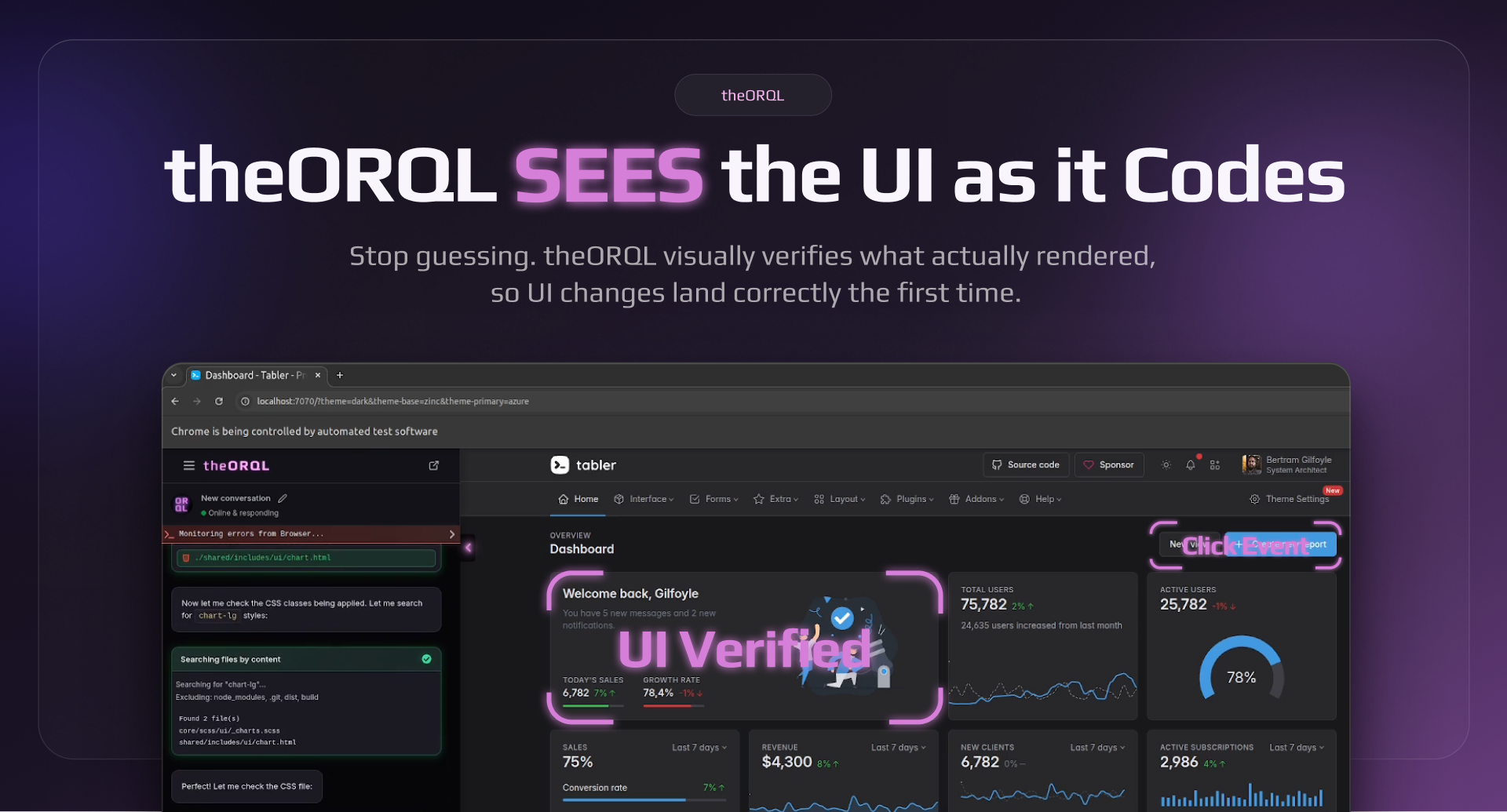
theORQL Review: The Vision-Enabled AI Copilot Finally Fixing Frontend Visual Bugs
Cursor for frontend. Build and debug in Chrome and VS Code.
Published: 2/28/2026
Product Overview
theORQL has arrived on the scene with a bold proposition: to become the definitive "Cursor for frontend." In an era where AI development tools are rapidly evolving, theORQL carves out a crucial niche by focusing intensely on the visual layer of web development. This tool positions itself as a vision-enabled AI specifically designed to bridge the gap between visual design flaws and the underlying code that creates them. Instead of abstractly describing a visual bug, developers can now leverage the power of computer vision directly within their IDE environment.
The primary audience for theORQL is clearly frontend engineers, UI/UX developers, and teams struggling with the tedious, iterative process of visual debugging and UI reconciliation. Its core value proposition is radical efficiency: reducing the time spent fixing visual inconsistencies by automating the mapping from a screenshot to a code solution, complete with visual validation. It aims to deliver UI fixes that land right the first time, a statement every seasoned developer can appreciate.
Problem & Solution: Eradicating Visual Drift
The perennial problem in modern web development is "visual drift"—where the implemented code doesn't perfectly match the design spec, or where minor styling bugs slip through the CI/CD pipeline. Traditionally, fixing these required a multi-step, manual process: take a screenshot, manually compare it to the design file, try to locate the relevant CSS or component code, apply a speculative fix, reload the browser, and repeat. This loop is notoriously time-consuming and frustrating.
theORQL addresses this head-on by collapsing this cycle. It takes a UI screenshot, uses its vision AI to map the visual representation directly to the associated code structure, suggests the fix, and—critically—triggers real browser interactions to visually verify the proposed solution before committing. This direct mapping and visual verification capability sets it apart from general-purpose AI coding assistants. It fills a significant market gap by focusing specialized visual reasoning directly into the developer workflow inside VS Code and Cursor.
Key Features & Highlights
The feature set of theORQL is centered around its unique visual intelligence:
- Vision-Enabled Mapping: The ability to ingest a UI screenshot and intelligently map elements within that image back to the corresponding lines of code (HTML, CSS, or component structure).
- Automated Interaction & Verification: A standout feature is the capacity to trigger live browser interactions. This means the tool can test its suggested fix in the browser context where the bug exists, ensuring the solution works visually and functionally before ever reaching a Pull Request.
- Reviewable Diff Output: When a fix is generated, theORQL presents a clean, reviewable code difference (diff). This maintains essential code hygiene and allows for necessary human oversight, blending AI speed with best practices.
- Seamless IDE Integration: The product is deeply integrated into popular development environments, being available as a free download for both VS Code and Cursor, ensuring minimal friction for adoption.
The entire user experience appears designed around speed and confidence. The promise of seeing a visual confirmation of the fix within the tooling drastically reduces the cognitive load associated with visual debugging.
Potential Drawbacks & Areas for Improvement
While the concept behind theORQL is powerful, any vision-based tool presents inherent challenges that potential users should consider.
A primary area for scrutiny will be accuracy and context understanding. How well does theORQL perform with highly complex, heavily customized component libraries (like heavily themed Material UI or proprietary design systems)? If the AI misinterprets complex CSS layouts or framework-specific abstractions, the suggested fixes might be completely off-base or even introduce new regressions. Developers will need a high degree of trust in its mapping accuracy.
For improvement, the roadmap should likely focus on:
- Design Tool Sync: Integration capabilities with Figma, Sketch, or Adobe XD files to compare the live UI against the source of truth design documents, rather than just a static screenshot.
- Framework Specificity: Allowing users to specify the framework (e.g., React, Vue, Svelte) or styling method (e.g., Tailwind, Styled Components) to improve the context and quality of the generated code diffs.
Bottom Line & Recommendation
theORQL is a highly compelling productivity tool that tackles one of frontend development’s most stubborn pain points: visual debugging. For any frontend developer, especially those working in fast-paced environments or on projects with strict design fidelity requirements, theORQL is an essential trial. If it consistently delivers on its promise to accurately map visuals to code and verify fixes in-browser, it will quickly become indispensable.
Overall Assessment: Highly recommended for frontend engineers looking to supercharge their visual debugging workflow and reduce time-to-fix for UI-related issues. Download the free extension today and see if this AI cursor lives up to its vision!
Featured AI Applications
Discover powerful tools to enhance your productivity
MindMax
New Way to Interact with AI
Beyond AI chat, transforming conversations into an infinite canvas. Combining brainstorming, mind mapping, critical and creative thinking tools to help you visualize ideas, solve problems efficiently, and accelerate learning.
AI Slides
AI Slides with Markdown
Revolutionary slide creation fusing AI intelligence with Markdown flexibility - edit anywhere, optimize anytime, iterate easily. Turn every idea into a professional presentation instantly.
AI Markdown Editor
Write Immediately
Extremely efficient writing experience: AI assistant, slash commands, minimalist interface. Open and write, easy writing. ✍️ Markdown simplicity + 🤖 AI power + ⚡ Slash commands = Perfect writing experience.
Chrome AI Extension
AI Assistant Anywhere
Transform your browsing experience with FunBlocks AI Assistant. Your intelligent companion supporting AI-driven reading, writing, brainstorming, and critical thinking across the web.