TurtleBar - Smart Battery Saver for Mac: Intelligent Power Management at Your Fingertips
Extend your Mac's battery life with one click.
Published: 11/21/2025
Mac users constantly seek ways to optimize their device's battery life, especially on the go. While macOS offers a native Low Power Mode, its implementation can be somewhat rigid, lacking the granular control and automation many users desire. Enter TurtleBar, a new menu-bar app designed to provide a more intelligent and flexible approach to battery saving on your Mac. It aims to transform "anxious battery checks into deliberate, calm sessions" by offering one-click control and automated rules for power saving.
Product Overview
TurtleBar is a lightweight macOS menu-bar application that puts advanced power-saving controls directly at your fingertips. Its core function is to intelligently manage your Mac's Low Power Mode, allowing users to extend their battery life without constant manual intervention. This utility is ideal for anyone who relies on their MacBook's battery throughout the day—students, remote workers, travelers, and creative professionals who need to maximize uptime. By automating when Low Power Mode is active, TurtleBar helps users squeeze more hours out of their battery, making it a valuable tool for productivity and peace of mind.
Problem & Solution
The native Low Power Mode in macOS, while helpful, lacks customization and automation capabilities. Users typically have to manually toggle it on or off, or set it to "Always," "Only on Battery," or "Only on Power Adapter" through System Settings. This often means sacrificing performance when it's not strictly necessary or forgetting to activate it when the battery starts to dwindle. Furthermore, some existing battery utility apps can be resource-intensive themselves, counteracting their purpose.
TurtleBar addresses these pain points by offering programmable, automated control over Low Power Mode. It allows users to set specific rules, such as activating Low Power Mode when certain apps are launched or at scheduled times. This app-based triggering ensures that performance is only throttled when appropriate, while still providing significant battery savings—up to 20% longer battery life, according to the maker. Unlike bulky utilities, TurtleBar boasts a "featherweight footprint," averaging just 1% CPU usage, ensuring it doesn't become a battery drain itself.
Key Features & Highlights
TurtleBar distinguishes itself with several key features that enhance the user's control over their Mac's battery performance:
- One-Click Power Saving: A prominent feature is the ability to instantly toggle power-saving mode directly from the menu bar, offering immediate control.
- Precision Rules & App-Based Triggers: Users can configure TurtleBar to automatically activate Low Power Mode when specific applications are launched. For instance, if you open a resource-intensive app like a video editor, Low Power Mode can be automatically disabled, and re-enabled once you quit it. This intelligent automation ensures that your Mac operates at optimal performance when needed and conserves power otherwise.
- Scheduled Automation: The app also supports scheduled rules, allowing users to set specific times for Low Power Mode to engage, which can be useful for daily routines.
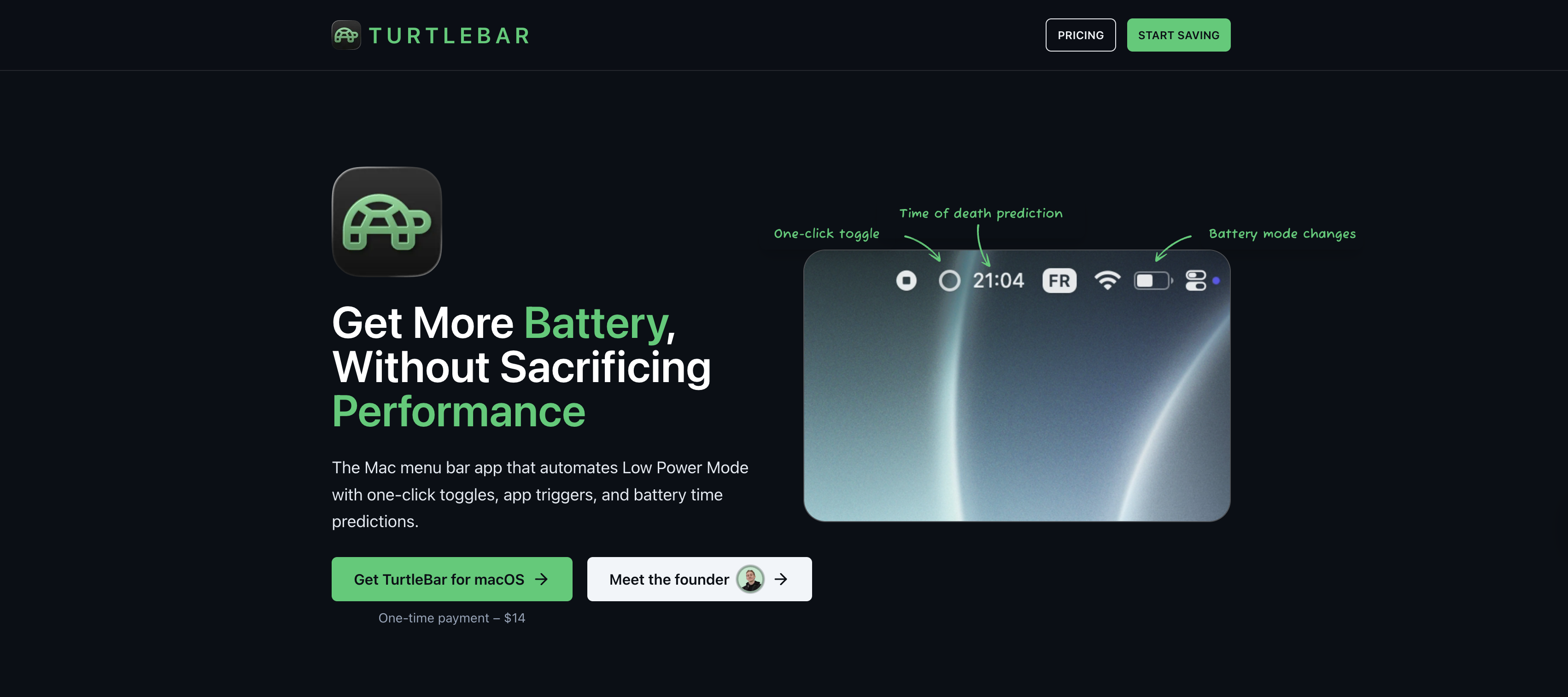
- Battery End-Time Prediction: TurtleBar provides an estimated time of day your battery will run out, displayed conveniently in the menu bar. This eliminates guesswork and helps users plan their work or travel more effectively.
- Lightweight Design: Designed with efficiency in mind, TurtleBar maintains a minimal system footprint, averaging around 1% CPU usage. This ensures the app itself doesn't contribute significantly to battery drain, a common issue with some other utility applications.
- Enterprise Features: For teams and businesses, TurtleBar offers unlimited seats and devices, a team dashboard, MDM deployment, and direct founder support, making it suitable for managed environments.
Potential Drawbacks & Areas for Improvement
While TurtleBar offers a compelling solution, there are a few areas for consideration and potential improvement. The product information doesn't explicitly detail the specific parameters within Low Power Mode that TurtleBar can control beyond simply enabling or disabling it. For instance, whether it can selectively manage background app refresh, screen refresh rate, or other system-level optimizations that contribute to power saving would be valuable information.
Furthermore, while the app-based triggers are a significant advantage, providing more complex rule sets could enhance its utility. For example, allowing users to define rules based on a combination of factors, such as "Low Power Mode on if battery is below 20% AND I open a non-critical application" could offer even greater control. Other battery-saving apps sometimes offer features like setting charging limits (e.g., AlDente Pro) or managing CPU usage for specific apps (e.g., App Tamer), which are not explicitly mentioned for TurtleBar. Integrating such advanced battery health management features could further elevate TurtleBar's offering.
Bottom Line & Recommendation
TurtleBar - Smart Battery Saver for Mac is a well-designed and highly useful utility for any Mac user looking to extend their battery life and gain more intelligent control over Low Power Mode. Its intuitive menu-bar interface, one-click toggle, and robust automation rules make it a standout solution for managing power consumption. If you find yourself constantly adjusting your Mac's power settings or frequently running low on battery, TurtleBar provides a streamlined and effective way to optimize your device's endurance. It's particularly recommended for users who juggle various applications and need their Mac to adapt its power profile seamlessly without manual intervention. For a "tiny macOS menu-bar app," TurtleBar delivers significant value in achieving "one-click battery harmony for busy Mac days."
Featured AI Applications
Discover powerful tools to enhance your productivity
MindMax
New Way to Interact with AI
Beyond AI chat, transforming conversations into an infinite canvas. Combining brainstorming, mind mapping, critical and creative thinking tools to help you visualize ideas, solve problems efficiently, and accelerate learning.
AI Slides
AI Slides with Markdown
Revolutionary slide creation fusing AI intelligence with Markdown flexibility - edit anywhere, optimize anytime, iterate easily. Turn every idea into a professional presentation instantly.
AI Markdown Editor
Write Immediately
Extremely efficient writing experience: AI assistant, slash commands, minimalist interface. Open and write, easy writing. ✍️ Markdown simplicity + 🤖 AI power + ⚡ Slash commands = Perfect writing experience.
Chrome AI Extension
AI Assistant Anywhere
Transform your browsing experience with FunBlocks AI Assistant. Your intelligent companion supporting AI-driven reading, writing, brainstorming, and critical thinking across the web.