Tweek: Your Digital Answer to the Analog Planner
Minimal weekly planner
Published: 11/15/2025
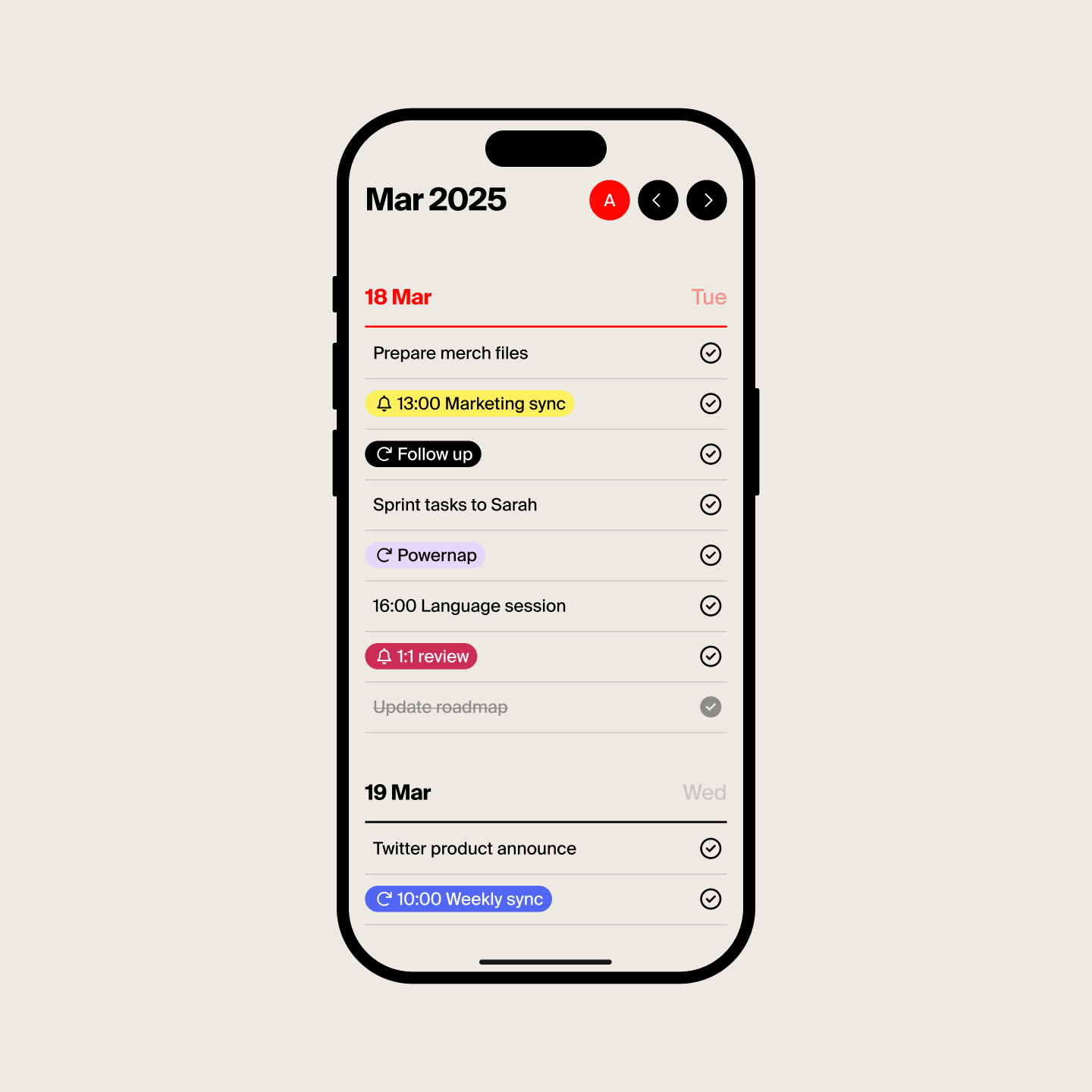
Tweek is a refreshing take on the digital planner, positioning itself as a "minimal weekly planner" that aims to replicate the natural, uncluttered feel of pen and paper. In an age of increasingly feature-rich and sometimes overwhelming productivity apps, Tweek offers a serene, streamlined experience for individuals who value simplicity and a clear weekly overview. It's designed for anyone seeking to organize their tasks and schedule without getting bogged down by excessive functionalities.
The product targets a broad audience, from casual users to busy professionals, who appreciate a straightforward approach to managing their weekly commitments. Its core value proposition lies in its minimalist aesthetic and intuitive design, making planning and prioritizing feel effortless and stress-free.
Problem & Solution
Many modern task managers and digital planners can become overly complex, leading to more time spent organizing than actually accomplishing tasks. The abundance of features, floating boxes, and buttons can create a sense of digital clutter and anxiety for users.
Tweek addresses this by deliberately stripping away the "fuss" and focusing on the essentials of weekly planning. It offers a clean, visual weekly calendar layout that resembles a traditional paper planner, providing a soothing sense of familiarity and control. By prioritizing simplicity, Tweek helps users maintain focus and boosts productivity by making task management easy to grasp and utilize, thus filling a market gap for those who feel overwhelmed by more robust project management tools.
Key Features & Highlights
Tweek's strength lies in its carefully curated set of features that enhance the minimalist planning experience:
- Intuitive Weekly View: The primary interface presents a weekly calendar, allowing users to see their entire week at a glance, including weekends. This visual overview is central to Tweek's "paper-like" feel.
- Effortless Task Management: Users can easily add tasks, notes, checklists, and even subtasks within their weekly plan.
- Visual Prioritization: The app incorporates a color palette and planner stickers, enabling users to highlight important tasks and events, mimicking the use of highlighters and sticky notes in a physical planner.
- Google Calendar Sync: For those who rely on external calendars, Tweek offers seamless, one-way synchronization with Google Calendar (a premium feature), ensuring all commitments are in one place.
- Recurring Tasks & Reminders: Automate routine tasks and ensure nothing is missed with recurring task functionality and email or push notifications.
- Printable Templates: Tweek allows users to print their weekly schedules, either filled out or as blank templates, catering to those who still appreciate a physical copy or are transitioning from paper to digital planning.
- Cross-Platform Availability: Tweek is available on iOS, Android, and web, offering flexibility for users across various devices.
Potential Drawbacks & Areas for Improvement
While Tweek excels in its simplicity, this focus can also present some limitations for certain users. For instance, the app does not offer hourly scheduling, which might be a drawback for individuals who require a more granular breakdown of their day. Additionally, while it provides subtasks, it's strictly a to-do list app and not a full-fledged project manager, meaning it might not suffice for complex projects requiring extensive features like Gantt charts or detailed progress tracking.
Some users have noted that the "Someday" feature for untriaged tasks can be somewhat tedious to access, requiring scrolling. Furthermore, while iCloud syncing is smooth between Apple devices, the experience on larger screens like the iPad has been mentioned as having "awkward gaps of white space" and occasional glitches, suggesting room for optimization in its multi-device responsiveness. The premium version, while offering valuable features like unlimited calendars and recurring tasks, might feel counterintuitive for users whose workflow becomes so complex that Tweek's inherently scanty features might no longer be sufficient.
Bottom Line & Recommendation
Tweek is an excellent choice for individuals who are tired of feature-bloated productivity apps and yearn for a digital planning experience that mirrors the simplicity and clarity of a paper planner. Its clean design, intuitive weekly view, and essential task management features make it ideal for anyone looking to organize their personal and professional life without unnecessary distractions.
If you're a visual planner, someone seeking a straightforward way to manage weekly priorities, or even a casual user who wants to keep track of high-level deadlines and chores, Tweek comes highly recommended. It's a "sweet spot" between a calendar and a task manager, offering a refreshing and effective approach to staying organized and productive. While those who require extensive project management capabilities or detailed hourly scheduling might need to look at alternatives like Todoist or TickTick, Tweek perfectly fulfills its promise of being a truly "minimal weekly planner."
Featured AI Applications
Discover powerful tools to enhance your productivity
MindMax
New Way to Interact with AI
Beyond AI chat, transforming conversations into an infinite canvas. Combining brainstorming, mind mapping, critical and creative thinking tools to help you visualize ideas, solve problems efficiently, and accelerate learning.
AI Slides
AI Slides with Markdown
Revolutionary slide creation fusing AI intelligence with Markdown flexibility - edit anywhere, optimize anytime, iterate easily. Turn every idea into a professional presentation instantly.
AI Markdown Editor
Write Immediately
Extremely efficient writing experience: AI assistant, slash commands, minimalist interface. Open and write, easy writing. ✍️ Markdown simplicity + 🤖 AI power + ⚡ Slash commands = Perfect writing experience.
Chrome AI Extension
AI Assistant Anywhere
Transform your browsing experience with FunBlocks AI Assistant. Your intelligent companion supporting AI-driven reading, writing, brainstorming, and critical thinking across the web.