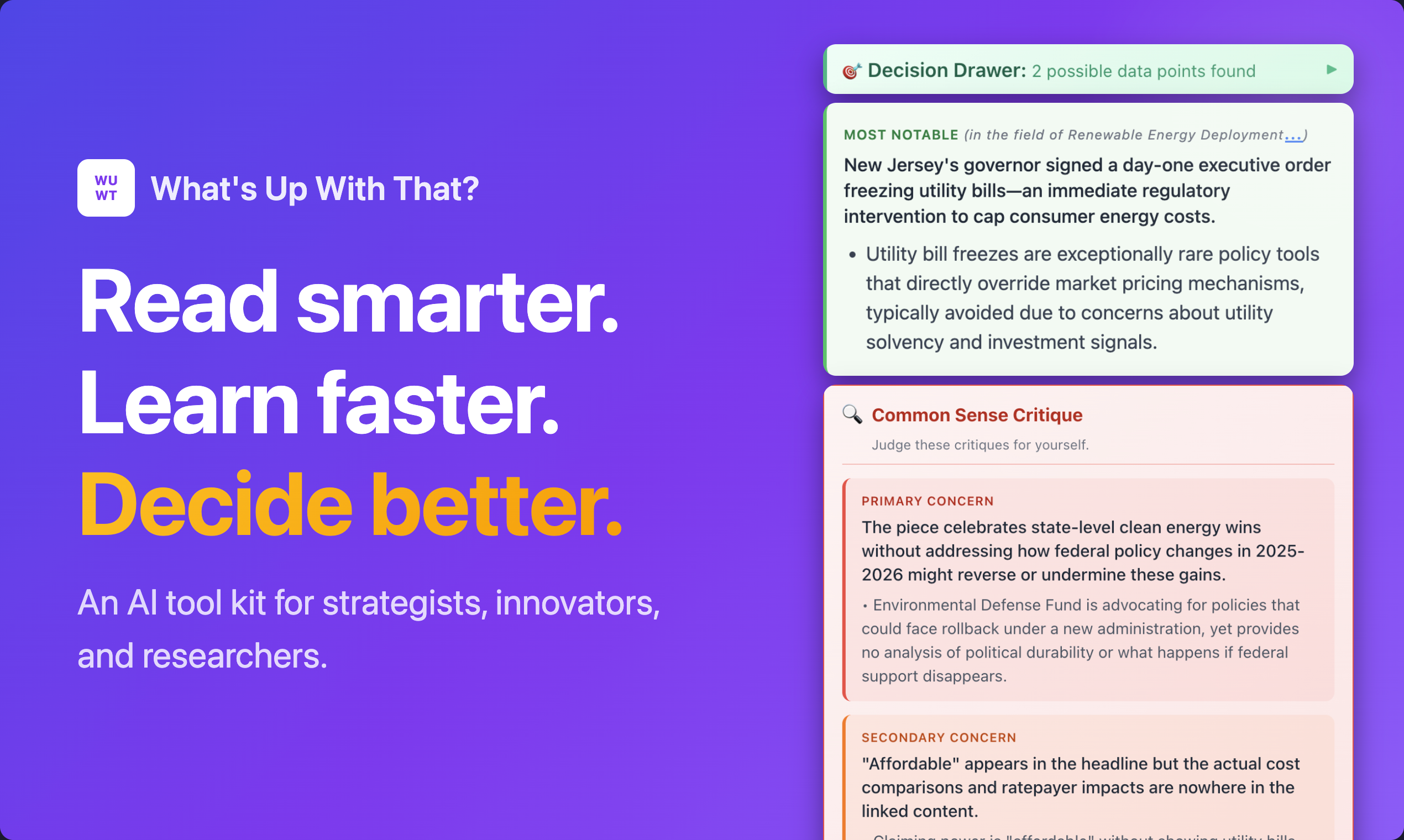
What's Up With That? Review: Your Instant Co-Pilot for Deep Reading and Research
Get instant insights about the topic you're reading about
Published: 2/27/2026
Product Overview: Decoding the Information Deluge
What's Up With That? (WUWT) enters the crowded field of productivity and knowledge management with a bold promise: transforming casual reading into expert-level comprehension in mere seconds. It presents itself as an indispensable browser extension for anyone grappling with the sheer volume of information in the modern digital landscape, from industry professionals to lifelong learners. Essentially, WUWT acts as an instant research assistant embedded directly within your reading flow, capable of providing deep context on any subject matter you encounter online.
The core appeal of What's Up With That? lies in its ability to synthesize complex, real-time industry knowledge and apply it directly to the article you are currently viewing. Instead of pausing your reading to open new tabs, search databases, or try to recall background information, WUWT aims to deliver that crucial context—the "state of the art"—in under ten seconds. This positions it as a significant efficiency booster for knowledge workers and dedicated researchers who need to stay current without being bogged down by slow information retrieval.
The extension targets an audience that values speed, depth, and structured analysis. If your work involves constantly consuming and processing new industry news, white papers, or complex reports, What's Up With That? strives to be the tool that bridges the gap between surface-level consumption and actionable, informed understanding.
Problem & Solution: Bridging the Knowledge Gap Instantly
The primary problem What's Up With That? seeks to solve is contextual ignorance in rapid reading environments. When you read a cutting-edge article, it's easy to miss the subtle implications, the recent breakthroughs, or the prevailing industry consensus because that background knowledge isn't immediately available. Traditional research methods—pausing, searching, and synthesizing—break concentration and introduce significant friction.
WUWT circumvents this by proactively mapping the "state of the art" for any given topic in real-time. It doesn't just define terms; it builds a dynamic map of current thinking. The solution is delivered through a single-click operation that immediately surfaces relevant, high-level context directly related to the article text. Furthermore, by integrating advanced analytical tools like mental models, it moves beyond simple summarization into deeper, structured thinking—a capability many other reading aids lack.
Key Features & Highlights: Analysis Meets Automation
The feature set of What's Up With That? is remarkably ambitious, blending real-time intelligence with analytical power. The most impressive feature is undoubtedly the real-time map of the state of the art, which provides instant, deep context on any topic encountered while reading. This immediacy is the product's central unique selling point.
Beyond mere context, the extension elevates the user's analytical capacity with a suite of ready-to-use AI tools based on established mental models. The ability to run an article through a Red Team analysis or generate a Causal Loop Diagram based on the content without leaving the page is a massive leap for critical thinking support.
Key highlights also include:
- Rapid Context Delivery: Stating an insight time of under 10 seconds.
- Personalized Research Plans: Offering a structured path forward for deeper investigation with a single click.
- Automated Data Capture: The ability to auto-capture key data points relevant to ongoing decisions as you read, turning passive reading into active, documented synthesis.
The emphasis here is clearly on moving the user from consumption to creation and decision-making swiftly.
Potential Drawbacks & Areas for Improvement
While the feature set sounds incredibly powerful, the ambition of What's Up With That? naturally introduces potential areas for scrutiny. The effectiveness of a real-time "state of the art" map relies heavily on the quality, freshness, and breadth of the underlying data sources. A potential drawback could be the risk of superficial analysis if the underlying synthesis is not truly comprehensive or if it relies too heavily on easily accessible, rather than truly cutting-edge, sources.
Furthermore, while having 35 AI tools is impressive, the sheer number might be overwhelming. A suggestion for improvement would be to implement a smarter, adaptive interface that prioritizes the most relevant mental model tool based on the detected article content, perhaps using a "Recommended Analysis" feature. Additionally, for a tool that captures data points, clearer integration or export options (e.g., direct integration with Notion, Roam, or dedicated decision logs) would significantly enhance the utility of the captured information for long-term knowledge organization.
Bottom Line & Recommendation
What's Up With That? is a must-try product for researchers, industry analysts, corporate strategists, and advanced students who need to maintain a high-bandwidth connection to evolving industry knowledge. If you frequently find yourself wishing you knew the full background context while reading complex material, this extension promises to be a significant time-saver and comprehension accelerator. It moves beyond simple summarization tools by embedding advanced critical thinking frameworks directly into the reading process. Overall, What's Up With That? presents a compelling vision for the future of informed, efficient digital consumption and deserves attention from anyone serious about staying ahead of the curve in their field.
Featured AI Applications
Discover powerful tools to enhance your productivity
MindMax
New Way to Interact with AI
Beyond AI chat, transforming conversations into an infinite canvas. Combining brainstorming, mind mapping, critical and creative thinking tools to help you visualize ideas, solve problems efficiently, and accelerate learning.
AI Slides
AI Slides with Markdown
Revolutionary slide creation fusing AI intelligence with Markdown flexibility - edit anywhere, optimize anytime, iterate easily. Turn every idea into a professional presentation instantly.
AI Markdown Editor
Write Immediately
Extremely efficient writing experience: AI assistant, slash commands, minimalist interface. Open and write, easy writing. ✍️ Markdown simplicity + 🤖 AI power + ⚡ Slash commands = Perfect writing experience.
Chrome AI Extension
AI Assistant Anywhere
Transform your browsing experience with FunBlocks AI Assistant. Your intelligent companion supporting AI-driven reading, writing, brainstorming, and critical thinking across the web.