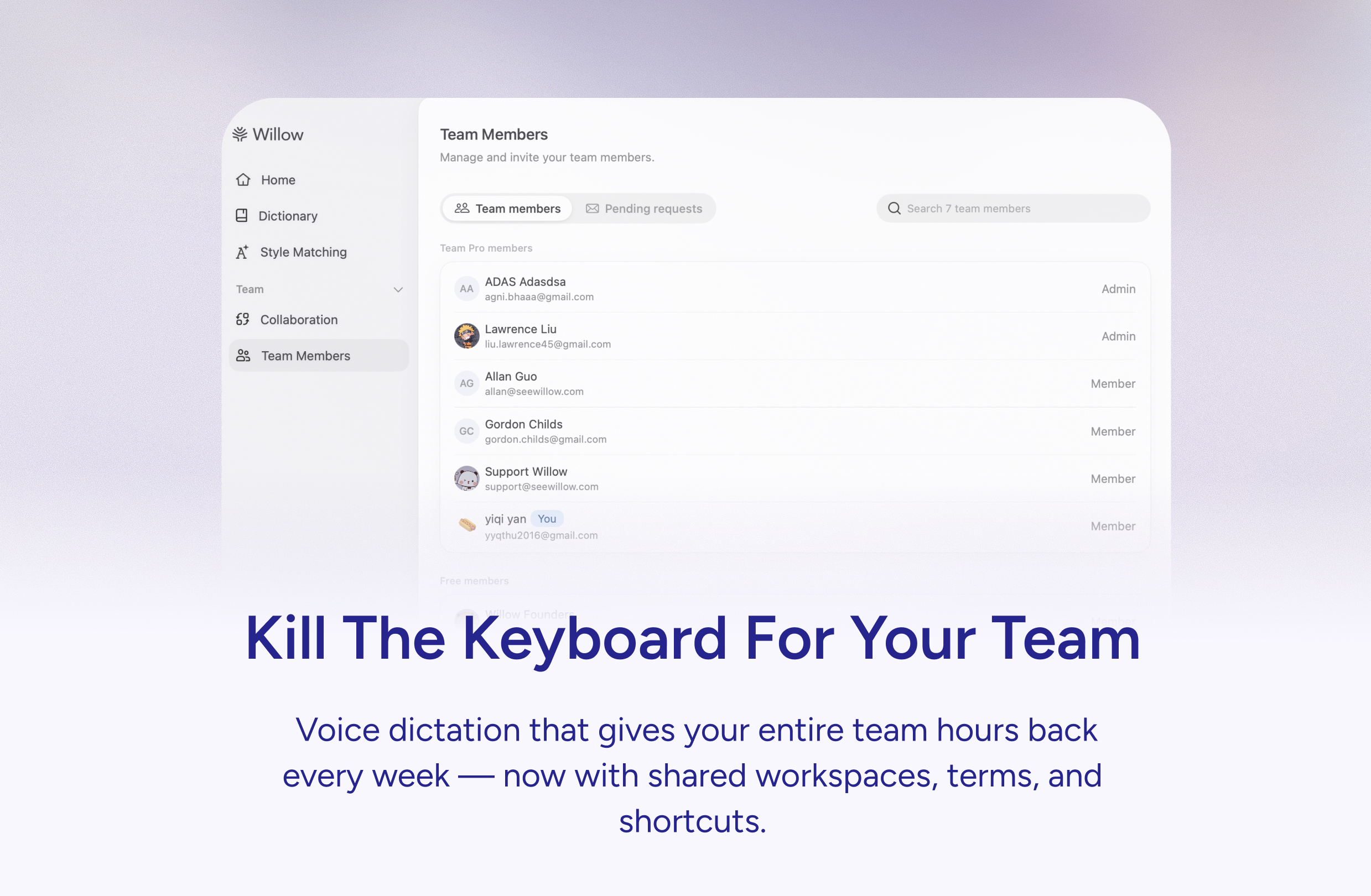
Willow Voice for Teams Review: Killing the Keyboard with Context-Aware AI Dictation
Kill the keyboard for your team with voice AI
Published: 3/5/2026
Product Overview: The Future of Team Communication Input
Willow Voice for Teams is an innovative productivity tool aiming to fundamentally change how teams input text, moving away from traditional keyboard typing towards seamless, highly accurate voice dictation. Pitched as the solution to "kill the keyboard for your team," Willow is essentially an enterprise-grade voice-to-text solution embedded directly into your workflow. It promises to translate spoken words into perfectly formatted text across any application on your computer.
This tool is specifically engineered for knowledge workers, customer support agents, legal professionals, healthcare providers, and any team dealing with specialized, jargon-heavy documentation. Its core value proposition lies in its adaptability: it learns your company’s specific language—including proprietary names, acronyms, and industry-specific terminology—ensuring transcription accuracy that generic dictation tools simply cannot match.
The central focus of Willow Voice for Teams is creating an efficient, error-free, and hands-free text generation environment. By baking in team-specific knowledge and providing instant text expansion shortcuts, Willow aims to significantly boost typing speed and reduce time spent proofreading contextually incorrect outputs.
Problem & Solution: Bridging the Accuracy Gap in Voice Input
The primary problem Willow tackles is the perennial frustration with general voice-to-text software in professional environments. Standard dictation tools often falter when encountering proper nouns, complex acronyms (like "DRP" or "SaaS"), or internal project code names, forcing users to constantly stop dictating, manually correct text, and slow down their workflow. For teams operating under compliance requirements, this inaccuracy is compounded by security concerns.
Willow solves this by introducing a shared, customizable knowledge base. Instead of relying on a generic dictionary, Willow Voice for Teams allows administrators to upload or train the AI on company-specific vocabulary. Furthermore, it introduces a powerful mechanism for efficiency: shared team shortcuts. A team member can dictate a simple trigger word, and Willow instantly inserts a complex, pre-approved block of text, such as a full email signature, standardized compliance disclaimer, or a frequently used technical template. This context-aware intelligence fills a significant market gap between basic transcription and true professional efficiency tools.
Key Features & Highlights: Tailored Dictation Excellence
The feature set of Willow Voice for Teams clearly targets enterprise readiness and high productivity gains. The most notable capabilities revolve around customization and security.
- Context-Aware AI Dictation: The AI learns the specific dialect and terminology used within your organization, leading to unparalleled accuracy for technical and industry language.
- Shared Team Shortcuts: This is a standout feature. It allows for the instant insertion of lengthy text blocks (templates, boilerplate responses) using simple voice commands, drastically speeding up communication tasks like drafting support tickets or standardized reports.
- Ubiquity: The description notes that Willow works "anywhere on your computer," suggesting deep integration across operating systems and applications—a crucial factor for seamless adoption.
- Compliance Ready: Crucially for regulated industries, the platform touts SOC 2 and HIPAA compliance. This signals a commitment to data security and privacy, making it viable for healthcare, finance, and legal sectors where data handling is paramount.
The user experience, based on the concept, seems designed for minimal friction: speak naturally, and the text appears correctly formatted and contextually appropriate everywhere you work.
Potential Drawbacks & Areas for Improvement
While the proposition for Willow Voice for Teams is exciting, potential users should consider a few areas where refinement or further clarity would be beneficial.
The reliance on a shared knowledge base requires initial setup and ongoing maintenance. If the company has a rotating team or rapidly evolving terminology, keeping the AI model perfectly tuned could become an administrative overhead. A clearer management interface for term uploads and conflict resolution would be beneficial.
Furthermore, while the product promises to work "anywhere," integration depth often varies. Does it offer native plugins for major platforms like Microsoft Office 365 or Google Workspace, or does it rely solely on system-level hooks? Providing case studies or clearer documentation on complex application compatibility would alleviate adoption hesitancy for highly specialized software environments. Finally, while compliance is noted, transparent details on data residency and encryption protocols would further strengthen trust for highly sensitive data environments.
Bottom Line & Recommendation
Willow Voice for Teams is a powerful candidate for any organization looking to seriously integrate voice input into its daily operations, especially those burdened by high volumes of technical jargon or standardized response requirements. If your team spends significant time typing repetitive boilerplate language or constantly correcting transcription errors caused by proprietary terminology, Willow offers a compelling ROI through efficiency gains and reduced error rates.
I highly recommend this product for IT managers, Customer Success Directors, and administrative leads in compliance-heavy sectors. By focusing on shared context and workflow integration, Willow Voice for Teams moves voice dictation from a novelty input method to an essential enterprise efficiency tool. Give it a try if you are ready to ditch the manual typing grind.
Featured AI Applications
Discover powerful tools to enhance your productivity
MindMax
New Way to Interact with AI
Beyond AI chat, transforming conversations into an infinite canvas. Combining brainstorming, mind mapping, critical and creative thinking tools to help you visualize ideas, solve problems efficiently, and accelerate learning.
AI Slides
AI Slides with Markdown
Revolutionary slide creation fusing AI intelligence with Markdown flexibility - edit anywhere, optimize anytime, iterate easily. Turn every idea into a professional presentation instantly.
AI Markdown Editor
Write Immediately
Extremely efficient writing experience: AI assistant, slash commands, minimalist interface. Open and write, easy writing. ✍️ Markdown simplicity + 🤖 AI power + ⚡ Slash commands = Perfect writing experience.
Chrome AI Extension
AI Assistant Anywhere
Transform your browsing experience with FunBlocks AI Assistant. Your intelligent companion supporting AI-driven reading, writing, brainstorming, and critical thinking across the web.