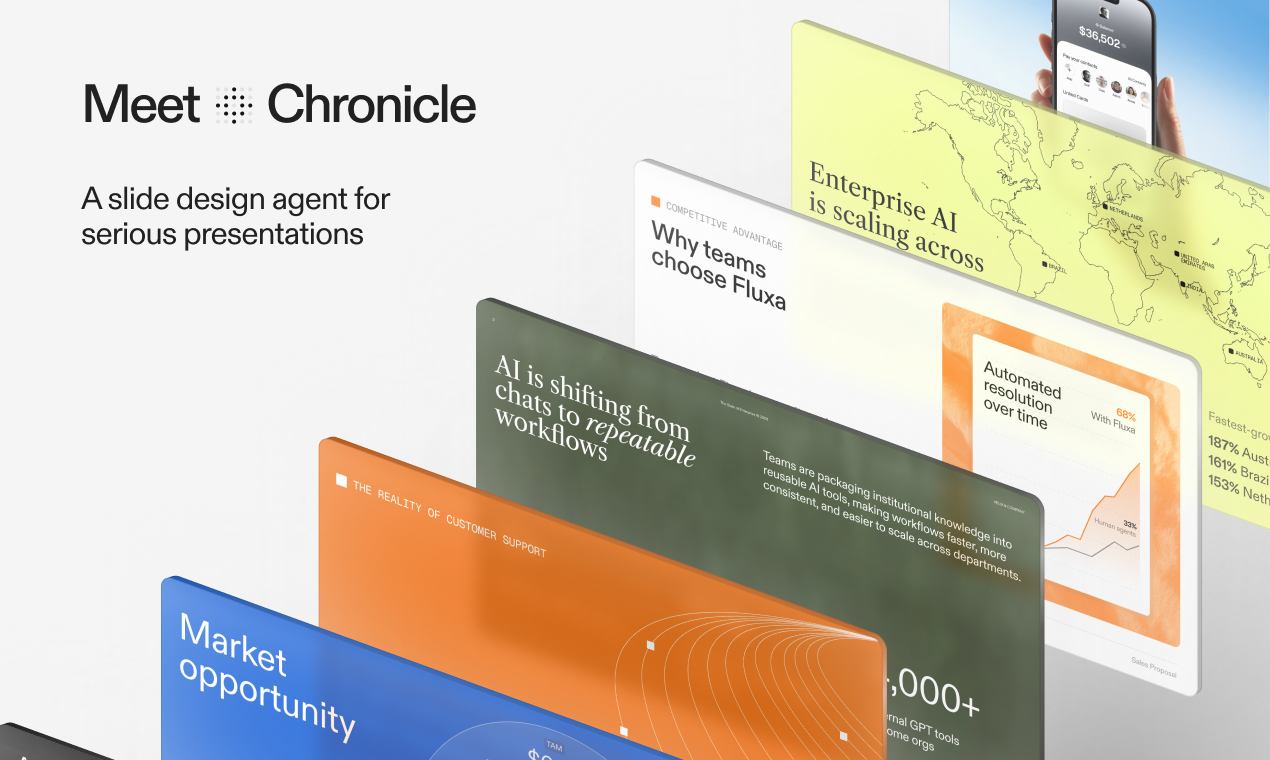
Chronicle 2.0 Review: Delivering Polished Presentations Without the "AI Slop"
AI presentations without the AI slop
发布时间: 3/10/2026
Product Overview: The Next Generation of Presentation Design
Chronicle 2.0 enters the increasingly crowded AI presentation space with a bold promise: delivering high-quality, on-brand slides free from the generic, often soulless output plaguing many current tools. This AI-powered design partner aims to radically streamline the creation of professional presentations, targeting users who need compelling visuals but lack the time or design skills to execute them manually.
At its core, Chronicle 2.0 functions as a sophisticated design assistant. Users can input raw materials—simple text notes, detailed prompts, or even an existing, lackluster presentation deck—and the system generates a visually cohesive first draft. The true innovation seems to lie in its iterative refinement process, allowing users to guide the AI conversationally, ensuring the final output aligns perfectly with their specific narrative and established brand guidelines. This positions Chronicle 2.0 not just as a content generator, but as a true design partner for business professionals, marketers, and educators.
Problem & Solution: Bridging the Gap Between Speed and Quality
The central problem Chronicle 2.0 addresses is the painful trade-off between speed and quality in presentation creation. Traditional tools require significant manual effort to format, choose appropriate layouts, and ensure brand consistency. Existing AI presentation tools often solve the speed issue but frequently result in visually generic or contextually weak slides—the dreaded "AI slop."
Chronicle 2.0 seeks to fill this specific market gap by prioritizing sophisticated design output coupled with intelligent interaction. By asking targeted questions upfront and allowing conversational refinement post-drafting, the tool moves beyond basic template filling. It promises to handle the heavy lifting of visual hierarchy and branding adherence, allowing users to focus purely on the narrative structure, resulting in presentation decks that look professionally designed rather than automatically generated.
Key Features & Highlights: Conversational Refinement Leads the Way
The feature set of Chronicle 2.0 seems squarely focused on enhancing designer quality and user control. The ability to convert notes or existing decks into polished drafts is a powerful time-saver, instantly solving the "blank slide" dilemma.
The most compelling features revolve around personalization and iteration:
- AI-Powered First Draft: Rapid generation of initial slides from minimal input (notes or prompts).
- Conversational Refinement: The ability to iterate and modify slides through natural language interactions, offering granular control without navigating complex menus.
- On-Brand Output: A strong emphasis on adhering to existing brand guidelines, a crucial differentiator for corporate users.
The user experience appears designed to mimic working with a junior designer who understands your vision. Instead of wrestling with color palettes or alignment tools, users simply tell Chronicle 2.0 what they want adjusted, making complex design tweaks accessible even to non-designers. This focus on intuitive, high-fidelity output is the platform’s core unique selling point.
Potential Drawbacks & Areas for Improvement
While the concept of "AI presentations without the AI slop" is highly attractive, the success of Chronicle 2.0 will heavily rely on the execution of its conversational AI and its handling of complex data visualization.
One potential drawback might be the initial onboarding process. If the system requires too much specific input regarding brand colors, fonts, and styles initially, it could slow down the "instant gratification" factor. Furthermore, for highly technical or quantitative presentations, the AI's ability to accurately represent complex data (charts, graphs, statistical breakdowns) through conversation will need rigorous testing. While it handles aesthetics well, ensuring numerical integrity remains paramount.
For future enhancements, integrating seamlessly with popular data sources (like Google Sheets or Salesforce exports) could significantly boost its utility for data-heavy presentations, moving it beyond just text and image layout into true data storytelling.
Bottom Line & Recommendation
Chronicle 2.0 looks like a significant leap forward in intelligent presentation software. If you are a busy professional, sales executive, or startup founder tired of mediocre, time-consuming presentations, this tool is built for you. It promises to deliver the speed of AI generation without sacrificing the polish required for executive review or client pitches.
We strongly recommend giving Chronicle 2.0 a serious look if your primary bottleneck is translating good ideas into visually compelling slides quickly and on-brand. It appears to be the design partner solution that finally delivers on the promise of high-quality, automated presentation creation.
Featured AI Applications
Discover powerful tools to enhance your productivity
MindMax
与AI互动的新方式
超越 AI 聊天,将对话转化为无限画布。结合头脑风暴、思维导图、批判性与创造性思维工具,帮助你可视化想法、高效解决问题、加速学习。
AI Slides
AI 驱动幻灯片,Markdown 魔法加持
革命性幻灯片创作,融合 AI 智能与 Markdown 灵活性 - 随处编辑,随时优化,轻松迭代。让每个想法,都能快速变成专业演示。
AI Markdown Editor
打开即写 - AI驱动的Markdown编辑器
极其高效的写作体验:AI助手、斜杠命令、极简界面。打开即用,轻松写作。✍️ Markdown简洁 + 🤖 AI强大 + ⚡ 斜杠命令 = 完美写作体验
FunBlocks AI Extension
🚀 AI驱动的浏览器扩展
用FunBlocks AI助手改变您的浏览体验。您的智能伴侣,为网络上的AI驱动阅读、写作、头脑风暴和批判性思维提供支持。