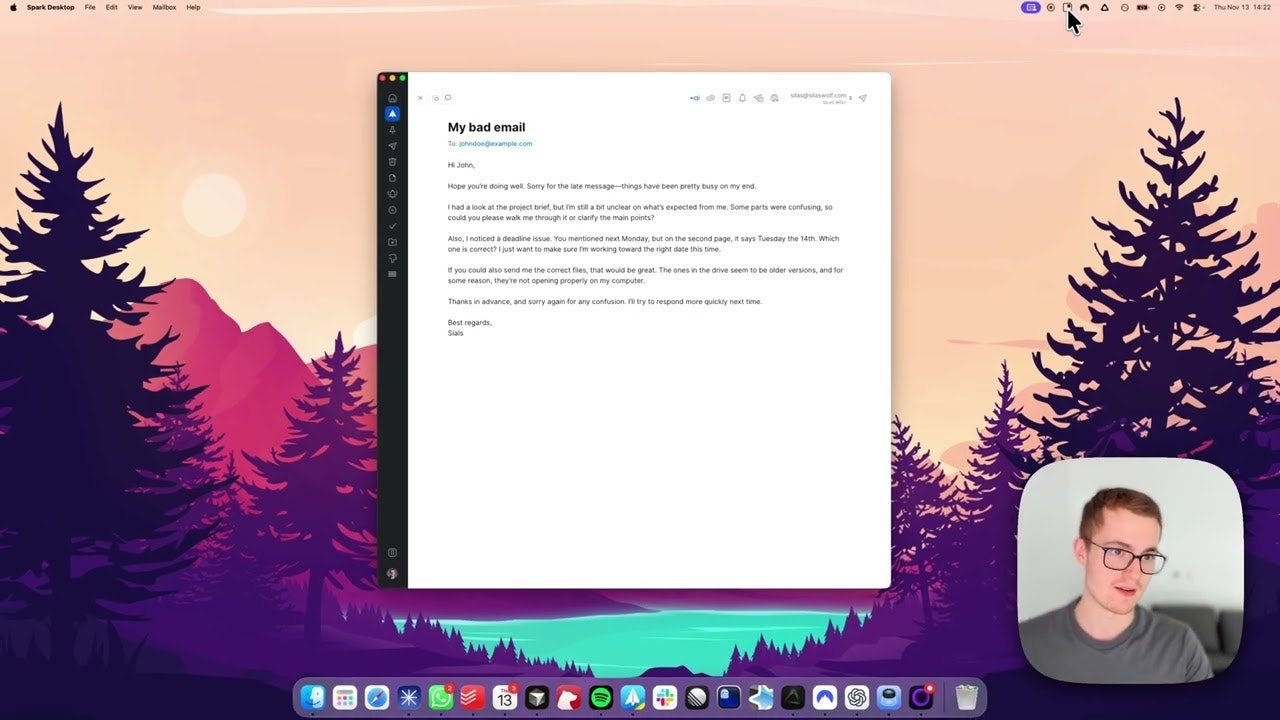
ClipboardAI: Unleashing Instant AI Power with a Shortcut
Instantly run AI prompts with shortcuts, anywhere.
发布时间: 11/15/2025
ClipboardAI is a novel productivity tool designed to seamlessly integrate AI-powered text transformations into any workflow, eliminating the need for constant app-switching and manual copy-ppasting. It allows users to apply custom AI prompts to any selected text using simple keyboard shortcuts, delivering instant results in the applications they are already using. This intelligent assistant aims to revolutionize how individuals interact with text, offering a quick and efficient way to enhance, refine, and translate content.
The target audience for ClipboardAI is broad, encompassing anyone who frequently works with text and utilizes AI tools for tasks like grammar correction, summarization, translation, or tone adjustment. From content creators and data analysts to office professionals and developers, the product offers a significant boost in efficiency by embedding AI capabilities directly into their daily operations. Its core value proposition lies in its ability to provide "instant results" and "no app-switching" convenience, making AI assistance an intuitive part of the user experience.
Problem & Solution: Streamlining AI Text Transformation
The problem ClipboardAI addresses is the cumbersome and time-consuming process often associated with leveraging AI for text manipulation. Traditionally, users would have to copy text from their current application, open an AI tool like ChatGPT, paste the text, type out a prompt, copy the AI's output, and then paste it back into the original application. This multi-step process disrupts focus and reduces productivity, especially for repetitive tasks.
ClipboardAI solves this by drastically simplifying the interaction. By allowing users to define custom AI prompts and assign them to keyboard shortcuts, it transforms what was a five-step process into a two-step one: select text, then press a shortcut. This innovative approach fills a market gap for a truly integrated, "invisible, fast, and woven directly into whatever app people already live in" AI text transformation tool. It stands out from general clipboard managers by focusing specifically on intelligent text manipulation through AI prompts, rather than just advanced copy-paste functionalities or clipboard history.
Key Features & Highlights: AI at Your Fingertips
ClipboardAI boasts several key features that make it a compelling tool for productivity:
- Customizable AI Prompts: Users can create an unlimited number of personalized AI prompts for various tasks, such as fixing grammar, changing tone, summarizing, shortening, or expanding text, and translating to different languages.
- Keyboard Shortcut Integration: The most significant highlight is the ability to trigger these AI prompts with a simple keyboard shortcut after selecting text, removing the need for app-switching.
- Instant Results: The processed text is ready almost instantly, allowing users to either copy it to their clipboard or paste it directly back into their current application.
- Diff View: A "diff view" feature is included to easily show what changes the AI has made, providing transparency and control, especially for critical documents. This addresses concerns about AI silently altering important information.
- Universal Application: ClipboardAI is designed to work "anywhere," meaning users can leverage its capabilities across various applications they already use. This broad compatibility makes it a versatile tool for diverse workflows.
- Semantic AI Capabilities: The underlying technology often leverages semantic AI and machine learning to understand the context of data and intelligently process it, ensuring accurate and meaningful transformations. This allows it to handle various document types, including semi-structured and unstructured data like invoices or emails.
Potential Drawbacks & Areas for Improvement
While ClipboardAI offers significant advantages, there are a few potential drawbacks and areas for improvement. The product information doesn't explicitly state cross-platform compatibility, though similar AI clipboard tools often support Windows, Mac, and sometimes mobile. UiPath's Clipboard AI, a different tool with similar aims, is Windows-only. Clarifying supported operating systems would be beneficial.
Another area for consideration is the potential for an initial learning curve in setting up and optimizing custom prompts and shortcuts. While the promise is "no memorizing prompts," users still need to initially craft effective prompts for their specific needs. Perhaps a community-driven prompt library or more advanced templating options could further enhance ease of use.
Additionally, while the "diff view" is a smart feature, there's always a possibility that AI might introduce subtle changes or inaccuracies, especially with complex or highly specialized text. Continuous improvement in AI model accuracy and user-feedback mechanisms will be crucial. Some users of a different Clipboard AI product noted that it sometimes struggled with variations in wording between documents and systems.
Bottom Line & Recommendation
ClipboardAI is a highly recommended tool for anyone looking to supercharge their productivity by integrating AI text transformations directly into their workflow. It's particularly beneficial for professionals who frequently perform repetitive text-based tasks such as editing, translating, summarizing, or rephrasing across different applications.
Its shortcut-driven approach, coupled with customizable prompts and the helpful diff view, makes it a powerful and efficient solution for streamlining content creation, communication, and data handling. By minimizing context switching and maximizing the accessibility of AI, ClipboardAI delivers on its promise of instant, anywhere AI assistance. If you're tired of the copy-paste-prompt-copy-paste cycle, ClipboardAI is definitely worth trying to experience a more seamless and intelligent way to interact with your text.
Featured AI Applications
Discover powerful tools to enhance your productivity
MindMax
与AI互动的新方式
超越 AI 聊天,将对话转化为无限画布。结合头脑风暴、思维导图、批判性与创造性思维工具,帮助你可视化想法、高效解决问题、加速学习。
AI Slides
AI 驱动幻灯片,Markdown 魔法加持
革命性幻灯片创作,融合 AI 智能与 Markdown 灵活性 - 随处编辑,随时优化,轻松迭代。让每个想法,都能快速变成专业演示。
AI Markdown Editor
打开即写 - AI驱动的Markdown编辑器
极其高效的写作体验:AI助手、斜杠命令、极简界面。打开即用,轻松写作。✍️ Markdown简洁 + 🤖 AI强大 + ⚡ 斜杠命令 = 完美写作体验
FunBlocks AI Extension
🚀 AI驱动的浏览器扩展
用FunBlocks AI助手改变您的浏览体验。您的智能伴侣,为网络上的AI驱动阅读、写作、头脑风暴和批判性思维提供支持。