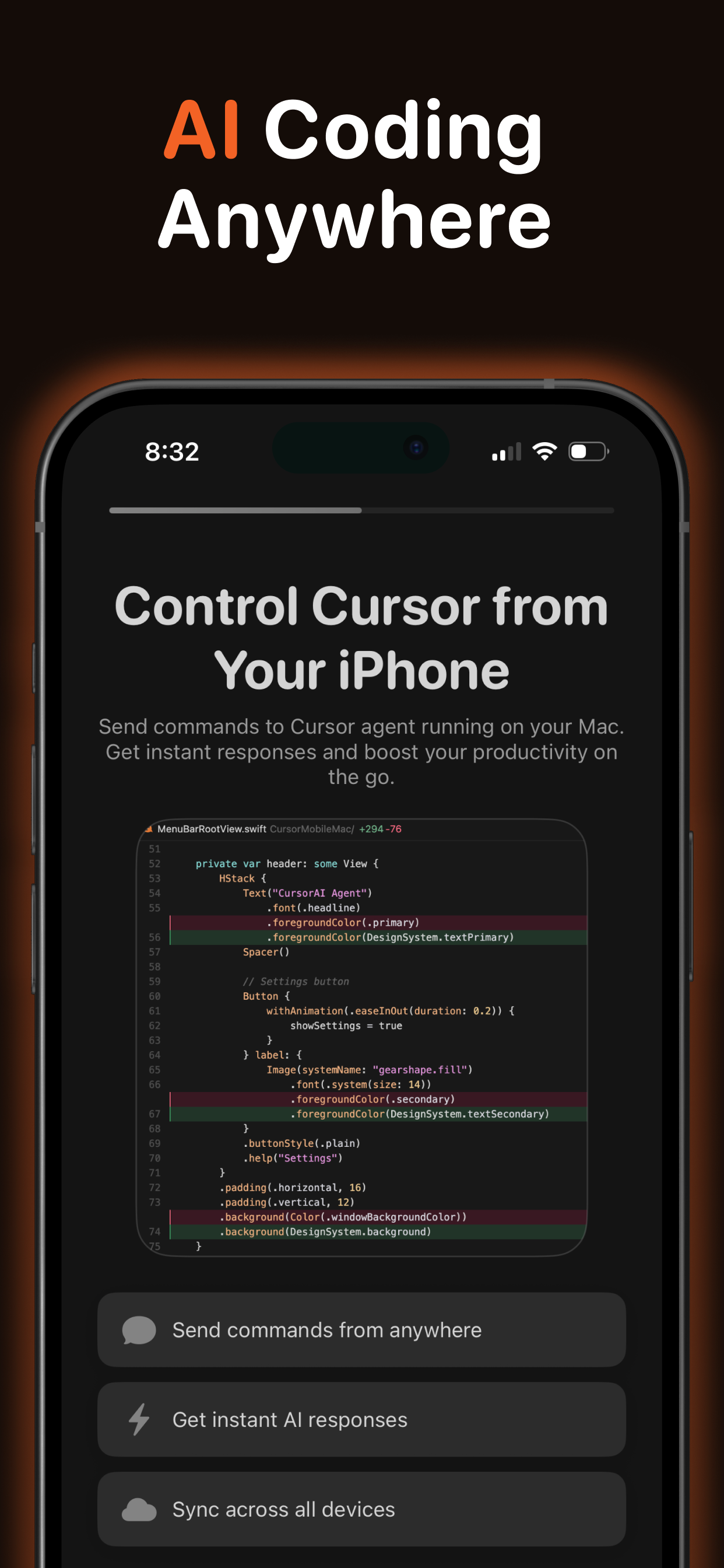
Cursor AI Mobile Review: Your AI Coding Partner, Now in Your Pocket
Сontrol Cursor AI directly from your iPhone
发布时间: 1/15/2026
Product Overview
Cursor AI Mobile is a compelling new offering from the team behind the popular AI-first code editor, Cursor. Tagged as the "companion app for Cursor IDE on iPhone and iPad," this mobile application fundamentally changes how developers interact with their AI coding assistant. It’s not just a static documentation viewer; it’s an active extension of your development environment, allowing you to leverage the power of Cursor AI without being chained to your desktop. The core concept is simple yet powerful: maintain context and issue commands to your sophisticated coding AI, regardless of your physical location.
This app specifically targets the modern developer who needs flexibility and continuity in their workflow. Whether you’re commuting, grabbing coffee, or waiting between meetings, Cursor AI Mobile lets you draft complex prompts, review prior suggestions, or even kickstart a debugging session. The value proposition centers entirely on workflow continuity—ensuring that the intelligence you rely on in your IDE remains accessible and instantly actionable from your mobile device.
Problem & Solution: Bridging the Gap Between Desk and Device
The primary pain point for developers using AI coding tools like Cursor is context switching and location dependency. When inspiration strikes, or you remember a tricky dependency issue while away from your main workstation, you often lose that momentum trying to recall the exact commands or having to wait until you can log back in. Existing solutions often involve copying snippets to mobile note apps or using basic chatbot interfaces that lack connection to the local project context.
Cursor AI Mobile solves this by establishing a direct, low-latency bridge between the iPhone/iPad app and the main Cursor IDE running on your Mac via the Cursor CLI. This architecture means that prompts sent from the mobile interface execute against the actual code context of your running project. The results, including chat history and any generated code suggestions, sync back in real-time. This capability fills a significant market gap: true, context-aware remote interaction with a local AI coding environment.
Key Features & Highlights
The functionality packed into Cursor AI Mobile is focused squarely on seamless integration and immediate utility. The synchronization capability is undoubtedly the star feature, ensuring that the conversation you start on your laptop can be picked up instantly on your phone.
Key highlights include:
- Instant Prompt Execution: Commands initiated on mobile run immediately on the Mac backend, making complex queries feel instant.
- Real-Time Syncing: Chat history and AI responses are mirrored instantly across devices, preserving conversational context.
- Mobile-Optimized Interface: While connecting to a powerful backend, the mobile interface is designed for quick input and review on smaller screens.
The user experience is geared toward maximizing those in-between moments. For instance, a developer could use their phone to ask the AI to refactor a specific function or to generate test cases for a module they were just working on, receiving the output directly into the synchronized chat history ready for review upon returning to the desk. This transforms the mobile app from a passive viewer into an active workflow accelerator for AI-assisted coding.
Potential Drawbacks & Areas for Improvement
While the concept behind Cursor AI Mobile is revolutionary for mobile developer tools, a few considerations are worth noting. The reliance on the Mac IDE being actively running and connected (via the Cursor CLI) means the mobile app is less of a standalone tool and more of a remote control/extension. If the connection drops or the Mac goes to sleep unexpectedly, the immediacy of the experience suffers.
For future enhancements, I would suggest a few additions to truly cement its utility:
- Offline Caching/Drafting: Allow users to draft prompts or view recent, cached chat history even without a stable connection, syncing the moment connectivity is restored.
- Deeper File Navigation: While chat is powerful, having a lightweight view of the local file structure or the ability to specify file paths more easily within the mobile interface would enhance usability for targeted tasks.
- Shortcut/Widget Integration: iOS widgets allowing quick access to pre-set prompts or status checks would further reduce friction.
Bottom Line & Recommendation
Cursor AI Mobile is an essential download for any developer heavily invested in the Cursor ecosystem. It successfully delivers on its promise: giving you control over your powerful AI coding assistant directly from your iPhone. If you value uninterrupted workflow and frequently find yourself away from your primary workstation but still needing access to intelligent coding assistance, this companion app is a game-changer. It sets a new benchmark for how mobile tools should integrate with complex, desktop-based developer workflows. Highly recommended for power users seeking maximum productivity leverage.
Featured AI Applications
Discover powerful tools to enhance your productivity
MindMax
与AI互动的新方式
超越 AI 聊天,将对话转化为无限画布。结合头脑风暴、思维导图、批判性与创造性思维工具,帮助你可视化想法、高效解决问题、加速学习。
AI Slides
AI 驱动幻灯片,Markdown 魔法加持
革命性幻灯片创作,融合 AI 智能与 Markdown 灵活性 - 随处编辑,随时优化,轻松迭代。让每个想法,都能快速变成专业演示。
AI Markdown Editor
打开即写 - AI驱动的Markdown编辑器
极其高效的写作体验:AI助手、斜杠命令、极简界面。打开即用,轻松写作。✍️ Markdown简洁 + 🤖 AI强大 + ⚡ 斜杠命令 = 完美写作体验
FunBlocks AI Extension
🚀 AI驱动的浏览器扩展
用FunBlocks AI助手改变您的浏览体验。您的智能伴侣,为网络上的AI驱动阅读、写作、头脑风暴和批判性思维提供支持。