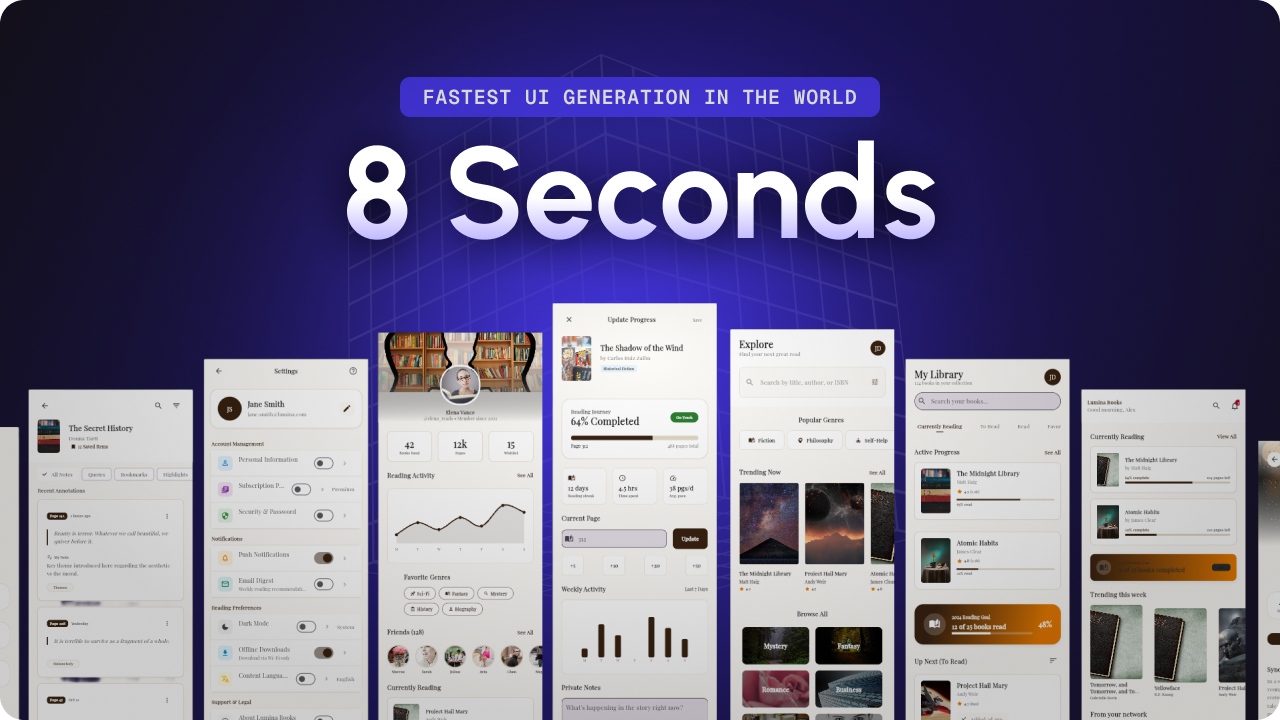
FF Designer Review: Finally, AI Design That Honors Your Workflow
Generate beautiful UI designs that you can instantly edit
发布时间: 2/19/2026
Product Overview: Bridging the Gap Between Concept and Code
FF Designer enters a crowded field of generative AI design tools, yet it immediately distinguishes itself with a sharp focus on workflow continuity. While many AI design platforms promise rapid prototyping, they often trap users in frustrating feedback loops requiring constant re-prompting for minor adjustments. FF Designer positions itself as the solution to this stagnation. It promises to generate visually stunning, functional UI screens in mere seconds, crucially backing up that speed with deep, immediate visual editability.
This tool is squarely aimed at UI/UX designers, product managers, and developers who need high-fidelity mockups without sacrificing granular control. If you've ever found an AI-generated design almost perfect but then spent an hour trying to guide the AI to change a button color or adjust component spacing, FF Designer aims to eliminate that friction. Its core value proposition is simple yet revolutionary in this space: AI speed married to traditional design flexibility.
Problem & Solution: Escaping the AI Prompt Prison
The central problem FF Designer tackles is the "AI inertia." Current generative design solutions often serve as excellent idea starters but fail dramatically at the iteration stage. Designers spend valuable time trying to translate the AI's abstract understanding into concrete, production-ready assets, often resulting in exported static images rather than flexible components. This destroys the crucial momentum designers rely on.
FF Designer solves this by ensuring that the output isn't just a beautiful render, but a truly editable canvas. It fills a significant market gap: the need for a tool that understands natural language instructions for initial creation but seamlessly transitions to direct manipulation (like in Figma or Sketch) once the initial structure is set. It moves beyond simple text-to-image generation by integrating the necessary editing layers right from the start, ensuring "no loops, just flow."
Key Features & Highlights: Instant Polish, Infinite Control
The true genius of FF Designer lies in its dual functionality. The speed of generation—delivering polished screens in seconds—is impressive, especially compared to competitors that can take minutes or require substantial fine-tuning. However, the standout feature is the immediate editability. This suggests that the AI output is intelligently structured, allowing users to click, drag, and modify elements, styles, and layouts directly, much like working in a conventional design suite.
Key highlights revolve around this seamless transition:
- Rapid Screen Generation: Utilizing AI to quickly scaffold complex UI layouts.
- Full Visual Editability: The ability to modify colors, typography, spacing, and components instantly after generation.
- Export Flexibility: Supporting download or export options, suggesting compatibility with common design workflows or even code handoff preparation.
The user experience appears designed to respect the designer's time. Instead of abstract parameters, FF Designer seems to offer tangible, editable results immediately, drastically speeding up the exploration phase of any design sprint.
Potential Drawbacks & Areas for Improvement
As with any disruptive technology, there are inherent trade-offs. While the promise of instant editability is compelling, the actual depth of that editing capability will determine long-term utility. Does FF Designer offer the same level of granular control over complex auto-layout systems or component libraries found in industry leaders like Figma? If the AI locks down certain elements too rigidly, designers might still face frustration when attempting highly custom, niche changes.
My primary suggestion for enhancement would be to rigorously test and showcase the component library integration and accessibility compliance. Can users define their existing design tokens or component sets, and does the AI respect those constraints? Furthermore, while the "download/export" option is mentioned, clarity on what formats are supported (e.g., native design files, clean code snippets, SVG) would significantly enhance its appeal to professional teams.
Bottom Line & Recommendation
FF Designer is a mandatory trial for any design professional tired of the back-and-forth inherent in current generative AI design tools. If the promise of instant, editable UI generation holds true, FF Designer represents a significant step forward in designer tooling, finally merging the speed of AI with the necessity of precision.
I strongly recommend that UI/UX designers, especially those working in fast-paced environments or needing quick mockups for stakeholder review, explore this product immediately. It appears poised to become a critical tool in the modern design stack by finally solving the "last mile" problem of AI design output.
Featured AI Applications
Discover powerful tools to enhance your productivity
MindMax
与AI互动的新方式
超越 AI 聊天,将对话转化为无限画布。结合头脑风暴、思维导图、批判性与创造性思维工具,帮助你可视化想法、高效解决问题、加速学习。
AI Slides
AI 驱动幻灯片,Markdown 魔法加持
革命性幻灯片创作,融合 AI 智能与 Markdown 灵活性 - 随处编辑,随时优化,轻松迭代。让每个想法,都能快速变成专业演示。
AI Markdown Editor
打开即写 - AI驱动的Markdown编辑器
极其高效的写作体验:AI助手、斜杠命令、极简界面。打开即用,轻松写作。✍️ Markdown简洁 + 🤖 AI强大 + ⚡ 斜杠命令 = 完美写作体验
FunBlocks AI Extension
🚀 AI驱动的浏览器扩展
用FunBlocks AI助手改变您的浏览体验。您的智能伴侣,为网络上的AI驱动阅读、写作、头脑风暴和批判性思维提供支持。