Instruct 2.5 Review: The Next Generation of Truly Autonomous Work Automation
The most capable way to automate your work
发布时间: 1/6/2026
Instruct 2.5 arrives with a bold claim: to replace the cumbersome "build loop" of traditional automation with immediate, real-world execution. Taglined as "The most capable way to automate your work," this product positions itself squarely in the frontier of autonomous AI agents designed not just to suggest tasks, but to do them across your existing software stack. For professionals drowning in context switching and manual process management, Instruct 2.5 promises a genuine leap forward in operational efficiency.
Product Overview: From Instructions to Execution
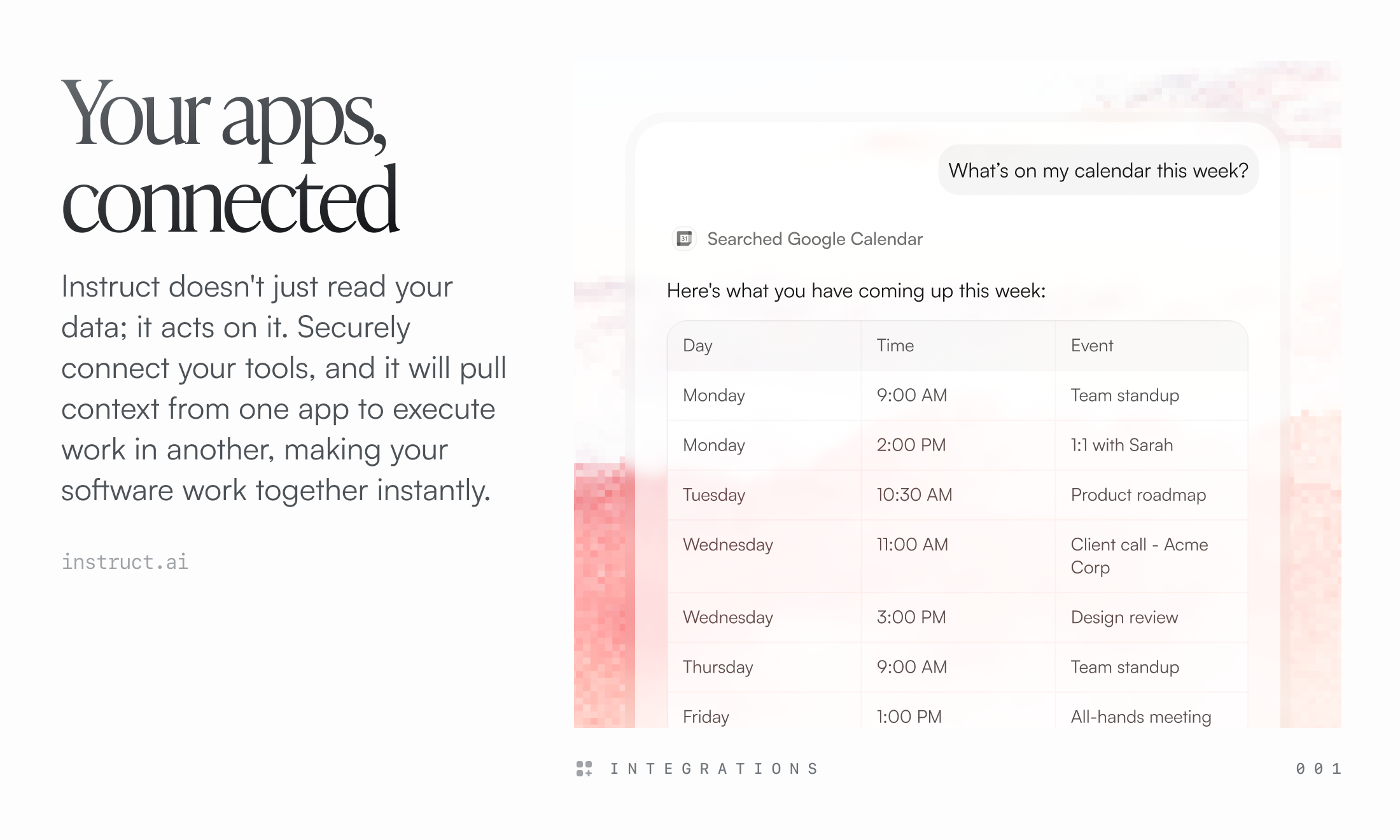
Instruct 2.5 is fundamentally an autonomous agent designed to understand high-level goals and execute them by interacting directly with common business applications like Salesforce, Slack, and Gmail. Unlike workflow builders that require precise flow-chart mapping or simple prompt engineering that stays within a single chat window, Instruct 2.5 promises to navigate, click, input data, and manage context across disparate SaaS tools to achieve a desired outcome.
The target audience is clearly geared toward power users, operations managers, and small teams looking to scale without adding headcount or spending weeks configuring Zapier or custom scripts. Use cases range from complex data migration between systems to proactive follow-up sequences in CRM platforms. The core value proposition is time recovery—transforming the tedious work of "how-to-do-it" into the simple act of "do-this."
Solving the Automation Gap: Seeing is Believing
The persistent problem in modern workflow automation is the gap between intention and implementation. Traditional low-code/no-code tools demand that users become mini-developers, mapping out every conditional branch and API call. Generative AI tools, while powerful, often stop at suggesting the next step or generating code snippets, requiring manual copy-pasting and validation across multiple apps.
Instruct 2.5 addresses this by offering live, observable execution. It fills the market gap left by agents that hide their decision-making. Users aren't just handed a final output; they watch the generalist agent navigate the actual user interface of their business applications. This transparency builds immediate trust and allows for real-time correction, dramatically shortening the feedback cycle that plagues initial automation setup.
Key Features and Highlights of Instruct 2.5
The latest iteration of Instruct 2.5 introduces several compelling features that underscore its focus on practical, immediate utility:
- ⚡ Watch It Work (Live Execution): This is the standout feature. Describing a task—like "Update the lead status for all new webinar signups in Salesforce and notify the relevant salesperson on Slack"—allows the agent to execute this sequence live. Seeing the agent click through the UI is a powerful demonstration of its capability.
- 🛠️ Iterate Live: Automation rarely works perfectly the first time. Instruct 2.5 allows users to intervene via chat mid-process, upload necessary context files, or correct a misstep instantly. This dynamic guidance capability is crucial for complex, multi-step workflows that involve human-readable data.
- 💾 Save as Workflow: Once a successful run is achieved, turning that specific sequence into a permanent, recurring automation is a one-click process. This effectively bridges the gap between experimentation and repeatable operations, a necessary step for any serious business tool.
The user experience is designed around observation and guidance rather than configuration, which lowers the barrier to entry for complex cross-application tasks significantly.
Potential Drawbacks and Areas for Improvement
While the promise of Instruct 2.5 is immense, its reliance on live, visible interaction suggests potential friction points that need addressing.
Firstly, the reliance on UI interaction—watching the agent "navigate apps"—while great for trust, could be a bottleneck for high-volume or latency-sensitive tasks. If an agent takes five minutes to navigate a complex CRM interface to update 100 records, that might be slower than an optimized, backend API integration. We would love to see an option for "headless mode" or API execution for established, trusted workflows once they are saved.
Secondly, security and granular permission control will be paramount. As an agent capable of interacting with sensitive apps like Gmail and Salesforce, clear, easy-to-manage access scopes are essential. Future versions should offer detailed audit logs showing exactly which actions the agent took, down to the button click, for compliance purposes.
Bottom Line & Recommendation
Instruct 2.5 is an exciting development in the world of autonomous work. It moves beyond simple task execution and leans into complex, multi-app choreography, validated through live observation.
Who should try Instruct 2.5? Operations teams, high-level admins, and power users who frequently manage repetitive, multi-tool processes (e.g., sales ops, customer onboarding). If you spend significant time manually bridging the gap between Slack, your CRM, and your email, Instruct 2.5 is highly recommended for immediate testing. It represents a significant step towards truly capable, visible workplace agents.
Featured AI Applications
Discover powerful tools to enhance your productivity
MindMax
与AI互动的新方式
超越 AI 聊天,将对话转化为无限画布。结合头脑风暴、思维导图、批判性与创造性思维工具,帮助你可视化想法、高效解决问题、加速学习。
AI Slides
AI 驱动幻灯片,Markdown 魔法加持
革命性幻灯片创作,融合 AI 智能与 Markdown 灵活性 - 随处编辑,随时优化,轻松迭代。让每个想法,都能快速变成专业演示。
AI Markdown Editor
打开即写 - AI驱动的Markdown编辑器
极其高效的写作体验:AI助手、斜杠命令、极简界面。打开即用,轻松写作。✍️ Markdown简洁 + 🤖 AI强大 + ⚡ 斜杠命令 = 完美写作体验
FunBlocks AI Extension
🚀 AI驱动的浏览器扩展
用FunBlocks AI助手改变您的浏览体验。您的智能伴侣,为网络上的AI驱动阅读、写作、头脑风暴和批判性思维提供支持。