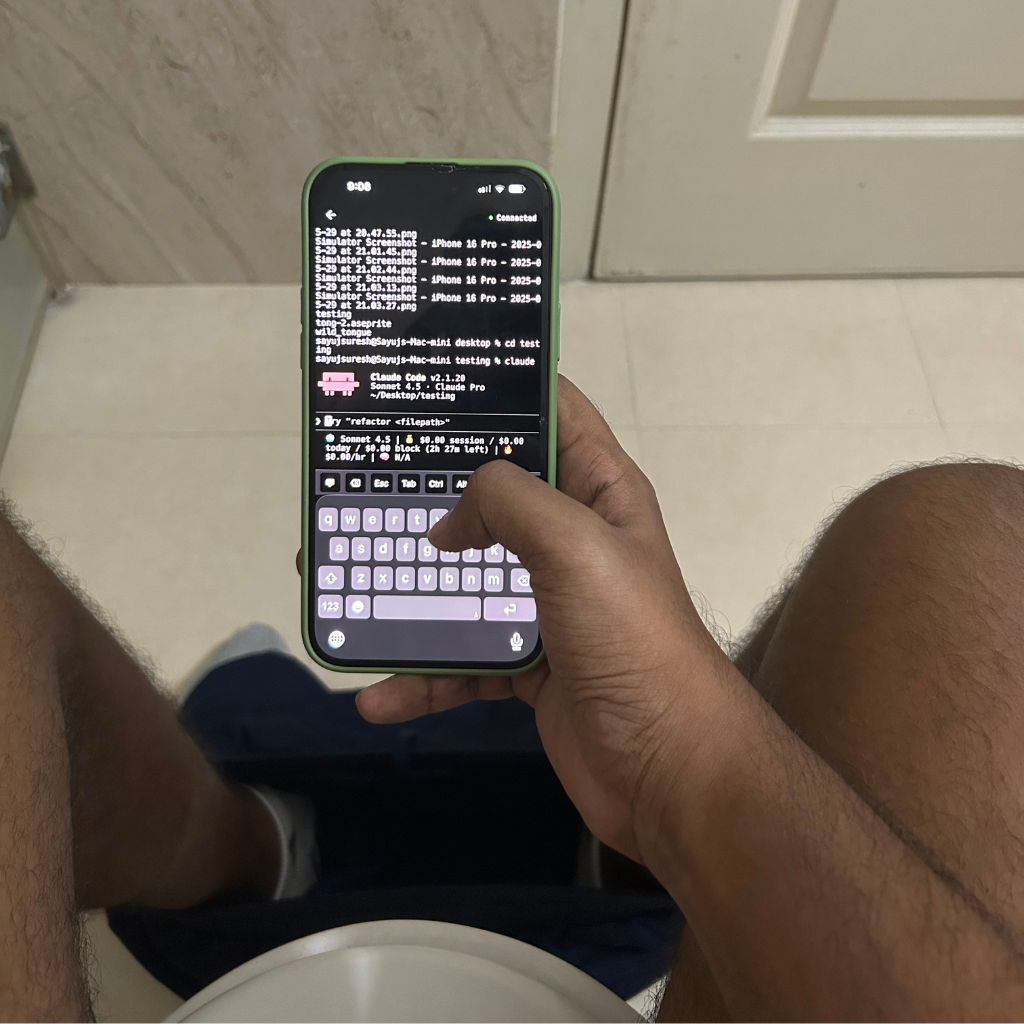
Macky Review: The Ultimate Mobile Terminal Companion for Your Mac
Connect to your Mac terminal from iPhone
发布时间: 2/21/2026
Product Overview: Bringing Your Mac Terminal to Your Fingertips
Macky positions itself as the essential remote access tool for any Mac user who finds themselves away from their keyboard but still needing command-line power. Taglined as the ability to "Connect to your Mac terminal from iPhone," Macky bridges the gap between desktop productivity and mobile convenience. In essence, Macky transforms your iPhone into a fully functional, remote command-line interface for your primary macOS machine. This isn't just a file viewer; it's about maintaining operational continuity, whether you're grabbing a coffee downstairs, relaxing on the couch, or simply needing to kick off a quick script without booting up your laptop.
The target audience is clear: developers, system administrators, IT professionals, and power users who rely heavily on the Terminal for daily tasks, server management, or coding workflows. The core value proposition of Macky is immediate, on-the-go terminal access, promising that the command line is never more than an arm's reach away, even when the physical Mac itself isn't. For anyone whose workflow stalls without access to ssh, git, or specific utility scripts, Macky offers a compelling solution for true remote command-line autonomy.
Problem & Solution: Eliminating Access Friction
The persistent problem Macky addresses is the inherent friction in remote command-line work. Traditional solutions often involve complex SSH configurations, relying on third-party VPNs, or using less-than-ideal mobile apps that struggle with true interactive shell sessions. If you’ve ever needed to check a log file, restart a local development server, or run a quick maintenance task while away from your desk, you know the frustration of being locked out of your primary machine's shell environment.
Macky solves this by creating a direct, secure-feeling bridge between the iPhone and the Mac terminal. While the exact technical implementation isn't detailed, the promise is a streamlined setup that bypasses many of the traditional hurdles associated with remote shell access. By focusing specifically on the Mac-to-iPhone vertical, Macky suggests a specialized integration that may offer better performance and a more native user experience than generic remote desktop or SSH clients. It aims to fill the market gap for a dead-simple, mobile-first terminal remote for macOS users.
Key Features & Highlights: Mobile Command Power
Based on its function, the key features of Macky revolve around seamless connectivity and a usable mobile interface for command-line interaction. The most notable capability is, of course, the real-time terminal mirroring and input. For a mobile app to be effective here, the user experience (UX) must be stellar, focusing on responsive input and clear output rendering, even on a smaller screen.
Unique selling points likely center on ease of setup—a crucial factor for any utility software—and potentially optimized display settings for common terminal fonts and colors. Users will expect:
- Instant Connection: Low latency between command input on the iPhone and execution on the Mac.
- Secure Tunnelling: Trustworthy security protocols to protect remote access credentials.
- Usable Mobile Input: Optimized on-screen keyboard configurations or gesture support to handle special characters common in the terminal (like Ctrl, Alt, braces, etc.).
If Macky delivers on the promise hinted at in its description—connecting from "the bar, your bed, and lets be real your bathroom"—it means the UX is robust enough for quick, frequent check-ins without requiring complex configuration every time.
Potential Drawbacks & Areas for Improvement
While the core concept is strong, potential drawbacks in a mobile terminal app usually stem from the limitations of the input device. A significant area for improvement for Macky will be the on-screen keyboard experience. Typing complex commands or using keyboard shortcuts (like Ctrl+C, Tab-completion) on a virtual keyboard can be slow and error-prone. Integrating a configurable floating toolbar or a specialized keyboard layer for common terminal keys would drastically enhance usability.
Furthermore, while Mac-to-iPhone is the focus, future versions could benefit from considering more than just the standard shell. Advanced users might look for:
- Support for multiple named sessions or tabs.
- Ability to transfer small files/snippets via copy/paste between the phone and the Mac environment.
- A "disconnect/reconnect" feature that cleanly maintains session state, even if the connection is briefly lost.
Addressing the physical input challenge head-on will be key to moving Macky from a "nice-to-have" utility to an indispensable daily driver.
Bottom Line & Recommendation
Macky is a highly recommended download for any Mac power user, developer, or sysadmin who frequently wishes they could run one more command without physically sitting down at their workstation. If your workflow often requires immediate, text-based interaction with your machine—be it for server monitoring, quick script execution, or checking build statuses—Macky offers a targeted, elegant solution that prioritizes convenience.
Overall, the value proposition hinges on simplicity and reliability. If the connection is stable and the mobile UX is thoughtfully designed around the constraints of the iPhone, Macky could easily become a must-have utility for maintaining constant control over your computing environment, no matter where you are. Give Macky a try if you value productivity that transcends your physical desk.
Featured AI Applications
Discover powerful tools to enhance your productivity
MindMax
与AI互动的新方式
超越 AI 聊天,将对话转化为无限画布。结合头脑风暴、思维导图、批判性与创造性思维工具,帮助你可视化想法、高效解决问题、加速学习。
AI Slides
AI 驱动幻灯片,Markdown 魔法加持
革命性幻灯片创作,融合 AI 智能与 Markdown 灵活性 - 随处编辑,随时优化,轻松迭代。让每个想法,都能快速变成专业演示。
AI Markdown Editor
打开即写 - AI驱动的Markdown编辑器
极其高效的写作体验:AI助手、斜杠命令、极简界面。打开即用,轻松写作。✍️ Markdown简洁 + 🤖 AI强大 + ⚡ 斜杠命令 = 完美写作体验
FunBlocks AI Extension
🚀 AI驱动的浏览器扩展
用FunBlocks AI助手改变您的浏览体验。您的智能伴侣,为网络上的AI驱动阅读、写作、头脑风暴和批判性思维提供支持。