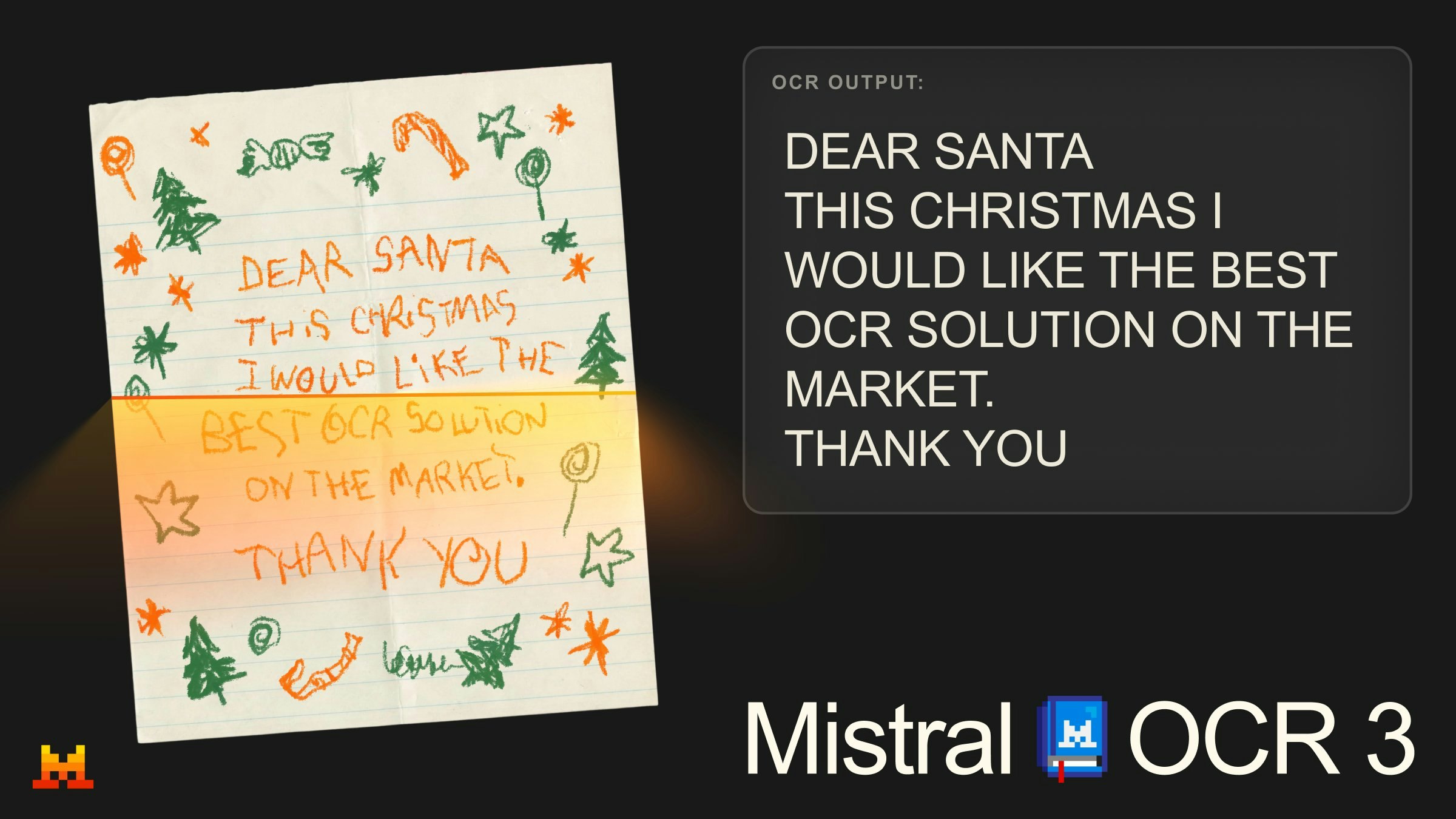
Mistral OCR 3 Review: Next-Generation Document Intelligence for Unstructured Data
Accurate OCR for notes, forms, tables and handwriting
发布时间: 12/22/2025
Product Overview: Decoding the Digital Chaos
Mistral OCR 3 enters the competitive document processing arena with a bold claim: delivering State-of-the-Art (SOTA) accuracy across a diverse range of challenging documents. This isn't just another wrapper for basic text extraction; Mistral OCR 3 is positioned as a comprehensive solution designed to tackle the inherent messiness of real-world data capture. It specifically targets the extraction of text, images, and—crucially—structured data from handwritten notes, complex tables, and scanned forms.
The core value proposition of Mistral OCR 3 lies in its ability to bridge the gap between visually complex documents and clean, actionable digital data. By prioritizing accuracy in nuanced areas like handwriting recognition and table parsing, it aims to eliminate the tedious, error-prone manual data entry that plagues many back-office operations and knowledge worker workflows.
This tool is clearly aimed at professionals who deal with high volumes of semi-structured or unstructured paperwork. This includes legal professionals reviewing contracts, administrative staff processing insurance claims, researchers analyzing scanned academic papers, or developers building internal knowledge management systems that require reliable data ingestion pipelines.
Problem & Solution: Conquering Data Ambiguity
The fundamental problem Mistral OCR 3 seeks to solve is the low accuracy and poor structure output common in traditional Optical Character Recognition (OCR) tools when faced with anything beyond clean, printed documents. Standard OCR often fails spectacularly on faded ink, varying handwriting styles, or tables where cell boundaries are ambiguous or merged. This failure forces users into extensive post-processing cleanup, negating the time-saving benefits of automation.
Mistral OCR 3 tackles this by leveraging advanced machine learning models trained specifically for these complex scenarios. Where alternatives often output raw, unformatted text blobs or struggle to maintain table integrity, Mistral OCR 3 promises to output "clean markdown." This structured output format is a significant differentiator, suggesting that the tool understands the relationship between data points (e.g., row/column structure in a table) rather than just identifying individual characters. This precision fills a critical market gap for users needing reliable, structured data extraction without heavy reliance on complex, custom-trained models.
Key Features & Highlights: Precision in Formatting
The standout capabilities of Mistral OCR 3 center on its advanced recognition capabilities and refined output format. Users will immediately notice the focus on three areas that traditionally trip up OCR engines:
- SOTA Handwriting Recognition: Handling cursive and print across various quality levels is essential for digitizing historical records or recent physician notes.
- Complex Table Parsing: Accurately identifying rows, columns, and merged cells within dense tables is crucial for financial and logistical document processing.
- Clean Markdown Output: Delivering data structured as markdown (or easily convertible formats) streamlines integration into documentation systems, wikis, and databases.
The focus on high-fidelity extraction means less time spent correcting artifacts. For knowledge workers, seeing accurate tables rendered properly is a massive efficiency boost, transforming mountains of scanned paperwork into searchable, editable data assets almost instantly. The combination of high recognition accuracy and intelligent structuring makes this a powerful utility for document digitization workflows.
Potential Drawbacks & Areas for Improvement
While the performance claims for Mistral OCR 3 are impressive, any OCR solution, especially one tackling handwriting, will face limitations. A primary area for constructive criticism often lies in scalability and integration flexibility.
First, the input formats supported should be rigorously tested. While it handles general "documents," users relying heavily on niche document types (e.g., specific government forms with unique layouts) might find limitations until more training data is available for those specific structures. Second, while markdown is excellent for documentation, developers often need direct JSON or XML output for robust API integration. If Mistral OCR 3 lacks flexible output options beyond markdown, this could become a bottleneck for enterprise automation pipelines requiring strict schema adherence.
We would suggest adding granular controls for noise reduction during the initial scan processing, allowing users to preprocess images slightly before feeding them to the extraction engine, thereby potentially boosting accuracy even further on borderline low-quality scans.
Bottom Line & Recommendation
Mistral OCR 3 presents a compelling case for anyone frustrated by the inaccuracies of legacy OCR tools, particularly those struggling with handwritten inputs and structured data extraction from tables. If your primary workflow involves digitizing varied, complex documents and you require output that is immediately usable—not just a block of text—then Mistral OCR 3 is an absolute must-try.
This product appears well-suited for small to mid-sized teams focused on research, archival, or administrative automation where data integrity is paramount. For its ability to tame unstructured data and deliver clean markdown, Mistral OCR 3 earns a strong recommendation as a significant step forward in accessible, high-accuracy document intelligence.
Featured AI Applications
Discover powerful tools to enhance your productivity
MindMax
与AI互动的新方式
超越 AI 聊天,将对话转化为无限画布。结合头脑风暴、思维导图、批判性与创造性思维工具,帮助你可视化想法、高效解决问题、加速学习。
AI Slides
AI 驱动幻灯片,Markdown 魔法加持
革命性幻灯片创作,融合 AI 智能与 Markdown 灵活性 - 随处编辑,随时优化,轻松迭代。让每个想法,都能快速变成专业演示。
AI Markdown Editor
打开即写 - AI驱动的Markdown编辑器
极其高效的写作体验:AI助手、斜杠命令、极简界面。打开即用,轻松写作。✍️ Markdown简洁 + 🤖 AI强大 + ⚡ 斜杠命令 = 完美写作体验
FunBlocks AI Extension
🚀 AI驱动的浏览器扩展
用FunBlocks AI助手改变您的浏览体验。您的智能伴侣,为网络上的AI驱动阅读、写作、头脑风暴和批判性思维提供支持。