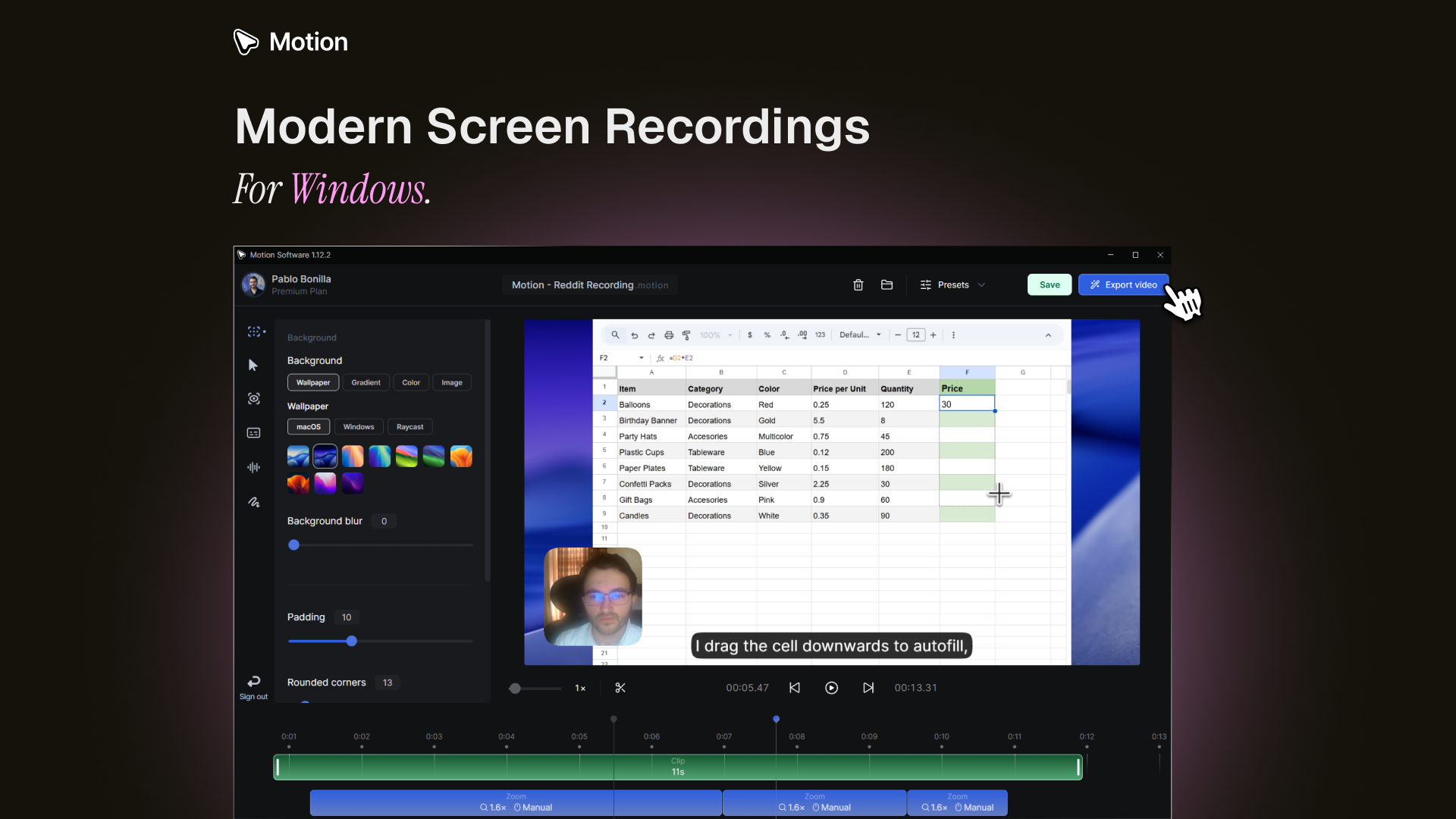
Motion Software Review: Elevating Your Windows Screen Recordings with Effortless Animation
Modern screen recordings for Windows, made simple.
发布时间: 3/15/2026
Product Overview
Motion Software is entering the crowded space of screen recording tools with a focused proposition: transforming standard, often dry, Windows captures into polished, engaging video content with minimal user effort. Billed as "Modern screen recordings for Windows, made simple," Motion aims to bridge the gap between basic capture utilities and complex video editing suites. Instead of simply capturing mouse movements and keystrokes, Motion focuses heavily on post-processing the footage to add professional visual flair, specifically leveraging automated animations.
This tool is clearly designed for content creators, marketers, SaaS demo producers, and educators who frequently need to share visual instructions or product walkthroughs. The core value proposition of Motion Software is speed-to-polish. It targets users who recognize the necessity of high-quality visual communication but lack the time or expertise to manually keyframe sophisticated transitions and callouts in tools like Adobe After Effects. Motion suggests that capturing your screen action is just the first step; the real magic lies in how beautifully it’s presented afterward.
Problem & Solution: Moving Beyond Static Captures
The primary pain point Motion Software addresses is the pervasive mediocrity of standard screen recordings. Traditional tools often produce long, monotonous videos that fail to keep the viewer’s attention, especially when demonstrating software or tutorials. Users often have to export raw footage and then spend significant time in separate editors adding zoom effects, highlights, or smooth transitions—a time-consuming, multi-step workflow.
Motion Software solves this by integrating sophisticated animation processing directly into the recording pipeline. It takes the raw capture and automatically applies configurable stylistic elements. While the exact mechanisms are proprietary, the promise is that users can configure how the animation should look—perhaps defining the style of cursor highlighting or zoom focus—and Motion Software handles the intensive animation work. This fills a crucial market gap for high-quality, stylized capture that remains accessible and fast for Windows users.
Key Features & Highlights
The appeal of Motion Software rests heavily on its automated customization capabilities. The promise of "beautiful video that stands out" stems directly from its focus on the output aesthetic rather than just the capture frame rate.
The most notable features appear to revolve around configuration and processing:
- Configurable Animation: Users aren't locked into one style; they can adjust the animation parameters to match their brand or the desired impact. This suggests granular control over effects like focus areas or visual emphasis on clicks.
- Automated Processing: The heavy lifting is done post-capture. Once the screen session is recorded, Motion takes over the tedious process of creating smooth, professional visual enhancements, significantly reducing editing time.
- Windows-First Simplicity: By focusing specifically on the Windows ecosystem, the developers can tailor the integration and performance to the native environment, ensuring a smoother user experience than cross-platform solutions might offer.
The user experience seems optimized for efficiency. Capture, configure, process—the workflow minimizes friction points, allowing creators to concentrate on the instructional content itself, confident that the visual presentation will be inherently polished.
Potential Drawbacks & Areas for Improvement
While the vision behind Motion Software is compelling, any tool emphasizing automation must be scrutinized for its flexibility. A potential drawback is the risk of the automation feeling too rigid or generic. If the configurable animations lack depth, power users might find themselves limited compared to fully manual editors.
For future enhancement, the development team should focus on expanding the scope of what can be automatically processed. Specifically, integrating intelligent recognition of common UI elements (like button presses or text input fields) and offering context-aware animations would be invaluable. Furthermore, while the core promise is simplicity, adding simple integrations for common destinations—like direct uploads to YouTube, Vimeo, or internal knowledge bases—would complete the end-to-end workflow efficiency. Users will need assurance that these "beautiful videos" are also easy to distribute.
Bottom Line & Recommendation
Motion Software looks like a vital tool for any Windows-based professional or creator who needs to produce frequent, high-quality software demos or tutorials without inheriting a complex video editing workflow. If your current screen recordings look flat and require too much manual keyframing in external software, you owe it to your productivity to explore Motion.
Overall, Motion Software presents a refreshing approach to screen capture, focusing on design output rather than just input acquisition. It targets the creative bottleneck effectively. We recommend that marketing teams and technical writers adopt Motion Software immediately to see how much time they can reclaim while dramatically improving the visual engagement of their instructional content.
Featured AI Applications
Discover powerful tools to enhance your productivity
MindMax
与AI互动的新方式
超越 AI 聊天,将对话转化为无限画布。结合头脑风暴、思维导图、批判性与创造性思维工具,帮助你可视化想法、高效解决问题、加速学习。
AI Slides
AI 驱动幻灯片,Markdown 魔法加持
革命性幻灯片创作,融合 AI 智能与 Markdown 灵活性 - 随处编辑,随时优化,轻松迭代。让每个想法,都能快速变成专业演示。
AI Markdown Editor
打开即写 - AI驱动的Markdown编辑器
极其高效的写作体验:AI助手、斜杠命令、极简界面。打开即用,轻松写作。✍️ Markdown简洁 + 🤖 AI强大 + ⚡ 斜杠命令 = 完美写作体验
FunBlocks AI Extension
🚀 AI驱动的浏览器扩展
用FunBlocks AI助手改变您的浏览体验。您的智能伴侣,为网络上的AI驱动阅读、写作、头脑风暴和批判性思维提供支持。