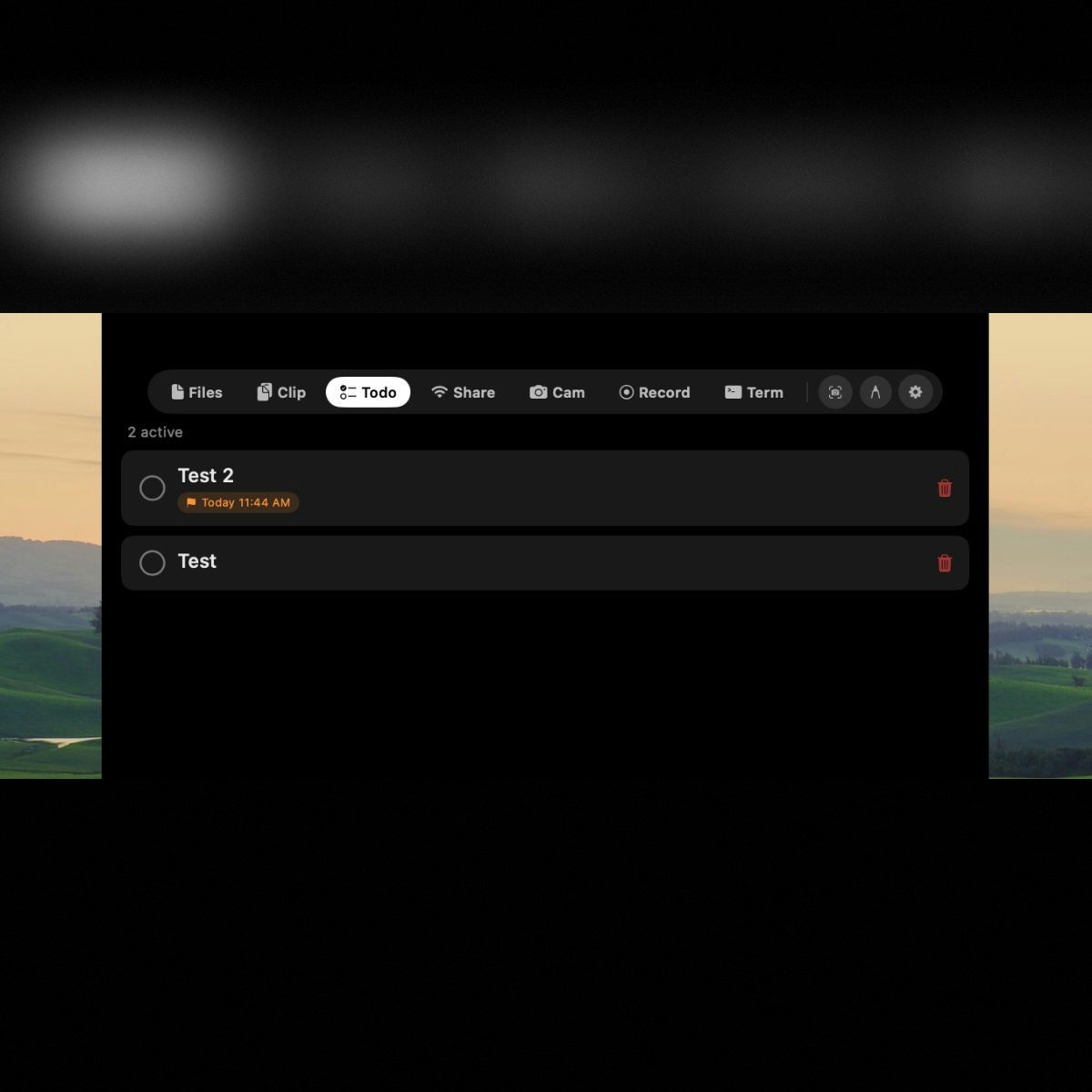
NotchDrop Review: Transforming the MacBook Notch into a Productivity Powerhouse
A Dynamic Island experience for your Mac notch
发布时间: 1/19/2026
Product Overview
NotchDrop boldly reimagines the often-maligned MacBook notch, transforming what many see as an aesthetic compromise into a genuinely useful, centralized hub for daily tasks. Taglined "A Dynamic Island experience for your Mac notch," NotchDrop seamlessly integrates critical utilities directly into this underutilized piece of screen real estate. This is more than just a cosmetic overlay; it’s a deeply functional productivity layer built natively for macOS, designed to minimize workflow interruptions.
The target audience for NotchDrop is clear: power users, designers, developers, and anyone who values efficiency and hates context switching on their Mac. Use cases abound, from quickly sharing files across your devices to instantaneous screen recording access. By leveraging the physical space of the notch, NotchDrop offers a core value proposition of speed and accessibility—keeping your most frequent actions just a quick tap away, without cluttering your menu bar or dock.
Problem & Solution: Eliminating Workflow Friction
The primary problem NotchDrop addresses is the constant friction caused by task switching. Whether you need to grab a recent clipboard item, send a file to your iPhone or Windows machine, or quickly mark up a screenshot, these actions typically require opening separate applications or diving deep into context menus. This constant breaking of focus severely degrades deep work sessions.
NotchDrop solves this by centralizing these disparate functions directly within the notch area. Unlike generalized launcher apps, NotchDrop is highly contextual and hardware-aware. Its most innovative feature is the local, cross-platform file sharing capability—bypassing the need for internet connectivity or cloud uploads (like AirDrop but potentially broader in its reach across Windows/Android). This unique approach fills a significant market gap for users demanding instant, platform-agnostic local transfers right from their primary workspace.
Key Features & Highlights
The feature set of NotchDrop is designed for high-velocity interaction. The centralized access point consolidates several powerful tools that typically require dedicated app launches:
- Instant File Sharing: This is perhaps the flagship feature. Sharing files locally across macOS, Windows, Android, and iOS without relying on an external network connection or cloud storage is a game-changer for multi-device users.
- Clipboard History Access: A true productivity staple, allowing instant recall of recently copied text or media, eliminating the need to switch back to the source application.
- Integrated Media Controls: Quick access to music control ensures your playback adjustments don't break your concentration.
- One-Tap Screen Recording and Annotation: Directly capture and immediately mark up your screen content, perfect for reporting bugs or creating quick tutorials, all without leaving your current focus area.
The user experience is highlighted by its native build quality on macOS, promising "lightning-fast performance." This dedication to speed ensures that the very tool meant to reduce interruption doesn't become an interruption itself. The clean interface ensures that the functionality is accessible without being visually overwhelming.
Potential Drawbacks & Areas for Improvement
While NotchDrop delivers exceptionally well on its core promise, a few areas could be refined to broaden its appeal further. Currently, the experience seems highly focused on the immediate actions provided. For advanced users, there is always room for greater customization.
A potential drawback is the dependency on the physical notch; while this is the product’s entire premise, users on non-notched MacBooks (or those who prefer screen real estate) are excluded. More constructively, I would suggest introducing deeper integration hooks. For example, allowing users to assign custom hotkeys to specific NotchDrop functions, or integrating actions from popular third-party workflow apps (like specific actions in Shortcuts or BetterTouchTool gestures) would elevate it from a utility hub to a true workflow orchestrator. Further documentation or tutorials demonstrating niche power-user tricks could also unlock hidden value.
Bottom Line & Recommendation
NotchDrop is an inspired piece of software engineering that successfully solves a common pain point for modern MacBook users: workflow interruption. If you own a MacBook with the notch and find yourself frequently sharing files locally or constantly reaching for clipboard history and quick screen capture tools, NotchDrop offers phenomenal value. Given its one-time purchase model and the immediate, tangible performance gains it offers, this tool comes highly recommended. It turns a design quirk into your secret workflow weapon, making it a must-try for productivity enthusiasts looking to streamline their macOS experience.
Featured AI Applications
Discover powerful tools to enhance your productivity
MindMax
与AI互动的新方式
超越 AI 聊天,将对话转化为无限画布。结合头脑风暴、思维导图、批判性与创造性思维工具,帮助你可视化想法、高效解决问题、加速学习。
AI Slides
AI 驱动幻灯片,Markdown 魔法加持
革命性幻灯片创作,融合 AI 智能与 Markdown 灵活性 - 随处编辑,随时优化,轻松迭代。让每个想法,都能快速变成专业演示。
AI Markdown Editor
打开即写 - AI驱动的Markdown编辑器
极其高效的写作体验:AI助手、斜杠命令、极简界面。打开即用,轻松写作。✍️ Markdown简洁 + 🤖 AI强大 + ⚡ 斜杠命令 = 完美写作体验
FunBlocks AI Extension
🚀 AI驱动的浏览器扩展
用FunBlocks AI助手改变您的浏览体验。您的智能伴侣,为网络上的AI驱动阅读、写作、头脑风暴和批判性思维提供支持。