OpenOwl Review: A Game-Changer for Local Desktop Automation
Automate what APIs can't in one prompt done locally
发布时间: 4/7/2026
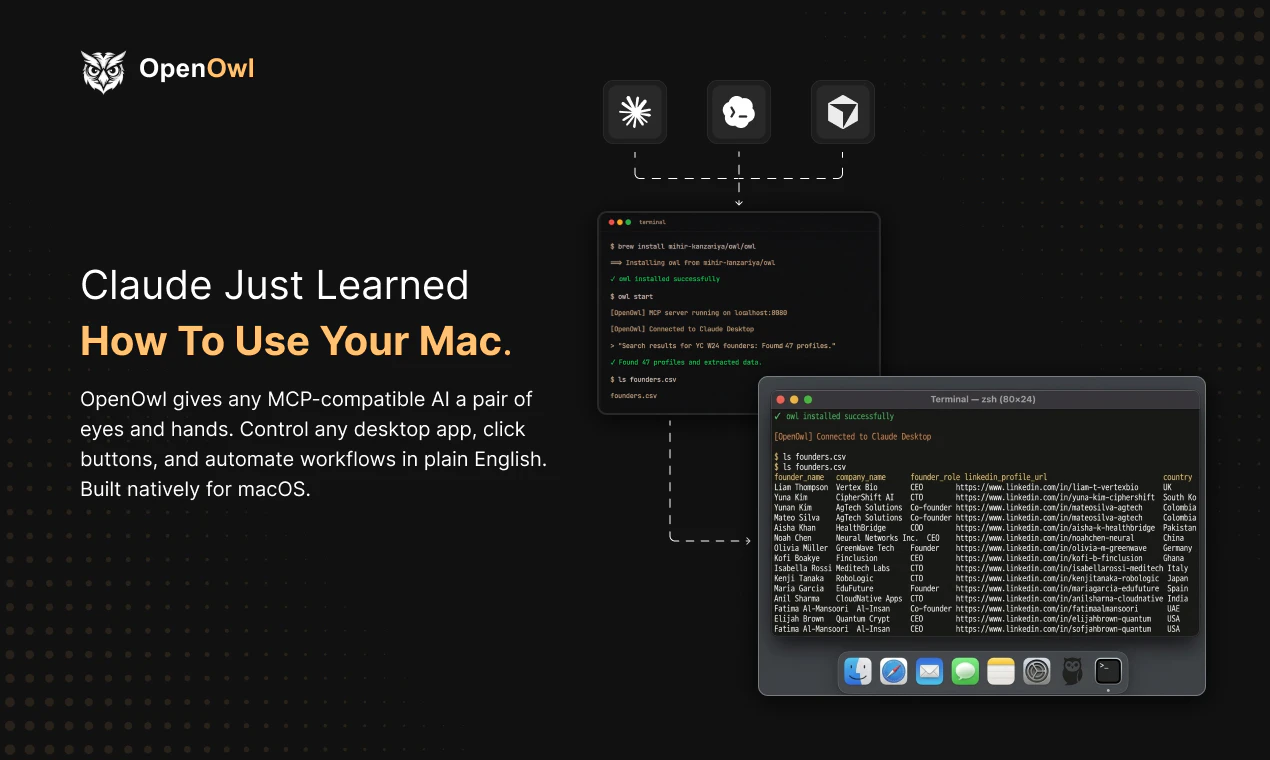
In the current landscape of AI-driven productivity, most tools rely heavily on APIs to interact with services. While powerful, this approach leaves a massive gap: what do you do with legacy software, proprietary internal tools, or platforms that simply don't offer an API? Enter OpenOwl, a desktop automation agent for macOS that bridges this divide by turning your AI assistant into a hands-on operator.
OpenOwl is designed to act as an extension of your own hand. By granting the software the ability to "see" your screen and interact with your cursor and keyboard, it effectively bypasses the limitations of traditional software integrations. Whether you are managing complex Shopify admin updates, performing tedious LinkedIn prospecting, or entering data into aging CRMs, OpenOwl executes these workflows by interpreting plain English prompts and navigating your desktop environment exactly as a human would.
Solving the "API Gap"
The core problem OpenOwl solves is the digital bottleneck created by manual, repetitive screen-based tasks. Many professionals spend hours clicking through browser tabs or proprietary windows because their tools lack automation-friendly APIs. Until now, the only solutions were cumbersome, rigid RPA (Robotic Process Automation) scripts that break the moment a UI element moves.
OpenOwl differentiates itself by using AI vision and MCP (Model Context Protocol) compatibility. Instead of relying on fixed coordinate-based macros, it "understands" the interface. It identifies buttons, text fields, and navigation menus dynamically, making it far more resilient to UI changes than legacy automation tools. It fills the significant market gap between high-level AI assistants that can only "write" and traditional automation tools that are too brittle for everyday desktop work.
Key Features and Highlights
OpenOwl brings a new level of intelligence to desktop automation by combining computer vision with LLM-powered reasoning. Key capabilities include:
- Adaptive Desktop Control: The tool can click, type, and navigate across any macOS application, whether it’s a modern web browser or a legacy desktop client.
- MCP-Compatible AI Integration: Users can leverage powerhouses like Claude or Codex, allowing the agent to reason through complex, multi-step tasks that aren't scripted in advance.
- Local Privacy-First Execution: By running locally on your macOS device, OpenOwl ensures that sensitive screen data isn't being constantly shuttled to a cloud server, making it a viable option for security-conscious professionals.
- Intent-Based Automation: You don’t need to code logic; you simply describe the desired outcome in natural language, and OpenOwl maps the steps required to complete the mission.
The user experience is seamless for those already accustomed to using LLMs. You define your goal—for example, "Extract these leads from this page and put them in my CRM"—and the agent handles the context switching and interaction steps required to make it happen.
Potential Drawbacks and Areas for Improvement
While OpenOwl is a breakthrough, it is not without limitations. Like most vision-based AI agents, the speed of execution is currently bound by the response time of the underlying LLM. For tasks requiring high-speed precision, there may be a slight "latency lag" between the AI's "thought" and the physical cursor movement.
Additionally, while it handles standard UIs well, highly complex or bespoke custom applications might occasionally confuse the agent. To improve, future updates could benefit from a "human-in-the-loop" verification mode, where the agent pauses for confirmation before performing high-stakes actions like deleting records or sending messages. Adding a visual map or "undo" feature would also provide users with more peace of mind when the agent is taking control of their mouse.
Bottom Line and Recommendation
OpenOwl is an essential tool for knowledge workers, sales professionals, and operations managers who are tired of being tethered to "manual labor" in front of their computers. If your daily workflow involves repetitive interaction with non-API-enabled software, OpenOwl is a must-try.
By offloading the "grunt work" to an AI agent, you reclaim the one resource you can't create more of: time. While it is still an evolving technology, the value proposition of having a local agent that can actually do the work—rather than just write about it—is massive. I highly recommend giving OpenOwl a spin to see how much of your workflow can be automated today.
Featured AI Applications
Discover powerful tools to enhance your productivity
MindMax
与AI互动的新方式
超越 AI 聊天,将对话转化为无限画布。结合头脑风暴、思维导图、批判性与创造性思维工具,帮助你可视化想法、高效解决问题、加速学习。
AI Slides
AI 驱动幻灯片,Markdown 魔法加持
革命性幻灯片创作,融合 AI 智能与 Markdown 灵活性 - 随处编辑,随时优化,轻松迭代。让每个想法,都能快速变成专业演示。
AI Markdown Editor
打开即写 - AI驱动的Markdown编辑器
极其高效的写作体验:AI助手、斜杠命令、极简界面。打开即用,轻松写作。✍️ Markdown简洁 + 🤖 AI强大 + ⚡ 斜杠命令 = 完美写作体验
FunBlocks AI Extension
🚀 AI驱动的浏览器扩展
用FunBlocks AI助手改变您的浏览体验。您的智能伴侣,为网络上的AI驱动阅读、写作、头脑风暴和批判性思维提供支持。